
Wearables are no longer a novelty, but most indie founders still get stuck in two traps: cloning a generic fitness tracker or overbuilding a hardware-dependent product that cannot retain users. This shortlist of 7 wearable app ideas focuses on what is realistically shippable on Apple Watch and Wear OS today, where the habit loop is clear and an MVP can prove value without months of edge-case work. By the end, you will know which ideas are better for quick validation versus deeper moats, what tradeoffs to expect, and how to pick one that fits your skills, timeline, and distribution path.
Early proof block: what tends to work for indie wearable apps (and why)
Most viable wearable apps map one high-frequency signal to one repeatable intervention, which keeps onboarding and UX tight and reduces dependence on perfect biometric accuracy. The table below is a starting hypothesis, not a guarantee; validate the order with your own retention and engagement data.
| Wearable idea (ranked) | Repeat usage | Primary signal | MVP complexity |
|---|---|---|---|
| 1. Micro-habit coach | High | Notifications | Low |
| 2. Sleep and recovery nudges | High | Sleep, HR trends | Med |
| 3. Stress check-in | Med-High | HR, HRV (noisy) | Med |
| 4. Run-walk pacing | Med | Motion, GPS | Med |
| 5. Medication reminders | Med | Notifications | Low |
| 6. Safety check-in | Low-Med | Location | Med |
| 7. Posture prompts | Low-Med | Motion | Med |
Explanation: This prioritizes ideas that deliver value in a short on-wrist moment (often under 10 seconds) and still function when sensors are imperfect.
Interpretation: It favors loops you can validate with simple metrics like notification response rate, weekly active days, and repeat sessions before investing in deeper modeling. As a directional benchmark to validate, many successful lightweight utilities aim for ~20-35% notification tap/confirm rate and ~15-30% week-4 retention for a narrow niche, but results vary heavily by audience and onboarding friction.
Reader impact: If you pick from the top half, a first version is often feasible in ~3-8 weeks for one platform when you already know the SDK and have 2-3 test devices (and longer if you need a phone companion app, new health permissions, or more QA) (frenchydigital.com).
7 Breakout Android Apps Making Waves in June 2026 goes deeper on the ideas above and adds concrete next steps.
What makes these wearable app ideas worth building now?
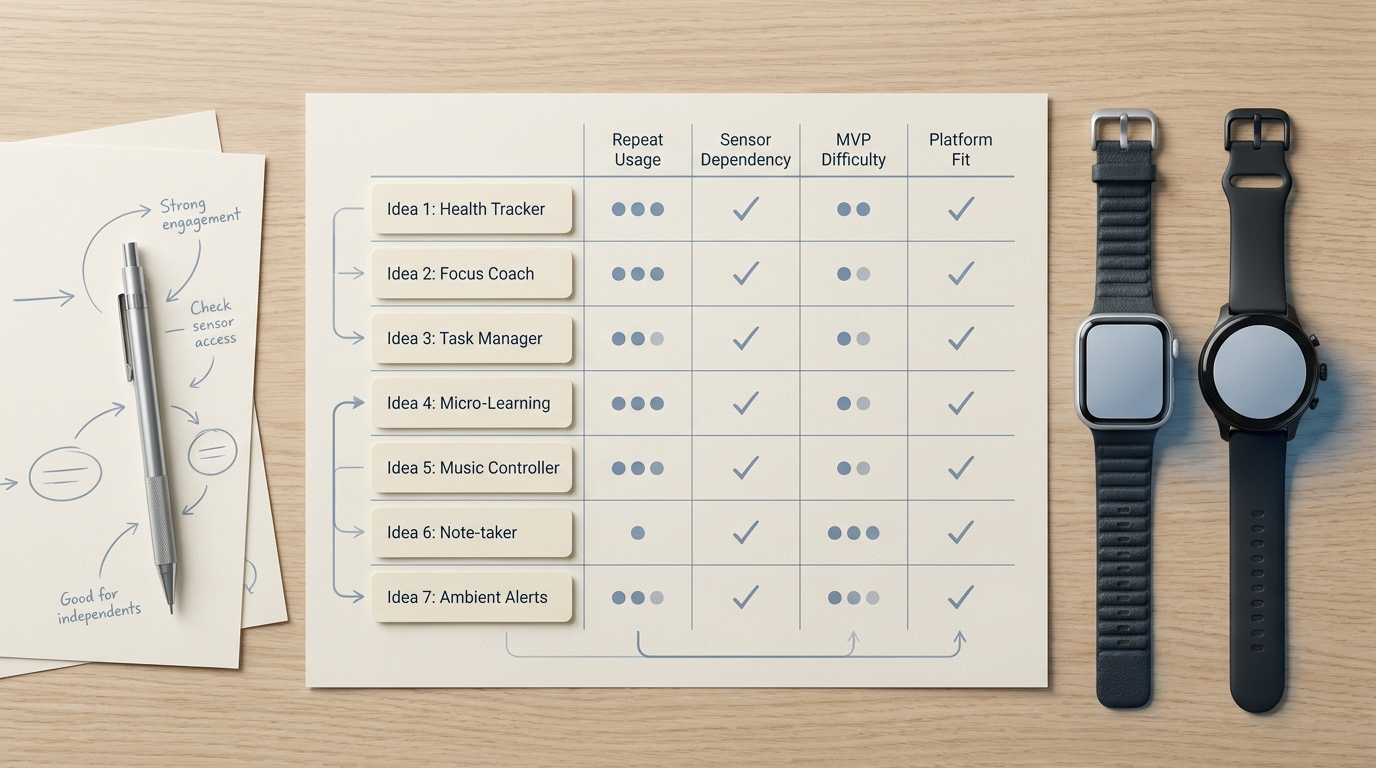
A compact comparison table showing the seven wearable app ideas against indie-friendly criteria such as repeat usage, sensor dependency, MVP difficulty, and platform fit for Apple Watch or Wear OS.
These ideas are ranked for indie-founder fit: MVP ship-ability, repeat usage potential, and a wearable-native job to be done. The list skews toward simple loops over dashboards because wearables reward fast, frequent interactions.
One thing worth noting: wearable-first focus can reduce scope and sometimes improve retention, but it can also cap the feature ceiling. The usual way out is a narrow wedge (audience, workflow, or distribution channel) that bigger apps do not prioritize.
When you move from outline to execution, How to Build a SaaS App With AI in a Weekend helps close common gaps teams hit here.
Which wearable app ideas are worth building first?
In practice, the biggest scope drivers are permissions, background rules, sensor noise, and device variability (especially on Wear OS). Each idea below calls out the core loop, who it fits, and the main constraints to plan for.
1) Micro-habit coach (one habit, one nudge)
- Core loop: scheduled prompts, one-tap completion, small streak view.
- Good fit for: fast validation, founders who can market a single behavior change (hydration, short walks, language flashes).
- Watch-outs: notification fatigue is common. Expect 2-3 rounds of tuning timing, frequency caps, and opt-down controls to avoid churn.
2) Passive sleep and recovery nudges
- Core loop: morning summary plus one recommendation and one micro-action.
- Good fit for: founders comfortable with analytics framing and conservative wellness positioning.
- Watch-outs: accuracy varies by device and fit, and built-in sleep features are strong. Your wedge needs to be specific (shift workers, new parents, amateur athletes), and you should budget ongoing calibration and support when OS algorithms change (goodspeed.app).
3) Stress check-in with breathing reset
- Core loop: detect possible stress moment, offer a one-tap breathing session with haptics.
- Good fit for: founders who can design for trust and avoid overclaiming.
- Watch-outs (failure mode + mitigation): HRV-based triggers can fire at the wrong times and feel creepy or wrong. Mitigate with a 7-14 day baseline period, conservative thresholds, and a simple "not now" or "wrong time" feedback tap that down-weights future triggers.
4) Run-walk pacing and interval cues
- Core loop: haptic interval cues, pace bands, short post-run summary.
- Good fit for: founders who can test outdoors and handle workout session quirks.
- Watch-outs (failure mode + mitigation): GPS drift and battery drain can degrade trust quickly. Mitigate by offering a GPS-off indoor mode, showing confidence cues (for example, "GPS weak"), and testing battery impact on at least two watch models before shipping.
5) Medication reminders with confirmation logging
- Core loop: timed reminder, one-tap "taken", snooze and escalation options.
- Good fit for: a straightforward utility where clarity beats cleverness (often best for 1-3 recurring meds or supplements).
- Watch-outs: onboarding can be heavier than it looks (schedules, time zones, refills, permissions). Also be explicit about limits: this is not medical advice, and it is not an emergency system.
6) Safety check-in for solo activities
- Core loop: timed check-in, one tap "I am OK", optional share to a trusted contact.
- Good fit for: founders with a clear distribution channel (campuses, clubs, local communities).
- Watch-outs: permission friction and background limitations are real, and reliability depends on connectivity. Be explicit that you are not an emergency service, and consider legal review if you market it as safety-critical.
7) Posture prompts and desk-break nudges
- Core loop: timed movement nudges, quick "done" taps, optional inactivity heuristics.
- Good fit for: office-worker wellness prompts where simple compliance beats perfect detection.
- Watch-outs: motion-based posture detection is unreliable on many wrists and devices, so frame it as break reminders, not posture diagnosis. Long-term retention usually requires personalization, which adds data and QA overhead.
A complementary angle worth comparing lives in How to Validate Your App Idea Before Building Anything.
How should an indie founder choose the right wearable app idea?
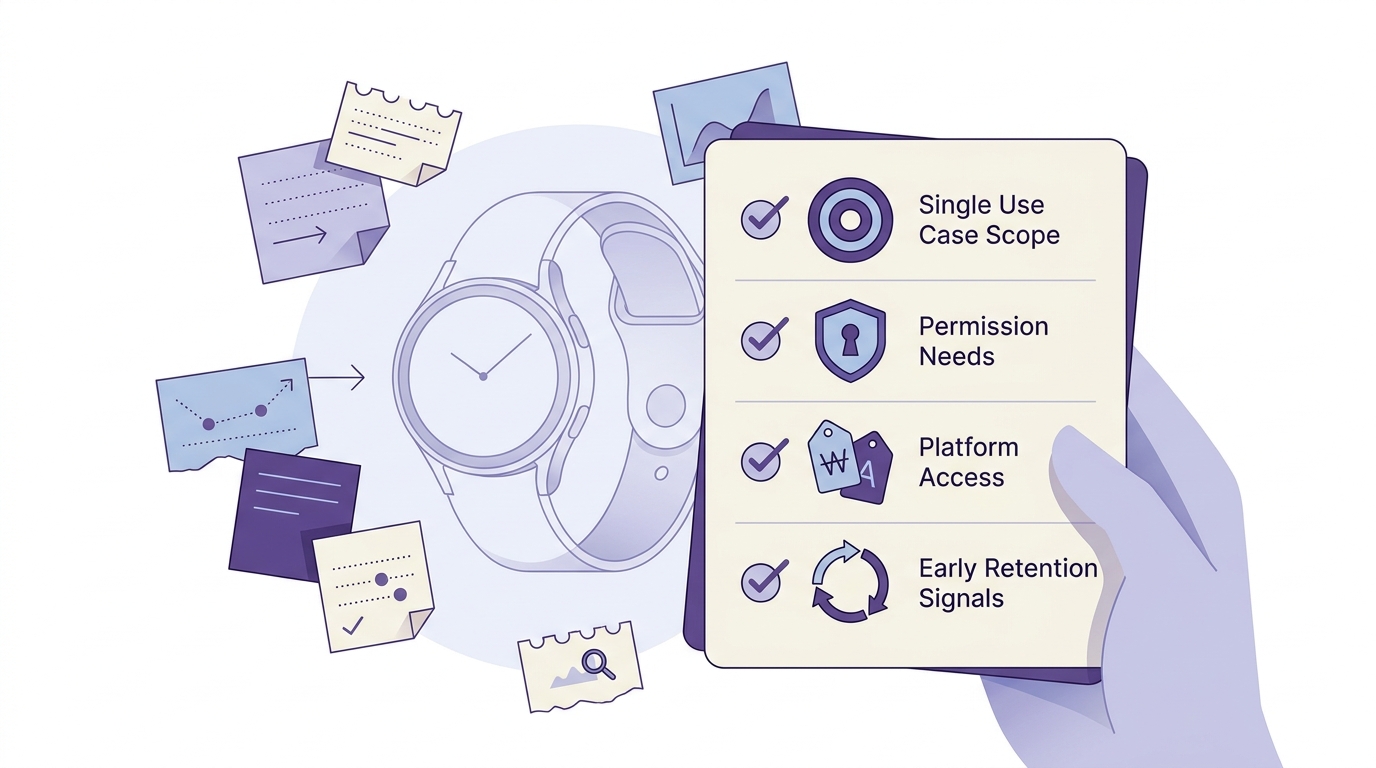
A short checklist block for indie founders deciding whether a wearable app idea is small enough to launch, covering one-use-case scope, permission needs, platform access, and early retention signals.
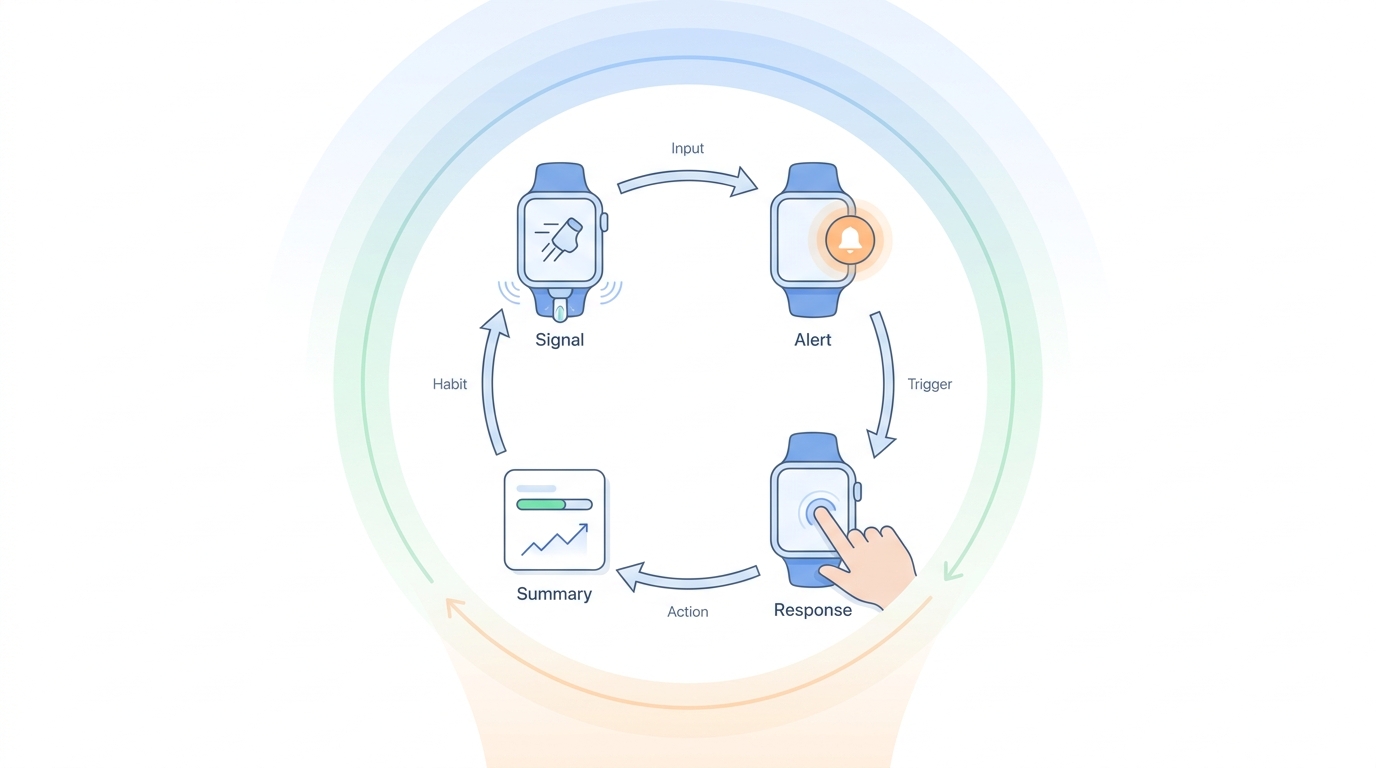
A simple flow diagram showing how a workout wearable app uses sensor input, on-watch alert, user tap or haptic response, and post-session summary to create a tight engagement loop.
Pick the idea with the shortest loop from signal to action
Start with one signal that triggers one helpful response
"Trigger - haptic - one tap" flows are easier to test and explain. Wearables punish long onboarding and reward quick wins.
Define one measurable success metric for the first month
Use something observable: notification response rate, weekly active days, completed sessions per user, or "days with at least 1 confirmation." Treat health outcomes (adherence, recovery, stress reduction) as hypotheses until validated.
Budget time for tuning and support
Even "simple" wearable apps need iteration on timing, false positives, and permission education. Plan 2-3 post-launch cycles for bug triage and UX tuning, and expect occasional changes driven by OS updates.
What does a realistic build and QA workflow look like?
A common failure point is underestimating device and permission testing time. A lightweight but realistic workflow for a solo founder looks like this:
MVP build (1-3 weeks depending on experience)
Implement the on-wrist loop, logging, and basic settings. If you need a phone companion app for setup or history, add 3-7 more days.
On-device QA (3-7 days spread across real life)
Use TestFlight (Apple) or internal testing tracks (Wear OS) and run a simple checklist: notification delivery, background limits, time zone changes, low battery behavior, and "no-permission" fallback screens.
Health permissions and data validation (2-5 days, if applicable)
If you touch HealthKit or Google Health Connect, test each permission path and denial state. Expect extra time if you rely on sleep or HRV trends because you need a baseline period before triggers are meaningful.
Battery and sensor sanity checks (1-3 days)
Do at least two long sessions for workout or GPS features and compare battery drain against a no-app day. If battery impact is noticeable, users will tell you fast.
The practical takeaway: validate APIs, permissions, and fallback paths before you commit to a roadmap or marketing copy, because platform constraints can quietly add weeks (frenchydigital.com).
For tradeoffs, checklists, and edge cases, 7 AI Video Editing Apps That Make You Look Pro Instantly rounds out this section.


