
LinkedIn can deliver higher-quality trial users for a B2B-leaning mobile app, but expect 4-8 weeks to get directional signal, a modest ad budget, and consistent human follow-up to realize the conversion uplift. This short guide summarizes an 8-week founder-led experiment, shows a repeatable 30-day setup, and calls out realistic tradeoffs so you know what to expect.
How to Use App Review Sites to Drive Early Downloads goes deeper on the ideas above and adds concrete next steps.
What early results did we see after 8 weeks on LinkedIn?
Category: Cost
Statistic: $1.9k / 8 weeks
Label: Total LinkedIn ad spend
Context: Tracked with UTM + Firebase
Category: Baseline
Statistic: 12 installs/mo
Label: Baseline from LinkedIn
Context: Before our LinkedIn push
Category: Outcomes
Statistic: 68 installs/mo
Label: After 8 weeks on LinkedIn
Context: Early traction after consistent posting
Directionally, switching to Sponsored Content plus Lead Gen Forms correlated with more installs and higher-quality trial signups for our SMB-facing app, but the sample size was small and results are not guaranteed.
- LinkedIn installs: 12 / month -> 68 / month
- Trial signups: 6 / month -> 20 / month
- Ad spend during test: about $1,900 over 8 weeks
- Team and time: founder + contractor, roughly 10 hours/week
Explanation: we tracked with UTM parameters and Firebase events and installed the LinkedIn Insight Tag. Interpretation: Lead Gen Forms raised contactability at higher cost, and timely outreach improved activation. Business impact: if you can follow up quickly, contactable leads tend to convert at higher rates than anonymous installs; if you cannot, the uplift will be muted.
Practical caveats: this is directional evidence, not proof. Attribution noise, audience fit, and creative relevance drive most of the variance, and you should expect to iterate for 4-8 weeks to stabilize metrics.
When you move from outline to execution, How to Get Your First 1,000 Users for Your iOS App helps close common gaps teams hit here.
Why choose LinkedIn to promote a mobile app?
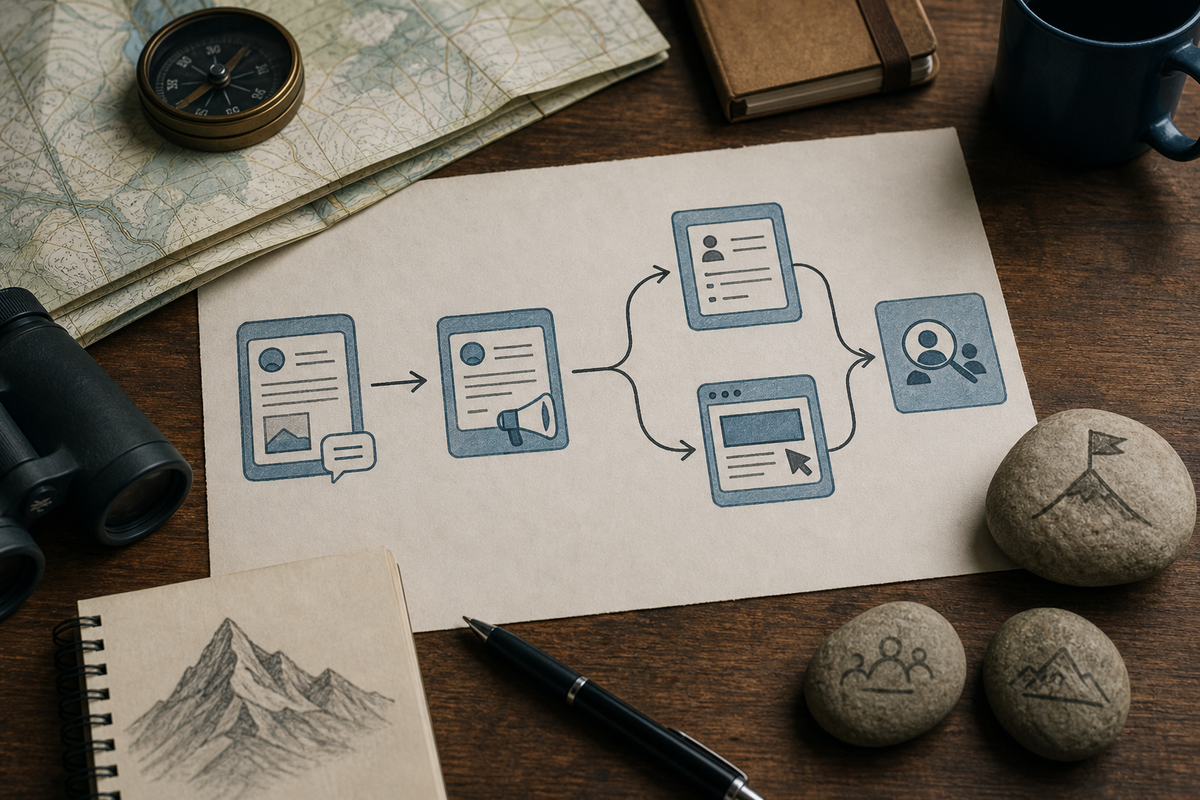
A flow diagram of the discovery experiments: Organic founder posts → repurpose into Sponsored Content → split test Lead Gen Form vs Click-to-Site → Sales Navigator outreach to form submitters; includes where tracking tags are placed (UTM, Insight Tag, Firebase).
We chose LinkedIn because we needed contactable professionals with job and company signals, not just raw installs. That matters when purchase decisions start with work conversations rather than app-store discovery.
Who we targeted: product managers at SMBs who influence tooling. Constraints: $2k/month cap, one growth lead with about 10 hours/week, no full-time creatives. Primary KPI: trial signups that complete the first meaningful action within 7 days. Secondary KPIs: cost-per-quality-trial (CPQT) and 30-day conversion to paid.
Key hypotheses:
- Sponsored Content with Lead Gen Forms will increase contactable leads and downstream conversion, even if acquisition cost is higher.
- Repurposed founder posts speed creative production and improve ad resonance.
- Sales Navigator outreach to form submitters will materially improve trial activation if outreach is timely.
What to watch for: audience mismatch (wrong job titles), attribution noise between LinkedIn and app analytics, and lead-quality variance that requires nurture. Expect to spend 4-8 weeks testing audiences and creative before performance stabilizes.
A complementary angle worth comparing lives in How to Partner With Other Apps to Cross-Promote.
How to run a 6-week LinkedIn playbook for mobile apps
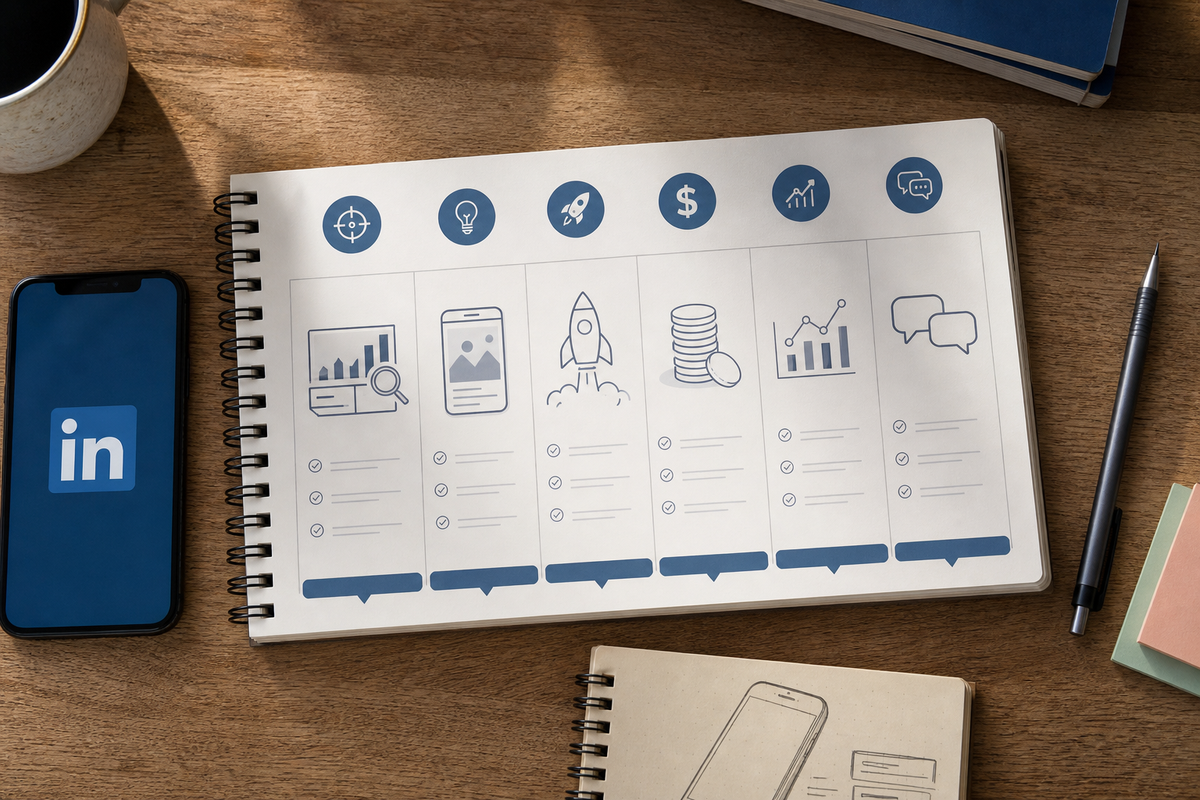
A compact 6-week checklist block showing weekly tasks: Week 0 tracking; Week 1 creative; Weeks 2 - 6 campaign launch, daily budget, weekly optimization, and follow-up windows - designed for a single-founder operator.
Run a focused 6-week sequence: set up tracking first, repurpose two founder posts into ad creatives, pair Lead Gen Forms with human follow-up, and measure CPQT and short-term activation before you scale.
Week 0 - Tracking and audience setup
Create UTM templates, configure Firebase events for trial start and first meaningful action, and install the LinkedIn Insight Tag. Expect 4-8 hours for a careful setup and validation; missing this step increases attribution confusion later.
Week 1 - Creative and copy
Repurpose two founder posts: one short case study and one quick demo. Record a 15-30 second screen demo with captions and plan 6-10 hours to iterate initial variants.
Week 2 - Campaign launch
Launch two campaigns: Sponsored Content with a Lead Gen Form and a small click-to-site test for comparison. Start small to collect signal; try an initial daily budget around $60 and expect results to be noisy early on.
Weeks 3-6 - Optimize and scale
Rotate creative every 7-10 days, keep a 60/40 split testing Lead Gen Form versus click-to-site, and increase spend only after submit and first-action rates stabilize. Plan 4-6 hours/week for monitoring and creative swaps; if you skip this cadence, performance usually declines.
Ongoing - Outreach and nurture
Use Sales Navigator to message 5-10 warm leads weekly who submitted forms and follow up within 24-48 hours. Outreach and onboarding coaching typically take 2-4 hours/week; slow follow-up materially reduces conversion.
Post-test - Measure and iterate
Freeze a performance snapshot after 6 weeks, calculate CPQT and 30-day trial to paid conversion, then decide to scale, change creative, or pause. Expect a couple of hours to prepare a short decision brief.
Outcomes and measured learnings:
- Metrics to track: Lead Gen submit rate, CPQT, trial to paid at 30 days, and 7-day first-action rate.
- Directional results from our test: CPQT about $95 and 30-day trial to paid roughly 12-15%, but your numbers will vary by offer, audience fit, and follow-up speed.
- Practical lessons:
- Lead Gen Forms increase contactability and downstream conversion when paired with fast outreach, but they usually raise cost-per-acquisition.
- Founder storytelling reduced creative production time and improved ad resonance for our audience.
- Small budgets need disciplined rotation and strict measurement; without that, signal degrades and decisions become noisy.
One thing worth noting: this approach trades higher upstream cost for better downstream contactability. If you cannot commit to 24-48 hour follow-up and 4-8 hours/week of optimization, expect diminished returns.


