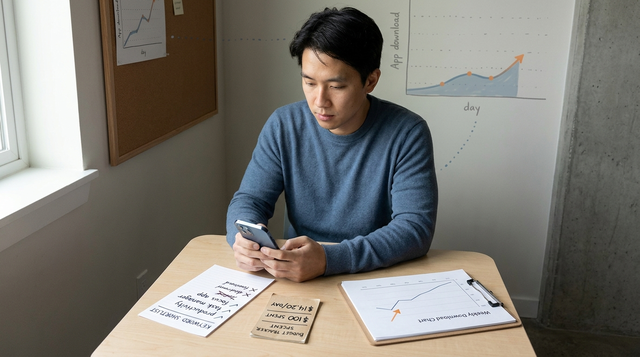
In March, I was staring at our App Store download chart and a runway that did not leave room for big acquisition experiments, so I capped Apple Search Ads at $100 and treated it like a learning sprint. With that little spend, one bad keyword can consume the entire test before you learn anything. This walkthrough shows how we structured the week to get usable install signal, what we watched daily, and what we would change next time.
| Snapshot (7-day $100 sprint) | Baseline (pre-test) | During test | Notes |
|---|---|---|---|
| Spend | $0 | $100 (actual) | Fixed cap, spread across days |
| Days | 7 | 7 (actual) | Pacing mattered as much as targeting |
| Taps | N/A | Illustrative: 20-80 | Pull from ASA reporting export; range varies heavily by CPT |
| Installs (ASA attributed) | 0 | Illustrative: 0-10 | Small numbers are common on $100; zero is possible |
| CPI | N/A | Illustrative: $10-$60 | Directional only unless volume is meaningful |
| What converted | Organic only | Often branded first, then a few high-intent terms | Broad intent usually leaks spend fastest |
Explanation: this is a signal check under tight constraints, not a growth case study.
Interpretation: early installs often reflect existing intent (especially branded), but the sample is small and sensitive to CPT swings, reporting lag, and timing.
Reader impact: a $100 sprint can help you decide what to cut or retry, but it may not be enough to prove payback without downstream metrics.
How to Get Your First 1,000 Users for Your iOS App goes deeper on the ideas above and adds concrete next steps.
How to run Apple Search Ads on a $100 budget
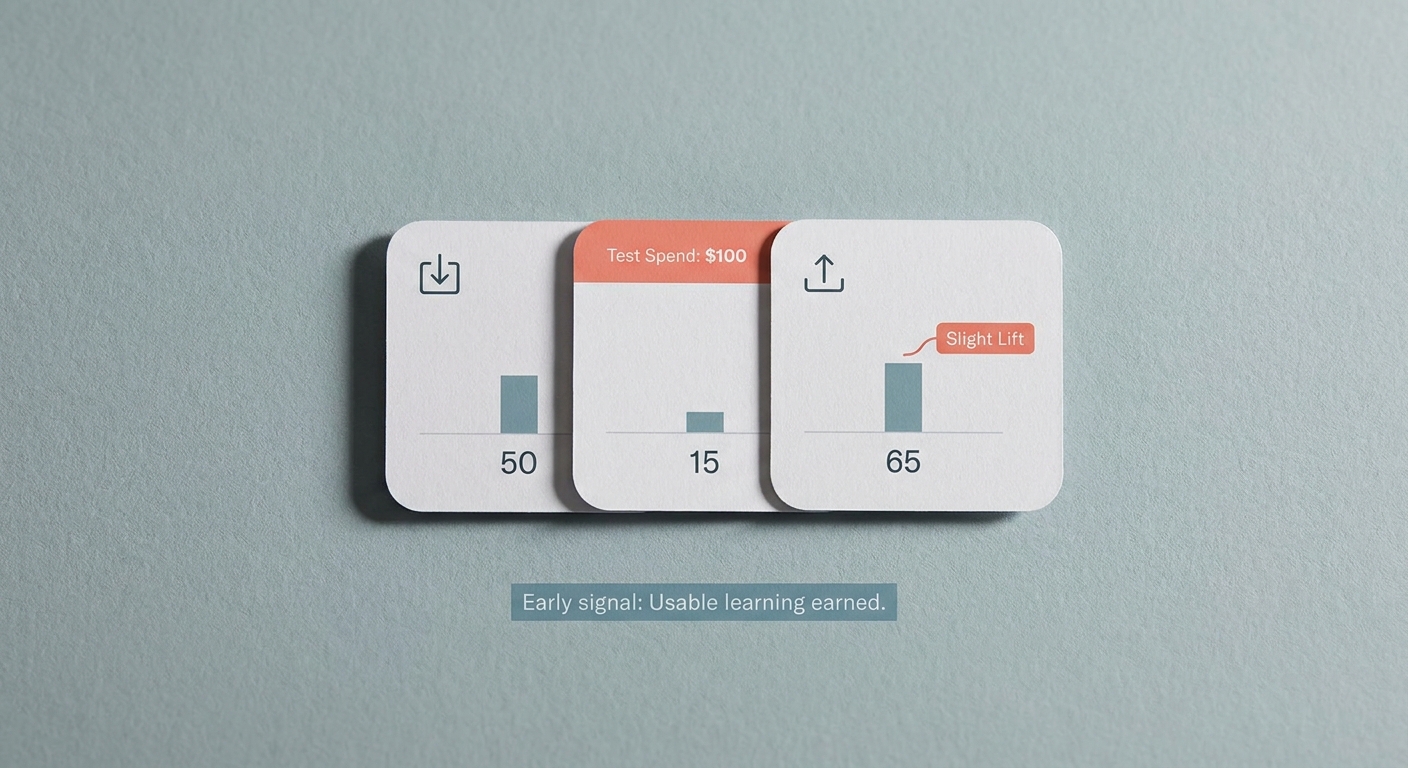
A compact metric card for the article’s opening proof block, showing a $100 Apple Search Ads test alongside a baseline download snapshot and early installs from intent-driven App Store searches. The visual should communicate a modest but meaningful lift in installs or efficiency, with the business takeaway that the team earned enough signal to continue testing.
We were in a relaunch week, where momentum matters but patience is limited. Organic installs were not zero, but they were flat enough that waiting weeks for ASO lift felt risky. The only thing I could justify was a hard cap: $100 total over about a week, paced daily so we did not burn out on day one.
In practice, this is not a set-and-forget channel at this budget. Plan 60-90 minutes for setup and 10-20 minutes per day for monitoring and negatives. If you cannot commit that cadence, the test is more likely to generate noise than decisions.
When you move from outline to execution, How the App Store Algorithm Works in 2026 helps close common gaps teams hit here.
When is a $100 Apple Search Ads test worth it?
At $100, Apple Search Ads punishes ambiguity. Broad matching and vague category terms can buy taps that look like progress, but they often do not convert before you run out of budget. In higher-CPT categories, you may only get a handful of taps per day, which limits learning speed.
Tradeoffs to be explicit about:
- Exact match improves clarity but reduces volume. You may end the week with too little data to expand confidently.
- Daily review adds operational overhead. The time cost can outweigh the insight if you are already stretched.
- ASA attribution is not full business value. CPI does not equal payback unless you also understand activation, trial rate, or LTV.
Conditions that can make this sprint a bad use of time:
- Your category routinely has high CPT and you cannot afford a second week to follow up.
- Your product page conversion is weak (screenshots, positioning, ratings), so even good intent will not convert.
- You cannot monitor daily (or at least every other day), especially in the first 72 hours.
- You do not have any downstream signal available (activation, signup, trial start), so you might optimize for low-quality installs.
Common dependencies and failure modes:
- Approval or reporting lag (1-2 days). It compresses the test window; plan for it.
- Overbidding early. If CPT spikes, you can burn half the budget before you see an install.
- Too-wide geo. You dilute learnings across markets and pricing tiers.
A complementary angle worth comparing lives in The Fastest Way to Make Your First $1,000 From an iOS App.
The playbook: how we spent $100 without wasting the week
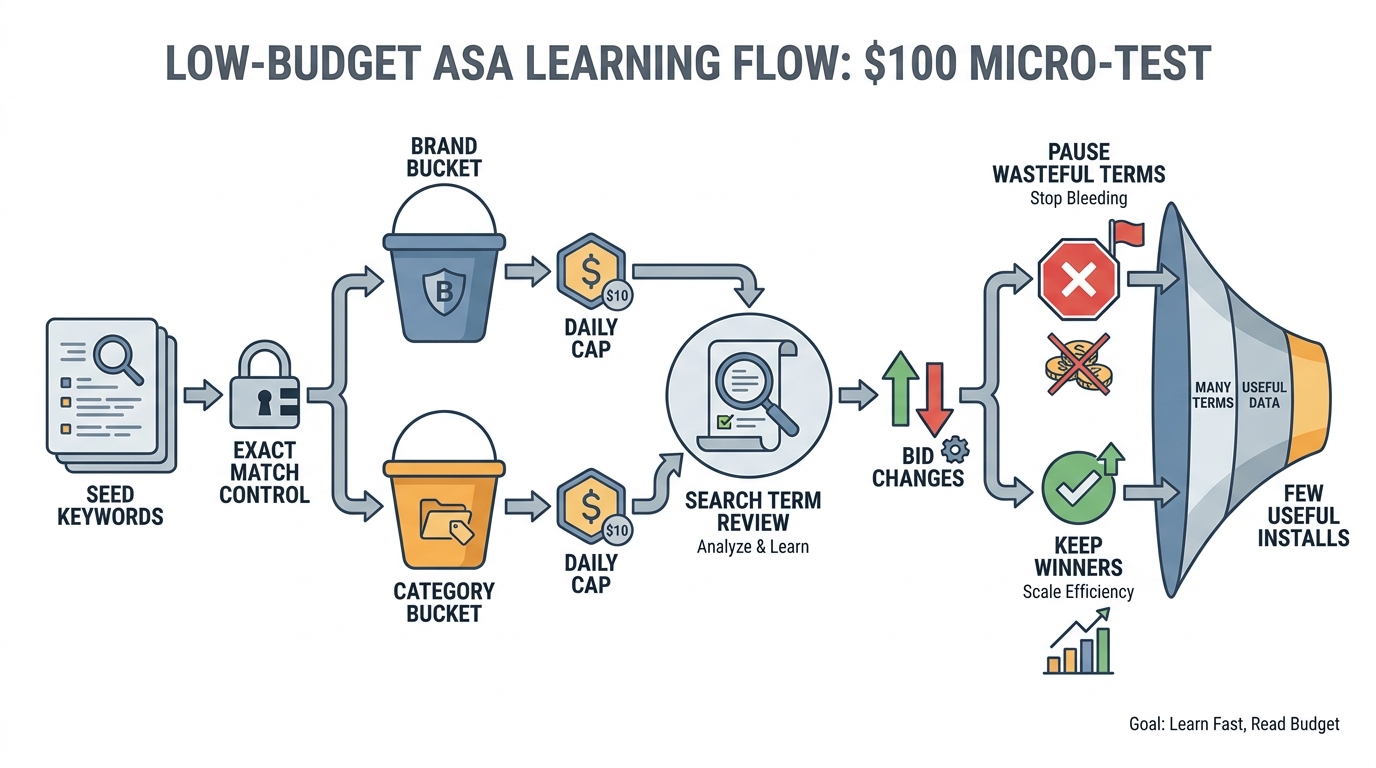
A process diagram showing the low-budget Apple Search Ads workflow: seed keywords, exact-match control, separate branded and category buckets, daily caps, search term review, bid changes, and fast pausing of wasteful terms. The point is to show how a $100 budget stays readable and actionable.
1. Start with only the highest-intent keywords
We started with what a ready-to-install user would type: our app name, a close variant, the core job-to-be-done phrase, and 1-2 specific category terms. This usually takes 30-60 minutes, including a quick scan of App Store autocomplete and competitor subtitles.
We leaned heavily on exact match, with a small set of tightly scoped variants. The practical tradeoff is fewer taps, but on a tiny budget the taps you do buy are easier to interpret and easier to defend internally.
2. Split the campaign into buckets you can actually read
We split into distinct ad groups: branded, high-intent category, and competitor-adjacent. This adds setup time (roughly 30-45 minutes), but it prevents blended averages from hiding the one place the budget works.
We also set conservative daily caps per ad group so one leaky area could not drain the full budget. A starting point is $10-$20/day total, then adjust based on observed CPT and how quickly you are learning.
A simple workflow we followed:
| Step | Owner | Time | Output |
|---|---|---|---|
| Seed keywords (branded + 3-6 high-intent) | Marketer | 30-60 min | Tiny exact-match list |
| Build 3 ad groups (brand, category, competitor) | Marketer | 30-45 min | Readable buckets |
| Set daily caps and conservative bids | Marketer | 10-15 min | Spend pacing control |
| Daily review: search terms, pacing, CPI by bucket | Marketer | 10-20 min/day | Negatives, pauses, bid tweaks |
| End-of-week decision | Team | 20-30 min | Expand, rerun, or stop |
3. Prune and rebid on a short feedback loop
We increased bids only where installs appeared, even if tap volume stayed low. High taps without installs is the fastest way to spend $100 and end with no usable conclusion.
We also set a pause rule before starting (a small spend threshold per keyword or ad group without an install). The exact number depends on economics, but having a rule prevents you from rationalizing leakage when you are tired or busy.
4. The daily 10-minute monitoring checklist (plus if-then fixes)
This was the minimum routine that kept the test interpretable:
- Spend pacing: are you on track to last 7 days?
- Search Terms Report: add negatives for off-intent queries.
- CPI by ad group: which bucket is doing the work?
- CPT spikes: did bids or competition change?
- One downstream check (if available): activation, signup, or trial start.
If-then actions that saved budget:
- If CPT jumps and volume does not improve, then lower bids and narrow match types before spending more.
- If category terms spend but do not convert, then pause and shift budget to branded until you improve relevance or product page.
- If geo is too broad, then restrict to your strongest market to get a clearer read.
- If ads are delayed in review, then extend the sprint or delay your conclusions; do not judge day 1 data too hard.
Want a second set of eyes on your $100 setup?
Share your current structure and constraints (category, geo, goal), and I will tell you what to tighten first.
Review my setup
For tradeoffs, checklists, and edge cases, App Store Optimization in 2026: What Actually Moves the Needle rounds out this section.
What did we learn from the $100 Apple Search Ads test?
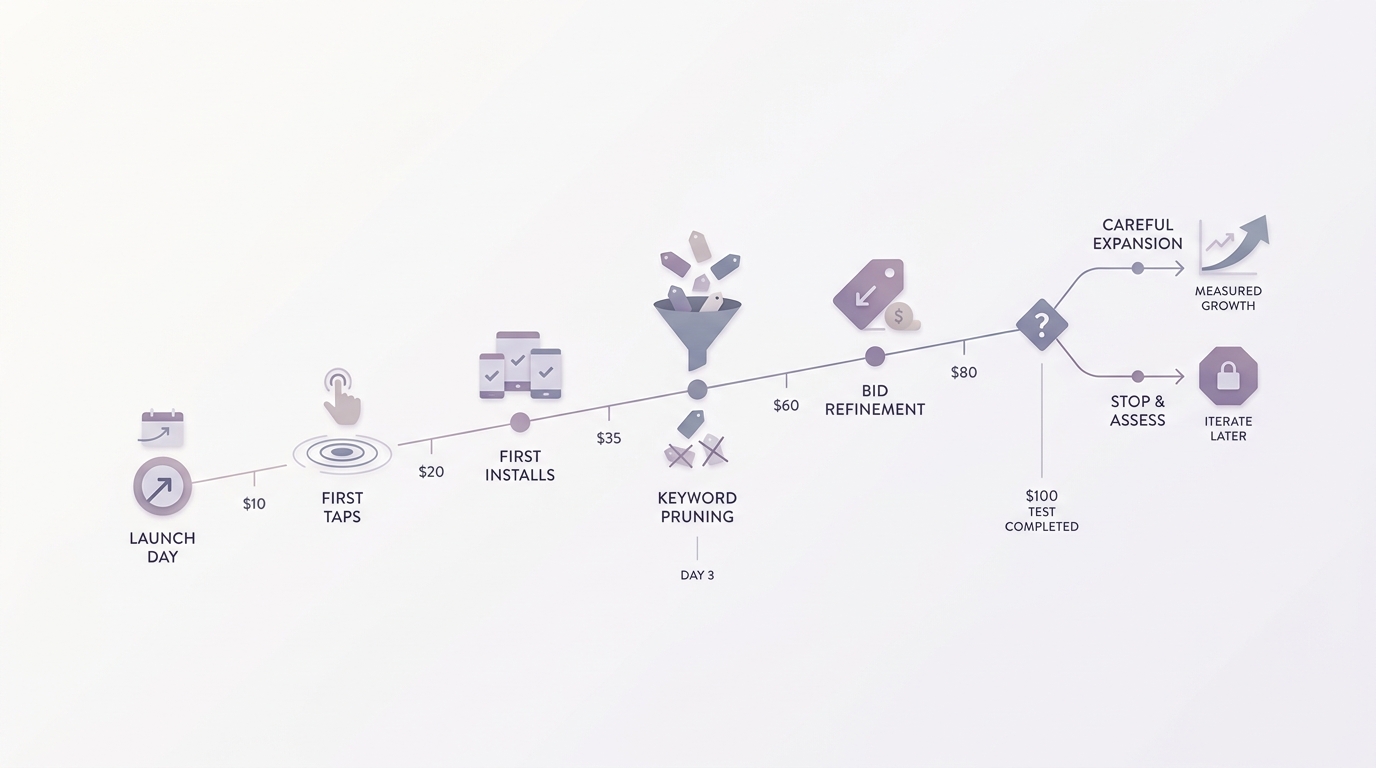
A short timeline showing the Apple Search Ads experiment phases: launch day, first taps, first installs, keyword pruning, bid refinement, and the decision point to either expand carefully or stop. The visual should emphasize disciplined iteration over dramatic growth.
The results were useful, not magical. Branded and near-branded queries converted first, which mostly indicates we were capturing existing intent rather than creating demand. A small set of high-intent category terms showed potential, but volume was limited and CPI was sensitive to day-to-day auction conditions.
Competitor-adjacent targeting mostly paid for learning: expensive taps and weaker conversion. It can work in some markets, but on $100 it is often a later iteration after you have a clearer value proposition, stronger screenshots, and enough stability to separate signal from auction noise.
What actually happened over the week:
- Day 1: launch, first taps (installs may lag)
- Day 2: first installs, first negatives, first pauses
- Day 3-4: pruning and small bid changes
- Day 5-7: decision point: expand carefully, rerun for another week, or stop and fix fundamentals
One thing worth noting: even a low CPI is not automatically a good outcome. Without at least one downstream metric, you can end up buying cheap installs that never activate, which is why this sprint works best as a filter for relevance and intent, not a final ROI verdict.
If you are about to scale beyond $100, do this first
Validate CPI stability over several days and check at least one downstream metric (activation or trial start) before increasing budgets.
Get the checklist
Best Way to Get Your First App Downloads for Free reframes the same problem with a slightly different lens - useful before you finalize.