If your product sends user content to OpenAI, the right move is not to bury it in legal text or pretend it is not happening. Explain it plainly as part of the feature, right where users are deciding whether to share. Trust affects adoption because people decide in real time whether what they type is OK to send, who can access it, and what happens to it later. By the end of this article, you will have a practical, non-defensive disclosure you can ship that reduces surprises without turning your UI into a policy page.
| Proof block: what to disclose (a practical rubric) | What it shows | How to interpret it | Reader impact |
|---|---|---|---|
| 1. What leaves the app? | The exact data types that can be sent (text, files, images, voice, metadata you include). | If you cannot list this in one line, you likely have unknown or inconsistent data paths. Spend 1-3 hours mapping them before writing copy. | Fewer "wait, you sent that?" moments and fewer confused support threads. |
| 2. Why is it sent? | The user benefit tied to a specific action (draft, summarize, extract, classify). | Benefits-first language is fine, as long as you still state the transfer. Avoid vague "improve your experience" claims unless you can back them up. | Better opt-in quality: users who proceed understand the tradeoff. |
| 3. What happens after? | Provider-side handling plus your own logging and retention at a high level. | Do not promise what you cannot control. Your answer depends on your OpenAI settings, your logs, and any third-party tooling in the request path. Align with OpenAI platform data controls and your configuration (source: https://platform.openai.com/docs/guides/your-data). | Fewer security and procurement loops because your story is consistent and verifiable. |
| Illustrative data-flow map row | User -> App UI -> Your API -> (optional proxy) -> OpenAI -> Your API -> App UI plus logs: error monitoring, request logs. | This is the level of specificity that makes your disclosure testable. If you cannot point to where logs happen, assume you have a gap to close. | Easier internal review because reviewers can validate claims against systems, not vibes. |
Explanation: The table is a checklist for writing disclosures that match how your system actually behaves, not how you wish it behaved.
Interpretation: It will not prevent every complaint, but it reliably reduces avoidable surprises when users try an AI feature.
Reader impact: You get fewer trust-breaking mismatches between UI copy, support answers, and what your logs and vendors really do.
How to Publish an Emergent-Built Mobile App Successfully goes deeper on the ideas above and adds concrete next steps.
What should you tell users about OpenAI data usage?
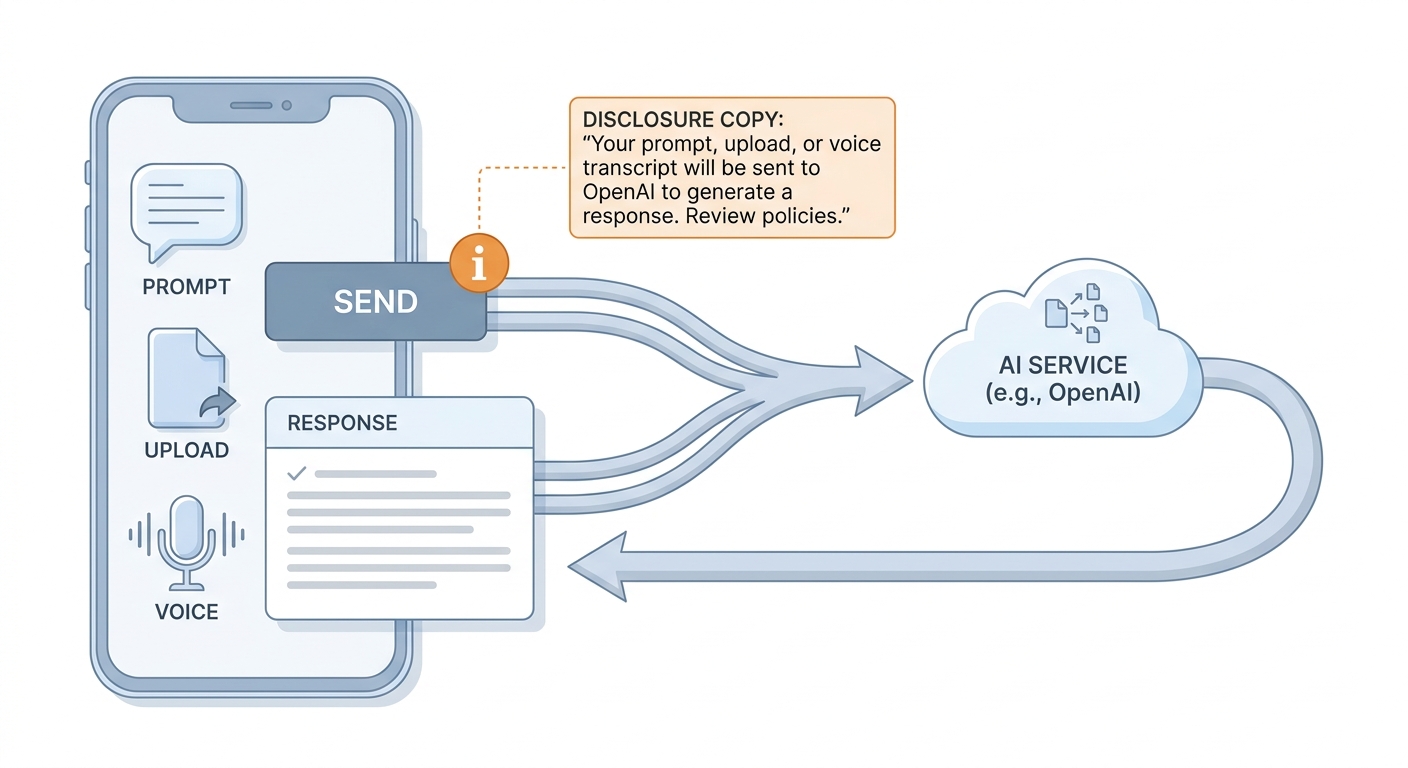
A simple mobile app data-flow diagram showing user text, file upload, or voice input moving from the app to OpenAI and returning a generated result, with a disclosure note placed at the send action.
A vague line like "we take privacy seriously" is not a disclosure. Users want to know what content can leave the app: prompts they type, uploaded documents, screenshots, voice transcripts, or text pasted into chat. They also deserve a plain reason it leaves, like summarization, drafting, chat assistance, or image analysis.
Put the explanation where the risk is created: next to the button that sends the request, inside the upload flow, or in the first-run tooltip for the AI feature. Policy pages still matter, but they are not where users make the in-the-moment decision.
Tradeoff: more explicit copy can add friction, especially in consumer onboarding. In practice, one calm sentence plus a link usually costs less than the support load and trust fallout of ambiguity.
When you move from outline to execution, The Privacy Policy URL Trap: What It Must Include to Pass Review helps close common gaps teams hit here.
What data should you disclose when sending content to OpenAI?
Writing the sentence is fast. Validating it usually takes longer than people expect because you have to confirm data paths, logs, and vendor settings. Plan 30-60 minutes to draft, then 2-4 hours to verify with whoever owns privacy, security, and the AI integration.
| Item | What to say (plain English) | Common constraint or failure mode |
|---|---|---|
| Data types | "We send the text you enter (and any files you upload in this flow) to OpenAI to generate a result." | Hidden attachments, metadata, or background context get added over time. |
| Purpose | Tie it to the action: "to draft a reply" or "to summarize your document." | Teams later reuse the same endpoint for new actions and forget to update copy. |
| Your logging and retention | "We may store prompts and outputs for support and quality, for up to X days" (if true). | Debug logs, error monitoring, or analytics can retain content unless configured not to. |
| Provider handling (qualified) | "OpenAI processes this request; provider-side retention depends on our OpenAI settings and OpenAI's controls." | You cannot guarantee what a vendor retains outside your account settings or support workflows. |
| User control | "You can turn this off in Settings" and "Deleting X deletes it from our servers" (if true). | Deleting in your app does not automatically delete copies in third-party logs you do not control. |
One thing worth noting: even if you minimize what you store, users should still assume sensitive data could appear in operational logs, abuse monitoring, or support workflows unless you have explicitly disabled or redacted it across every system in the path. If that is not true today, disclose conservatively or change the behavior first.
A complementary angle worth comparing lives in How to Publish an AI-Powered App on App Store in 2026.
Microcopy you can ship (without overpromising)
Use one short sentence plus a learn-more link. These examples are intentionally qualified: they guide users, but they do not claim perfect safety.
| UI surface | Example microcopy | Why it works |
|---|---|---|
| Send button tooltip | "Sends this message to OpenAI to generate a reply. Learn more" | In-context, action-based, and specific about the transfer. |
| File upload warning | "This file is sent to OpenAI for summarization. Avoid uploading secrets or regulated data unless your admin has approved this use." | Higher-sensitivity flow gets a stronger, realistic constraint. |
| Settings toggle | "AI features (uses OpenAI)" + "Turn off to reduce sharing of content for AI processing." | Offers control without claiming it eliminates all retention everywhere. |
Risk and dependency caveat: if requests pass through proxies, edge functions, analytics, error monitoring, or support tooling, you may have additional storage locations to account for. Misconfigured redaction, verbose request logging, or vendor dashboards are common failure modes, so validate before you promise.
For tradeoffs, checklists, and edge cases, Can You Publish an AI-Built App to Google Play? rounds out this section.
A concrete instrumentation example (so you can verify it)
Disclosure is easier to keep honest when you can measure whether it was shown and whether users still feel surprised. This takes a bit of coordination between product, engineering, and whoever triages support.
Track disclosure coverage
Log an event like
ai_action_triggeredwithdisclosure_shown: true/false,surface: tooltip/upload/settings, andaction_type: summarize/draft/chat. Expect 30-90 minutes to add this cleanly across web and mobile, longer if you have multiple clients and shared components.Monitor surprise signals
Tag support tickets with
data_sharing_surpriseand review weekly for 10-15 minutes. If the tag spikes after a release, assume either the copy drifted or the data path changed.
Practical constraint: this only works if someone owns the tag and the review. Otherwise you collect data that never changes the product.
My App Uses AI to Generate Answers: What Should I Disclose? reframes the same problem with a slightly different lens - useful before you finalize.
The operating playbook: ship disclosure alongside the AI feature
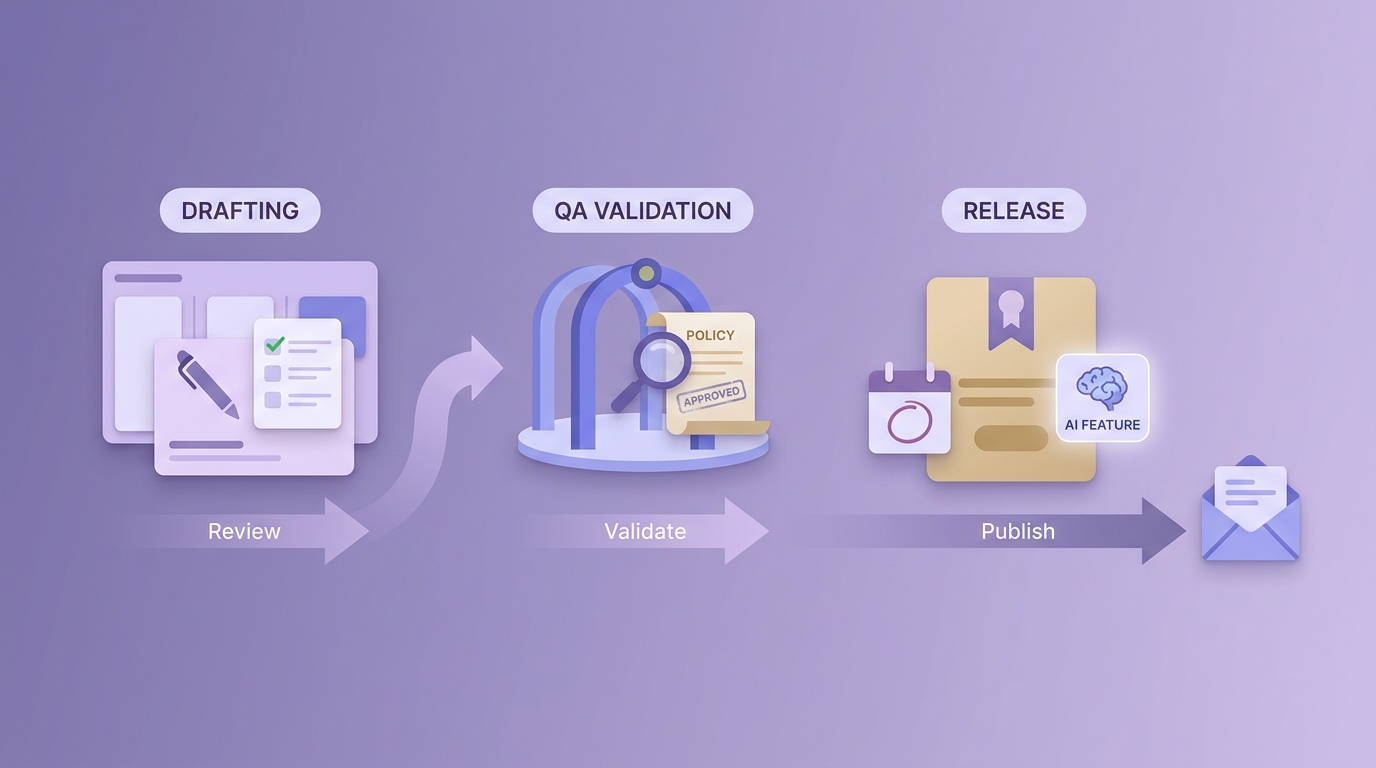
A short launch timeline showing the disclosure being drafted during product review, validated during QA, and published with the AI feature release before app store submission.
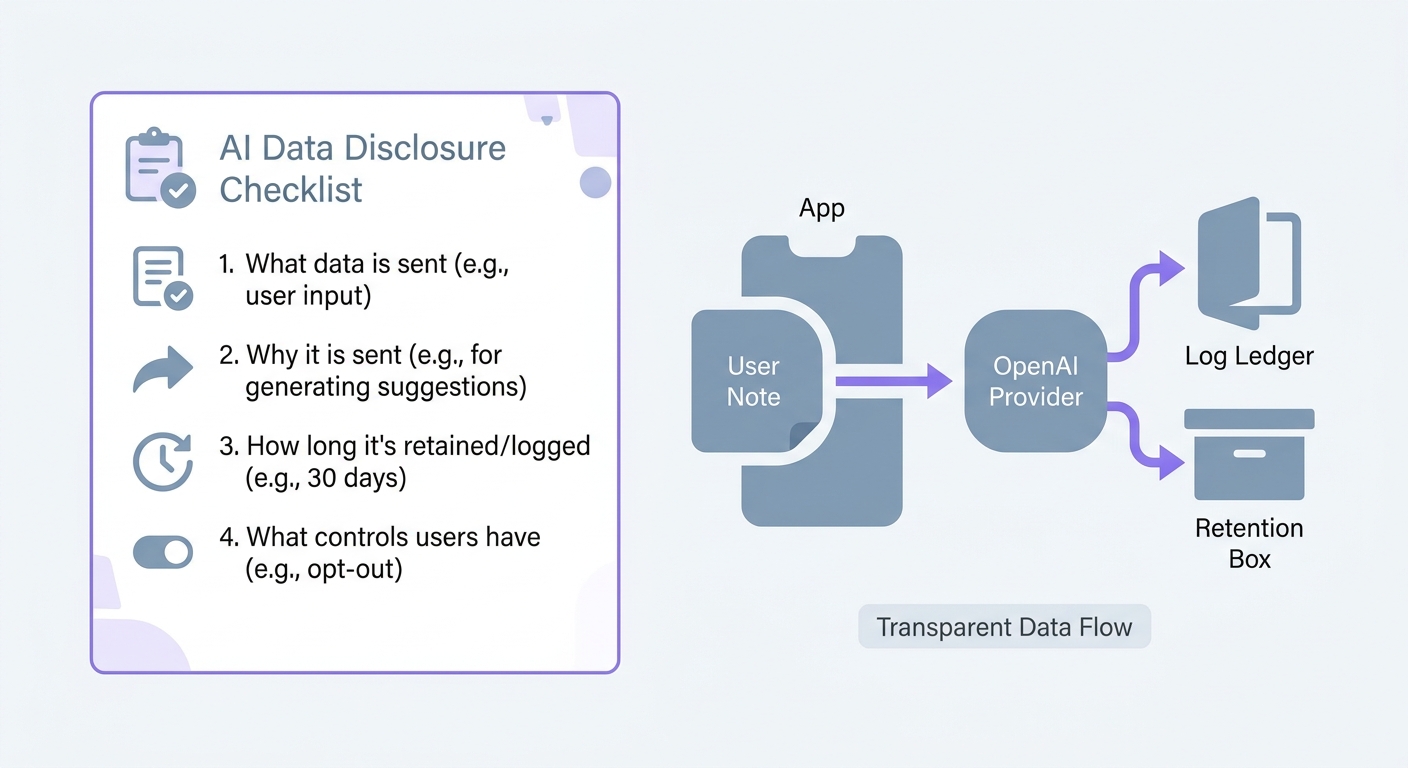
A compact checklist for app teams covering the four disclosure points: data type sent to OpenAI, purpose of the request, retention or logging behavior, and user control options.
Treat disclosure like a product surface that needs maintenance, not a one-time copy edit. Expect a small initial push, then lighter updates as features evolve.
Verify the exact AI touchpoints
List every trigger that sends content (tap, auto-run, background). Expect 30-90 minutes for a small app, longer if you have web + mobile + worker jobs.
Create a data flow map ticket
Add fields like: Data types, Where sent, Provider, Logged?, Retention, User controls, Owner, Verification step. This takes about 20 minutes to set up, then a few minutes per new feature.
Align copy across surfaces
Keep the in-app line, help article, and policy consistent. If legal or security review is required, plan for a 2-7 day cycle depending on your org and release process.
Assign an owner for change
Name an owner who updates disclosures when you add new data types, change logging, add monitoring vendors, or change OpenAI settings (source: https://platform.openai.com/docs/guides/your-data). Budget 15-30 minutes per change, plus review time if required.
Pitfall to avoid: do not claim "we do not store this" if prompts or outputs land in debugging logs, error reports, analytics, or vendor dashboards. Either change the behavior first (redaction, sampling, retention controls) or change the claim.