
Supabase makes it deceptively easy to ship a working app fast, but publishing still fails when teams confuse "backend is running" with "launch is review-proof." I have watched solid products get stalled by preventable gaps like mis-scoped keys, missing RLS, environment drift between staging and prod, or auth and email flows that break under store review.
This matters because the cost of a blocked submission is not technical debt, it is lost momentum, wasted paid acquisition, and a credibility hit with early customers. In the next few minutes, you will get a founder-grade checklist that aligns Supabase production readiness with App Store and Google Play realities so your first submission has a better chance of passing without re-review loops.
Early proof: most launch delays are operational, not "Supabase is down"
| Backend-ready (Supabase) | Store-ready (review) |
|---|---|
| RLS and key separation per Supabase production guidance (Supabase Docs: Production Checklist) | Privacy policy and accurate data declarations |
| Auth works in dev | Reviewer can sign in (demo account, reset flow) |
| Edge functions deployed | Review notes explain gated flows and roles |
- Explanation: This table separates "the backend is configured correctly" from "a reviewer can complete the critical path from a clean install."
- Interpretation: Teams often finish the left column first, then lose days on the right column because it lives in store consoles, policies, and first-run UX.
- Reader impact: Assign an owner to each store-ready item and test the exact review build end to end; when reviewer access is deterministic, you often reduce "we need more info" back-and-forth.
Best Backend-as-a-Service Tools for Mobile Apps Ranked goes deeper on the ideas above and adds concrete next steps.
Why does a Supabase app publishing checklist prevent review delays?
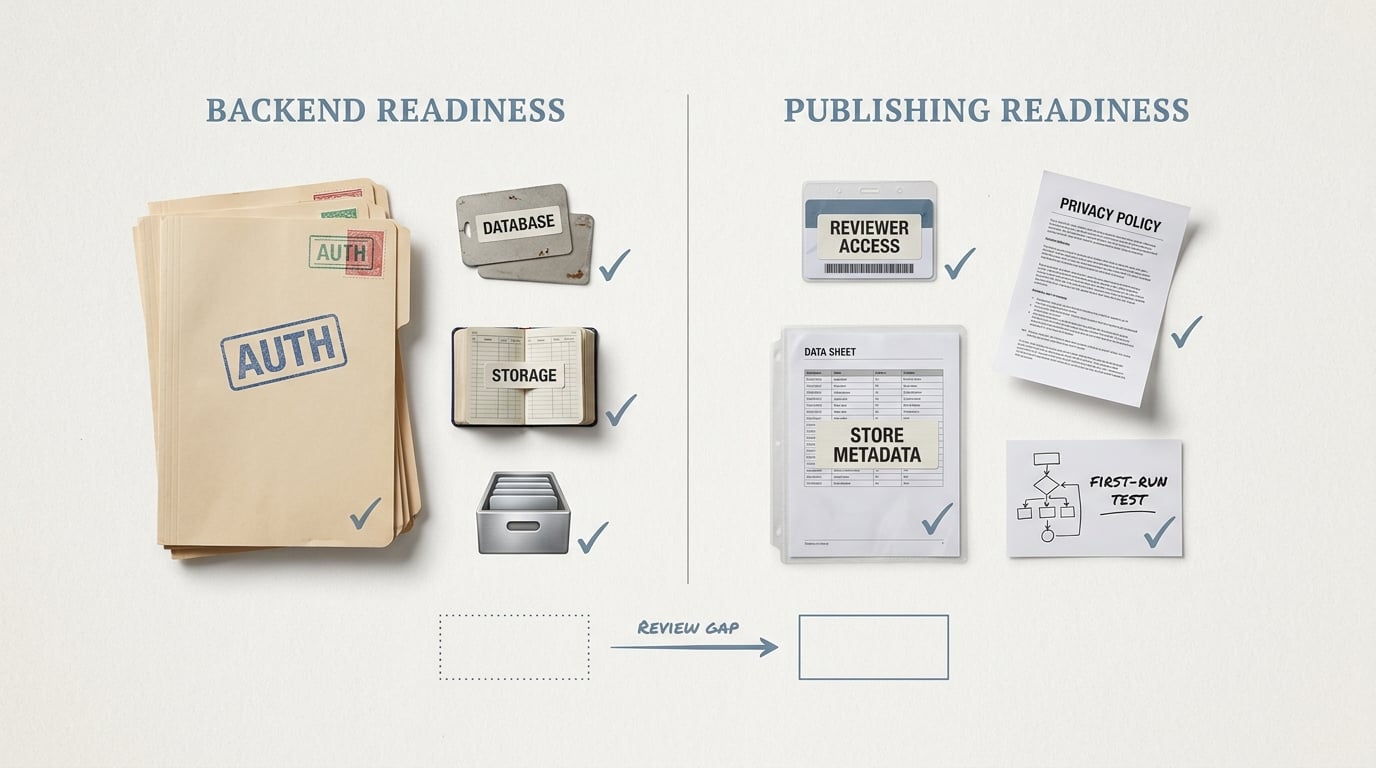
A compact proof callout showing two columns: Supabase backend readiness items like auth, database, and storage versus publishing readiness items like reviewer access, privacy policy, and store metadata. The visual reinforces that launch failures usually happen at the review boundary.
Supabase is rarely the root cause of a rejection. It gets you to a working product quickly: auth, database, storage, edge functions, the whole stack.
The launch risk shows up when teams treat "backend milestone reached" as "store review-ready." Reviewers do not care that your queries are fast; they care that the app is usable, explainable, and consistent with your disclosures.
Here are a few things founders routinely underestimate before submission:
- Deterministic reviewer access: demo credentials, test mode, or a sign-up flow that works without special context.
- First-run reliability: clean install, no cached sessions, no remembered OAuth consent.
- Role-based UX clarity: if screens are gated by roles, reviewers need simple instructions.
- Privacy and data safety accuracy: store forms must match what the app actually does today, not what you plan later.
- Operational ownership: someone must own reviewer notes, store metadata, and policy alignment, not just backend config.
Tradeoff: this work is not glamorous and can feel like it slows shipping for a day. In practice, it often prevents a much worse "review week scramble" when you are already tired and trying to launch.
When you move from outline to execution, Publishing at Every Stage: How App Store Strategy Changes as You Grow helps close common gaps teams hit here.
What should you check before submitting a Supabase app?
Treat this like a release gate, not a docs exercise. For a typical small team shipping a standard auth app, a realistic plan looks like:
- 2-4 hours: verify auth redirects, email templates, OAuth, and password reset in production (not just staging).
- 1-2 hours: reconcile privacy policy, App Store privacy labels, and Google Play Data Safety with actual behavior.
- 30-60 minutes: write reviewer notes and test the review build from a clean device or simulator.
- 0.5-2 days of slack: for delays you cannot fully control (store metadata nits, OAuth provider review, email deliverability, RLS edge cases).
Dependencies to call out: email reputation and provider warm-up can take days, and Apple Sign in has extra edge cases (name/email only on first authorization, account linking decisions) that can turn into reviewer login failures if you have not tested fresh accounts.
A complementary angle worth comparing lives in Top 7 Tools to Build Your App Backend Without Code.
How Supabase features map to real review risks
Reviewers do not evaluate "Supabase." They experience your flows, then cross-check your disclosures.
| Supabase capability | What reviewers can flag | What to prepare before submission |
|---|---|---|
| Auth (email, OAuth, magic links) | Reviewer cannot reach core value due to gated screens, broken redirects, or unclear sign-in | Demo credentials or clear test path, password reset, review notes explaining sign-in and any roles |
| Postgres + RLS | Data access feels unsafe or contradicts your policy | Plain-English data inventory, who can access what (RLS), and a workable deletion request flow (even if manual at first) |
| Storage | Uploads imply retention or sharing you did not disclose | Retention/deletion behavior, bucket rules (public vs private), basic reporting and blocking if relevant |
| Edge Functions + external APIs | Undisclosed network calls or third-party sharing, or a broken first-run if an upstream is down | List outbound calls, purpose, permissions prompts, and a degraded path if a non-essential dependency fails |
Tradeoff to acknowledge: being transparent can make your store forms longer and your policy less "marketing friendly." It usually reduces reviewer questions and lowers the odds of user trust issues later.
Turn the checklist into a release gate
Add a lightweight go-no-go step 48 hours before submission so auth, reviewer access, and disclosures are owned and verified.
Turn it into a release gate
For tradeoffs, checklists, and edge cases, How Much Does It Cost to Publish an App? App Store and Google Play Fees rounds out this section.
Where do Supabase apps still get blocked before approval?
Store reviewers test from a clean install, not your lived-in dev phone. Cached sessions and remembered OAuth consent can hide the exact bug they will hit on first launch.
A few realistic failure modes that still block reviews:
- Email deliverability or SMTP setup: password reset and magic link emails never arrive (or land in spam). This can depend on your SMTP provider, domain reputation, and even link formatting.
- OAuth provider and redirect URI issues: redirect URIs can be misconfigured per environment, and some providers require verification before they work reliably in production.
- RLS policy gaps: the app loads empty screens for a reviewer account because policies assume seeded data, admin roles, or a specific onboarding path. Fixing this usually requires policy tests plus one or two realistic reviewer accounts.
- Deep links and universal links mismatch: magic links open in a browser instead of the app, or return to the wrong environment. Handling differs across iOS and Android, so test both.
- Third-party dependency outages: Edge Functions can be healthy while an upstream API is rate-limiting or down, which can break onboarding or core flows.
One thing worth noting: some of these issues are not fully under your control. The practical approach is to design a reviewer path that works even if a non-essential integration is degraded, and to document the intended test path in reviewer notes.
Should You Publish Your App Yourself or Hire Someone? reframes the same problem with a slightly different lens - useful before you finalize.
The practical Supabase publishing checklist founders should actually use
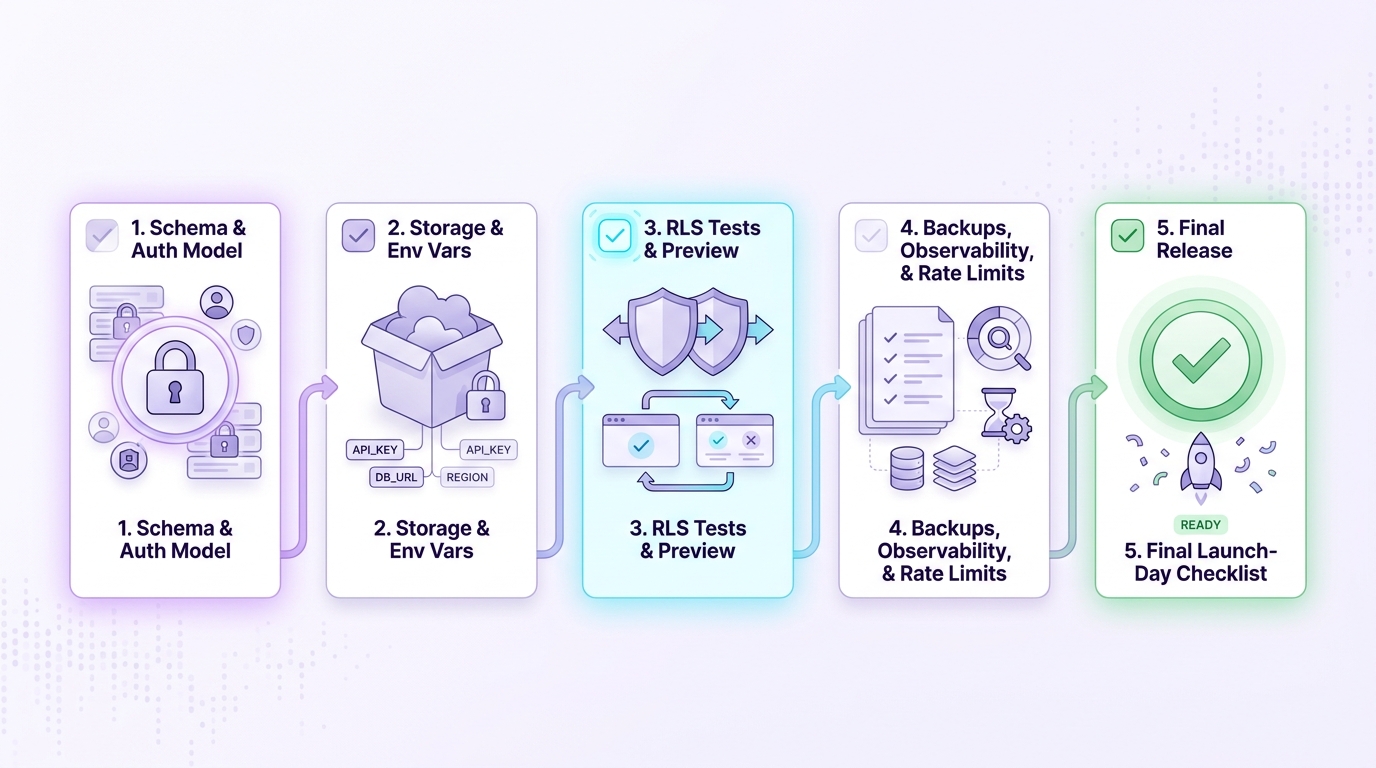
The publishing process works best as a sequence: lock down schema and access first, then validate storage, testing, deployment, and operational safeguards before launch.
Category: Timeline
Statistic: 72 hrs
Label: Typical review delay
Context: When issues need a second pass
Category: Coverage
Statistic: 4 core Supabase surfaces
Label: Auth, RLS, Storage, Functions
Context: Each maps to a distinct store-review risk class
Category: Evidence
Statistic: 5 evidence-backed checkl
Label: Docs + guides to validate readiness
Context: Production, deployment, environments, self-hosted, edge functions
Use this checklist as a release artifact. Expect the first pass to take half a day, then 30-90 minutes per release once the process is stable and owners are clear.
| Check | Owner | Done when |
|---|---|---|
| Clean install test (iOS and Android) | QA or eng | Reviewer can reach core value without cached state |
| Password reset and magic link email test | Eng | Email arrives consistently and link returns to the app (or you provide an alternate reviewer login path) |
| OAuth sign-in test per provider | Eng | Redirect URIs work in prod; no "app not verified" blockers |
| RLS verification for reviewer role | Eng | Core read/write flows succeed for a non-admin account; no empty screens |
| Privacy labels and Data Safety match behavior | Product or founder | Forms align with what the app collects, why, and whether data is linked to identity |
| Reviewer notes and demo credentials | Product or founder | Steps are short, deterministic, and role gates are explained |
Operational detail that helps: run migrations with the Supabase CLI and make it part of CI so prod schema does not drift. This adds some upfront setup time, but it reduces "works on staging" surprises.
Lock your schema changes to migrations
Use
supabase db diffandsupabase db push(or your preferred migration flow) so the review build hits the same schema you tested.Smoke test like a reviewer
Install the exact store build on a fresh device or simulator and run sign-up, sign-in, reset, and one core task. If it takes you more than 5 minutes to explain, it is usually too complex for reviewer notes.
Reference: Supabase Production Checklist https://supabase.com/docs/guides/platform/going-into-prod
Make this checklist part of every release
Save it next to your release branch and store credentials, then run it with product and engineering before every submission or major update.
Adopt the checklist


