Most founders treat App Store keywords like a quick SEO task, then wonder why search impressions stay flat and installs do not follow. The issue is not effort, it is structure: without a defensible keyword set tied to intent and positioning, your metadata becomes a grab bag that neither ranks reliably nor converts. This guide shows a beginner-friendly, evidence-led workflow for building a usable first keyword set, including what to measure, what to ignore, and how to turn the findings into ranking and conversion bets you can iterate on.
ASO Without Guessing: A Practical Keyword Workflow for Indie Founders goes deeper on the ideas above and adds concrete next steps.
Early proof: What a usable keyword set looks like in practice
A compact keyword quality snapshot (illustrative)
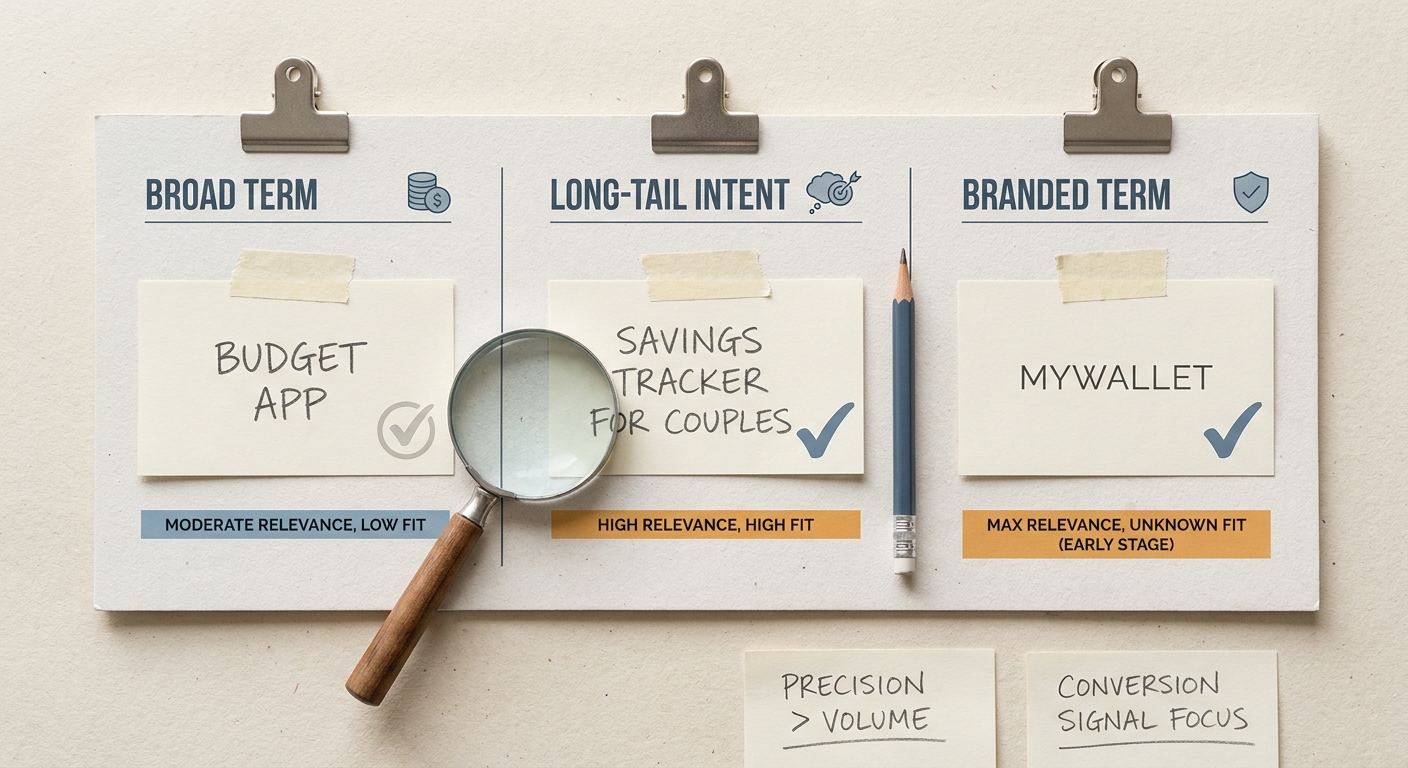
A compact comparison block showing sample App Store keywords for a founder app: broad term, long-tail term, and branded term, with relevance and conversion-fit signals to illustrate why precision beats volume.
| Keyword type | Example term (B2C finance app) | Search intent clarity | Likely conversion fit | Why it wins or loses |
|---|---|---|---|---|
| Broad seed | budget | Low | Low | Huge ambiguity: could mean spreadsheets, advice, templates, or banking. |
| Broad seed | finance | Low | Low | Generic category word that rarely signals a ready-to-install user. |
| Long-tail | expense tracker for couples | High | High | Specific job-to-be-done and audience, fewer mismatched impressions. |
| Long-tail | bill reminders app | Medium-High | Medium-High | Clear outcome, but overlaps with calendars and banking tools. |
| Branded or coined | AcmeBudget | High (for aware users) | High | Strong for navigational searches, weak for discovery if brand is new. |
This table is illustrative, not a claim about exact performance. The point is the decision logic: intent clarity and conversion fit often matter more than vague reach, especially when you have limited brand pull.
Mini example: mapping 10-15 keywords into Title, Subtitle, and Keyword field
Below is a simplified mapping a founder could ship as a first pass. The goal is not to cram everything in, but to make each field do a distinct job and avoid redundant coverage.
| Field | Job | Example copy | Keyword coverage (examples) |
|---|---|---|---|
| Title | Primary descriptor + brand cue | AcmeBudget - Bill Reminders | Core head term cluster: bill reminders, budget (if truly central) |
| Subtitle | Reinforce main benefit + audience | Pay on time, track shared expenses | Secondary cluster: shared expenses, couples, due dates |
| Keyword field | Variants and adjacent intents | expense tracker,couples budget,split bills,due date reminders,monthly bills,track spending,payment alert | Long-tail and synonyms without harming readability |
Practical interpretation: this mapping favors a clear promise in the customer-visible fields (title/subtitle) and uses the keyword field for coverage. If you are not confident that "budget" is your core value, you would swap it out for a narrower descriptor and accept less reach in exchange for higher intent.
How to validate with real signals after launch (and without false precision):
- In App Store Connect, use App Analytics - Acquisition - App Store Search and review the Terms view (sometimes shown as Search Terms). Track:
- Impressions
- Taps
- Tap-Through Rate (TTR)
- Installs (or Conversion Rate, depending on your view and attribution settings)
- Use 7-14 day windows for directionality. Results often lag after metadata updates, and the first few days can be noisy.
- Sample-size caveat: if a term has very low volume (for example, only dozens of impressions), treat percentage changes as weak evidence and rely more on qualitative fit plus longer windows.
Reader impact: a "usable" keyword set is one you can measure and iterate. It creates a clean hypothesis per query cluster (who is searching, what they expect, and whether your page matches), instead of a long list that cannot be audited.
When you move from outline to execution, How the App Store Algorithm Works in 2026 helps close common gaps teams hit here.
What should App Store keywords do for founders?
Before you have brand demand, paid acquisition, or a meaningful review base, App Store search is often the first repeatable discovery channel you can influence. Apple frames App Store Search around helping people discover apps through search and exploration, which makes relevance signals in your metadata a lever you can control earlier than most growth inputs (Apple Developer).
Treat keywords as a pre-launch hypothesis about who your app is for and why they would install. Your first keyword set should support three launch goals you can observe in App Store Connect: impressions (are you being shown), tap-through rate (does your result look relevant), and conversion to install (do taps convert).
Product quality still matters. Weak screenshots, confusing pricing, or poor first-session retention can suppress installs even when your keywords are correct, and rankings can be affected by factors you do not fully control (ratings velocity, competitive activity, and seasonality).
Keyword work is not a one-time setup. Plan time for it: the first pass usually takes 2-4 focused hours if your positioning is already clear, plus 30-60 minutes per review cycle once you have data. If your positioning is still unsettled, keyword work will take longer because you are really doing messaging decisions.
Constraints to keep in mind:
- Outcomes vary by category competitiveness, seasonality, and country.
- Indexing and ranking changes are not always immediate, and query-level data can lag after updates.
- Metadata changes may coincide with App Review timing (for example, if tied to a new version), which can delay iteration.
A complementary angle worth comparing lives in Top 5 Ways to Monetize Your First iOS App.
How do founders build an App Store keyword set step by step?
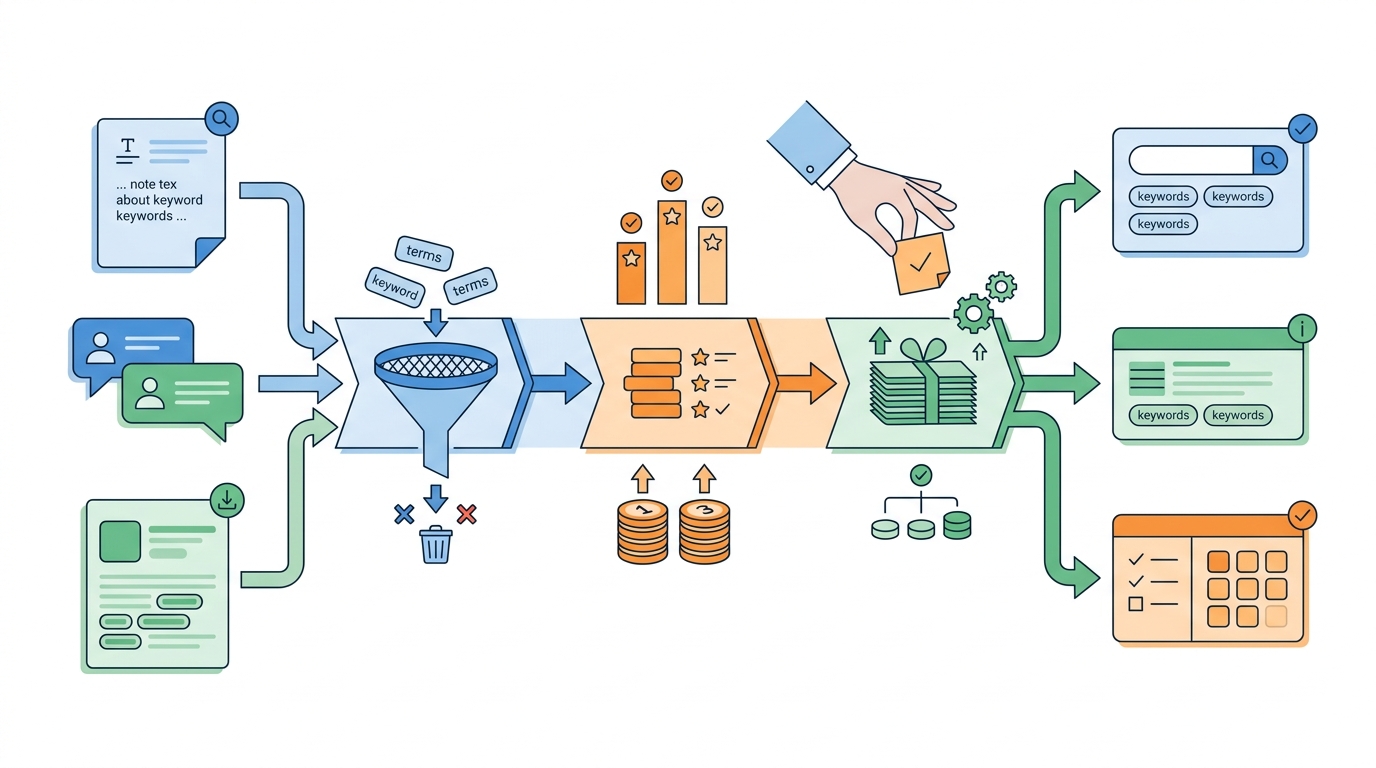
A simple workflow diagram showing how founders move from seed terms in product copy and competitor listings to a prioritized App Store keyword set ready for title, subtitle, and keyword field placement.
Step 1: Gather seed language (your product, the market, and real users)
Pull seed terms from your app, not a keyword tool first
List the nouns and verbs your product naturally earns: core features, primary use cases, and the problem statement a user would repeat to a friend. Aim for 20-40 raw phrases that describe outcomes (not branding), like "habit tracker", "scan receipts", "invoice maker", "sleep sounds". Expect 30-60 minutes if your messaging already exists; longer if you are still deciding what you are.
Extract repeated category language from competitor listings
Review 5-10 direct competitors and 5-10 adjacent apps users might substitute. Copy recurring phrases from title, subtitle, and screenshots, then normalize duplicates into a single list. Budget 60-90 minutes; doing this too fast usually produces a noisy list you cannot confidently prioritize.
Capture how real users phrase the problem
Pull wording from reviews, support tickets, onboarding responses, and landing page FAQs. This is often where high-intent phrasing lives because users describe the job they want done rather than your feature name. If you are pre-launch, use interview notes and accept that the evidence will be thinner.
Step 2: Filter for relevance, intent, and policy safety
Use this filter to shrink the list before you worry about scoring.
- Install intent vs topical relevance: keep phrases that suggest the user is looking for an app solution now. If the phrase reads like a blog topic, it is often weak for App Store search.
- Avoid misleading promises: remove terms that imply capabilities you do not deliver, especially given App Review sensitivity around misleading metadata and claims (Apple Developer, Guidelines).
- Make metadata fit real constraints: character limits force tradeoffs. A term that is "nice to have" but does not sharpen positioning is often the first thing to cut.
Effort note: this filtering step is usually 30-45 minutes once you have the seed list. It can take longer if your product scope is broad and you need to decide what you are not.
Step 3: Prioritize by opportunity (directional, not perfect)
You are not trying to predict rankings with certainty. You are trying to pick the best set of bets for the next release cycle.
A simple founder-friendly scoring pass:
| Factor | What you are judging | Score (1-5) | Quick rule of thumb |
|---|---|---|---|
| Relevance | Does the term describe your exact app? | 1-5 | If you would not want this user, score 1-2. |
| Competition intensity | How entrenched are top results? | 1-5 | Big brands + high review counts typically score 4-5. |
| Expected conversion quality | How specific is the job and audience? | 1-5 | More specific usually converts better, but can limit reach. |
Treat this as directional. Volume and difficulty signals are imperfect, and competition shifts. Your goal is a top 10-30 you can actually test, not a list of 200 nobody revisits.
Step 4: Map keywords to fields (and avoid cannibalizing yourself)
App Store metadata fields are limited, so assign each field a job and avoid repeating the same term across fields unless it is truly your primary intent.
- Title: brand plus your highest-confidence, highest-intent descriptor. This is a major conversion surface, not just an indexing field.
- Subtitle: primary benefit or use case reinforcement, aligned with your main query cluster.
- Keyword field: variants and adjacent intents you still want coverage for, without making the title unreadable.
Concrete mapping guidance:
- Put 1 core head term in the title if it reflects your main promise (for example, "Bill Reminders").
- Use the subtitle for who it is for or why it is better (for example, "For couples" or "Never miss a due date").
- Use the keyword field for synonyms, plurals, and adjacent phrasing (for example, "due date alert", "payment reminder", "monthly bills", "shared expenses").
Example (finance app):
| Field | Example | Why this choice |
|---|---|---|
| Title | AcmeBudget - Bill Reminders | Clear promise that matches a common job-to-be-done. |
| Subtitle | Track shared expenses, pay on time | Reinforces two linked intents without keyword stuffing. |
| Keyword field | expense tracker,couples budget,split bills,due date reminders,payment alert,monthly bills | Adds coverage for variants that would clutter the title/subtitle. |
One thing worth noting: keyword optimization can fail even with good targeting if your product page assets do not match the query. If you rank for "bill reminders app" but your screenshots only talk about budgeting, tap-through and conversion can drop even if indexing is fine.
Step 5: Launch, measure, and iterate without overreacting
Plan two review windows so you do not freeze v1 forever or change everything weekly. In practice, each review cycle is 30-60 minutes if your tracking is organized and you are changing a small number of terms.
- Window 1 (around week 2): sanity-check indexing, confirm you are getting impressions on your priority cluster, and fix obvious mismatches.
- Window 2 (around week 6): make a more confident change based on more stable data, ideally isolating one area at a time (title vs subtitle vs keyword field).
A practical heuristic for mismatches (use judgment when volume is low):
- If a priority query gains impressions but tap-through rate drops materially for 1-2 review windows, treat it as a potential intent mismatch.
- Do not treat "% drop" thresholds as universal. Seasonality, screenshot changes, and small sample sizes can explain movement.
- If volume is low (for example, limited impressions or taps), wait longer or aggregate similar terms before making a big rewrite.
Dependencies and failure modes to watch:
- Indexing delays and review timing: some changes take time to show in query-level data, and app updates can add review delay.
- Small-sample noise: early query counts can swing tap-through and conversion.
- Rankings influenced by more than keywords: ratings velocity, retention, and competitive moves can shift outcomes.
- Relevance gain, conversion loss: you may rank higher but attract the wrong audience if your phrasing is too broad.
If data is inconclusive, do not force a big rewrite. Keep the highest-intent core terms stable and test smaller changes (one phrase swap, one subtitle adjustment, one screenshot headline update) so you can interpret impact.
CTA: Get a keyword set you can actually test
Build a 10-15 term priority list mapped to intent, then plan two post-launch review windows (week 2 and week 6) so you can iterate without thrashing.
build my keyword set
For tradeoffs, checklists, and edge cases, App Store Optimization in 2026: What Actually Moves the Needle rounds out this section.
What is the founder checklist for a first App Store keyword pass?
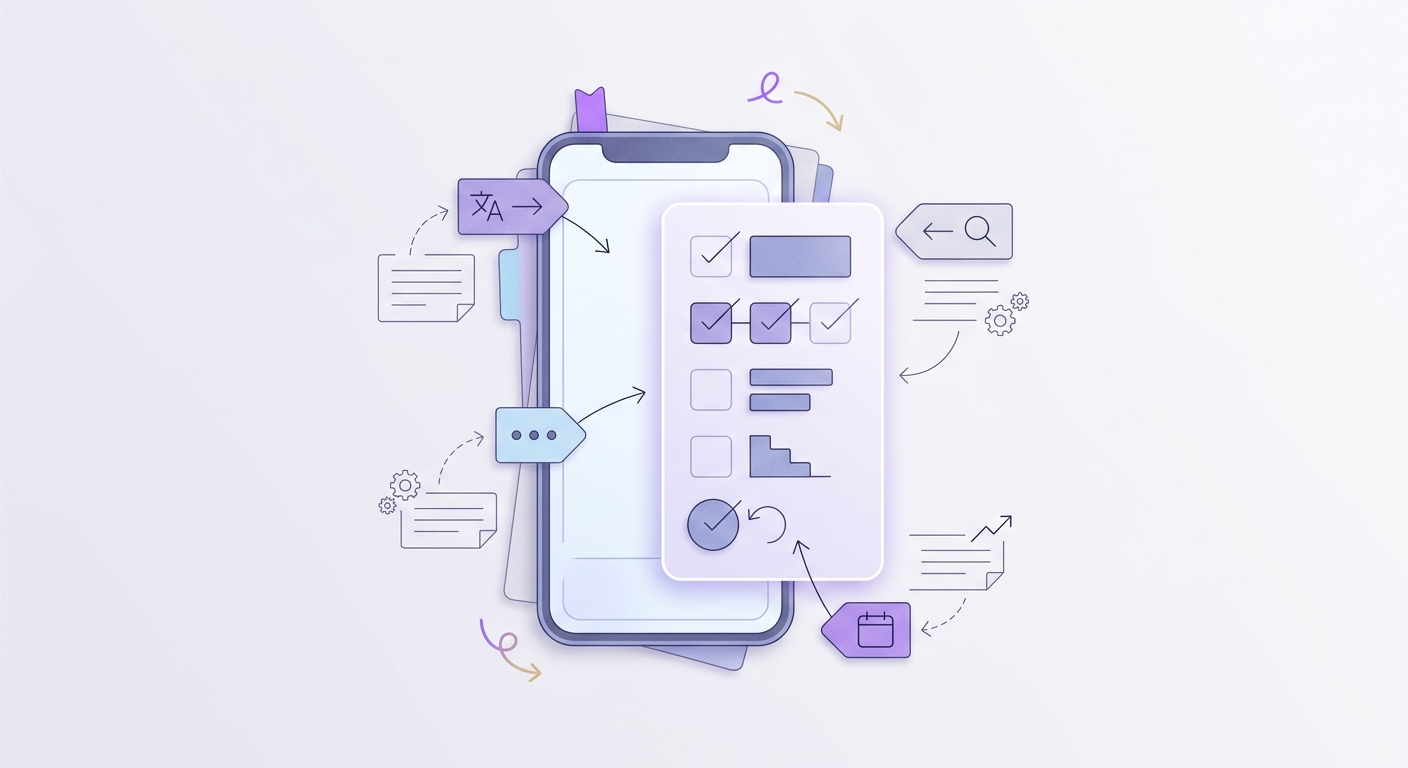
A mobile-friendly checklist block for founders preparing an App Store submission, covering value proposition clarity, metadata field alignment, keyword mix, and the first post-launch review cycle.
Pre-launch keyword checklist
- Write your value proposition in one sentence, then turn the key nouns and verbs into seed keywords. If you cannot say what the app does in one breath, your keyword set will sprawl and relevance will suffer.
- Make title, subtitle, and the keyword field additive, not repetitive. Assign each field a job: brand cue, primary benefit, and long-tail coverage.
- Build a balanced shortlist: brand (navigational), feature (what it is), and use case (why now). This mix can stabilize early performance when volume is uncertain, consistent with Apple’s emphasis on search discovery and relevance (Apple Developer).
- Put a time box on it: a solid v1 keyword pass is usually half a day including competitor review and copywriting. If it is taking days, you are probably trying to solve positioning, not keywords.
Expected outcome: a metadata-ready shortlist and a simple change log that records what you shipped and why, so future updates are evidence-driven.
Common beginner mistakes to avoid
- Stuffing broad, high-volume terms that do not match the promise. You may get impressions but low conversion, which is rarely a win.
- Copying a competitor’s keywords without checking intent and monetization differences. Similar apps can target different users, so the same query can be wrong for you.
- Changing too much at once. If you rewrite title, subtitle, and screenshots simultaneously, you may improve performance but lose the ability to explain why.
- Over-localizing too early. Custom keyword sets per locale can help, but it adds translation and support overhead; start with markets you can support.
CTA: Turn this into your first keyword audit
Run a 30-minute audit on one live listing: map each keyword to a promised outcome, confirm fields do not compete, then compare wording to 3 direct competitors and your top user intents.
keyword audit
How to Get Your First 1,000 Users for Your iOS App reframes the same problem with a slightly different lens - useful before you finalize.