
Apps can make small, repeatable changes to daily life that add up: swapping a grocery product, shifting a laundry load to off-peak hours, or choosing one car-free route a week. This guide helps you pick the right category of eco-friendly app, run a 7-day trial, and build a four-week habit that can deliver measurable, realistic reductions in household emissions or waste.
Best Real Estate Apps Launched in 2026 - Ranked goes deeper on the ideas above and adds concrete next steps.
Who uses eco apps and do they help reduce emissions?
Category: Adoption
Statistic: 14.6%
Label: Use apps for eco living
Context: Indicates a niche - but real - adoption baseline
Category: Implication
Statistic: 1 - 3 apps
Label: Likely in a user’s stack
Context: Lower adoption implies you must win on simplicity and daily utility
Category: Outcomes
Statistic: Engaged users
Label: Can reduce footprint via tracking
Context: Carbon-calculator research suggests monitoring supports behavior change for active users
Two quick evidence points to frame decisions:
- A minority of consumers (roughly mid-teens in some surveys) report using apps to support eco-friendly living; that number is illustrative rather than definitive.
- Carbon-calculator research shows tracking only reduces footprints reliably when it triggers one concrete repeated action rather than passive logging.
What this means in practice: many people gravitate to low-effort tools that translate a nudge into a specific swap or schedule change, not to dashboards that require daily interpretation. The practical takeaway is to choose an app that converts intention into a single repeatable action you can sustain for weeks.
What the evidence implies for your next move:
- Spend 10 - 30 minutes picking and setting up one focused tool.
- Run a 7-day micro-experiment and commit to a simple weekly review to see if the app turns into a habit.
When you move from outline to execution, Reducing Your App's Carbon Footprint - A Technical Guide helps close common gaps teams hit here.
Which apps should I try first - a 7-day experiment?
- Product scanner - Best for faster on-shelf swaps; helps frequent grocery shoppers; examples: Yuka, Open Food Facts.
- Home energy and device apps - Best for cutting bills and shifting kWh peaks; helps homes with smart meters or smart thermostats; examples: Octopus Energy app, Nest/ecobee, utility portals.
- Transit and multimodal planners - Best for replacing short car trips; helps urban commuters with decent transit coverage; examples: Citymapper, Transit, Google Maps.
- Habit micro-trackers and food-waste apps - Best for building repeatable micro-actions and rescuing surplus food; helps people willing to collect or replan meals; examples: JouleBug, Too Good To Go, Olio.
Ranked recommendations (editorial fit-based top choices for everyday eco gains)
Summary: This editorial ranking is based on practical fit for common household goals and the ease of producing a measurable win in four weeks. It is not an objective scorecard; use the fit guidance to pick what matters most to you.
Rank 1 - Product scanners and grocery swaps (Yuka, Open Food Facts)
Best for: shoppers who want fast swaps at the point of purchase.
Overview: Scanner apps translate barcodes into scores and suggest alternatives so decisions are faster in-store.
Strengths:
- Immediate on-shelf impact - scan, decide, swap.
- Low time cost per decision once you build a short favorites list.
Limitations:
- Coverage varies by country and store; private-label items may be missing.
- Scoring approaches differ; some emphasize lifecycle impacts, others focus on ingredients.
Ideal reader: someone who buys packaged goods weekly and can change 1 - 3 items per shopping trip.
First steps:
- Install Yuka or Open Food Facts, scan 10 frequent items in one trip, add 1 - 3 lower-impact swaps to a favorites list.
- Check a common store-brand SKU before relying on the app fully.
Metric to track: number of repeat purchases swapped per trip; realistic target = 1 - 3 sustained swaps per week.
Rank 2 - Home energy and connected devices (Octopus Energy app, utility portals, Nest/ecobee)
Best for: households aiming to reduce bills and shift peak kWh consumption.
Overview: Energy apps connect to your meter or thermostat to show consumption and enable scheduled behaviors.
Strengths:
- Direct link to billing signals and time-of-use incentives.
- Can automate load-shifting with thermostats and smart plugs.
Limitations and risks:
- Setup requires account linking, meter IDs, or device pairing; expect 20 - 60 minutes for full setup.
- Data latency can be hourly or daily, so feedback may lag.
- Privacy tradeoffs exist when you permit continuous telemetry; check vendor policies.
Ideal reader: homeowners or renters with smart devices or access to a utility portal who want to shift load rather than just view data.
Setup and actionables:
- Have your meter ID or account login ready, connect via OAuth, and confirm data refresh cadence.
- Enable time-of-use alerts and test one load-shift (for example, run the dishwasher on an off-peak slot) for a week.
Metric to track: number of shifted appliance runs or kWh reduced in peak windows; expect incremental bill reductions over 4 - 8 weeks, not instant big drops.
Rank 3 - Transit planners, habit micro-trackers and food-waste apps (Citymapper, Transit, Google Maps, JouleBug, Too Good To Go)
A process diagram showing the commuter decision flow: identify short trips → plan alternative route in Citymapper/Transit → log avoided car trips → convert saved miles to weekly metric. Also includes parallel micro-action path for food-waste apps showing 'discover surplus → schedule pickup → log rescued meals'.
Best for: replacing short car trips, building micro-habits, and rescuing surplus food.
Overview: Routing apps encourage non-car modes, habit trackers reinforce behavior, and marketplaces connect you with surplus food.
Strengths:
- Can be high-impact for frequent short trips and regular meal waste.
- Low direct cost; many community-driven offerings exist.
Limitations and tradeoffs:
- Effectiveness depends on local transit frequency, first/last-mile options, and schedule reliability.
- Food-waste pickups require coordination and immediate use or proper storage.
Ideal reader: city dwellers with flexible schedules who can test alternate routes and pick up rescued food opportunistically.
Practical steps:
- Set route preferences to avoid cars or choose lowest-carbon options and plan two new car-free routes this week.
- Create a simple habit in a tracker (for example, plant-based lunch 3x/week) and set reminders.
- Try rescuing one surplus meal via Too Good To Go or Olio during a 7-day trial.
Metric to track: avoided car trips or rescued meals per week; log any time or cost tradeoffs.
How do I pick the right app and get started in 30 minutes?

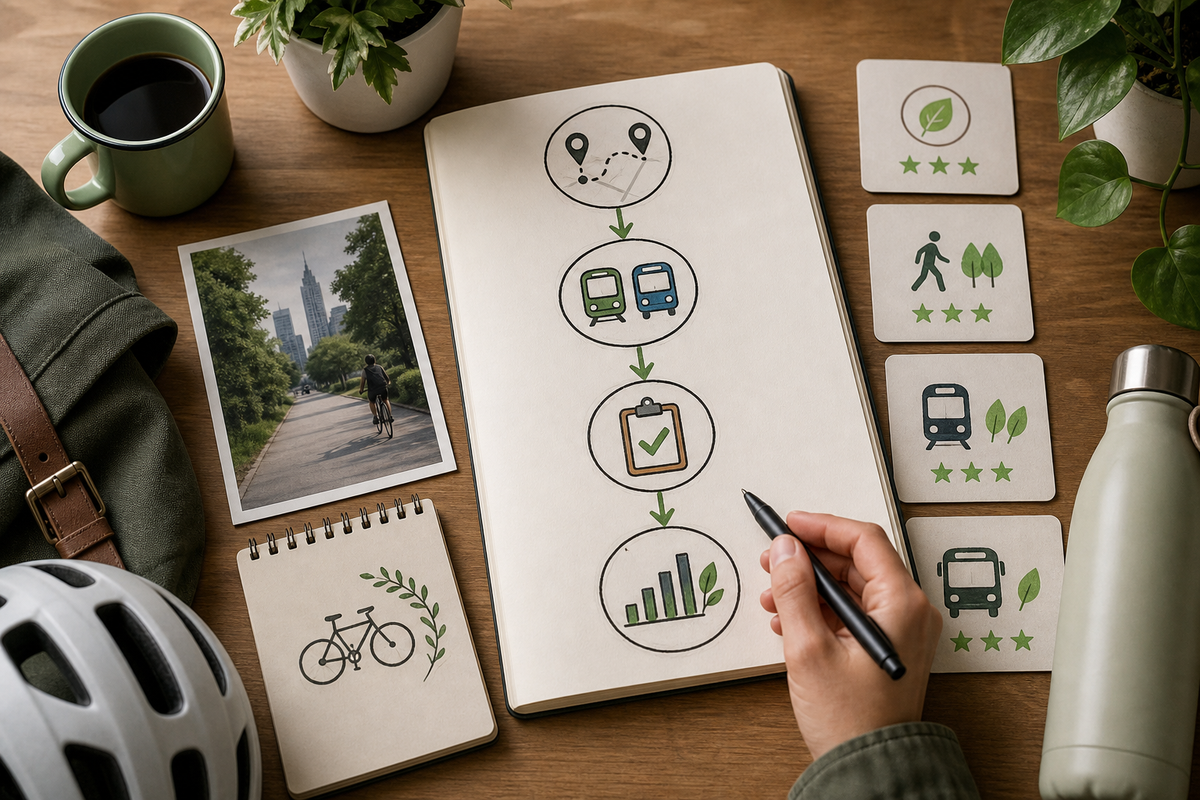
A compact 3-step checklist graphic that mirrors the numbered workflow: 1) install & quick survey, 2) connect data sources, 3) define metric and schedule weekly review - optimized for mobile display as an action card.
Pre-install checklist to avoid churn
Before you download, do three quick checks to improve retention: verify country coverage in the store listing, skim the first three local reviews for feed accuracy, and note if the app requires continuous location or utility credentials. Prefer apps that advertise 10 - 30 minutes of setup and avoid those that require repeated manual entry unless you plan to invest that time.
30-minute setup workflow (one reproducible template for any category)
Install and quick survey
Read permission prompts, check local coverage by scanning one product or searching your postcode, and toggle only essential notifications to limit early churn.
Connect data sources
Link your utility or thermostat, or add transit stops and preferred routes. Expect connecting accounts to take 10 - 30 minutes depending on two-factor auth and vendor portals.
Define one metric and one weekly ritual
Put a 10-minute Sunday review in your calendar, log the metric (kWh peak, swapped products, car-free trips), and set two midweek reminders to prompt the action.

