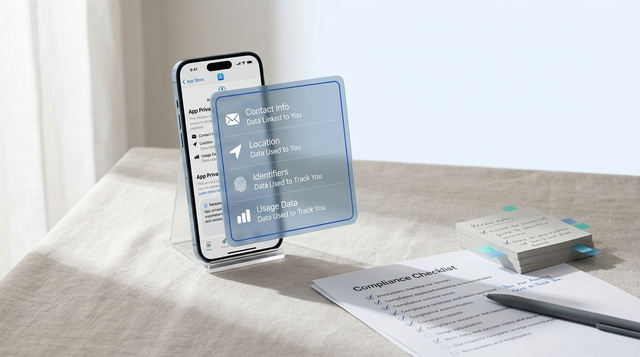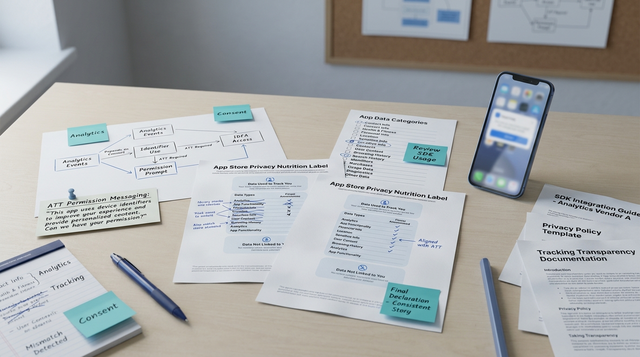
If you ship AppsFlyer or Adjust for attribution, your app privacy labels can quietly drift out of sync with what the shipped SDK actually collects or transmits. That drift tends to surface at the worst time: right before release, when App Store or Play review asks a pointed question and nobody can confidently show what the RC build sends. This guide outlines a practical way to audit a release candidate (RC), map observed data flows to store fields, and keep a defensible record without turning every release into a multi-week compliance project.
IDFA, Analytics, and App Privacy: What to Declare goes deeper on the ideas above and adds concrete next steps.
Early proof: a 45-120 minute RC audit that catches common label mismatches (with limits)
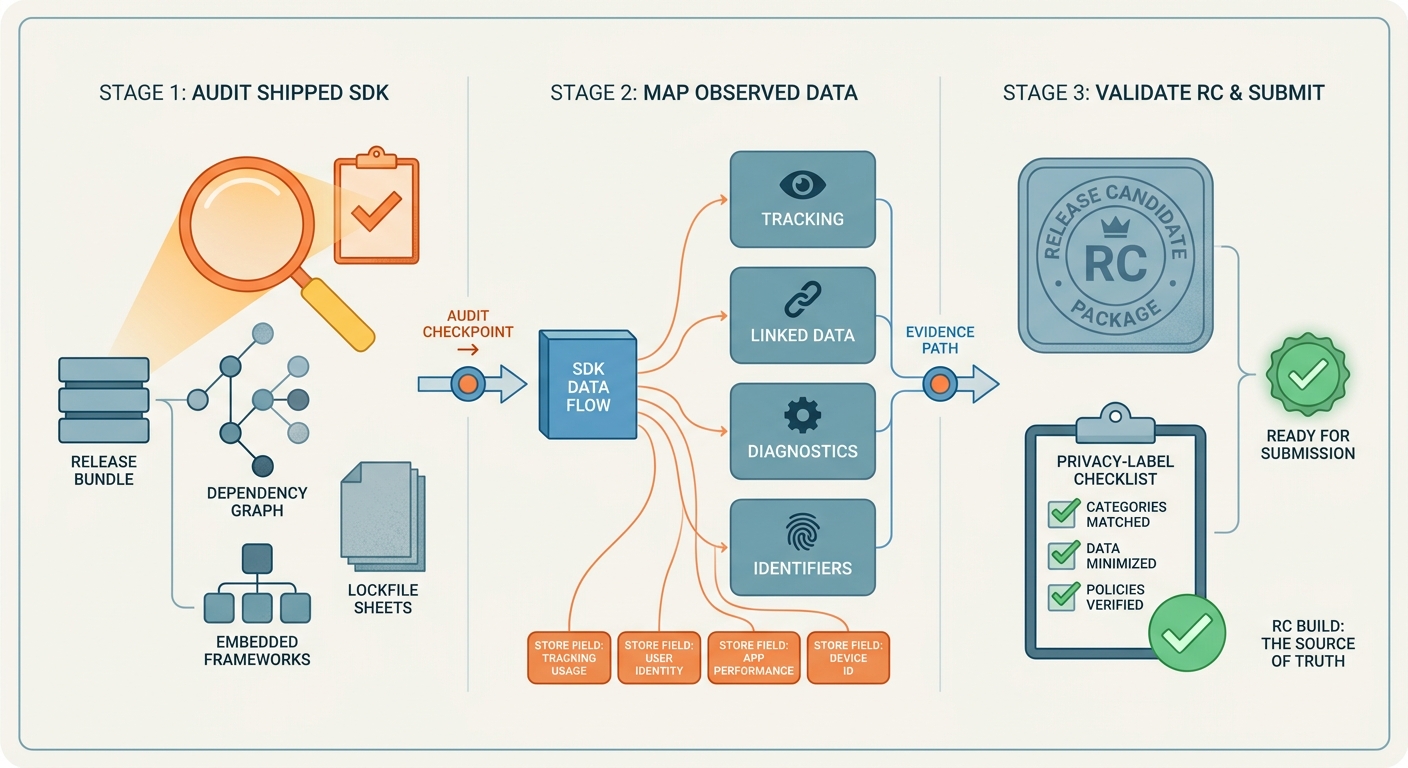
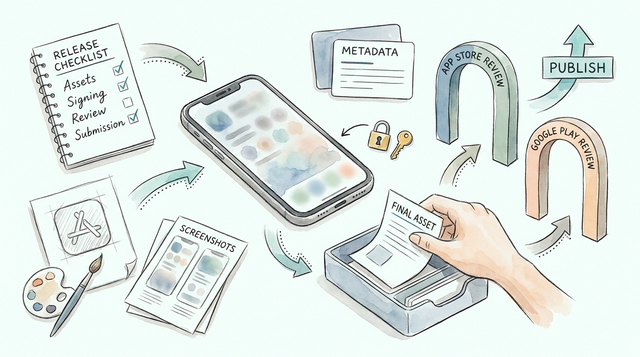
A three-stage process diagram showing the real-world workflow for privacy label alignment: audit the shipped SDK, map live data categories to store fields, then validate the release candidate before App Store Connect or Play Console submission. The diagram should emphasize that the release build is the source of truth.
| What you check in the RC build (evidence) | What you are confirming | Why it matters to labels and review |
|---|---|---|
| Exact SDK versions (lockfiles, dependency graph, embedded frameworks, Gradle/Maven) | The actual AppsFlyer/Adjust versions shipping, not what the docs page shows today | Store disclosures must reflect the shipped binary. Version drift is a common source of "we thought it was off" confusion. |
| Enabled modules and toggles (init flags, deep link handlers, event logging, diagnostics, fraud tools) | Which capabilities are active in production config | Labels should match enabled behavior, not the vendor's full capability list. |
| Consent gating and timing (ATT, CMP, first launch order, buffering) | Whether identifiers/events are accessed or transmitted pre-consent, post-consent, or buffered then sent later | Many escalations happen when an SDK sends something earlier than the team expects. Buffering can turn a "not sent at first launch" assumption into a later transmission. |
| What leaves the device in the RC (proxy trace via Charles/Proxyman, device logs, test install) | The network payload categories you can actually observe: identifiers, app activity events, diagnostics | This turns debates into evidence and can speed up reviewer responses, within proxy visibility limits. |
Explanation (what was checked): this approach combines build artifacts (versions and configuration) with a short runtime test in the RC build to observe what the app attempts to access and what it transmits over the network.
Interpretation (what the result means): if the RC shows identifiers, app activity events, or diagnostics leaving the device, your App Store Privacy Nutrition Labels and Google Play Data Safety answers generally should not say "not collected" for those categories. However, some results are directional rather than fully provable when you cannot decrypt payloads (for example due to certificate pinning) or when SDKs batch and retry in the background.
Reader impact (business effect): doing this before submission often reduces review back-and-forth because you can respond with concrete evidence and a mapping, not guesswork. In practice it still depends on your setup (RC access, a test device, proxy configuration, and clean test installs), so plan for 1-2 focused hours and a little coordination.
Operational output artifact (what you keep): a lightweight "evidence pack" you can attach to the release ticket, typically including:
- SDK version proof (lockfile snippet or dependency tree screenshot)
- RC build identifier and timestamp (commit, build number)
- 1-2 proxy HAR files (or request summaries if payloads are encrypted)
- Consent-state matrix (what you tested and what you observed)
- A short mapping table linking observations to store disclosure fields
When 45-120 minutes will not be enough: expect extra time (half day or more) if you have multiple attribution or analytics SDKs, heavy server-side forwarding or enrichment, iOS App Transport Security exceptions, or certificate pinning that blocks proxy inspection.
When you move from outline to execution, Firebase Analytics and Apple Privacy Labels: What to Declare helps close common gaps teams hit here.
Why do attribution SDKs and app privacy labels drift out of sync?
Who gets caught when the SDK and the labels disagree
Drift hits cross-functional teams late in the cycle. Growth wants attribution stability, engineering wants a low-risk RC, legal and privacy need defensible disclosures, and publishing owns the moment of truth when App Store Connect or Play Console answers must match the binary.
This is rarely a "someone forgot" problem. It is usually SDK upgrades, feature flags, multiple app variants, and unclear ownership of disclosure updates.
What changes in the data path from install to attribution provider
Attribution SDKs tend to touch a predictable set of signals, but the exact mix depends on your implementation and consent handling. Your labels should reflect what your shipped build collects or shares, even if a vendor transmits it on your behalf.
Common data types to sanity-check:
- Device or app instance identifiers (IDFA, IDFV, Android Advertising ID, and other identifiers depending on platform and consent state)
- Install referrer and campaign parameters (click IDs, referrer strings, attribution tokens)
- In-app events you send (purchase, sign up, retention events, custom parameters)
- Diagnostics (SDK logs, error codes, timestamps, performance metadata)
- Deep link and deferred deep link signals (incoming link data and routing context)
These map to two disclosure surfaces you must keep aligned: App Store privacy labels and Google Play Data Safety. Apple also formalizes some declarations through privacy manifests, which should match actual runtime behavior in your app and included SDKs (Apple privacy manifest files). The constraint is that you own the disclosure, even when AppsFlyer or Adjust does some processing.
Why this becomes a release problem, not just a compliance task
When disclosures drift, you pay in submission delays, reviewer questions, and internal debates about what the build really does. The tradeoff is time and coordination: an audit adds work to release week, and it can block a launch if the mapping is unclear or needs legal review.
A practical goal is not perfect certainty. It is "reasonable, evidenced confidence" that your store answers match what the RC build does in the consent states you support.
Sanity-check the release candidate
Catch label drift before submission week
Sanity-check the release candidate
A complementary angle worth comparing lives in App Store Privacy Nutrition Labels Explained Simply.
What can you verify before trusting the labels?
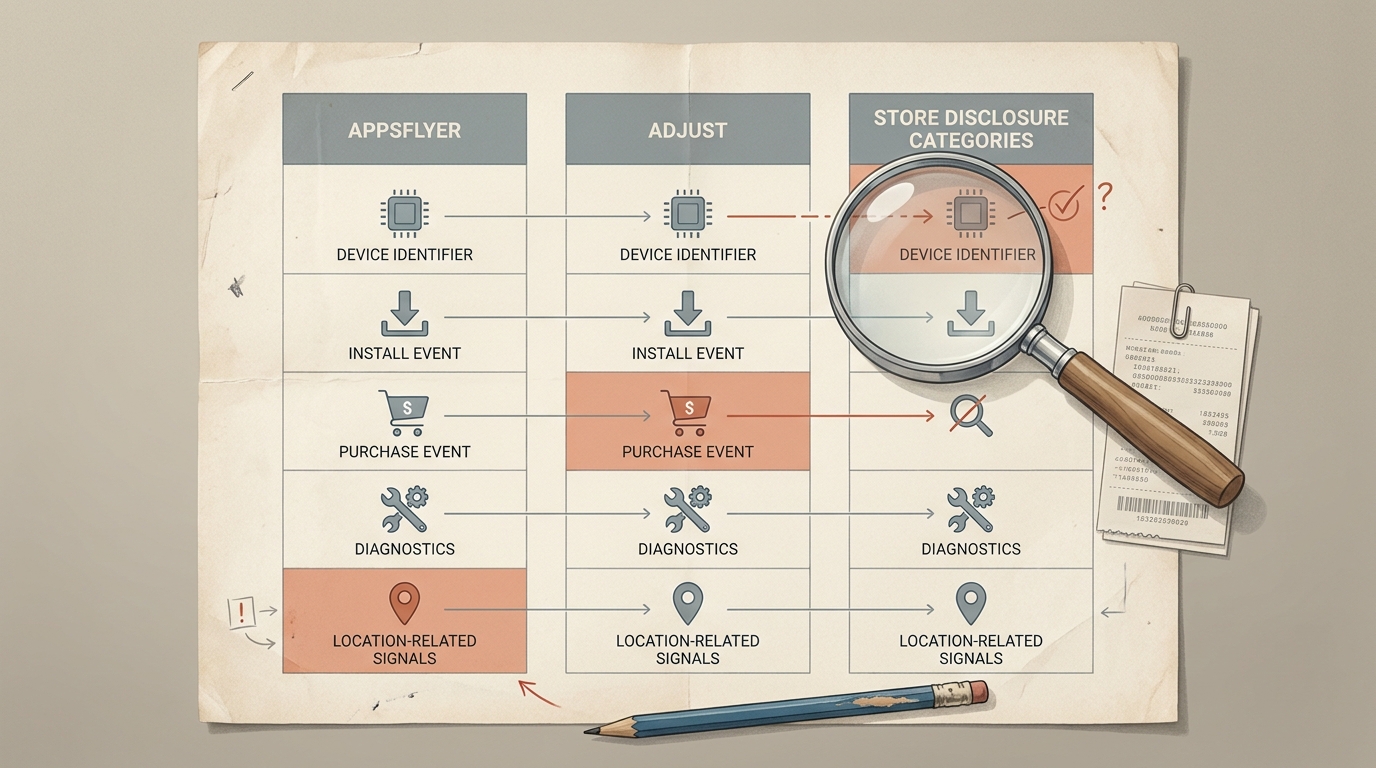
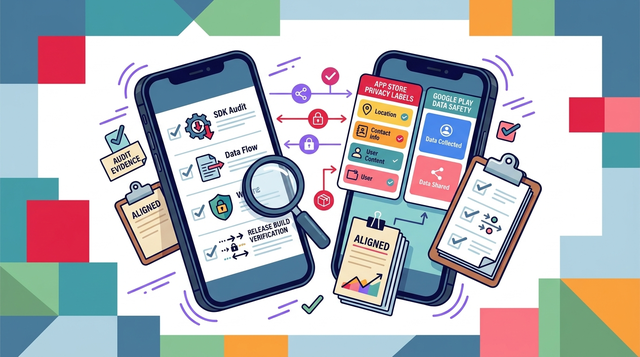
A compact comparison table showing typical AppsFlyer and Adjust data categories side by side with the corresponding App Store privacy label and Google Play Data safety disclosure areas. The visual should make mismatches obvious before submission and help readers see where identifiers, diagnostics, and event data need to be declared.
Quick comparison: SDK signals versus store disclosure fields
Before you trust a draft label, sanity-check whether it even looks plausible for an attribution SDK. AppsFlyer and Adjust commonly process install and event signals that map to store categories like identifiers, app activity, and diagnostics. Apple expects disclosures to match what is in the live build and its included SDKs, including what is declared via privacy manifests on iOS (Apple privacy manifest files).
| Typical attribution SDK signal | App Store privacy label area | Google Play Data safety area | What to watch for |
|---|---|---|---|
| Device identifiers (IDFA where permitted, IDFV, Android Ad ID) | Identifiers | Device or other IDs | Consent state can change what is available, but disclosures must reflect supported states, not just the best-case path. |
| Install attribution, campaign parameters, deep link metadata | App activity | App activity | Commonly misclassified as "analytics only" even when used for attribution or optimization. |
| In-app events (purchase, registration, engagement) | App activity | App activity | Event payloads can count as data collected even if you do not store them long-term. |
| IP address, user agent, coarse location inference | Identifiers or other data | Approximate location, network info | Transport metadata can be processed even if you do not explicitly log it. Proxy traces may not show everything if payloads are encrypted. |
| Crash and performance logs | Diagnostics | Diagnostics | Often omitted when verbose logging is enabled in production or when defaults change between versions. |
If your production SDK does any row above and your label says "not collected," treat it as a suspected mismatch until you can support the label with RC evidence.
App Store vs Google Play: fields that frequently need a second look
The categories are similar, but teams often answer one console carefully and rush the other. Use this as a quick double-check list, not a substitute for the official forms.
| Topic to double-check | App Store (Privacy Labels + manifests) | Google Play (Data Safety) | Common failure mode |
|---|---|---|---|
| "Collected" vs "shared" framing | Disclosures focus on data collected and linked, plus tracking | Asks about collection, sharing, processing, and purposes | Teams mark "not collected" because they do not store it, while the SDK still transmits it. |
| Consent and ATT handling | Needs to match what happens in shipped builds and included SDKs | Needs to reflect supported consent states and behavior | Labels reflect ideal flows, while the SDK sends pre-consent or buffers then sends later. |
| Diagnostics and logs | Often missed when SDK logging is enabled | Often missed when crash/perf data is enabled | A config toggle changes in production, but disclosures do not. |
| Deep links and referrers | Often treated as "not personal" by default | Often treated as app activity | Referrer strings or click IDs are overlooked because they are not shown in UI. |
A concrete mapping artifact example (what "defensible" looks like)
Below is an example row you might include in an evidence pack. The point is not to mirror any vendor schema perfectly; it is to tie an observed behavior to the exact store fields you answered, plus any assumptions.
| Observed endpoint and payload category (RC trace) | App Store label field | Play Data Safety field | Note / assumption to document |
|---|---|---|---|
https://appsflyer.com/... request includes app instance ID and install referrer metadata | Identifiers and App Activity | Device or other IDs and App activity | Verified on first launch after clean install. If some flavors use certificate pinning, traces may be incomplete for those builds, so treat this as minimum evidence, not full coverage. |
https://adjust.com/... request includes event name plus timestamp and device identifiers | App Activity, Identifiers, and possibly Diagnostics | App activity and Device or other IDs | If payload fields are encrypted, you may only prove the endpoint and timing, not every field. Document the visibility limits and use configuration proof to support claims. |
What consent states should you test (and record)
You will rarely cover every edge case in one sitting, but a small matrix improves credibility. Aim for at least one clean install and one existing-user session.
| Consent state tested | What you try to observe | Typical time cost |
|---|---|---|
| Pre-consent first launch | SDK init timing, any immediate network calls | 10-20 min |
| Post-consent (accept) | Identifier access, attribution calls, event send | 10-20 min |
| Post-consent (deny) | Whether identifiers are suppressed and what still sends | 10-20 min |
| Background and retry window | Delayed sends, batching, retries | 10-20 min (requires waiting) |
Practical constraint: some flows only appear after hours or at scale. Your goal is to test the common pathways and document what you did not test.
What evidence to gather before changing anything
- Pull the SDK docs for the versions shipped in iOS and Android (not the latest). Record versions from lockfiles or dependency graphs.
- Open three artifacts side by side: App Store privacy label draft, Google Play Data Safety draft, and your privacy policy.
- Confirm runtime gating: consent prompts, ATT flow, IDFA enablement, and whether attribution starts pre-consent or buffers then sends.
- Note regional behavior: EU consent mode, limited ad tracking, and any per-market configuration.
- For Android, cross-check vendor guidance on Data Safety disclosures and how configuration can affect form answers (Google Play Data Safety - Adjust Help Center).
Dependency caveat: if you use server-side forwarding, partner integrations, or a CDP that relays events into AppsFlyer/Adjust, the mobile trace shows what leaves the device, not everything that may be shared downstream.
For tradeoffs, checklists, and edge cases, Where Founders Make Mistakes Before Launch rounds out this section.
What are the most common audit failure modes (and how to mitigate them)?
Proxy visibility limits (pinning, encryption, and retries)
Pinned certificates can block proxy inspection entirely, and some SDK payloads are encrypted even when you can see the destination host. Background retries can also shift a send out of your short test window.
Mitigation: extend the test window (for example 10-20 minutes with backgrounding), run at least one clean install, and save timestamps so you can correlate logs with network events. If you cannot decrypt payloads, treat hostnames, timing, and configuration evidence as directional, and document the gap.
Ignoring consent mode and market-specific behavior
Consent gates change what the SDK can access. On iOS, IDFA is unavailable until ATT consent. First launch behavior can also differ from later sessions, and some SDKs buffer then send later.
Geography can change flows (for example EU consent mode). Partner and server-side forwarding can reintroduce sharing even if the mobile SDK looks minimal.
Document the strictest path that is still true for the shipped app, and avoid disclosures that only hold under best-case assumptions.
Missing the privacy regression after an SDK update
SDK upgrades can change payloads, diagnostics defaults, or modules enabled by default. Plan a re-audit for any attribution SDK bump, and treat "minor" version changes as potentially behavior-changing until proven otherwise.
Realistic timing: many teams can re-run a delta audit in 30-90 minutes if the checklist and tooling are ready. If you support multiple apps, flavors, or white-label builds, budget more time or standardize the checklist in CI.
What this audit cannot prove (and when to escalate)
This RC audit is a practical control, not a forensic guarantee. It improves confidence, but it does not eliminate uncertainty.
You may not be able to prove:
- The full contents of encrypted payloads when you cannot decrypt them.
- Everything that occurs after data leaves the device (server-side enrichment, forwarding, partner sharing).
- Rare edge cases (specific OEM builds, low-connectivity queues, long retry schedules).
- Vendor-side processing or storage beyond what their documentation and your contracts disclose.
Escalate to security and/or privacy counsel when:
- You discover unexpected identifiers or data types being transmitted and cannot explain why.
- You rely on "not collected/not shared" answers but cannot support them with evidence due to pinning or opaque forwarding.
- Your app targets children, sensitive categories, or heavily regulated markets where disclosure risk is higher.
- A reviewer explicitly challenges your answers and you cannot reconcile them quickly.
What should you do before the next release?
Pre-flight checks for product, engineering, and privacy
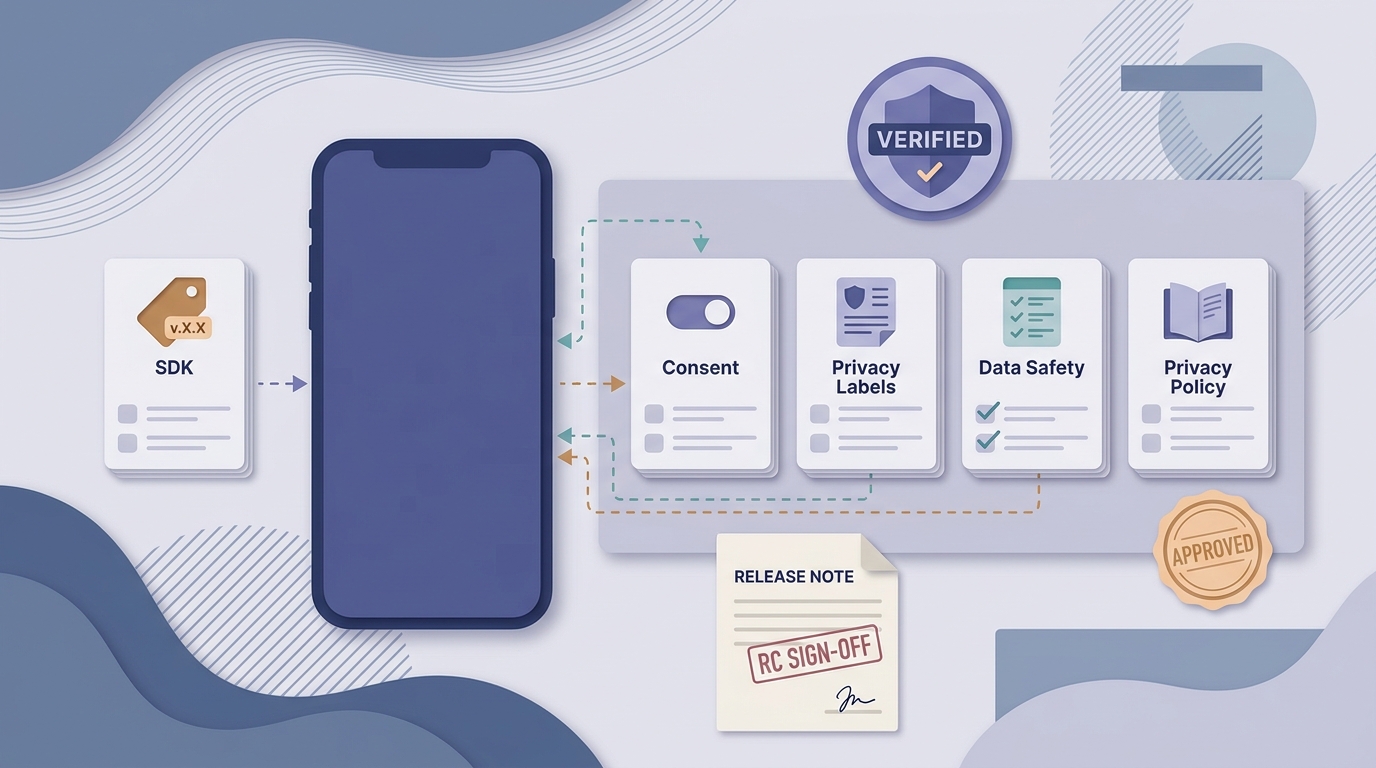
A mobile-friendly launch checklist for teams publishing an app with AppsFlyer or Adjust. It should include SDK version, consent behavior, App Store privacy labels, Google Play Data safety answers, and privacy policy alignment as pre-launch gate items.
Use a repeatable RC checklist with owners and artifacts. Here is a minimal workflow that fits most teams without turning into a full privacy program:
RC privacy audit (owner: mobile engineer or release manager)
Confirm SDK versions, key toggles, and consent timing in the RC build. Capture evidence artifacts (screenshots, logs, proxy snippets, consent-state matrix, and tested scenarios). Expect 45-120 minutes depending on tooling, proxy constraints, and app complexity.
Label mapping update (owner: privacy or compliance partner)
Update App Store labels and Play Data Safety answers based on the evidence pack. Document rationale and assumptions (for example "no server-side forwarding," "diagnostics disabled in production," or "proxy could not decrypt payload due to pinning"). Expect 30-60 minutes, plus review time and possible iteration with engineering.
Sign-off gate (owner: publishing)
Require engineering and legal sign-off when disclosures change. The cost is an extra meeting or async review; the benefit is fewer last-minute reversals during submission.
Post-launch follow-up after the labels go live
- Watch for review notes pointing to collection or sharing mismatches, and treat them as a signal your mapping is not defensible yet.
- Spot-check during rollout. Some payload changes only appear at scale, on certain OS versions, or under specific consent states.
- Re-check after every SDK update, consent copy change, new partner integration, or new market launch.
Audit before you edit
Get a release-ready evidence pack and mapping table
Audit before you edit