Building IoT apps for connected cars and smart fridges is rarely a tooling problem. The hard part is choosing a few workflows people will repeat, tolerate alerts for, and pay for, while staying inside real integration, reliability, and support constraints. This draft gives you a decision sequence to pick a commercially viable wedge, estimate effort honestly, and ship a first version without overbuilding.
Apps That Make Eco-Friendly Living Easy goes deeper on the ideas above and adds concrete next steps.
Where IoT app demand is already visible
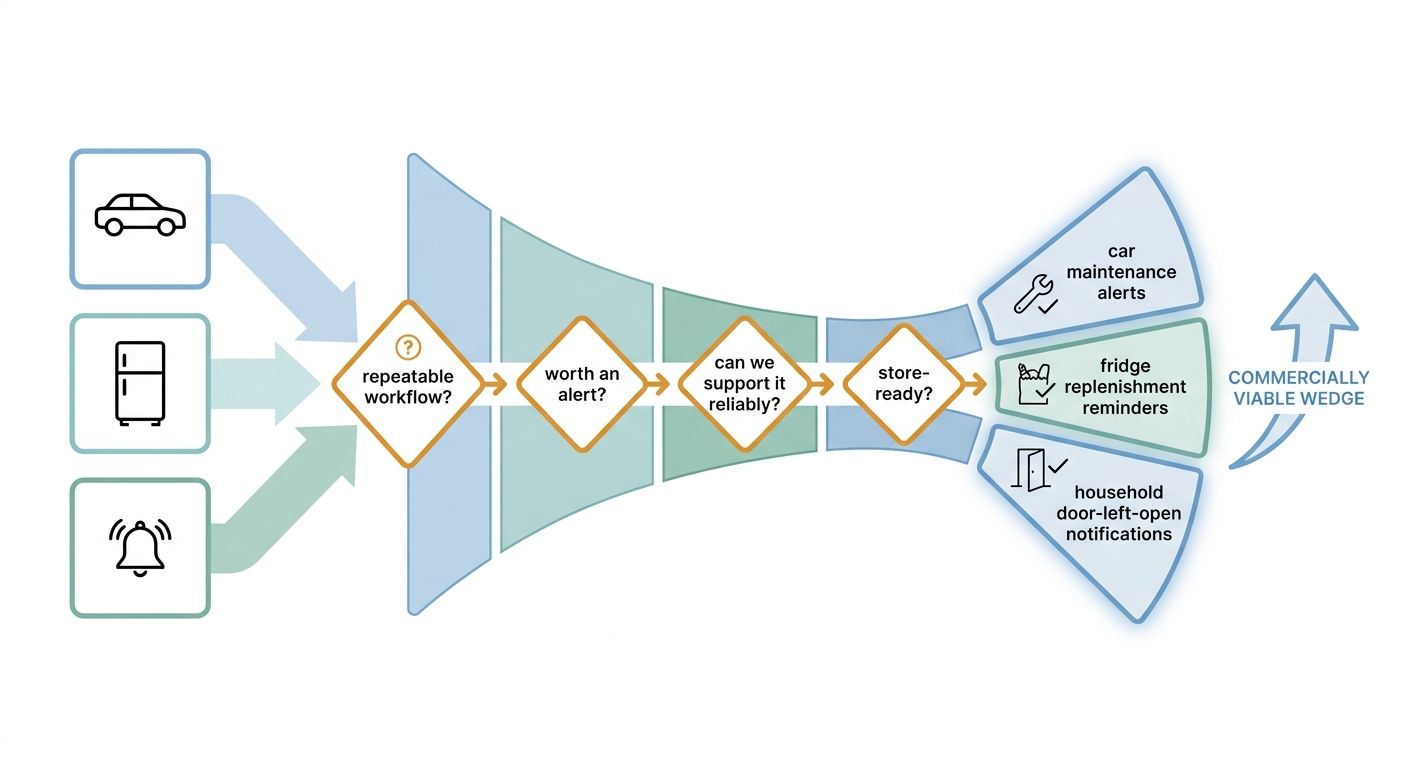
A simple process diagram showing how a team filters IoT app ideas from broad device control to one high-value wedge such as car alerts, fridge replenishment, or household notifications, with decision points for App Store and Google Play readiness.
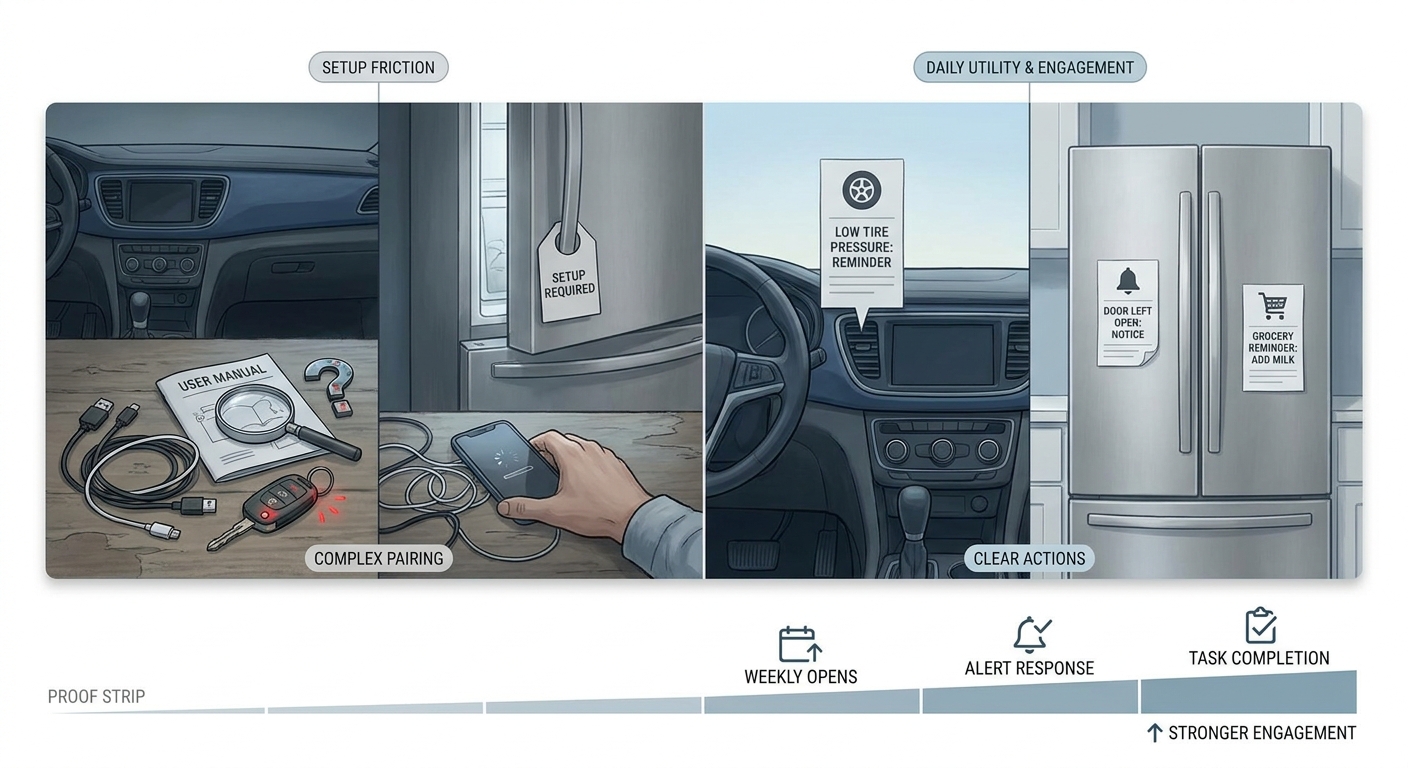
A compact before/after proof card showing an IoT app moving from device setup pain to repeatable daily utility, with callouts for connected car alerts, smart fridge reminders, and the business impact of higher engagement.
| Device demo companion | Daily-use workflow app | |
|---|---|---|
| Job to be done | Pair device, show a dashboard | Prevent a problem, finish a task |
| Example | "My car is connected" | Low tire alert - book service in 2 taps |
| Example | "My fridge has sensors" | Door left open - notify household group |
| Signal we watch | Installs | Weekly opens, alert response, task completion |
What this proof is: A heuristic from an anecdotal pattern across ~20-40 discovery calls and a handful of lightweight prototypes (typically 1-3 weeks each). It is not market-wide evidence, but it does reflect what repeatedly shows up when you instrument real loops instead of only tracking installs.
How we measured it (examples):
- Alert-to-action rate: delivered alerts that led to a downstream action within 10 minutes (tap, dismiss with reason, or completed task) divided by delivered alerts.
- Loop completion: started workflow (open from notification or app) to finished outcome (command succeeded, appointment requested, reminder assigned) within the same session.
How to interpret it: Dashboards still matter for trust, troubleshooting, and setup. The constraint is that dashboards alone often do not justify notification permissions, account linking, and ongoing upkeep unless users can complete a task from that screen.
Reader impact: If you have limited engineering time, design around one repeatable loop (trigger - user decision - device or service action) and instrument it from day one. Market reports can provide context (distribution exists, fragmentation is real), but they do not validate your retention or willingness to pay for a specific wedge (Global Growth Insights, GM Insights).
When you move from outline to execution, Apps That Replace a Travel Agent in 2026 helps close common gaps teams hit here.
What should you build first and what should you avoid?
The most common trap: a great dashboard that nobody reopens
Status screens feel logical to builders, but many users return for repeatable actions like remote commands, service booking, or household reminders. The hidden cost is onboarding friction: Bluetooth and WiFi handoffs, permissions, and account linking can add days of support load and slow iteration.
One thing worth noting: failure-only value can work for B2B ops (alerts are the product). For consumer apps, a product that only matters when something breaks often struggles unless it reliably helps resolve the issue.
Connected cars vs smart fridges: different usage physics
Connected cars are commute- and safety-driven, with time-sensitive alerts and remote commands that can justify interruptions. The dependency is OEM and telematics reliability and policy stability; if events are delayed, missing, or unactionable, users stop trusting alerts.
Smart fridges are household- and replenishment-driven, where shared access and coordination matter. The risk is inventory drift and trust erosion; if the fridge is "wrong" often enough, people disable notifications and do not come back.
The pre-build checks (budget 1-2 weeks)
Habit and action rate
Estimate weekly active use and the percent of sessions that trigger a real-world action, not just a check-in. In practice, you usually need 1-2 weeks of prototype data, dogfooding, or partner logs to avoid building off guesses.
Onboarding and support risk
Model pairing failure rates, permission drop-offs, and account recovery load before you commit to app store scale. Plan for a support loop (at least 0.25-1 FTE for early weeks), because the first 50-200 tickets will reshape your roadmap.
Wedge clarity
Decide if one wedge feature can win, or if you truly need cross-device orchestration in v1. Orchestration multiplies QA time, increases privacy review complexity, and makes failures harder to diagnose.
A complementary angle worth comparing lives in Best Real Estate Apps Launched in 2026 - Ranked.
Which IoT app wedges tend to monetize?
These are often the fastest paths when you have reliable events, permissionable value, and a clear next action. If those conditions are not true, they can fail quickly or turn into ongoing support work.
| Wedge | What ships in v1 | Effort (small team) | Key risk/dependency (failure mode) | Primary metric |
|---|---|---|---|---|
| Alerts | 2-3 high-signal alerts + 1 follow-up action | 2-4 weeks build + 1-2 weeks QA + tuning | False positives, delayed events, notification fatigue | Alert-to-action rate |
| Control | 1-2 remote commands + clear failure states | 3-6 weeks build + QA across models | OEM API limits, offline states, liability and safety expectations | Command success rate |
| Replenishment | Reminders + shared list edits (not auto-buy) | 4-8 weeks depending on data quality | Inventory drift, household trust, retailer and identity dependencies | Repeat loop completion |
Connected car alerts (often first)
Alerts can create a fast feedback loop (lock left open, charging interrupted, low tire). It works best when events are reliable and the next step is low-friction (book service, message driver, show nearby charger), otherwise you train users to ignore you. Expect 2-4 iterations of thresholds, copy, and quiet hours before the alert mix stabilizes.
Smart fridge replenishment (useful, slower to validate)
Replenishment can be valuable, but it is easy to overpromise. A realistic v1 is reminders plus shared household edits; one-tap purchase usually depends on retailer partnerships, identity matching, and accurate inventory, which can add months of dependency lead time.
General home-device control (tempting, brittle)
Broad companion apps get complicated across brands and firmware versions. Unless you control the device fleet, expect ongoing break-fix work and intermittent failures that are hard to reproduce, especially around connectivity and background execution.
For tradeoffs, checklists, and edge cases, AR in Mobile Apps Has Moved Past the Novelty Stage - Here's What's Next rounds out this section.
Constraints, risks, and dependencies you should plan for
Account linking has to be boring and reliable: OAuth, token expiry handling, and recovery flows. Expect at least one round of fixes after you see real users, because edge cases cluster around identity, permissions, and multi-user households.
Background limits push you toward push notifications and periodic refresh, not constant polling. Offline is a first-class state (car asleep, fridge disconnected), so every workflow needs a clear fallback message and a retry strategy that does not spam users.
App store review risk is real: unclear data use, aggressive permissions, or copy that sounds like a safety guarantee can trigger delays. Plan slack for at least one resubmission cycle, and expect 3-10 business days of review time per iteration depending on category and region.
Run a 30-day wedge pilot Pick one trigger-action loop and measure activation, repeat use, and support tickets for 30 days before you widen device coverage. Run a pilot
7 Wearable App Ideas Worth Building for Indie Founders Right Now reframes the same problem with a slightly different lens - useful before you finalize.
Implementation playbook (practical and measurable)
Step 1: define the one job the app must do
Pick a single repeatable job
Choose one loop per category (for example, lock alert plus resolve for cars, door-left-open plus household notify for fridges). Keeping the loop narrow keeps QA finite and makes failures easier to diagnose.
Define success before coding
Use a metric tied to a real action, not a view. For example: Alert-to-action rate = actions within 10 minutes / delivered alerts. Expect a few iterations on timing, copy, and error states before it stabilizes.
Draw a hard v1 boundary
v1 can ship with limited model coverage if unsupported models fail clearly and do not block onboarding. The tradeoff is partner pressure and reviews from unsupported users, so publish a coverage list and an update cadence you can actually maintain.
Step 2: instrument the workflow with a basic, real ops stack
Keep this lightweight so a small team can run it without turning analytics into a second product.
| Need | Practical default | Why it matters |
|---|---|---|
| Event ingestion | AWS SNS/SQS or GCP Pub/Sub | Buffers bursty device events and reduces dropped alerts |
| Product analytics | Amplitude or Mixpanel | Tracks funnels and loop completion, not just opens |
| Error monitoring | Sentry | Surfaces integration failures and offline edge cases fast |
Outcomes to expect (and what can still go wrong)
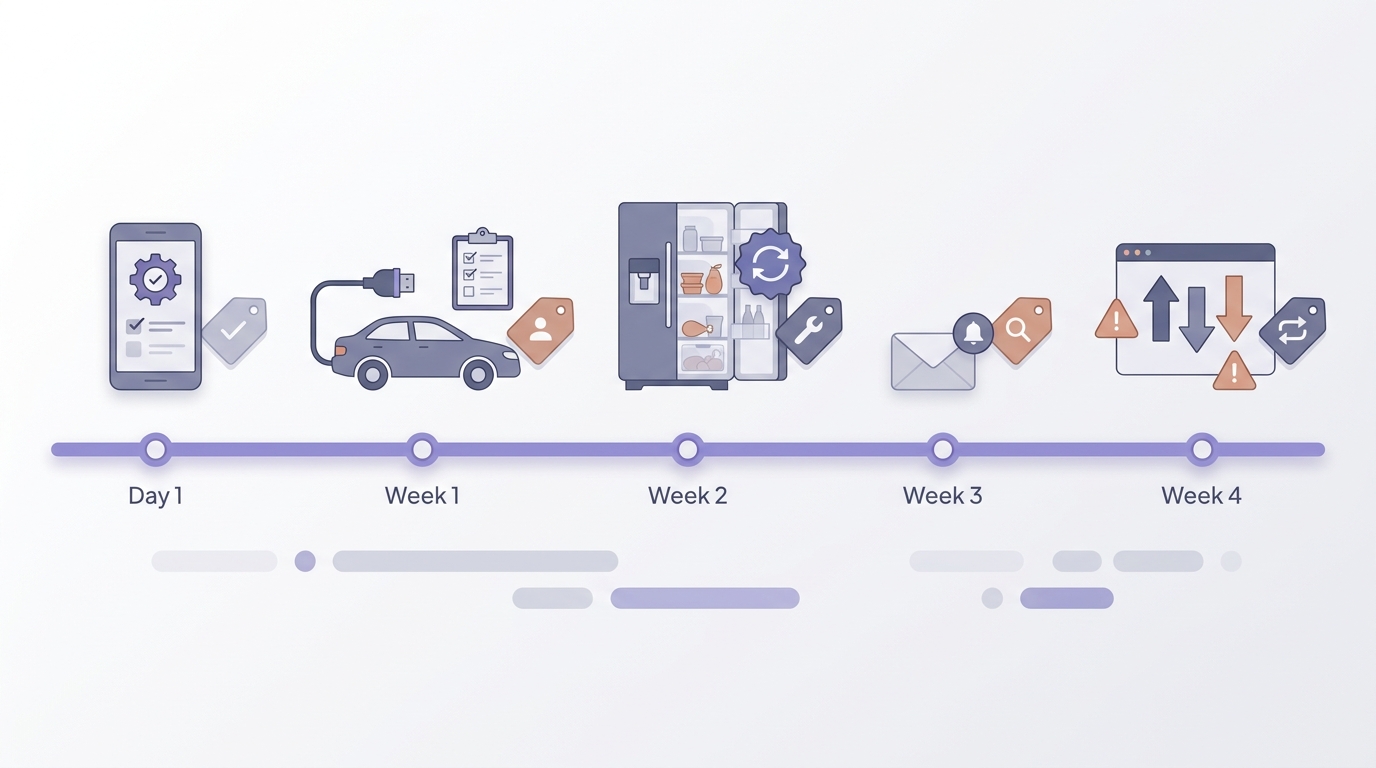
A realistic 30-day IoT app rollout timeline showing discovery, device integration checks, onboarding fixes, and early retention review for a connected car or smart fridge companion app.
Activation usually improves when setup has fewer dead ends, but most teams need 1-2 rounds of onboarding fixes after launch. Retention is typically higher among users who complete one full loop at least once, but it can drop quickly if alerts are noisy, late, or impossible to resolve.
The practical takeaway: the biggest lift often comes from reliability and friction removal (permissions, retries, clear failure states), not new features. Assume ongoing maintenance because OEM access, model fragmentation, telemetry gaps, and policy changes can break workflows with limited notice.
| Day range | Focus | Check |
|---|---|---|
| 1-7 | integration + consent | pairing success, permission acceptance |
| 8-14 | onboarding fixes | activation, first loop completion |
| 15-30 | retention review | repeat loop, ticket volume, alert tuning backlog |
Map your highest-value IoT workflow Choose one connected-car, smart-fridge, or adjacent workflow you can realistically ship in 4-8 weeks, then compare activation, retention, and support tickets before expanding. Map your workflow