
A misleading-claims rejection on Google Play is rarely about one stray sentence. It is usually a mismatch between what your listing promises and what a reviewer can verify on a clean install at review time. This guide shows how to diagnose the trigger, collect proof before you edit, and resubmit with claims you can substantiate.
Why Google Play Flags AI-Generated Apps for Misleading Metadata goes deeper on the ideas above and adds concrete next steps.
Early proof
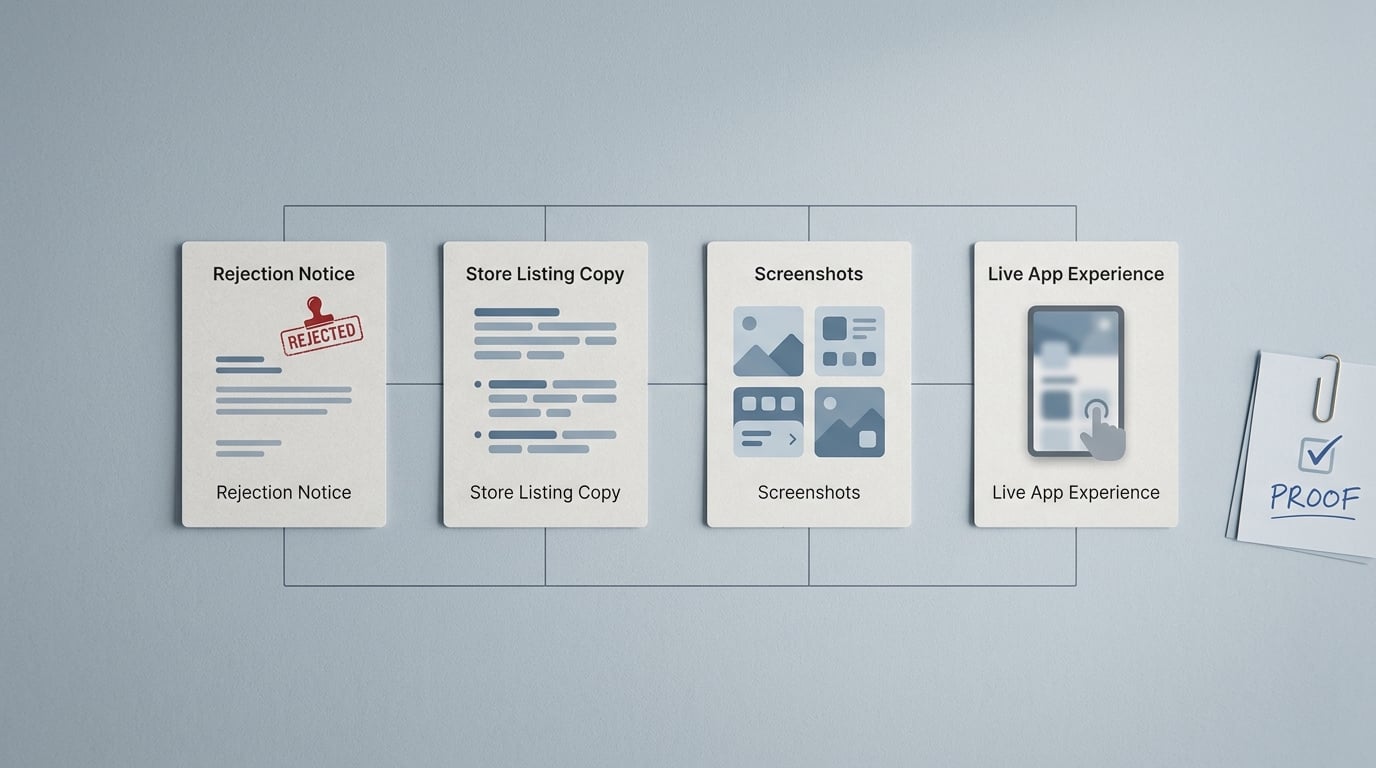
A compact evidence card showing the Google Play rejection reason, the app listing copy, screenshots, and the live app experience as the four items to compare when diagnosing a misleading-claims rejection.
| Proof you can assemble in 1-2 hours (no new code) | What it means (how reviewers tend to evaluate) | Reader impact (time, cost, decision) |
|---|---|---|
| Rejection notice text + linked policy pages | The notice can be vague, but the linked policy category usually narrows what is being judged (metadata, visuals, or in-app behavior). | Reduces guesswork so you change the right assets first, instead of iterating blind for days. |
| Current store listing export: title, short description, full description, screenshots, feature graphic, video (all locales) | Reviewers compare these promises against what they can observe quickly on a fresh install. | Helps you spot high-risk claims and remove or qualify them before the next submission. |
| Clean-install screen recording of first run (emulator or test device) | This is your ground truth. If the promised feature is behind login, paywall, region gating, device requirements, or feature flags, the mismatch shows up fast. | Prevents you from "fixing copy" while the product still fails the first-session proof test. |
| A one-page change log for the resubmission note | Reviewers do not need persuasion, they need a map of what changed and where to verify it. | Can reduce back-and-forth, but timing still depends on queue and reviewer discretion. |
Explanation: This is not third-party benchmark data. It is an internal evidence stack you can assemble from your own artifacts and the Play Console notice.
Interpretation: If a reviewer cannot reasonably demonstrate a claim during first-run without special conditions, treat it as high risk until you add a clear qualifier or change the flow.
Business impact: Teams often reduce resubmission loops by aligning listing promises to first-run proof early. It is not predictable: results vary with app complexity, rollout state, number of locales, and how much is gated.
When you move from outline to execution, Google Play vs App Store Approval Process - What's Different in 2026 helps close common gaps teams hit here.
What does a Google Play misleading claims rejection mean?
What this guide covers and what it does not
- Goal: pinpoint likely triggers behind a "misleading claims" rejection before resubmitting, using deceptive behavior and misrepresentation guidance for listings and app behavior (Play Console Help, Play Console Help).
- In scope: listing copy, screenshots, video, feature promises, pricing and availability conditions, and first-launch reality.
- Out of scope: legal advice, regulator compliance, and general ASO growth tactics.
- Key limitation: notices can be nonspecific and reviewer interpretations vary, so this is a diagnosis framework, not a guarantee.
Why this rejection matters commercially
A misleading-claims rejection is a launch tax. It can pause paid acquisition, delay partner timelines, and force rework across store creatives and onboarding.
One thing worth noting: the hidden cost is coordination. If you have multiple locales or a staged rollout, it is common to burn several hours across PMM, design, QA, and release management just to confirm what a reviewer is likely to see.
Which assets Google Play is most likely judging
- Title, short description, full description
- Feature graphic, screenshots, promo video
- In-app behavior on first launch vs what the listing implies
- High-risk claim types: guarantees, rankings, endorsements, unsupported affiliations, exaggerated outcomes
A complementary angle worth comparing lives in Google Play Data Safety Rejection: How to Fix It.
What evidence should you collect before rewriting your listing?
Build the rejection evidence stack (realistically: 60-120 minutes)
Collect these items first, ideally the same day, so you do not "fix" one surface while another still contradicts it:
- Rejection text and linked policy category (Deceptive Behavior, Misrepresentation)
- Current store listing assets (including all locales you ship)
- Clean-install first-run recording and screenshots from the exact release artifact
- Notes on gating: login, subscription/paywall timing, region restrictions, device limitations, feature flags
Dependencies to plan for: you may need engineering or release management to confirm flags and rollout state, and localization help to validate non-English copy and screenshots. If you have 10+ locales, budget half a day, not 1-2 hours.
Signals that point to a wording problem vs a product problem
| Signal | Likely cause | Lowest-risk fix |
|---|---|---|
| "Best", "guaranteed", "instant", "works for everyone" | Overclaim in copy | Remove absolutes, add scope, describe observable behavior |
| Screens show a feature that is paywalled or not in first-run | Product and listing mismatch | Update screenshots or disclose the condition ("Requires subscription") |
| Claims differ by language or country | Localization drift | Align translated copy and localized screenshots to actual availability |
Mini example: rewrite a claim so it is testable (and safer)
Before: "Instant cashback on every purchase."
After: "Earn cashback at participating merchants. Cashback rates and eligibility vary. Requires account sign-in."
Practical takeaway: the second version is less punchy, but it matches what a reviewer can verify without guessing about edge cases.
For tradeoffs, checklists, and edge cases, AI App Positioning Without Policy Risk rounds out this section.
How do you fix a misleading claims rejection safely?
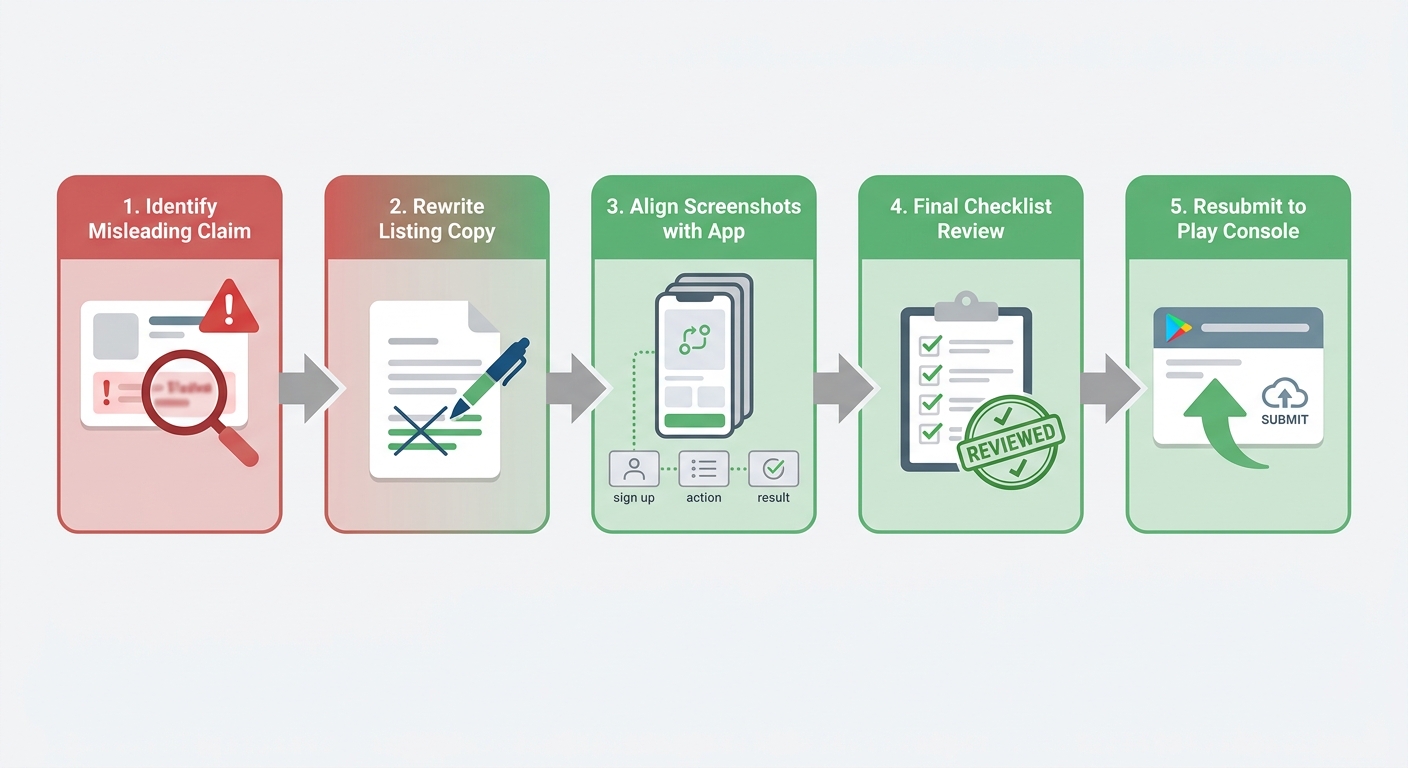
A simple process diagram that traces the fix path from identifying the misleading claim, rewriting the listing, aligning screenshots with the real app experience, and resubmitting in Google Play Console.
Use a reviewer-first workflow (with owners and realistic timing)
If your listing assets are centralized and you ship one locale, you can often complete this in 4-8 hours of focused work. It can take multiple days if you need engineering changes, a new build, localization rework, or refreshed screenshots across devices.
Record first-run proof on the exact release artifact
Use Android Studio Emulator (or a spare device) and record with OBS or Loom. Have QA or release management confirm the build matches what is in review and that feature flags reflect what most users will see during review.
Rewrite claims to match what the recording shows
PMM owns copy, but write from the recording, not the roadmap. Replace absolutes with testable descriptions and disclose conditions (login, subscription, region, device requirements). This aligns with Google’s focus on misleading statements across metadata (Play Console Help, Misrepresentation).
Update screenshots and creatives from real screens
Design updates screenshots from the current build. Avoid mockups that imply unshipped flows or best-case results. Recheck every locale, because one outdated translated screenshot can reintroduce the rejected claim.
Prepare a short resubmission note + internal proof log
In Play Console, write a factual note listing what changed and where to verify it. Keep an internal log (links to the recording, asset filenames, dates) so the team can reproduce the audit next release.
Tradeoff: narrowing claims can reduce conversion in the short term, especially if competitors overpromise. The upside is lower refund risk and fewer policy loops. If conversion drops, you can test stronger positioning later once you can support it consistently in-product and across locales.
Bring screenshots and promo assets back in line
- Remove captions that imply guaranteed results or typical outcomes if you cannot support them consistently.
- Show the most common first-session path, not a best-case path that requires setup.
- Ensure feature graphics and videos do not imply endorsements, rankings, or affiliations you cannot substantiate (PlayVerify).
Resubmission kit
Reviewer-ready checklist + proof-log template (owners, time estimates, and a change-log format).
resubmission-kit
The Founder's Complete App Publishing Checklist reframes the same problem with a slightly different lens - useful before you finalize.
What mistakes cause repeated Google Play rejections for misleading claims?
Common traps that look like positioning but read like unsupported claims
Superlatives and absolutes can be treated as unsubstantiated: "fastest", "most secure", "number one", "official", "guaranteed". Hidden conditions are another frequent trigger, such as implying features are free or broadly available when they require payment, login, or a specific region.
Outcome language is especially sensitive in finance, health, and security because results vary and proof is hard to demonstrate quickly in review. If you cannot show a typical outcome in first-run, assume the reviewer will treat it skeptically.
Failure modes teams miss during a quick copy edit
- Staged rollout mismatch: your screenshots or text reflect a feature that is only live for a subset of users (and the reviewer might be in the other group).
- Notice is broad: teams fix one claim but miss another embedded in a screenshot or video.
- Locale drift: one translated description or localized screenshot still contains the rejected promise.
- Onboarding contradiction: the store implies "no signup", but the first screen forces account creation.
These misses are expensive because they often mean another 1-3 day loop plus creative rework, and sometimes a rebuild if the only honest fix requires product changes.
What should teams do next to prevent another rejection?
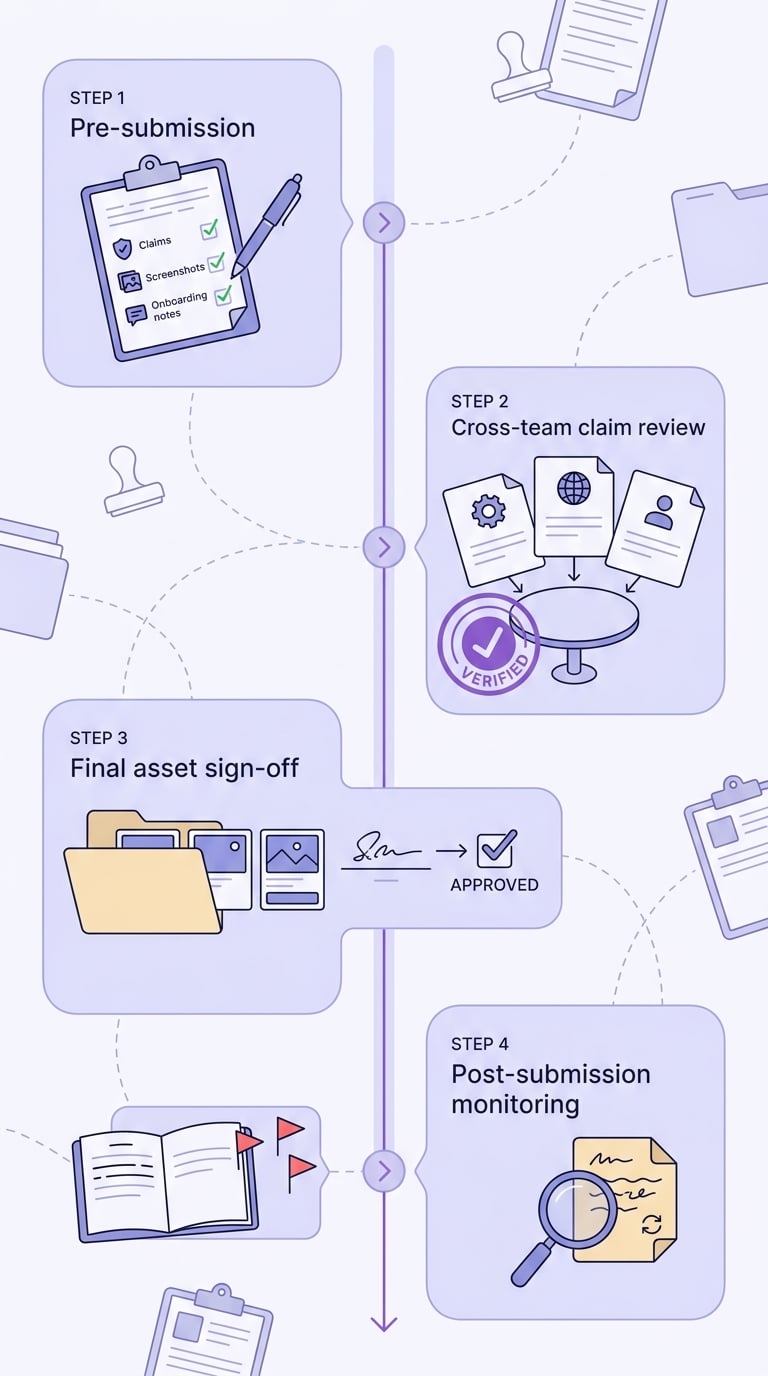
A short timeline showing the pre-submission checklist, cross-team claim review, final asset sign-off, and post-submission monitoring steps used to prevent repeat Google Play misleading-claims rejections.
Build a lightweight, repeatable pre-submission checklist
- Verify each claim against the exact release build, not last version or roadmap (source).
- Ensure screenshots, description, promo video, and onboarding tell the same story with the same conditions.
- For privacy, security, pricing, or ranking claims, keep internal supporting notes in case review questions come back (source).
Track a small set of operational metrics
| Metric | Why it matters |
|---|---|
| Resubmission count per release | Proxy for process quality and cross-team alignment |
| Review turnaround time | Helps you plan launch buffers and paid spend timing (varies by queue) |
| Repeat rejection rate by locale | Flags translation and regional-availability gaps |
Submission checklist
Standardize claim review across the Play listing, ads, and onboarding, then run a monthly listing audit.
submission checklist


