If your app is discoverable but not getting the right installs, or your install rate is solid but traffic is flat, your App Store category may be quietly working against you. Category choice is not just a label: it shapes who sees you, which competitors you are ranked next to, and what users expect when they land on your page. This guide gives you a repeatable way to pick a category that fits your core use case, fits store rules, and is measurable after launch.
How to Publish a Kids App on App Store - Extra Rules Explained goes deeper on the ideas above and adds concrete next steps.
Early proof: category fit is a ranking and conversion decision, not just a taxonomy choice
Category: Conversion
Statistic: ↑ CVR (7 - 14 days)
Label: Higher product page conversion
Context: More relevant traffic converts better than broad-intent browsing
Category: Ranking
Statistic: ↓ competition
Label: Smaller peer set to rank
Context: Best-fit categories tend to be tested against clearer comparables
Category: Quality
Statistic: ↑ D1/D7 retention
Label: Better early install quality
Context: Mismatch often shows up as higher uninstalls and lower retention
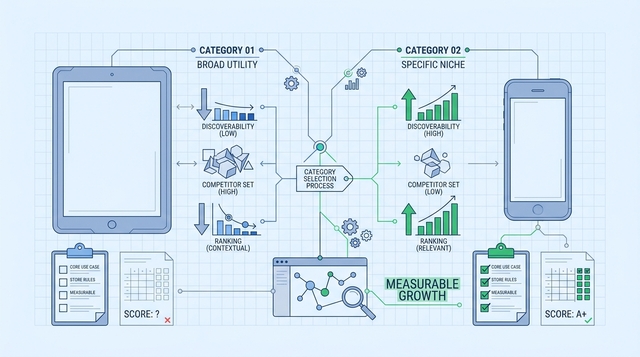
| Category path | What the store may test you against | What to measure (first 7-14 days) | When it tends to fail |
|---|---|---|---|
| Broad, generic category | Large peer set, crowded charts, wide intent mix | More product page views, lower product page CVR | You get traffic that does not match your promise, leading to weak conversion and "not what I expected" reviews |
| Narrower, best-fit category | Smaller peer set, clearer comparables | Fewer views, higher CVR and better early retention | Top of funnel can shrink; if you do not rank, volume may not recover without stronger ASO or paid support |
| Misaligned category (feature-led) | Competitors optimized for a different job-to-be-done | Higher uninstall rate, lower D1/D7 retention | Screenshots and reviews feel out of place, hurting conversion and ratings |
Explanation: These are common directional patterns teams report when switching between a broad category, a best-fit category, and a mismatch. Treat them as hypotheses to validate, not guaranteed outcomes.
Interpretation: Results depend on traffic source mix (browse vs search vs paid), featuring, creative changes shipped in the same window, and seasonality. Compare store CVR (App Store Connect or Play Console) and D1/D7 retention (or uninstall rate if retention is not instrumented) over a consistent 14-day window.
Reader impact: You can decide whether to keep, adjust creatives, or revert using thresholds instead of opinion. If CVR moves but D7 does not, you probably changed expectation-setting more than audience quality.
When you move from outline to execution, Top 5 Ways to Monetize Your First iOS App helps close common gaps teams hit here.
Why does app store category choice affect visibility and conversion?
Category choice matters most when your app could plausibly belong in more than one place, like productivity tools with finance features or wellness apps with tracking. In practice it affects discoverability surfaces, the peer set you are compared against, and how users judge your screenshots and reviews.
Apple explicitly frames categories as part of how users browse and discover, so your primary category is a distribution lever, not admin work (Apple Developer). Reviewers may also use category as a clue to your primary purpose, and enforcement can vary by reviewer and timing.
Google Play similarly uses category (and tags) to shape relevance and discovery, so a poor fit can dilute where you surface and who you compete against (Google Play Console Help).
What you should expect effort-wise
A first pass is usually 60-90 minutes if there are 2-3 plausible categories and you already agree on the core use case. Budget 2-4 hours if product, marketing, and compliance need to align, plus design time if screenshots need revision (often 1-3 business days once feedback and export cycles start).
Category changes can take time to stabilize because indexing and ranking signals do not update instantly. Avoid bundling a category switch with a major pricing change, a new paywall, or a large creative overhaul unless you are comfortable losing attribution clarity.
A complementary angle worth comparing lives in App Store vs Google Play: Where Should You Launch First.
How do you choose the right App Store category?
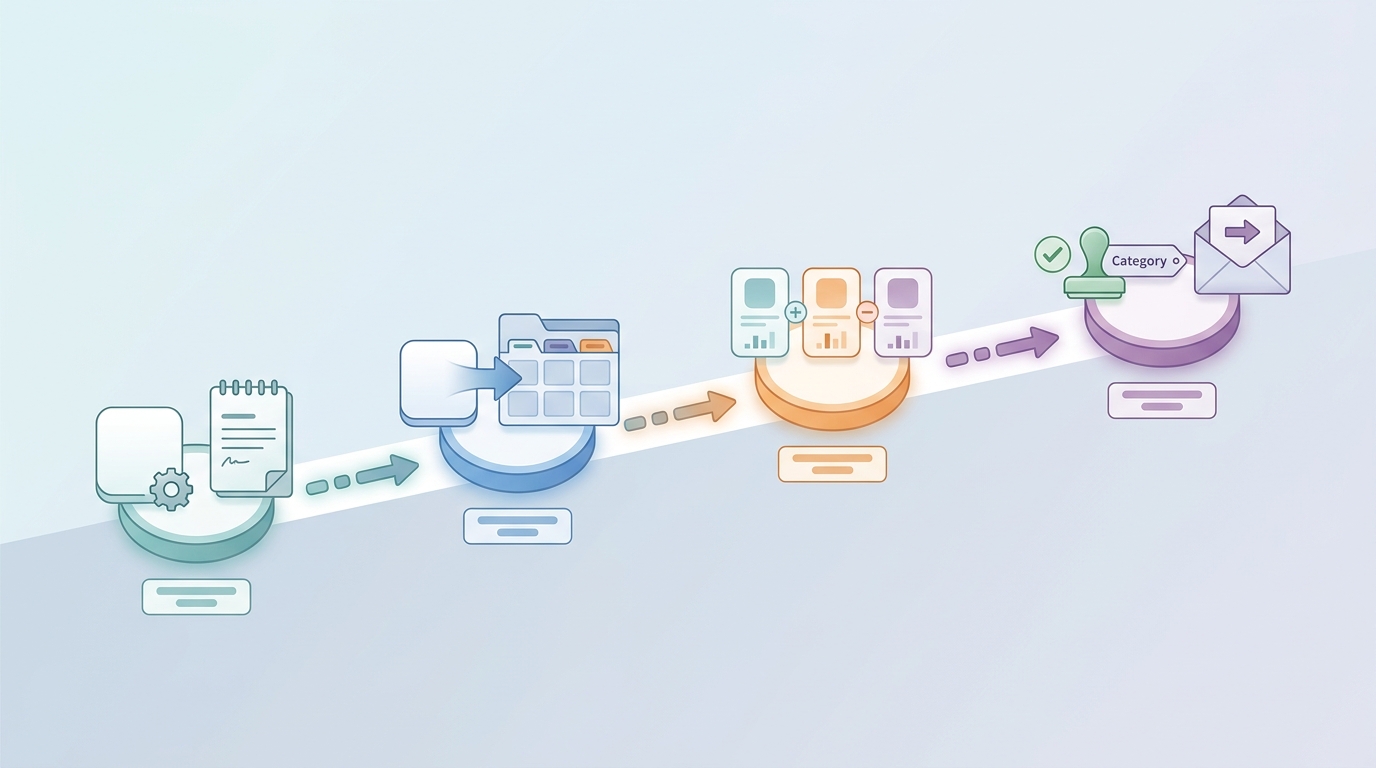
A four-step process diagram showing how to define the app’s primary job, map it to App Store or Google Play category options, compare competitors, and finalize the category choice before submission.
Start with the app’s primary job
Write a one-line product statement
Capture dominant user intent in plain language, like "helps freelancers track invoices" or "helps parents manage chores." If your team cannot agree in 10-15 minutes, resolve positioning first or the category debate will keep looping.
Separate core use from secondary features
List your 1 core workflow, then 2-3 supporting features. A common failure mode is choosing a category based on the most marketable feature (AI, chat, payments) rather than the job users show up for.
Shortlist 2-3 plausible categories per store
Do this separately for iOS and Android because labels and discovery surfaces differ (Apple, Google). You are choosing the peer set and expectation frame, not just a browse shelf.
A minimal workflow that stays operational
- Tools: App Store Connect, Google Play Console, and one ASO tool like AppFollow (or similar) for competitor positioning and review themes.
- Competitor pass (45-60 minutes): pick 5 direct competitors inside the target category and capture their first 3 screenshots, pricing model, and promise in the subtitle or short description. If you cannot find 5 credible comps, that category may be a weak fit or too fragmented to benchmark.
- Metrics to track (first 14 days):
- Store listing CVR (overall, and by major traffic sources if available)
- D1/D7 retention or uninstall rate (quality proxy)
- Review themes that indicate expectation mismatch (qualitative but fast signal)
Decision rules (probabilistic):
- If CVR improves but D7 worsens, you may be overpromising in creatives or pulling in a different intent mix. Confirm you did not also change paid targeting, keywords, onboarding, or pricing in the same period.
- If CVR drops and uninstall rises, category intent is a plausible driver, but check for confounders like featuring, seasonality, and creative edits shipped mid-test.
For tradeoffs, checklists, and edge cases, Everything You Need to Know About Apple and Google Developer Accounts rounds out this section.
What app store category mistakes should you avoid?
Choosing the biggest category instead of the best-fit category
Bigger categories can mean more browsing volume, but also tougher competition and a wider mix of user intent. For many newer apps, that looks like more impressions without proportional installs, especially if you sit below the fold.
A narrower category can improve conversion and retention while reducing top-of-funnel volume. You may need better keywords, sharper creatives, or paid support to maintain installs, and the economics can change if you rely heavily on paid UA.
Letting secondary features drive the decision
Example: a budgeting app with chat still usually belongs in Finance, not Social, because the core promise is money management. Misclassification often shows up as category confusion where screenshots, reviews, and expectations feel inconsistent.
Rule of thumb: if that feature disappeared, the app should still fit the same category.
Pitfalls and edge cases (the reasons tests fail in practice)
- Small sample sizes: low traffic makes 7-14 day comparisons noisy, especially for retention.
- Confounded tests: simultaneous UA, creative, onboarding, pricing, or keyword changes make results hard to interpret.
- Review and rejection risk: category changes can trigger additional scrutiny or forced reclassification.
- Limited instrumentation: you may not have CVR by source, or retention events may be missing or delayed.
Final checks before launch or category change
Pre-flight checks for the listing team
Category: Prevention
Statistic: 65%
Label: Issues caught pre-submit
Context: With an internal QA pass
Category: Monitoring
Statistic: 7 - 14 days
Label: Decision window post-change
Context: Use this period to keep, adjust creatives, or revert the category
Category: Process
Statistic: 30 - 45 min/release
Label: Revalidate category rationale
Context: Assign one owner to prevent re-debating every release
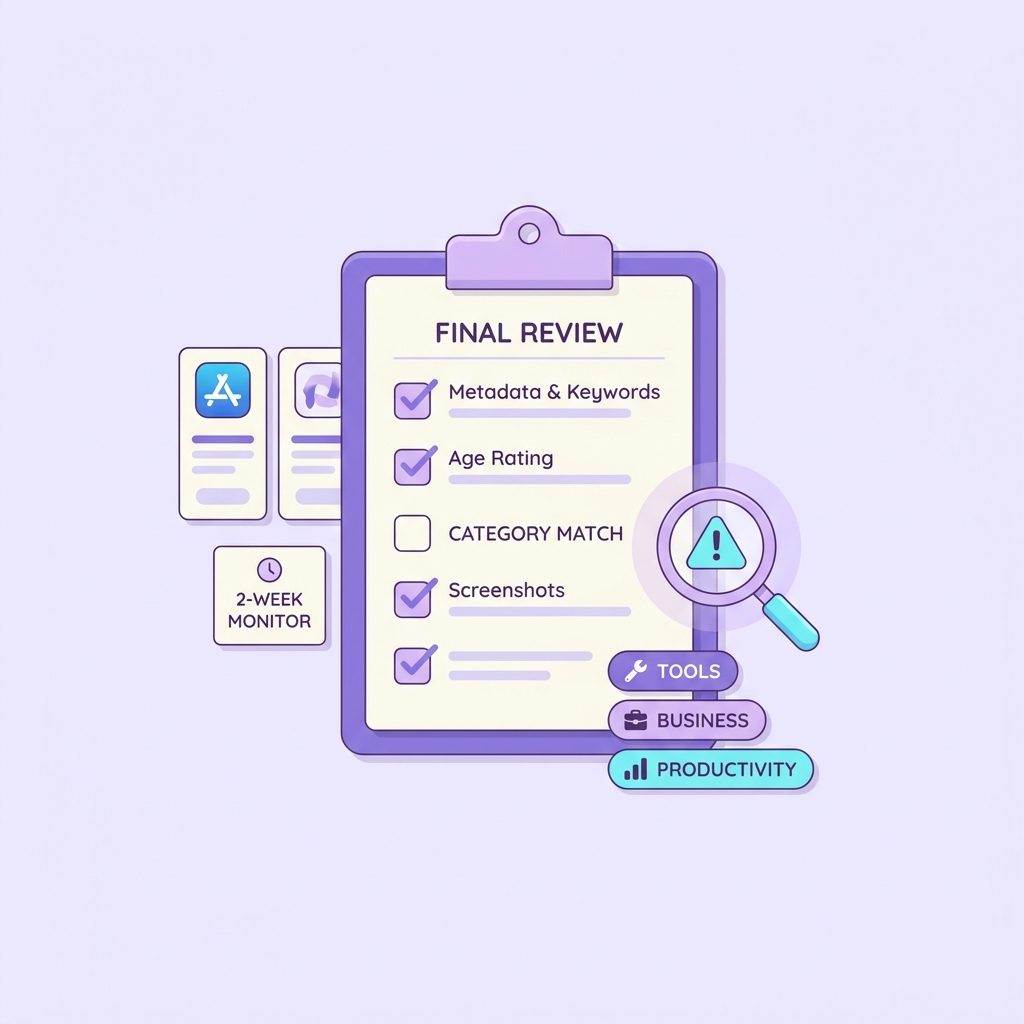
A final review step catches mismatches in checklist items, tags, and warnings before a launch or category change goes live.
| Check | Pass signal | Risk if wrong | Effort note |
|---|---|---|---|
| Value prop fit | Clear in 3 seconds from first screenshot | Low CVR due to intent mismatch | 15-30 min review with 2 people who did not build the app |
| Creative-category alignment | Screenshot themes match top peers | "Feels out of place" reviews | 1-2 design iterations can take days, not hours |
| Competitor parity | Your claims are comparable to peers | Users assume missing basics | 45-60 min competitor scan in AppFollow (or similar) |
| Monetization norms | Pricing is not a surprise for the category | Higher refunds, churn, bad reviews | May require product changes, not just copy |
| Compliance and review risk | Category supports your primary purpose | Rejection or forced reclassification | Depends on reviewer interpretation and policy timing |
Implementation notes (where teams get stuck)
- Ownership: assign a single owner (often ASO or PMM) to propose the category, with product and compliance as approvers. Without an owner, teams tend to reopen the debate each release.
- App Store Connect: update the primary category and ensure metadata and screenshots support that purpose (Apple). Plan for review timing variability and indexing lag.
- Google Play Console: choose category and tags separately, and verify store listing language matches the intent you are targeting (Google).
Post-launch signals to watch in the first two weeks
- Views rise but installs are flat: likely intent mismatch or creative mismatch, not just "low traffic."
- Installs rise but uninstalls spike: you may be attracting the wrong audience for the job-to-be-done.
- D1 is fine but D7 drops: onboarding and expectation-setting may be off for the category, even if conversion improved.
- Timing constraint: effects can lag; use days 7-14 for your keep-adjust-revert decision.
CTA: document the rationale before you forget it
Capture the final category, top 5 competitors, and your "why" in a one-page note, then assign an owner to revalidate it each major release (budget 30-45 minutes per release, longer if creatives or pricing change).
Save the category decision
If you are changing category, treat it like a controlled release change. Freeze other major listing edits where possible, note any paid campaign shifts, and set success criteria up front. This will not remove noise, but it makes the result easier to explain to stakeholders.
CTA: run a 14-day category fit check
If you are considering a change, set up a simple dashboard for product page CVR, uninstall rate, and D1/D7 retention, then pre-decide what would justify a revert or a creative refresh (plan 1-2 hours to set up if events are already instrumented).
Start the fit check