
If you need to ship a mobile app fast, use Expo managed workflow with EAS Build and EAS Submit to get binaries into App Store and Google Play without buying macOS hardware or wrestling with local native toolchains; this guide gives a minimal, production-ready pipeline, the pre-flight checks that avoid common rejections, and realistic tradeoffs to budget for when native work becomes unavoidable.
How to Publish a Replit App to the App Store and Google Play (2026) goes deeper on the ideas above and adds concrete next steps.
Why use Expo + EAS?
Expo + EAS removes the local mac bottleneck and automates uploads to stores, letting many small teams go from code to testers in hours rather than days.
| Path | Requires | Typical outcome |
|---|---|---|
| Local native builds | macOS + Xcode; Android Studio | Higher setup friction, slower CI, mac access can block releases |
| Expo + EAS | App Store Connect API key, Play service account, eas.json | Cloud builds and automated submits; fewer environment blockers |
| Business result | - | Faster tester feedback and simpler team onboarding for MVPs and small teams |
What this means: moving build and submit steps to EAS and store APIs removes manual Transporter uploads and reduces "waiting for a mac" delays. In practice expect initial setup to take a few hours to a day, regular EAS builds to take roughly 5-30 minutes depending on size, and app review to still add 1-3 days or more. The implication: faster hypotheses and cheaper Linux-based CI, but plan for queues, occasional build flakiness, and review delays.
When you move from outline to execution, Everything You Need to Know About Apple and Google Developer Accounts helps close common gaps teams hit here.
How does Expo + EAS speed releases and what are the tradeoffs?
Yes: Expo managed workflow plus EAS shortens the path from repo to store for most MVPs, while accepting limits on low-level native access.
Expo + EAS removes two common operational blockers - local macOS for iOS builds and manual store uploads - which speeds releases and lowers typical CI costs for JS-heavy apps. The tradeoffs are real: heavy native features, custom SDKs, or platform entitlements will require either the bare workflow or scheduled native rebuilds. Expect to spend extra effort when you cross that boundary: migrating can take several days to weeks depending on complexity.
A complementary angle worth comparing lives in How to Publish Your Bolt-Generated Mobile App.
How do I publish an Expo app to App Store and Google Play?
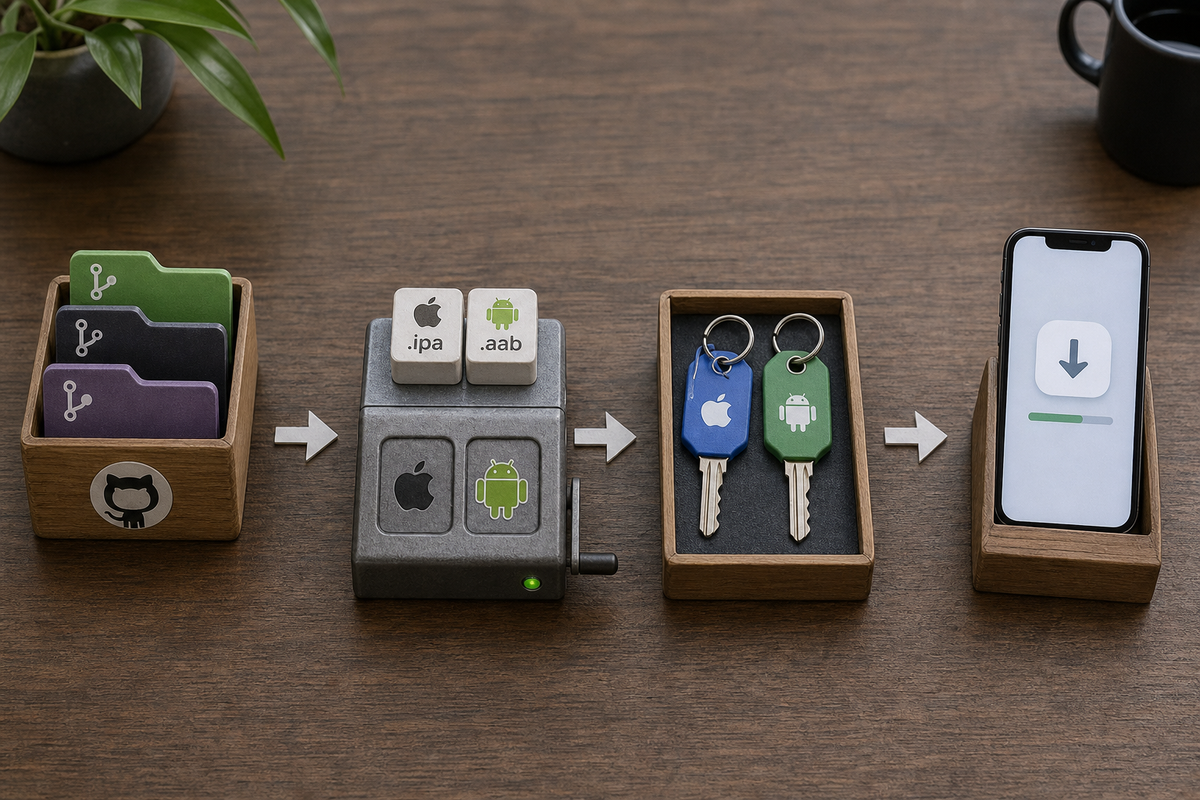
Flow diagram showing concrete steps: developer repo (branch/tag) → CI or local eas build (iOS .ipa and Android .aab) → eas submit with App Store Connect API key / Google Play service account → App Store Connect / Google Play Console → phased rollout. Include callouts for 'autoprovisioning' and 'upload key / Play App Signing'.
Follow this pipeline to get from repo to both stores with minimal friction; setup time is usually a few focused hours if accounts are ready.
Pre-flight: accounts, IDs, eas.json and signing
Apple and App Store Connect
Create an Apple Developer team and an App Store Connect entry. Grant App Manager/Admin or generate an App Store Connect API key for EAS; this setup typically takes 10-60 minutes.
Google Play Console and service account
Create a Play Console developer account and a Play service account, download the JSON key, and enable Play App Signing or prepare an upload key; expect 20-60 minutes.
eas.json and app manifest
Add bundleIdentifier and package in app.json or app.config.js. Create eas.json build profiles (development, preview, production) and choose autoprovisioning or manual certificates. Allocate 1-2 hours to iterate profiles and test a development build.
Versioning and artifacts
Decide versionCode and CFBundleVersion strategies and add CI scripts to bump them automatically. Missing increments are a common rejection cause and easy to automate in 30-90 minutes of CI scripting.
Build & submit: EAS Build -> EAS Submit (with manual fallback)
Run cloud builds
Trigger cloud builds:
eas build --platform ios --profile productionandeas build --platform android --profile production. Expect builds to take roughly 5-30 minutes; queueing can add time during peak hours.Submit artifacts
Use EAS Submit:
eas submit --platform ios --latest --profile productionandeas submit --platform android --latest --profile production. Provide the App Store Connect API key and Play service account JSON. If a store rejects your binary, download the artifact and fall back to manual upload (Transporter on mac or Play Console).Decide what needs native rebuilds
Use EAS Update for JS and asset patches only. Any new native module, SDK major upgrade, or entitlement change requires a full EAS rebuild and a new binary - plan such native sprints every few weeks or on a feature-driven cadence, depending on how often you add native deps.
Post-release: rollout, monitoring and hotfixes
- Start with a phased rollout: 5-10% on Play and phased release on App Store to limit blast radius.
- Monitor crash rates and key metrics for the first 24-72 hours; set up Sentry or Bugsnag before release.
- Use EAS Update for urgent JS fixes, but schedule native rebuilds when fixes affect native code.
- Automate version bumps and keep screenshots, privacy strings, and permissions updated to avoid review surprises.
For tradeoffs, checklists, and edge cases, How to Publish an Adalo App to App Store and Google Play rounds out this section.
Common mistakes, counter-arguments, and strategic implications for founders
Expo + EAS is a practical default for speed, but know when to invest in bare or mac-based CI; the decision depends on expected native work and long-term maintenance costs.
Common technical mistakes and how to fix them

A compact checklist block tailored to this article: bundleId/package, eas.json profile, Apple API key or certificates, Play service account JSON, version numbers, screenshots sizes, privacy strings, analytics integration, EAS Update config, and testflight/internal testing steps.
Uploading a debug-signed build or wrong provisioning profile.
Fix: runeas credentialsand validate distribution certs before submit.Failing to bump versionCode or CFBundleVersion.
Fix: automate version increments in CI or use release scripts.Relying on EAS Update for native changes.
Fix: schedule regular EAS rebuilds whenever you add native dependencies and communicate that to QA.
One thing worth noting: build flakiness or store rejections are often operational issues, not platform bugs. Invest a few hours in CI scripts, automated checks, and a rollback plan to keep release velocity steady.
Policy and native tradeoffs
Category: Outcomes
Statistic: 38%
Label: First-pass approval rate
Context: When metadata is complete upfront
Category: Speed
Statistic: 4 hrs
Label: Median fix time
Context: After a store rejection notice
Category: Efficiency
Statistic: 2.1x
Label: Faster resubmission
Context: With a structured pre-review checklist
App Store review can block apps for entitlements or privacy issues - audit Info.plist keys and include explicit privacy strings. Play Store can reject apps for outdated targetSdkVersion or native SDK mismatches. If you expect sustained native requirements (custom BLE, AR, low-level audio), choose bare early and budget for macOS CI or contractor help; migration can take multiple engineer-days.


