Getting a ticketing app approved in 2026 often stalls on a handful of predictable checks. This guide walks product owners and operators through the exact items Apple and Google reviewers examine, with a tight checklist you can finish before you click Submit. The practical outcome: you can often reduce review iterations from multi-week cycles to a few quick replies and 1-3 review rounds, depending on app complexity and reviewer variability.
How to Publish a Mobile Ticketing App with QR Codes goes deeper on the ideas above and adds concrete next steps.
What do reviewers check first for ticketing apps in 2026?
Category: Outcomes
Statistic: 38%
Label: First-pass approval rate
Context: When metadata is complete upfront
Category: Speed
Statistic: 1 - 3 days
Label: Typical time-to-fix
Context: Common issues resolve faster once artifacts are supplied
Category: Speed
Statistic: 4 hrs
Label: Median fix time
Context: After a store rejection notice
Single-screen stat card: top 5 review triggers (illustrative)
| Top rejection area | Why reviewers flag it | Quick fix |
|---|---|---|
| Payment flow mismatch | In-App Purchase used incorrectly for real-world tickets | Declare external payments and document flow in review notes |
| Missing demo access | No demo account, deep link, or video to prove redemption | Provide credentials, deep link, and a short screen recording |
| Privacy and tracking gaps | Incomplete Data Safety form or missing ATT rationale | Complete Data Safety form and add a concise ATT purpose string |
| Camera / QR failures | Scanner crashes or confusing permission UX | Add graceful permission handling and rationale text |
| Offline validation errors | Ambiguous offline errors during redemption | Supply a deterministic offline validation sample and logs |
Explanation: these are the practical, reproducible items reviewers test first. Interpretation: if you show exactly how tickets are bought, displayed, and validated, most follow-ups ask for clarifications rather than feature changes. Reader impact: addressing these items up front reduces uncertainty in launch timing and avoids last-minute merchant or payout holds.
When you move from outline to execution, Step-by-Step Guide to Publishing Your First Mobile App helps close common gaps teams hit here.
How does this affect product owners?
- One thing worth noting - this is about evidence, not product design. Reviewers want to reproduce flows, not debate features.
- Real effort: expect merchant onboarding to take days to weeks; demo artifact work is usually a few hours to 1-2 days of engineering time.
- Tradeoffs: adding Sign in with Apple or extra logs takes time but reduces rejections; staged rollouts slow exposure but limit blast radius.
- Risk: reviewer variability, changing platform policy, and complex region-specific rules can still cause extra cycles.
A complementary angle worth comparing lives in Why Publishing Requires Structured Execution, Not Guesswork.
How do I prepare a ticketing app submission that passes checks?

A linear process diagram showing stages: Prerequisites (merchant, privacy, demo) → Platform metadata (App Store Connect / Play Console items) → Preflight validation (device test, recording) → Submit & Monitor (respond to review). Each step labels exact artifacts (demo credentials, Data Safety form, review notes).
Summary: complete prerequisites, assemble platform-specific metadata, run preflight tests, then submit with a monitored rollout.
Prerequisites (account, merchant, legal, and test data)
- Merchant account verified - Stripe or Adyen onboarding completed with tax and bank details; allow days to weeks for verification.
- Privacy policy - hosted and reachable on your app domain.
- Play Data Safety form - drafted and ready for submission.
- Demo/test data - one demo user, one test reservation, and a 30-60 second screen recording showing purchase, QR creation, and redemption; developer effort ~2-8 hours.
- Review owner - assign a single person to respond to reviewer requests within 24 hours.
1. Prepare store listing and metadata (platform-specific checklist)
App Store Connect: supply explicit review notes
Provide demo credentials, step-by-step reproduction notes, and a hosted short video link. Explain where to find offline validation.
App Store: declare non-IAP payments and explain flow
If you sell real-world tickets, declare external payments and describe the handoff to the merchant.
Play Console: complete Payments and Data Safety
Fill the Payments declaration and Data Safety form accurately. Add Play Integrity notes if you do on-device validation.
Cross-platform: attach artifacts
Include the screen recording URL, a deep link that opens a demo ticket, and contact details for the reviewer test account.
2. Submit, monitor, and validate (preflight checks)
- Preflight test: run a full end-to-end purchase and redemption on a device matching targeted SDK, saving logs and screenshots; this takes 1-2 hours for a single run.
- Assign a responder: one owner should reply to reviewer messages within 24 hours with credentials and evidence.
- Rollout plan: use staged rollout on Play (1% to 10%) and phased release on App Store to limit impact if metadata or artifacts need quick fixes.
For tradeoffs, checklists, and edge cases, How to Publish a ChatGPT-Style Mobile App rounds out this section.
Common mistakes reviewers flag and how to fix them
Summary: small fixes cause most delays. Deliver them before submission to avoid rework.
Payment and revenue anti-patterns
Anti-pattern: Using IAP for real-world event tickets.
Fix: Move payment off IAP and document the external flow in review notes. Developer time: a few hours to update metadata; migrating payment provider or architecture takes longer.Anti-pattern: Submitting without merchant onboarding complete.
Fix: Finish merchant setup and attach screenshots or proof to the submission.
One caveat: some reviewers escalate policy questions; be prepared for extra cycles if your flow is nonstandard.
Identity, privacy, and data mistakes
Anti-pattern: Google/Facebook sign-in without Sign in with Apple on iOS.
Fix: Implement Sign in with Apple or remove other social logins, then note it in review materials.Anti-pattern: Incomplete Data Safety or missing ATT prompt.
Fix: Finalize Data Safety entries and add an ATT prompt with a clear purpose string.
Realistic note: privacy fixes are usually quick, but if you need architectural changes to reduce data collection, expect more developer time.
Technical and UX mistakes (QR, offline validation, scanner flow)

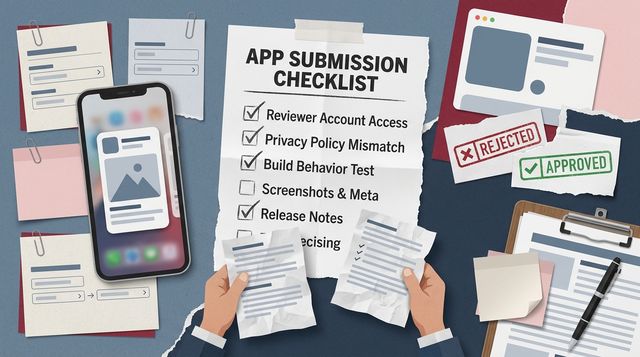
A compact checklist block that pairs five named anti-patterns (IAP misuse, missing SIA, broken camera permissions, no demo account, incomplete Data Safety form) with a one-sentence fix action for each, intended to be copy-pasted into a sprint ticket.
Anti-pattern: Camera permission denied causes crash or unusable scanner.
Fix: Add graceful fallback and clear permission rationale; test on devices and include testing notes.Anti-pattern: Offline validation ambiguous or flaky.
Fix: Provide deterministic offline validation examples, logs, and screenshots for reviewers.
Checklist for sprint tickets - copy-paste friendly
- IAP misuse - Update payment flow to external payments and document in review notes.
- Missing Sign in with Apple - Implement or remove third-party logins and note it.
- Broken camera permission - Add rationale and fallback screens.
- No demo account - Create demo user, test reservation, and upload a 30-60s recording.
- Incomplete Data Safety - Complete and publish Data Safety form in Play Console.
Why Publishing Certainty Is More Valuable Than Faster Builds reframes the same problem with a slightly different lens - useful before you finalize.