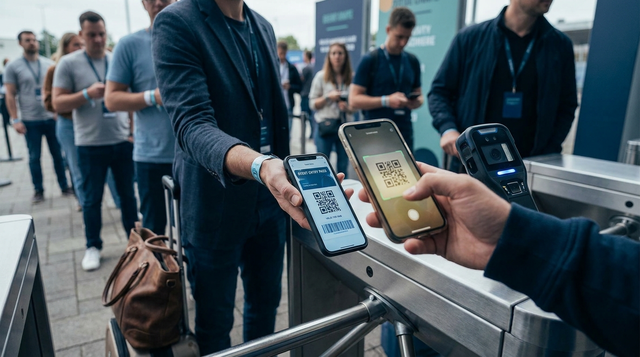
Publishing a mobile ticketing app with QR codes is rarely blocked by your app store listing. It is blocked when the first line of attendees hits the door and scanning slows down. This guide helps you ship a reviewer-complete flow and a door-ready scanning experience, with practical metrics you can test before your first real event.
Early proof check: run this before you market the launch
| Proof check (measure it) | What "pass" looks like | Interpretation | Reader impact |
|---|---|---|---|
P95 scan-to-validate time (latency_ms) | Under 1200 ms on venue Wi-Fi and on LTE fallback | If P95 is slow, lines form even if average looks fine | You can estimate staffing and lane throughput instead of guessing |
| First-try scan rate | 95%+ first try on a 6-device matrix | Misses usually come from contrast, glare, camera focus, or permission issues | Fewer rescans means less friction and fewer disputes |
| Offline or degraded network behavior | Clear "offline valid" or "cannot validate" state within 2 seconds | Offline reduces network dependency but raises replay and fraud risk | You choose the policy tradeoff before the event, not during it |
Explanation: run these checks in a rehearsal before you start driving installs. Interpretation: this will not guarantee a perfect event, but it reliably surfaces the failures that create door chaos. Reader impact: you get a go-no go signal plus a short fix list tied to entry throughput.
One thing worth noting: scanning changes often take real time. Swapping scanner libraries is usually half a day to a few days once you include QA across devices, and adding server validation means backend load testing, monitoring, and someone on call.
Also plan for failure modes you cannot fully control: venue Wi-Fi captive portals, queue spikes at doors, reviewer variability, and clock drift if you use rotating codes. The goal is not perfection, it is reducing predictable surprises.
How to Publish a Bravo Studio App goes deeper on the ideas above and adds concrete next steps.
Why does a QR ticket app fail at the door?
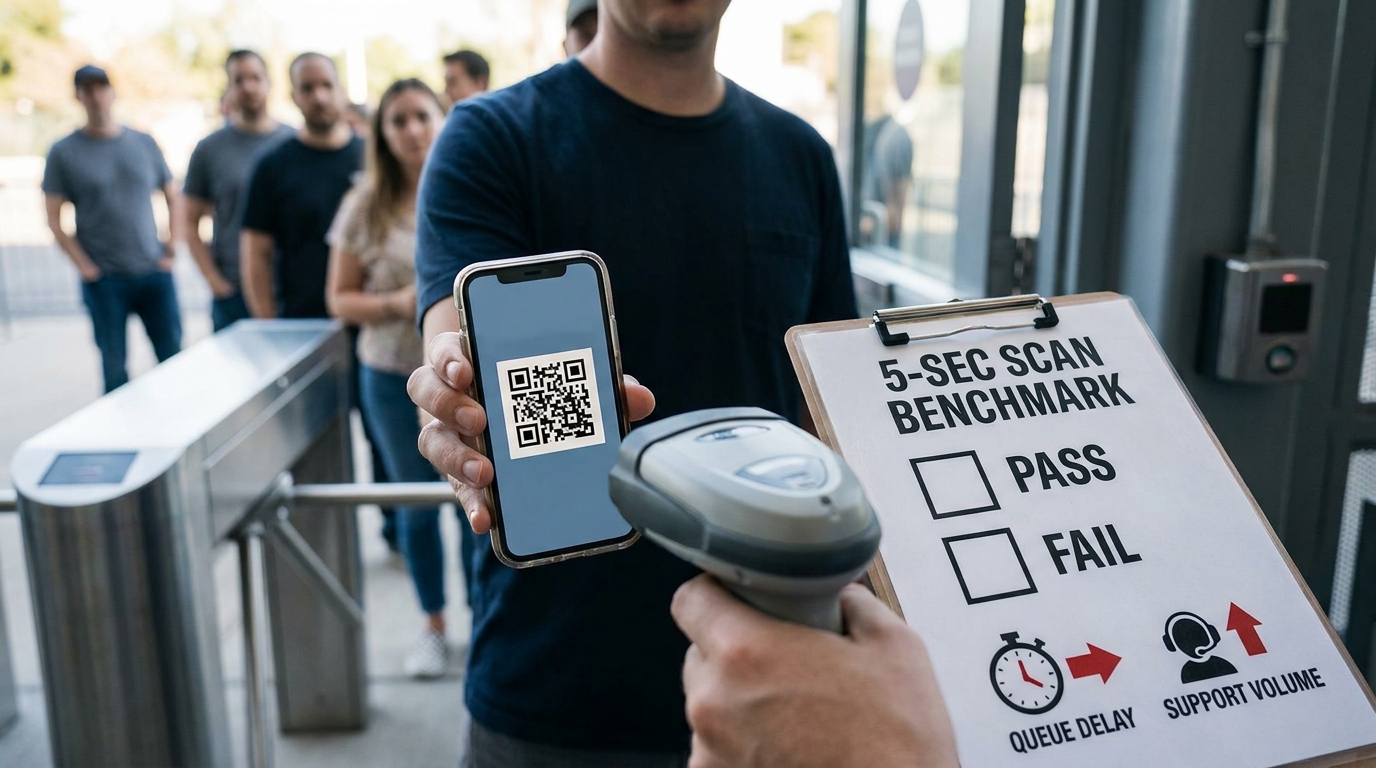
A concise proof card showing the five-second QR ticket scan test, with a simple pass/fail benchmark and a note that slow scans create gate delays and support tickets.
What breaks if you publish too early
- Store review can stall if reviewers cannot complete a credible flow: clear purpose, working login path, and demo content that shows issuance and redemption (see Apple App Review Guidelines).
- The door fails first: slow scans, camera permission confusion, codes that expire too aggressively, or unclear "used vs invalid" messaging.
- Marketing spend gets wasted when installs happen before the venue workflow is stable.
Who this guide is for
- Product owners, event operators, and developers shipping a ticketing mobile app to App Store and Google Play.
- Teams that need an end-to-end flow: ticket issued, mobile ticket QR code displayed, scanned, and validated quickly.
The decision this article helps you make
- Define a minimum shippable flow for review and entry: account (or guest), ticket wallet, scanner, and a test mode.
- Choose QR security based on fraud risk, offline constraints, and realistic staffing.
- Use a checklist plus a measurable rehearsal to decide if you are ready to promote the app.
When you move from outline to execution, Step-by-Step Guide to Publishing Your First Mobile App helps close common gaps teams hit here.
How should you build and publish the app?
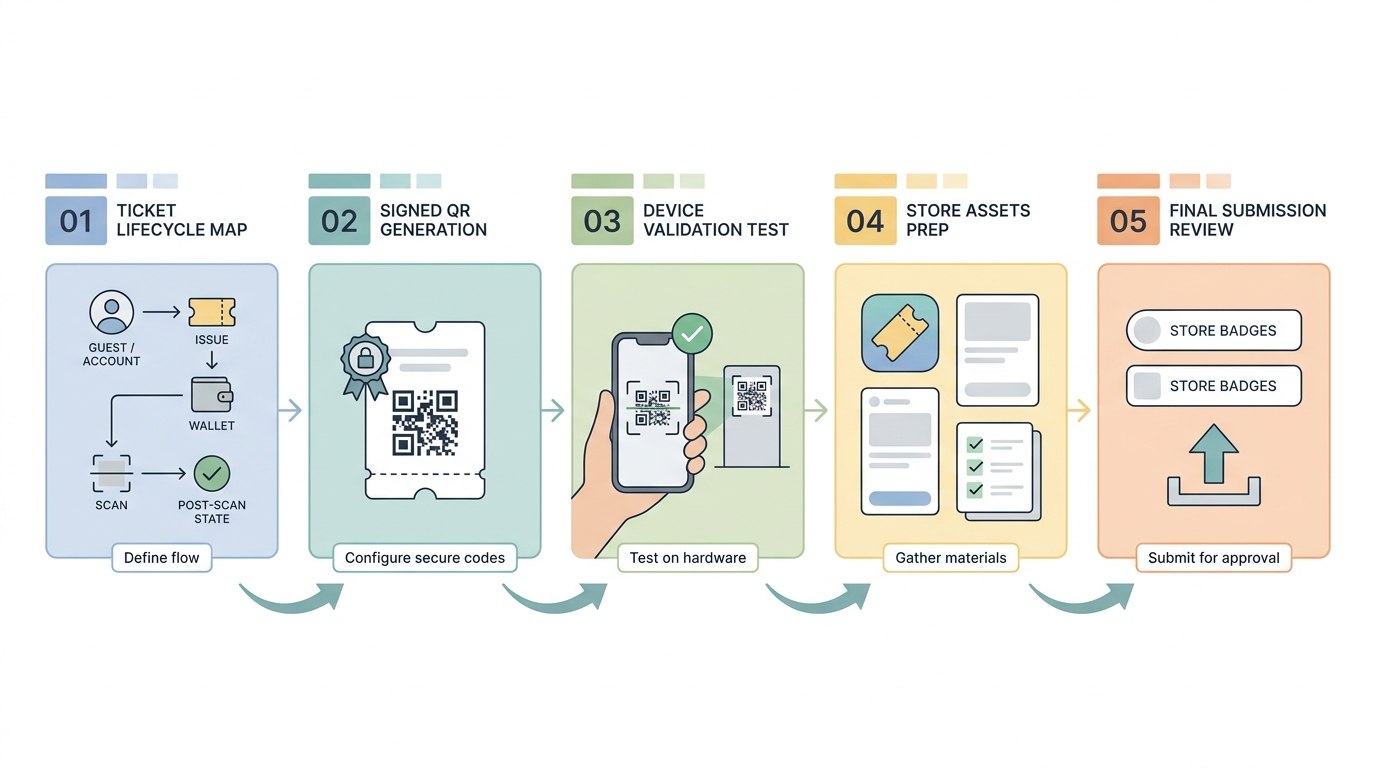
A step-by-step process diagram for publishing a mobile ticketing app: define ticket lifecycle, configure signed QR generation, test validation on device, prepare App Store and Google Play assets, then submit for review.
Lock the ticketing workflow before store submission
Map the lifecycle end to end
Define the exact path: account creation (or guest), ticket issuance, in-app wallet, QR display, and post-scan state. This usually takes 1-2 hours with product, engineering, and ops in the same room (or call).
Choose the binding model
Decide if tickets attach to a user account, a specific device, or both. Account binding helps re-installs; device binding can reduce sharing, but increases support load when phones change, batteries die, or people arrive logged into the wrong account.
Define validation dependencies
If you require server validation, entry depends on backend latency and venue connectivity. If you support offline, you reduce network risk but take on security tradeoffs like replay, delayed revocation, and reconciliation work after the event.
Choose QR security with eyes open
Use this as a starting point. In practice, the right choice depends on venue connectivity, fraud incentives, and how much operational work you can actually staff.
| Option | Speed at the door | Fraud risk | Offline dependency | Operational burden |
|---|---|---|---|---|
| Static QR (same code) | Fastest | Highest if screenshots can be reused | Works offline | Low tech, higher disputes |
| Rotating QR (time-based) | Fast if clocks behave | Lower, but not zero | Needs time sync; can degrade offline | Medium: clock drift, refresh issues, QA |
| Server-validated QR (scan calls API) | Variable (network + backend) | Lowest when implemented well | Requires connectivity (or a clear fallback) | Higher: scaling, monitoring, incident response |
| Offline signed QR (verify signature locally) | Fast | Medium: replay still possible within limits | Works offline | Medium-high: key rotation mistakes, policy + reconciliation |
One practical takeaway: offline signed QR is often the "best available" for unreliable venues, but only if you can handle key management and staff training. If you cannot, a simpler approach with clear failure messaging may cause fewer operational issues, even if it is less secure.
A complementary angle worth comparing lives in How to Convert Your Web App Into a Mobile App.
Mid-launch checks: validate the venue flow before you go live
Run a rehearsal with real scanning hardware
Plan 30-60 minutes to run the rehearsal and another 30 minutes to review logs and agree on fixes. Expect at least one extra iteration if you change QR rendering, scanner settings, or validation rules.
Use a small device matrix, not just your newest phone. A realistic baseline is 6 devices: 3 iPhones (including one older), 3 Androids (including a mid-range model with a weaker camera), plus the exact scanning device staff will use.
The minimum instrumentation to make the test useful
Log each scan so you can debug without guessing:
ticket_id(or hashed ID),scan_result(valid/used/expired/invalid/offline-error)latency_ms(scan-to-validate),network_type(wifi/lte/offline)device_model,os_version,app_version- optional:
clock_skew_msif you use rotating codes
If you do server validation, test what happens under load. A modest backend slowdown can turn into a visible line when multiple lanes scan at once, and retries can amplify the problem.
Also account for dependencies like key rotation and time sync. A single bad deploy, a rotated key not shipped to clients, or clock drift across devices can cause widespread "invalid" results even when tickets are fine.
Run the venue scan rehearsal Use the checklist and log the three metrics above so you can make a real go-no go call. Rehearsal checklist
Check the support path now, not after launch
- Define fallbacks for lost phones, expired codes, and duplicate scans.
- Assign who can reissue, revoke, or override during the event window (and when they are reachable).
- Verify staff screens show a clear reason code, not just "failed".
One thing worth noting: every fallback is a tradeoff. More override power reduces line time but increases fraud risk, so document the policy and train staff before the event.
For tradeoffs, checklists, and edge cases, Why Publishing Requires Structured Execution, Not Guesswork rounds out this section.
What mistakes should you avoid before launch?
Do not treat screenshots as proof of readiness
A polished listing is not a readiness signal if the QR flow fails under real scanning conditions. Test scan from another phone, vary brightness, introduce glare, and confirm the app returns a clear valid, used, or invalid result.
Do not skip store-specific policy checks
- Missing privacy explanations can delay camera, account, or analytics permission approval (see Apple App Review Guidelines).
- Unclear ticketing purpose can make the app look unfinished to reviewers, especially if the demo path is confusing.
- Rejections are cheaper to fix before marketing and venue staffing are locked.
10 Best No-Code Mobile App Builders This Year reframes the same problem with a slightly different lens - useful before you finalize.
Final launch checklist for publishing and post-launch support
Pre-flight checks before you submit
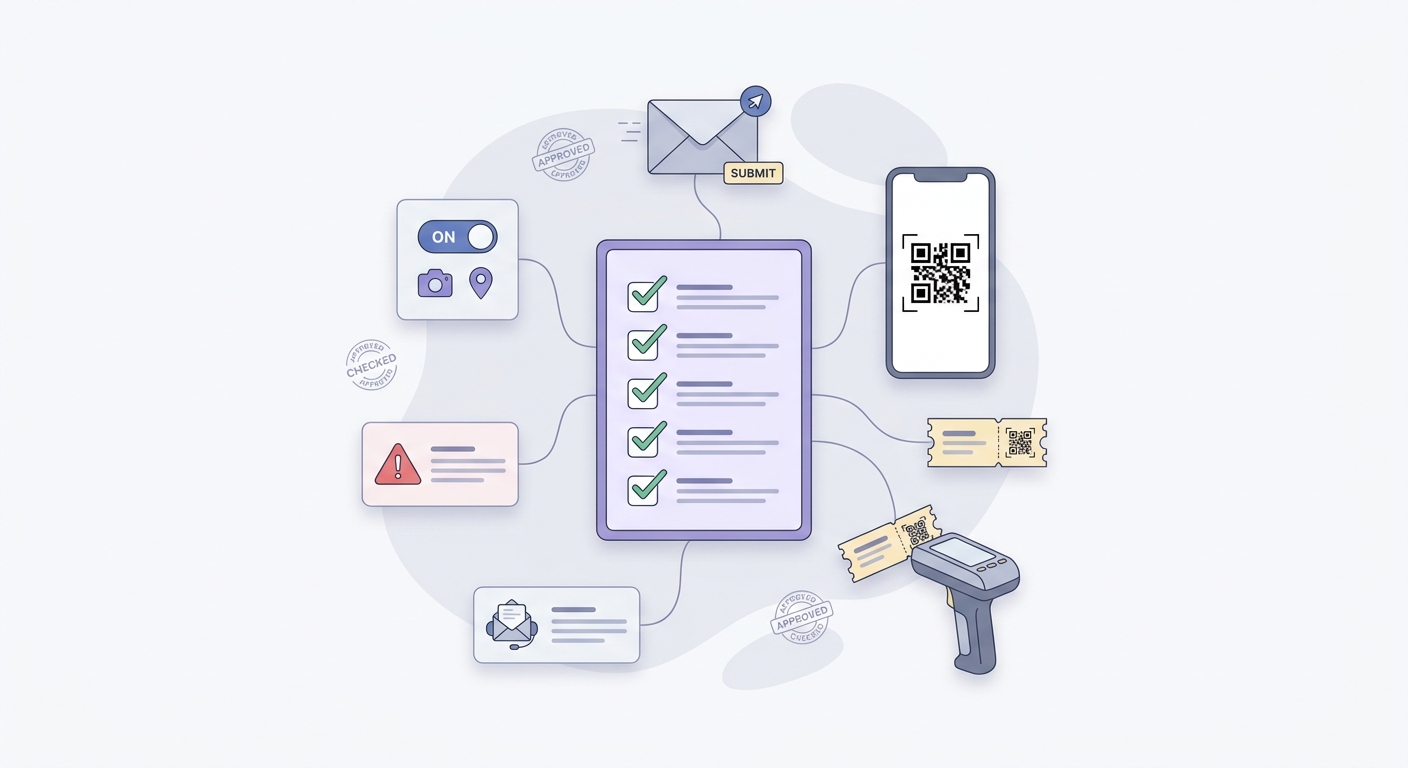
A launch checklist block for app store submission and event readiness, covering QR rendering, permissions, error states, venue device testing, and support contacts.
Scan from a fresh install and after sign-in: ticket view should load fast and QR should render crisply.
Confirm ticket states: valid, used, expired, plus server error and offline behavior with clear messaging.
Ensure metadata matches reality: permissions, privacy text, and screenshots should reflect actual camera and account behavior (see Apple App Review Guidelines: https://developer.apple.com/app-store/review/guidelines).
-
QR opens quickly on first run and after login
-
Clear ticket UI + error states + support contact
-
Store listing, permissions, privacy text match behavior
First 48 hours after release
Watch crashes and auth issues first, then QR validation errors from real scans. Be prepared for a modest support spike: even good flows hit edge cases (battery dead, cracked screens, wrong account, stale app version).
If you can, staff one person on call during the first event window, and make sure they can reach whoever owns backend, payments (if relevant), and ops. If the backend has an incident, your scanner app needs a clear degraded mode message so staff do not improvise at the door.
What to keep updated after the launch
- Refresh screenshots and copy whenever the ticket flow changes, or reviewers and users get confused.
- Adjust validation rules as fraud risk, offline needs, or event scale changes.
- Keep release notes tight so venue staff know what changed before the next rollout.
Get a launch-readiness review Share your ticket flow and scan logs and I will point out likely failure modes to address before your next event. Request a quick review