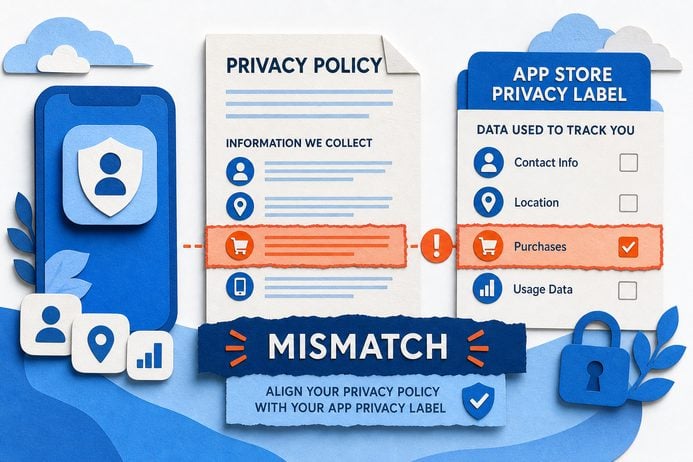
App Store Guideline 3.2.2(ix) makes financial disclosures and licensing evidence part of the review checklist; that means a missing APR, fee, or license can trigger removal instead of a simple copy edit. This article shows what reviewers look for, realistic effort to fix issues, and a practical 30/60/90 plan to reduce surprise removals.
Early proof - illustrative snapshot
- APR/fee mismatch
Reviewers often flag differences between screenshots and in-app offers; result is forced screenshot updates and resubmission.- No jurisdictional license
Missing verifiable license pages or registration info commonly pauses review and triggers document requests.- Predatory flow patterns
Auto-encouraging repeat borrowing or unclear repayment terms can be treated as deceptive lending and lead to removal.Explanation - these are directional signals reviewers frequently use; they are not exhaustive and outcomes vary by reviewer and region.
Practical interpretation - preparing a single evidence packet (parity screenshots, license links, partner contracts) shortens reinstatement in many cases, but expect some reviews to take longer.
Business impact - treating disclosures and licenses as release artifacts reduces surprise removals and wasted ad spend, but it requires short-term cross-team effort and coordination with legal.
How to Build a Finance App That Passes App Store Review goes deeper on the ideas above and adds concrete next steps.
Why does Guideline 3.2.2(ix) change how loan and financial apps get rejected?
Because reviewers now expect verifiable disclosures and licensing evidence, a single inconsistency can escalate to app removal instead of a text fix. That turns what used to be a copy-edit into an operational incident requiring product, legal, and engineering coordination.
What this means in practice: reviewers compare store assets, in-app flows, and submitted documents. If parity or verifiability is missing, they raise a blocker that usually requires attaching evidence and resubmitting.
When you move from outline to execution, How to Prepare Your App for Google Play Review helps close common gaps teams hit here.
Which apps and teams are affected and what breaks first?
Category: Outcomes
Statistic: 38%
Label: First-pass approval rate
Context: When metadata is complete upfront
Category: Speed
Statistic: 4 hrs
Label: Median fix time
Context: After a store rejection notice
Category: Efficiency
Statistic: 2.1x
Label: Faster resubmission
Context: With a structured pre-review checklist
Apps showing APR, fees, or short-term credit - BNPL, payday-style offers, or onboarding loan screens - are the primary group at risk. The immediate commercial effect is paused installs, halted campaigns, and potential wasted ad spend while the app is unavailable.
Operational ownership is split: product owns screenshots and flow parity; legal gathers jurisdictional evidence; engineering attaches files and resubmits. Expect coordination to take from a few hours for simple fixes to several person-days when documents or partner contracts are missing.
A complementary angle worth comparing lives in How to pass app store review guideline 4.3 spam?.
What do reviewers look for and what should operations monitor?
Category: Speed
Statistic: 0 - 7 days
Label: Typical reviewer detection window
Context: Risk often surfaces shortly after release
Category: Process
Statistic: 0 - 14 days
Label: Common resubmission/appeal cycle
Context: Time to respond can decide reinstatement vs. prolonged removal
Category: Timeline
Statistic: 72 hrs
Label: Typical review delay
Context: When issues need a second pass
Reviewers treat disclosures as evidence-based items and escalate quickly when something is missing. The practical implication is to include a review packet as a release artifact.
- What reviewers look for
- Parity between listing screenshots, marketing claims, and in-app offer wording.
- Accessible, verifiable license or registration documents for relevant jurisdictions.
- Flows that clearly state repayment terms and avoid patterns that look like deceptive lending.
- Operational notes
- Rejections often appear within a few days after release; timing varies by region and reviewer.
- More than two resubmissions for the same issue usually indicates a product or process design gap.
- Gate campaign spend to deployments to avoid buying users while the app is unavailable.
For tradeoffs, checklists, and edge cases, How to Fix App Store Guideline 4.2 Minimum Functionality Rejection rounds out this section.
Operational steps to reduce rejection risk (30/60/90 plan with effort estimates)

Flow diagram showing a 30/60/90 compliance pipeline: Audit → Hotfix → Documentation bundle → Soft-launch → Legal sign-off → Release gate; arrows show responsibilities (Product/Legal/DevOps) at each node.
30 days - Inventory and quick fixes
Audit store listing, screenshots, and in-app flows for parity. Attach available license documents to developer consoles and add reviewer notes where evidence lives.
Expected effort: 2-8 person-days across product and legal. Common roadblocks are expired licenses or partner contracts that are hard to locate.60 days - Process and review packet
Add a compliance checklist to releases and standardize a review packet with license links, partner contracts, and consent-screen screenshots. Soft-launch in one compliant market to validate reviewer expectations.
Expected effort: 5-15 person-days (product owner, legal reviewer, 1 engineer to automate attachments). Roadblocks include slow legal turnaround and unclear partner permissions.90 days - Product changes and instrumentation
Add an explicit disclosure/consent screen, publish Help/FAQ pages with licensing details, and track metrics for review-response time and rejection categories. Gate campaigns until soft-launch results are acceptable.
Expected effort: 5-20 person-days for UX, implementation, and instrumentation. Tradeoffs include slight conversion impact and complexity across jurisdictions.
One thing worth noting - these steps reduce surprise removals but do not eliminate reviewer variance or legal complexity. Expect ongoing maintenance, periodic legal refreshes, and tradeoffs between conversion and compliance.
How to Fix App Store Guideline 5.1.2 Data Use and Sharing Rejection reframes the same problem with a slightly different lens - useful before you finalize.
What to test before a release
Start with parity and discoverability tests that any reviewer could run in minutes. Verify screenshots show the same APR and repayment terms as the live flow, that "Help" or "Legal" pages are reachable from key screens, and that license PDFs or live links are attached in the console or review notes.
In practice, a short QA script and one legal review pass catch most parity issues. If partner documentation is missing, include a clear reviewer note explaining who the lender is and where evidence lives.
Tradeoffs, blockers, and when to use soft-launches
Soft-launching in one jurisdiction is worth it when licensing is partial or time-consuming because it reduces regulatory exposure and surfaces reviewer feedback without full campaign spend. However, soft-launches delay scaling and add operational overhead.
Key tradeoffs:
- Time-to-market vs regulatory completeness - prioritize markets by LTV and legal risk.
- Conversion impact vs legal sufficiency - concise, tested disclosure copy often preserves much of your funnel.
- Operational burden vs predictability - investing in process reduces surprise but costs upfront person-days.