
Two weeks before our iOS launch, I realized our App Store page looked like a lot of early-stage apps: solid screenshots, but no fast way to communicate why a new user should care in the first three seconds. We decided to ship an App Store preview video on a startup budget with one designer, one iPhone, and Apple review rules we only half understood, and our first cut got rejected. This case study breaks down what we changed to get a compliant, focused preview that made the listing clearer, plus what it realistically takes to repeat.
Early proof (directional, not causal): App Store Connect snapshot
| Metric (App Store Connect) | 7 days before (screenshots only) | 7 days after (added 27s preview; screenshots unchanged) |
|---|---|---|
| Product page views | 1,940 | 2,010 |
| Installs | 112 | 143 |
| View to install conversion | 5.8% | 7.1% |
What it let us decide: we kept the preview format and re-shot onboarding captions to better match the real first-run screens, instead of spending on more motion graphics.
How to validate (simple workflow): hold screenshots constant for 2-3 weeks, segment performance by source (Search vs Browse), and watch conversion plus a retention proxy (early churn, refunds, or "what does this do?" support tags) before crediting lift to video.
Get the compliance checklist A practical checklist for preview video specs, common rejection reasons, and a lightweight QA pass you can do in under 30 minutes before submission. Download the checklist
How to Publish Your FlutterFlow App: The Approval-First Guide goes deeper on the ideas above and adds concrete next steps.
Why make an App Store preview video?
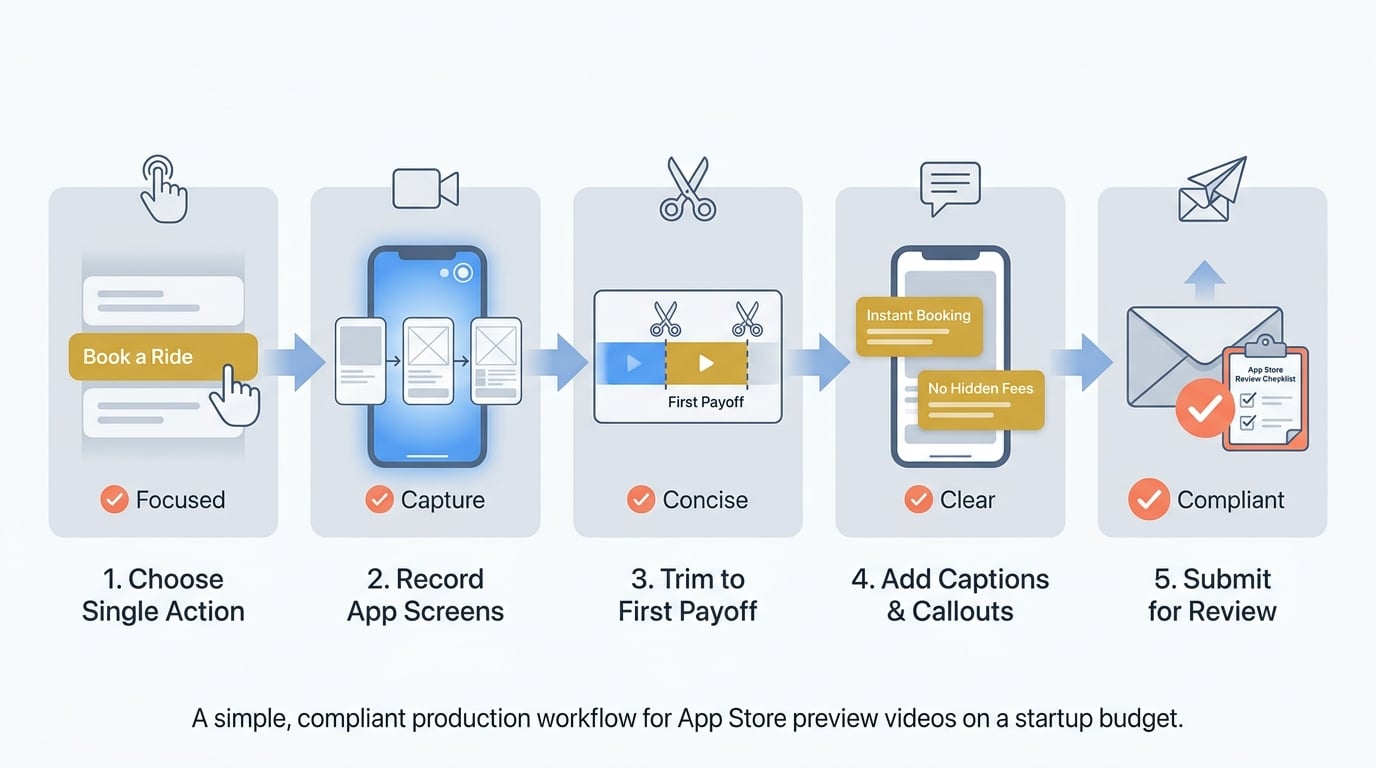
A simple workflow diagram showing the preview-video production sequence: choose one action, record app screens, trim to the first payoff, add captions or callouts, then submit for App Store review.
Category: Outcomes
Statistic: 38%
Label: First-pass approval rate
Context: When metadata is complete upfront
Category: Speed
Statistic: 4 hrs
Label: Median fix time
Context: After a store rejection notice
Category: Constraints
Statistic: 15 - 30 sec
Label: Allowed duration per preview
Context: Apple’s required preview length range for iOS/iPadOS listings
Our listing was in a crowded productivity niche where pages blur together fast. We had a two-week runway, and while impressions looked fine, the page was not doing enough to quickly explain the "why" to skimmers.
Here is the tradeoff: screenshots work well once someone commits to swiping, but video can front-load understanding. Video can also backfire if it is noisy, unreadable on a small screen, or feels like an ad, so the bar is higher than "make it look good."
What we needed in under 30 seconds:
- Show one core workflow end to end (not a feature reel)
- Hit the first successful action fast, then pause on the outcome
- Address the top objection we kept hearing: "Why is this better than my current tool?"
- Stay compliant with Apple’s app preview rules and specs (Apple, Apple)
- Optimize for clarity first, then measure impact separately (and accept noise at low volumes)
When you move from outline to execution, How to Publish a Replit-Built Mobile App helps close common gaps teams hit here.
What constraints make App Store preview videos hard?
Our first script read like an internal product story: too many personas, too many features, and a narrative that only worked if you already cared. In the App Store, many viewers are skimming, often muted, and looking for one reason to trust the install.
So we picked one journey: sign up - create the first task - see the first win. Everything else became a hint or got cut, because the real risk was shipping something polished that still failed to reduce uncertainty about what happens after tapping Get.
Operational constraints that shaped the work:
- Time: about one week wall-clock, but realistically 6-10 focused hours across two people, plus review waiting time.
- Budget: near-zero production, so we used screen recording, light captions, and minimal graphics.
- Review dependency: a rejection can add 1-3 days (sometimes more), so do not plan a launch-critical preview on a best-case review path.
- Messaging constraint: we removed overlay text that sounded like a promise we could not verify inside the app, even if it made the video less "salesy."
A complementary angle worth comparing lives in How to Publish a Game on App Store - What's Different.
How do you create an App Store preview video?
Step 1: pick one action the viewer should remember
Choose a single conversion action
We stopped trying to explain the whole product and chose one goal: complete the first task after install. This limits coverage, but it keeps the opening focused and reduces the chance you attract the wrong users with a generic montage.
Design the opening around the payoff
We put the visible outcome first, then worked backward to the minimum context needed to understand it. The goal was comprehension, not completeness.
Step 2: capture and edit for Apple review (without overengineering)
We captured only flows a real user can reproduce and avoided impossible states, hidden admin paths, or UI that no longer exists. We recorded on-device (iPhone screen recording), edited in CapCut (desktop) with basic trims, subtle zooms, and short caption overlays, then exported H.264 MP4 at 1080p and checked against Apple’s current spec sheet.
A lightweight QA pass we now do before every submission:
| Check | Why it matters | Quick test |
|---|---|---|
| Duration, resolution, file format | Common rejection triggers | Confirm against Apple spec page before export and again after export |
| Aspect ratio and device framing | Cropping can make UI unreadable | Preview on multiple device sizes; ensure key taps are not near edges |
| Muted autoplay readability | Many users watch muted | Play at 100% scale, no audio, and verify captions are legible in 2 seconds |
| Onboarding match | Mismatch creates distrust and support churn | Compare video steps to current build; re-capture if UI changed |
Step 3: edit for speed, trust, and realistic expectations
We trimmed friction, kept the UI readable, and removed overlays that could be interpreted as unverifiable claims. We also avoided "too perfect" timing that made the app look staged, which can increase skepticism and review risk.
We ended with a quiet next step: keep scrolling for screenshots, then install. If your preview oversells, you may buy installs at the cost of retention, refunds, or support load, so we aimed to qualify interest rather than maximize clicks.
For tradeoffs, checklists, and edge cases, The Invisible Rules That Determine Whether Your App Goes Live rounds out this section.
Outcomes and what we would do differently next time
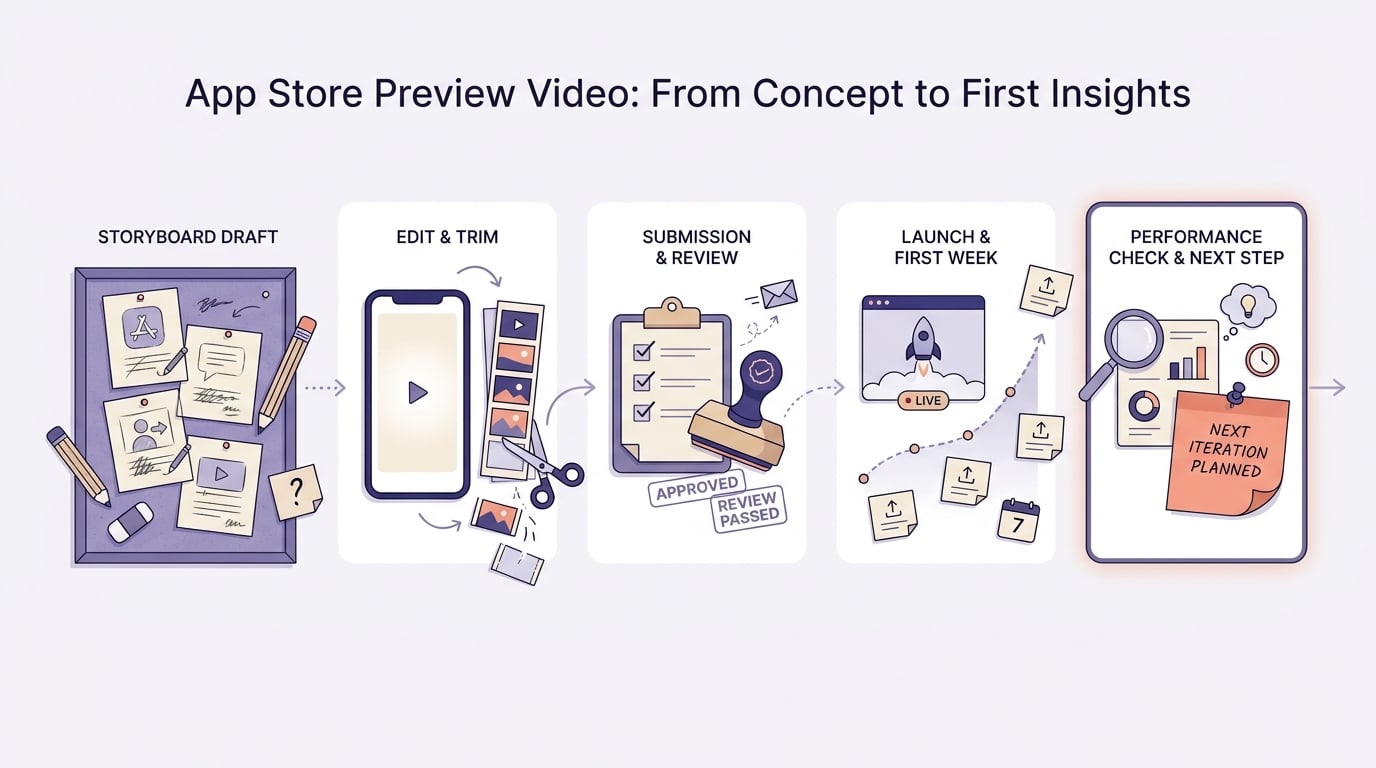
A short timeline from first storyboard draft to App Store submission, review approval, first week live, and the first performance check, with one note on when the team planned the next iteration.
After the preview went live, we saw a modest improvement in installs relative to views in App Store Connect, and our early support inbox had fewer basic "what does this do?" questions. We did not treat this as a guaranteed lift because week-to-week traffic mix changes, feature updates, and seasonality can move conversion.
One failure mode to plan for: the lift can disappear if your traffic shifts (more Browse vs Search), category norms differ, or the video shows an onboarding path that later changes. Treat the preview as a living asset with maintenance cost, not a one-and-done creative.
| Milestone | Timing (our run) | Note |
|---|---|---|
| Storyboard to submission | 4 days | 2 edit rounds |
| Review to live | 2 days | One resubmission after a spec fix |
| First performance check | 7 days | Compared to prior week (directional) |
Mistakes we would avoid on v2:
- Overcrowding the first 5 seconds with multiple jobs-to-be-done
- Cutting so fast the UI becomes unreadable on a small screen
- Letting the preview drift into a "brand video" instead of the workflow
- Not budgeting for versioning: re-cuts can trigger another review cycle
Run a one-video listing test Start with one focused preview that answers the biggest "wait, how?" moment, then measure for at least 1-2 weeks before investing in higher production. Run a one-video listing test
Step-by-Step Guide to Publishing Your First Mobile App reframes the same problem with a slightly different lens - useful before you finalize.


