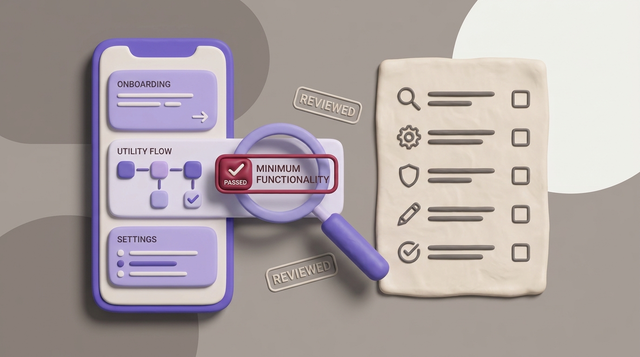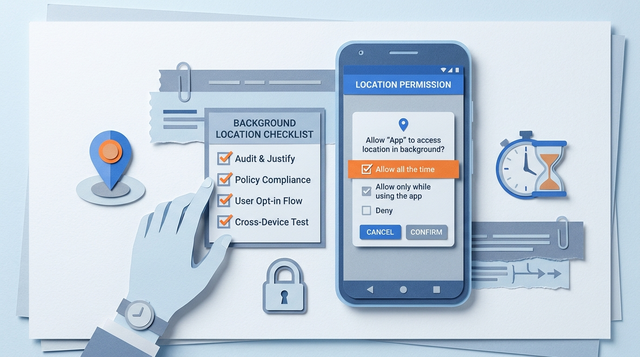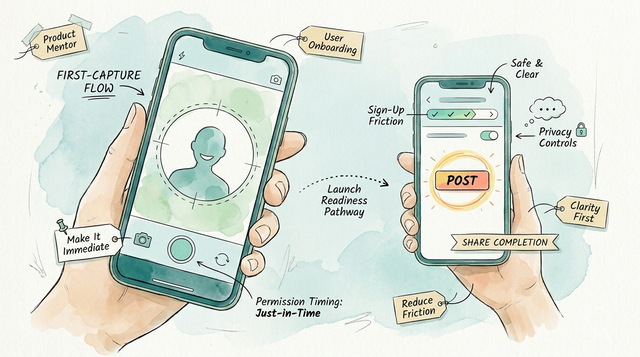
Camera-first social apps often stall before the first post, not because the camera is slow, but because permission timing, sign-up walls, and unclear store messaging break the moment when new users are ready to share. If you are shipping a social camera app, you need a release path that reduces first-capture and first-share drop-off while staying inside App Store and Google Play rules. By the end of this guide, you will have a workflow you can run in a few focused sessions, plus a submission-day checklist to ship, observe real behavior, and iterate in week one.
| Early proof check (run on a clean device) | What "good" looks like (heuristic) | How to interpret it |
|---|---|---|
| Install - open - first capture - start publish | ~60-90 seconds total | Directional momentum check, not a universal benchmark. Validate on your own app across 2-3 devices and network conditions. |
| Permission prompt timing | Prompt appears after a clear tap like "Take photo" or "Record" | If it appears on launch, denial rates often rise. Move later and add plain-language context. |
| First-run flow | Open - capture - quick edit - publish in ~3-5 taps | Each extra step adds drop-off risk. Defer non-essential asks until after the first post. |
This quick leak-check takes about 10 minutes and does not require rebuilding the app. Treat any failing row as a concrete work item (timing, steps, or performance), and expect it to show up in retention more than installs once fixed.
Camera Permission Rejection: App Store and Google Play Fix Guide goes deeper on the ideas above and adds concrete next steps.
Why do camera-first apps lose momentum before the first post?
Category: Outcomes
Statistic: 38%
Label: First-pass approval rate
Context: When metadata is complete upfront
Category: Speed
Statistic: <60 sec
Label: Install → first capture (test)
Context: Proof that momentum starts before the feed exists
Category: Friction
Statistic: ≤7 taps
Label: Open → first post flow
Context: Keeps first-run friction in a short mobile loop
The first-open experience has to match the promise
Users open expecting something capture-ready, not a blank feed, a long loading state, or a sign-up wall blocking the camera. If first launch feels slow or confusing, many people close the app and do not come back, especially after a denied permission.
In practice, you are balancing speed against product needs like identity, safety, and attribution. Letting people capture first and asking them to create an account at publish time often helps, but it adds draft and guest-mode edge cases (lost drafts after reinstall, unclear ownership, limited personalization).
What App Store and Google Play reviewers need to understand fast
- Screenshots and description should lead with capture, lightweight edit, then publish.
- Add review notes to explain any login gate, invite-only access, age gating, region limits, or moderation hold that is not obvious (Apple).
- Keep privacy and permissions aligned with what users see in the first minute, and scope permissions narrowly where possible (Google).
- Reviewer outcomes can still vary by reviewer and region. Aim for clarity and consistency across listing, first-run, and permissions.
When you move from outline to execution, First Mobile App Publishing Checklist for Non-Technical Founders helps close common gaps teams hit here.
How do you build a publish-ready workflow for a camera-first social app?
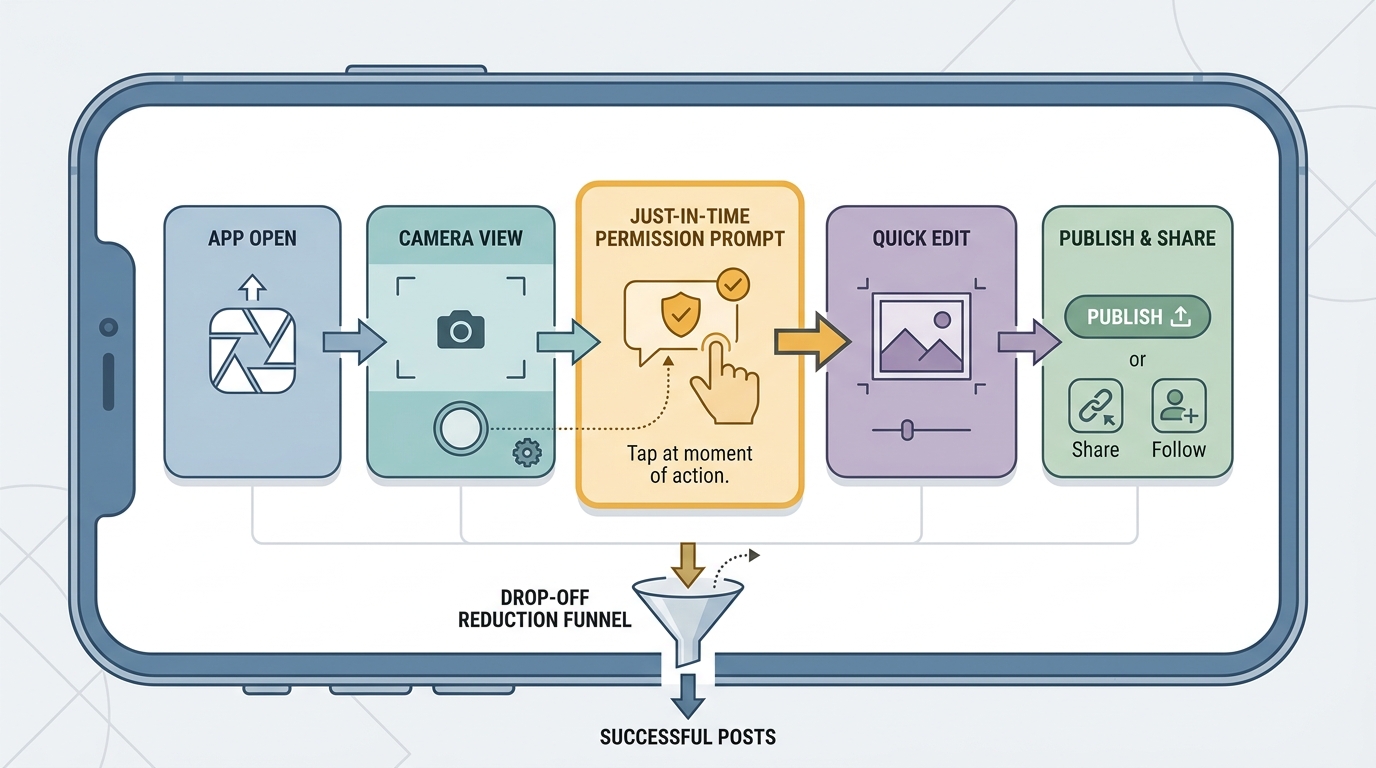
A mobile process diagram that traces the camera-first launch path: app open, camera or capture landing, permission prompt at the moment of action, quick edit, publish, and optional share or follow-up social action.
Lock the prerequisites before you build the store package
Permission timing decision
Tie camera and photo access prompts to a clear tap like "Take photo," "Record," or "Import." Both Apple and Google generally expect just-in-time requests with plain-language purpose strings and tight scope, not blanket access at launch (Apple, Google). Budget about half a day to implement and another half day to QA deny flows across OS versions and devices.
Minimum social model
Pick one for v1: anonymous posting, follower graph, contacts sync, or invite-only. Lighter identity can reduce friction, but it can increase abuse risk and complicate attribution. Contacts sync and invite-only often add review and privacy complexity, so only ship them if they are required for your core loop.
Moderation basics
Implement report, block, and a basic review queue. This is ongoing work: someone needs to monitor reports, especially in the first week. If you cannot staff active moderation, reduce exposure (private by default, limited discovery, rate limits) and set realistic response expectations in your help copy.
Design the first-run flow around capture, then account creation
Start at capture
Open to camera or a capture landing screen with one sentence of context, then let the user act. If permission is needed, explain why right before the system prompt. Assume some users will deny and plan a non-dead-end fallback.
Earn login
Delay account creation until the user previews a post or tries to publish, unless identity is required for a core feature (for example, DMs or paid features). The tradeoff is weaker early identity signals and messier attribution, but you often get more first captures and first posts.
Keep it within 3-5 taps
Audit the path: open - capture - quick edit - publish. If editing is your differentiator, keep the first session lightweight and offer advanced tools after the first post.
Worked example: permission-denial recovery flow (with copy)
Goal: avoid a dead-end when camera permission is denied, while staying honest and review-safe.
Pre-prompt explainer (your UI)
Show a lightweight screen only after the user taps Take photo:
- Title: "Allow camera to take a photo"
- Body: "We only use the camera when you choose to shoot. You can still browse without it."
- Buttons: "Continue" (triggers system prompt), "Not now" (returns to a browse or demo state)
If the user denies (your UI)
Show a non-blocking banner or screen:
- Title: "Camera is off"
- Body: "To take photos, turn on Camera in Settings. You can keep browsing in the meantime."
- Buttons: "Open Settings", "Browse demo"
Decision point: do you block publish?
If the user cannot capture, do not block the entire app. Let them browse, import via a system picker, or save a placeholder draft if it fits your product. Note: drafts and guest mode increase support load (missing drafts, sync expectations, confusion after logout).
Instrument the funnel before you ship (so you can fix week one)
If you do not measure the first-run path, you will end up guessing from reviews and install counts.
| Funnel step | Example event name | Metric definition |
|---|---|---|
| App open | AppOpen | % of installs that open at least once |
| Camera shown | CameraOpened | % of opens that reach camera UI |
| Permission prompt shown | PermissionPromptShown | % of camera opens that trigger prompt |
| Permission granted | PermissionGranted | Grant rate after prompt |
| First capture | CaptureSuccess | % of camera opens with a successful capture |
| First publish | PublishSuccess | % of captures that become a post |
| Effort and pitfalls area | Realistic expectation | Common risks and dependencies |
|---|---|---|
| Analytics and funnel events | 2-6 hours to wire events, plus 1-2 hours to validate dashboards | "Analytics tax" grows over time as events drift; keep a short naming spec and add monitoring for missing events. |
| QA for permissions and camera | 1-2 hours for a basic pass on 1 iPhone and 1 Android, plus reruns after changes | OEM permission UI differences, OS regressions, and device-specific camera bugs can break flows late. Test at least one older device if your audience has them. |
| Moderation and support operations | Plan for daily checks in week one, even if volumes are low | Report queue load can spike with growth, and denied-permission confusion often becomes support tickets. Policy changes can force quick updates. |
Choose store assets that prove the app is actually camera-first
- Screenshots should show capture, edit, publish, and privacy controls in sequence, not only the feed.
- Write the description around the camera-to-share loop so installs match the in-app experience.
- Add reviewer notes for constraints like required login, invite-only access, restricted content, region limits, or age-gated camera behavior (Google, Apple).
Mid-article CTA: turn the workflow into a launch plan
Turn this guide into a one-page submission runbook: permissions, onboarding, store assets, and moderation in one checklist you can run every release.
launch plan
A complementary angle worth comparing lives in Should You Publish Your App Yourself or Hire Someone?.
What common mistakes break camera-first launches?
Permission prompts that arrive too early or without context
Ask for camera access only when the user taps capture, and explain the benefit right before the system prompt. If import is optional, keep photo library access out of the main loop so new users can still take a first shot fast.
If the user denies, do not dead-end. Provide a clear retry path, a Settings deep link, and an alternative like browsing a demo. One thing worth noting: some products cannot offer a meaningful demo (invite-only networks, minors-only experiences, or policy-restricted content), so your fallback may need to be education plus a clear Settings path.
Social onboarding that asks for too much before the first post
- Defer long profile setup, friend-finding, and email verification until after first publish.
- Do not hide Publish behind multi-screen editing panels on first run.
- Delay non-essential prompts (notifications, contacts, photo import) until the user has seen payoff.
Store-review gaps that create avoidable delays
- Ensure screenshots and description match first-run behavior.
- Document age gating and sensitive-content handling if users can see public media (Apple).
- Plan buffer time: even with good notes, review questions and re-submits happen.
For tradeoffs, checklists, and edge cases, Step-by-Step Guide to Publishing Your First Mobile App rounds out this section.
Publish checklist for submission day and the first week live
Pre-submit checks for the build and listing
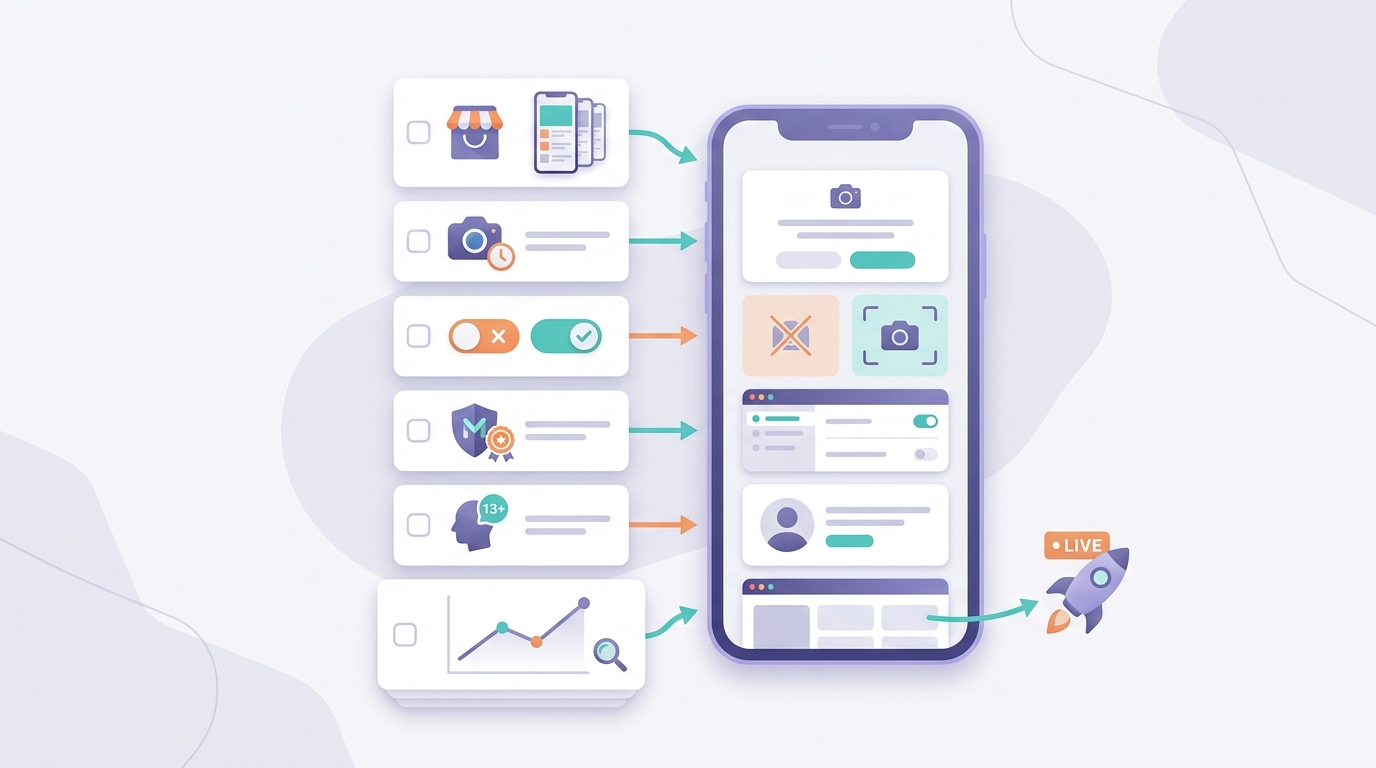
A mobile-friendly launch checklist covering App Store and Google Play assets, camera permission behavior, denial states, moderation controls, and first-week analytics that matter for a camera-first social app.
- Install fresh on 1 iPhone and 1 Android. Verify first open, camera permission timing, capture, edit, and publish end to end. Plan 60-90 minutes if things are stable, longer if you are still tuning permissions.
- Confirm denial states: no camera permission, no photos permission, airplane mode, and low storage. The app should explain the next step, not dead-end.
- Align store screenshots, preview text, and description with real first-run behavior (Apple).
- On Android, keep permissions narrowly scoped and justified in context (Google Play).
| Moment | Check |
|---|---|
| First run | Camera opens fast, permission is just-in-time |
| After deny | Clear retry path + Settings link |
| Offline | Capture works, upload queues or explains |
| Listing | Screens match the camera-first promise |
First-week checks after the app is live
- Track funnels that matter: install to
CaptureSuccess, thenCaptureSuccesstoPublishSuccess. - Read reviews and support tickets for keywords: privacy, permissions, confusing onboarding, moderation, missing drafts.
- Plan a fast follow-up release. Realistically, you will discover edge cases only after launch (device variability, denial patterns, abuse spikes), so keep scope small enough that you can ship a fix within 3-7 days.
Final CTA: get a review-safe submission checklist
If you want a tighter submission pass, use a single checklist for permissions, review notes, moderation, and first-run QA so nothing gets missed in the last 24 hours.
get the checklist
Froxi AI vs Agencies: Which Gives Founders More Control? reframes the same problem with a slightly different lens - useful before you finalize.