If your app needs location while it is not on screen, Android can turn a simple feature into a release risk. The wrong request sequence can hurt opt-in, trigger Play policy questions, or fail inconsistently across API levels and OEM battery rules. This checklist gives product, engineering, and QA a practical, auditable flow you can implement, test, and explain during review.
Early proof: directional UX and auditability comparison (not measured outcomes)
| Checkpoint | Messy flow (high drop-off risk) | Clean flow (auditable) |
|---|---|---|
| User value first | Prompt on first launch | Explain the feature, then prompt |
| Permission order | Ask background immediately | Foreground first, background later |
| Disclosure and UX | Generic copy | Specific, feature-tied rationale |
| Settings path | Unclear recovery | Clear route back to Settings |
| Post-grant test | Not verified | Test background behavior end to end |
Explanation: Android treats foreground and background location as meaningfully different asks, and newer versions often move background approval into Settings. A one-step prompt creates more denials and confusing bug reports because the feature context and the system dialog do not match.
Interpretation: a progressive flow does not guarantee approval or retention. What it usually improves is clarity: you can attribute drop-off to a specific step (education screen, foreground grant, background upgrade), and you can show Play reviewers a consistent rationale across UI, behavior, and declarations.
Reader impact: if you implement this as a release gate, you can measure where users exit the funnel (and where support tickets start), then decide whether background access is worth the conversion and maintenance cost instead of guessing after launch.
Google Play Permissions Declaration Form Explained goes deeper on the ideas above and adds concrete next steps.
Why is Android background location hard to ship cleanly?
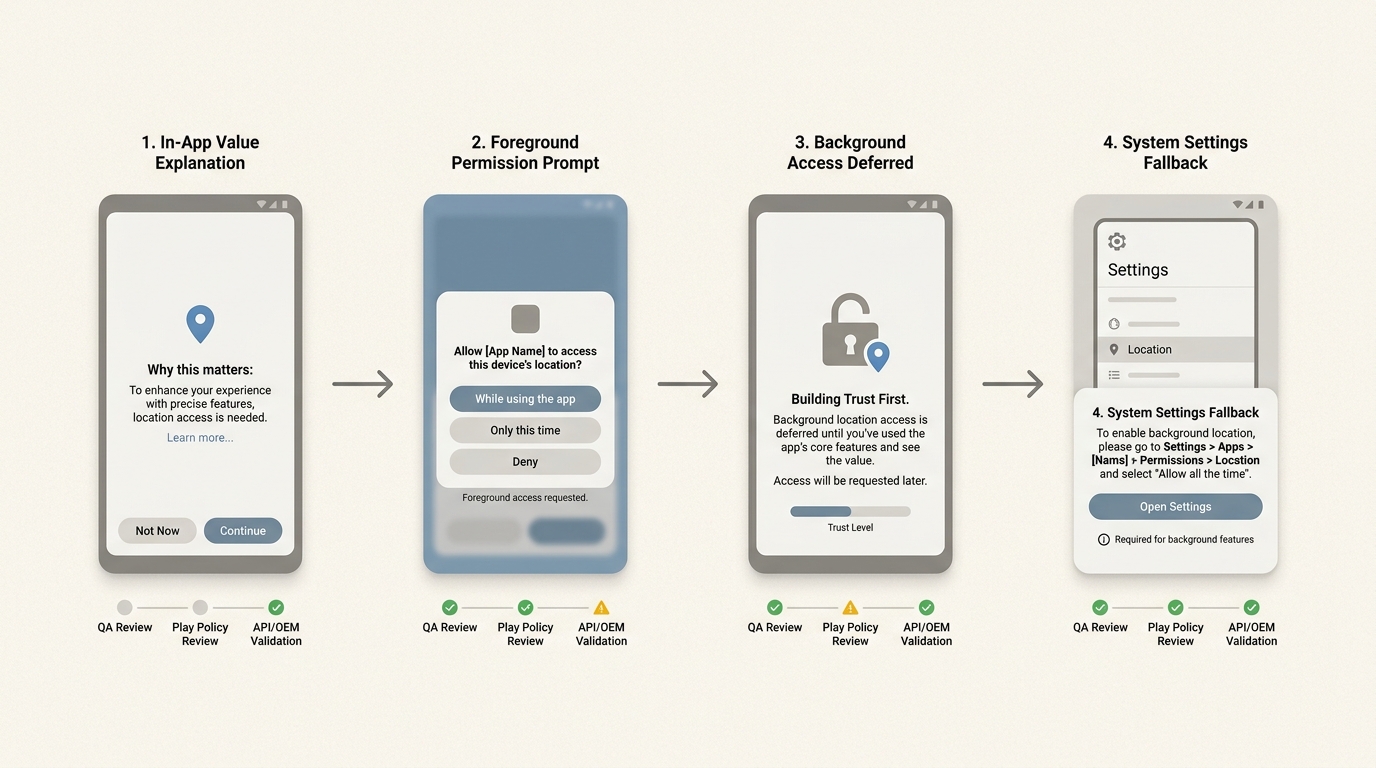
A process diagram mapping the Android permission journey from the in-app value screen to the runtime prompt, then to the system settings fallback for background access, with validation points at each step.
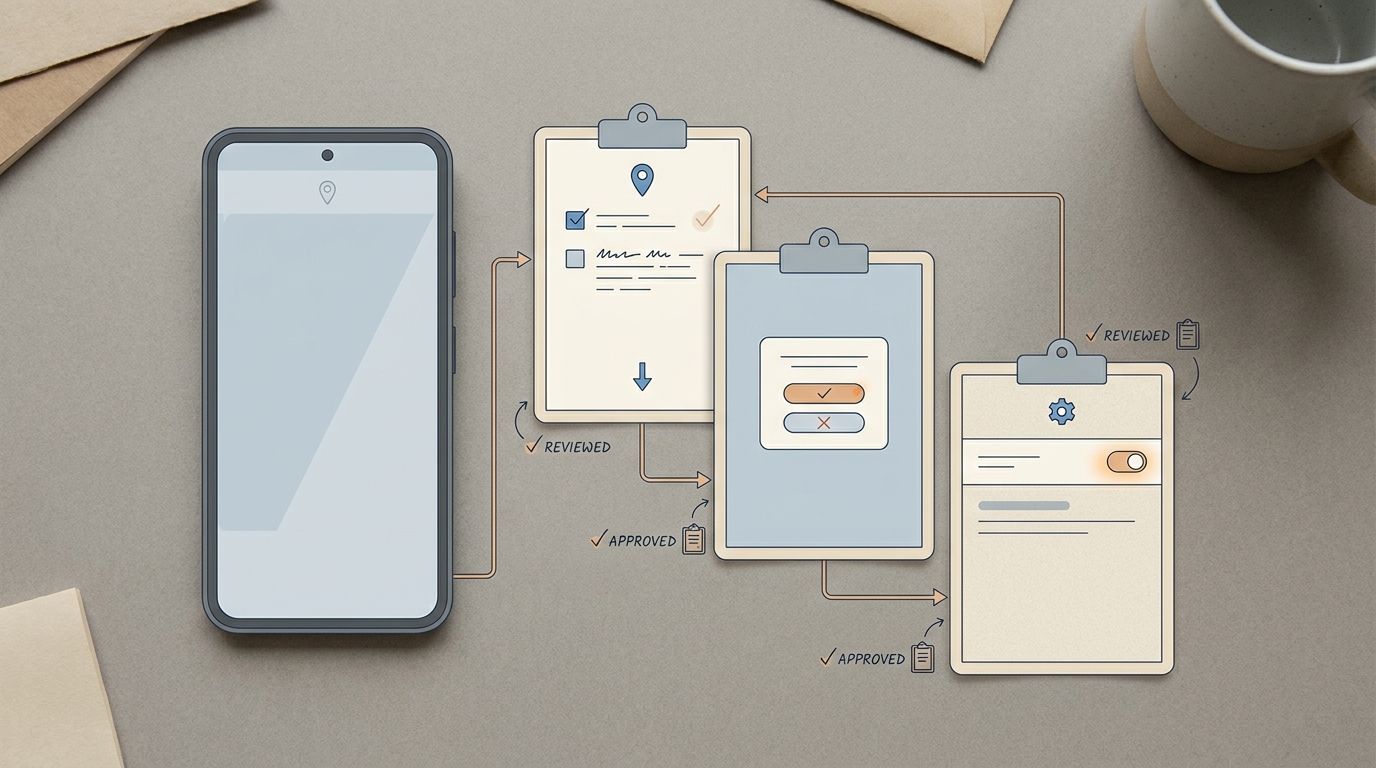
A compact permission-flow callout visual showing the sequence from feature explanation to foreground location grant to background location settings approval, with a note about reduced drop-off when the ask is delayed until after user value is clear.
Teams shipping these experiences feel the pain first:
- Delivery and last-mile logistics (ETAs, live courier tracking)
- Fleet and field service (route compliance, automatic job check-ins)
- Personal safety (SOS, trusted contacts, incident detection)
- Fitness and outdoor (passive tracking, auto pause-resume)
- Geofenced products (arrival triggers, venue experiences)
Here is the thing: even if permissions are correct, reliability is not guaranteed. Doze, App Standby, foreground service requirements, and OEM task killers can still reduce update frequency or stop background work. Plan for behavior that is "best effort within OS limits," plus user-visible fallbacks.
What Android is actually asking for:
- Foreground (while-in-use) location and background (all-the-time) location are different asks.
- Background access is intentionally harder and should be requested only after a clear, user-visible reason is established.
- On newer versions, the upgrade to background often routes through Settings, which adds UX steps and more places users can drop.
Sources: Android Developers, Runtime permissions, Play Console Help
When you move from outline to execution, The Privacy Policy Page That Prevents Rejections helps close common gaps teams hit here.
What is the compliant Android background location request flow?
Confirm the feature truly needs background location
Tie the request to a user-initiated task like route tracking, safety check-ins, or geofenced alerts. If you cannot explain why location must continue when not on screen, expect lower opt-in and more policy scrutiny.
Time expectation: for most teams this is 1-3 days of alignment across product, engineering, and whoever owns policy or legal, especially if you need to update disclosures, screenshots, or in-app copy.
Explain value before the system dialog
Use an in-app screen that states the benefit and timing, for example: "We track during workouts with the screen off so your route and pace stay accurate." Keep it consistent with what Android will show and with your Play Console declaration.
Tradeoff: better education screens reduce surprise, but they add friction. You will likely see some users abandon earlier, which is still useful because it is a clearer signal than a silent denial.
Request foreground first, then upgrade to background later
Foreground first aligns with platform guidance. Upgrade to background only after a user action that implies ongoing tracking (start workout, enable safety mode, turn on live tracking, enable geofence alerts).
Dependency caveat: on some Android versions, the "upgrade" is effectively a Settings journey, not a simple dialog. Budget design and QA time for that path, and assume conversion will be lower than foreground.
Build and test the Settings fallback
Minimum viable fallback:
- A Settings deep link
- One sentence explaining the benefit of upgrading
- A retest button that re-checks permission state and confirms what is active
Failure modes to plan for:
- OEM battery optimizations kill background work even when permission is granted.
- Foreground service or notification requirements are not met, leading to silent stoppage.
- Doze/App Standby delays updates, so "real time" expectations are not met.
A complementary angle worth comparing lives in 7 Breakout Android Apps Making Waves in June 2026.
Instrumentation: what to measure (and how to use it)
Use a simple funnel so you can see where users stop and where devices behave differently:
| Funnel step | Suggested event name | Notes |
|---|---|---|
| User sees the feature explanation | bg_location_edu_shown | Fire when your in-app explanation is displayed |
| User opts in to continue | bg_location_edu_accepted | Confirms intent before any system dialog |
| Foreground prompt result | location_foreground_result | Attach granted=true/false, api_level |
| Background upgrade attempt | location_background_upgrade_started | Often a Settings route on newer Android versions |
| Background result | location_background_result | Track granted=true/false, plus oem if available |
One concrete metric you can measure without guesswork: step conversion rates, for example bg_location_edu_accepted / bg_location_edu_shown and location_background_result(granted) / location_background_upgrade_started. The practical takeaway is not "this will improve conversion," but "you will know which step is failing after an OS update or copy change."
Operational note: instrumentation plus QA typically takes 1-2 engineering days and at least one QA pass, depending on your analytics stack. The payoff only happens if someone owns a monthly review and a post-Android-release check.
Release gate checklist
Turn this into a release gate for any build that touches location: copy review, permission-state QA, and at least one OEM-heavy device pass. It will not prevent every edge case, but it can reduce rework and shorten policy back-and-forth when something changes late.
release-gate-checklist
For tradeoffs, checklists, and edge cases, How to Publish a Replit-Built Mobile App rounds out this section.
What mistakes cause drop-off or Play policy issues?
- Asking too early with no visible payoff: requesting on first launch increases denials and makes recovery Settings-only on some versions. Delay until the user starts the relevant flow. (Android Developers)
- Conflating foreground and background: UI implies always-on tracking when only foreground is granted. You need distinct states and a graceful foreground-only mode.
- Untested "works in background" claims: test with screen off, app swipe-away, and device idle. Expect variance by OEM and Android version, and document what "acceptable" means for your product.
- Mismatch between disclosures, UX, and behavior: Play review iteration often happens when copy says one thing, code does another, or the Play Console declaration is vague.
How to Prepare Your App for Google Play Review reframes the same problem with a slightly different lens - useful before you finalize.
Final execution checklist before you launch
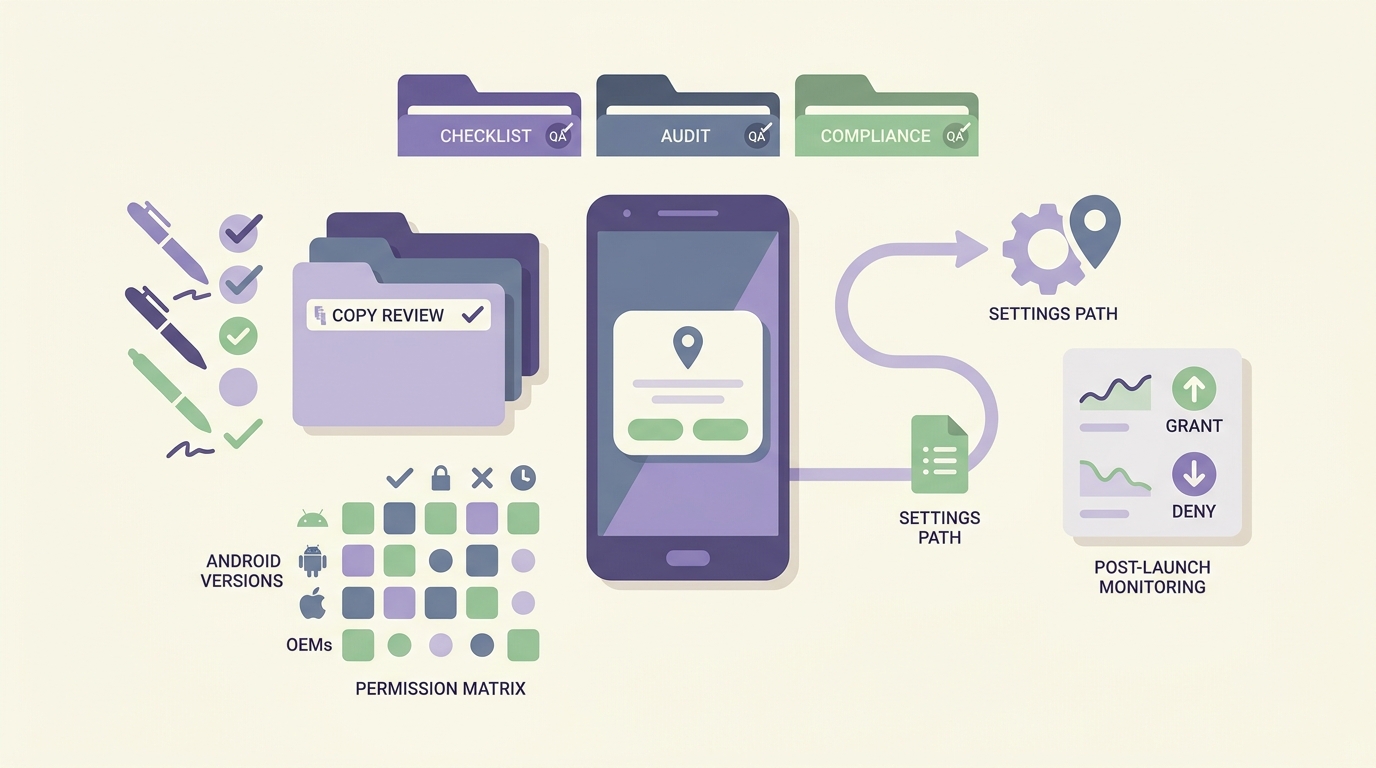
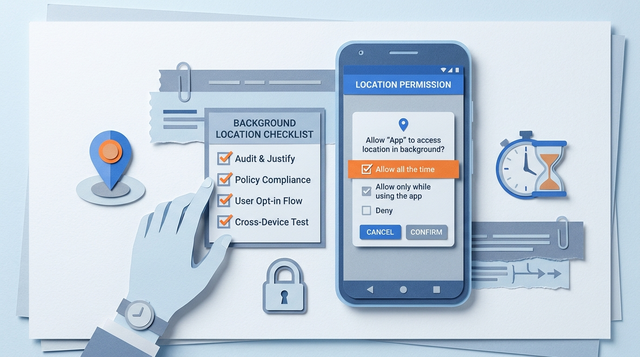
A launch checklist visual for Android background location permission, covering copy review, permission-state testing, settings deep link validation, and post-launch monitoring of grant and denial rates.
Treat background location as a product flow, not a toggle. Plan at least a half-day to a full day of focused QA across permission states and background behavior, plus time for one Play Console pass to confirm declarations and screenshots match.
- Permission copy names the benefit and when it runs in background
- States handled: granted, denied, foreground granted but background denied
- Feature does not imply background access when it is optional
- Disclosure and Play Console declarations match actual behavior
| Check | What "done" looks like |
|---|---|
| Settings deep link | Opens the right screen, returns, retests state |
| Background behavior | Acceptable after screen off, app swipe-away, and device idle (within OS limits) |
| Review readiness | Rationale is specific, feature-tied, and consistent across UI and Play Console |
Post-launch, watch two signals: funnel drop-offs by Android version and OEM, and support tickets that say "tracking stopped" (often power management, not permissions). Assign an owner to review monthly and after major Android releases.
Implementation review
If you need a second set of eyes, do a short cross-functional review (product, engineering, QA, and whoever owns Play Console) before submission. A 30-60 minute walkthrough often catches mismatches between copy, behavior, and declarations that are expensive to fix post-review.
request-review