
If you have ever reached the final step of an app release only to wonder whether you should upload an IPA, an AAB, or something else entirely, you are not alone. The wrong artifact often does not break the build, it breaks the schedule: you can lose hours re-exporting, re-signing, re-running smoke tests, and waiting for another review queue slot. This write-up separates what the formats actually do, what each store expects, and the pre-submit checks that reduce last-minute launch surprises.
Step-by-Step Guide to Publishing Your First Mobile App goes deeper on the ideas above and adds concrete next steps.
What file does each app store expect?
Proof snapshot (store expectations)
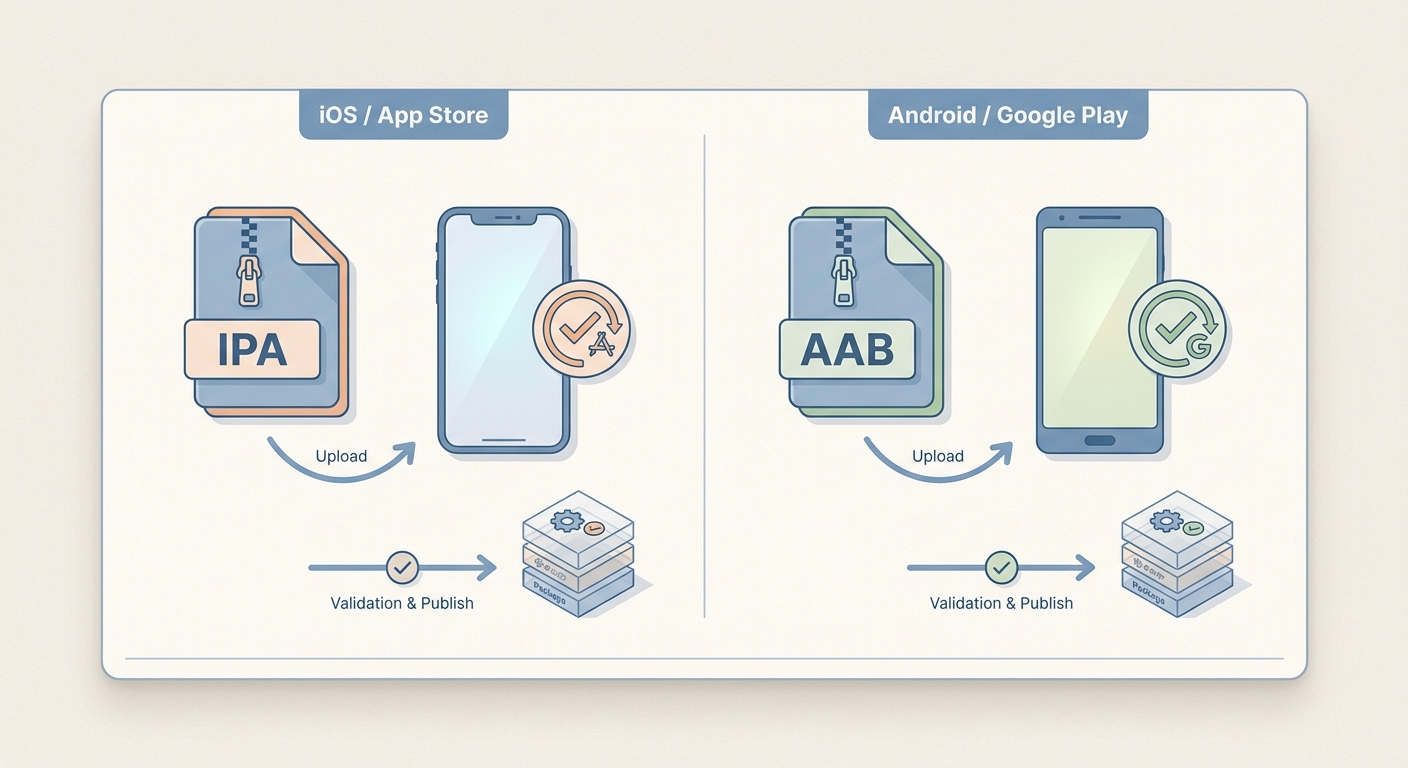
A compact comparison card showing IPA on the iOS/App Store side and AAB on the Android/Google Play side, with simple indicators for target platform, store acceptance, and publishing workflow fit.
| What you are trying to do | Store tooling | Artifact you typically upload | What happens next |
|---|---|---|---|
| Ship iOS / iPadOS to the App Store (or TestFlight) | App Store Connect / TestFlight | Signed .ipa (format details) | Apple validates, then routes to TestFlight or App Review |
| Ship Android to Google Play | Google Play Console | .aab (AAB FAQ) | Play generates device-specific APKs for delivery |
Explanation: Apple and Google Play run different packaging, signing, and distribution pipelines, so the upload artifact is store-specific.
Interpretation: AAB is a publishing container (Play generates what users install), while IPA is the iOS distribution package used for Apple submission.
Impact: Teams often save a few hours of release-day rework by picking the right artifact early, but the actual time saved varies with CI maturity, signing stability, and review queue timing.
When you move from outline to execution, How to Publish an Emergent-Built Mobile App Successfully helps close common gaps teams hit here.
What is the difference between IPA and AAB?
Here is the thing: you do not choose IPA vs AAB based on build system preference. You choose based on the destination store and its validation rules, and those checks can evolve as store policies and tooling change.
- IPA (iOS / iPadOS): a signed app package uploaded to App Store Connect for TestFlight or App Review (docs.fileformat.com).
- AAB (Android): a bundle uploaded to Google Play Console; Play generates device-specific APKs for install and delivery (developer.android.com).
One thing worth noting: consoles often reject the wrong artifact quickly, but not always in a single obvious message. In practice, the real delay shows up when you realize you need a new export, a new signing pass, and another round of validation.
A complementary angle worth comparing lives in Publishing Apps Built With Flutter, React Native, or Native.
What are the tradeoffs and operational risks?
AAB delivery splits can increase QA scope
AAB often improves delivery efficiency, but it can expand QA scope because what installs on one device is not necessarily byte-for-byte identical to what installs on another. If you rely on device-specific features or support a wide device matrix, plan extra time for coverage (often 30-90 minutes per release, more on complex apps) and use internal tracks or staged rollouts to reduce blast radius.
Signing and CI dependencies matter more than the file extension
Most "IPA vs AAB" issues are really pipeline issues. The file type is just where the failure becomes visible.
- iOS risks: certificate/profile mismatch, expired credentials, wrong export method, or a scheme that flips entitlements. Key rotations can add 1-2 hours of unexpected work if you have not rehearsed the process recently.
- Android risks: wrong keystore, wrong signing config for release, or CI exporting APK/debug variants when the team expects AAB/release.
Tradeoff: tighter automation reduces human error, but it concentrates risk if CI settings drift from local builds. Teams typically budget 15-30 minutes per release to confirm export settings and console requirements, and more when onboarding a new CI runner, upgrading Gradle/Xcode, or rotating signing keys.
For tradeoffs, checklists, and edge cases, How to Publish a Replit-Built Mobile App rounds out this section.
How do you choose the right file to publish?
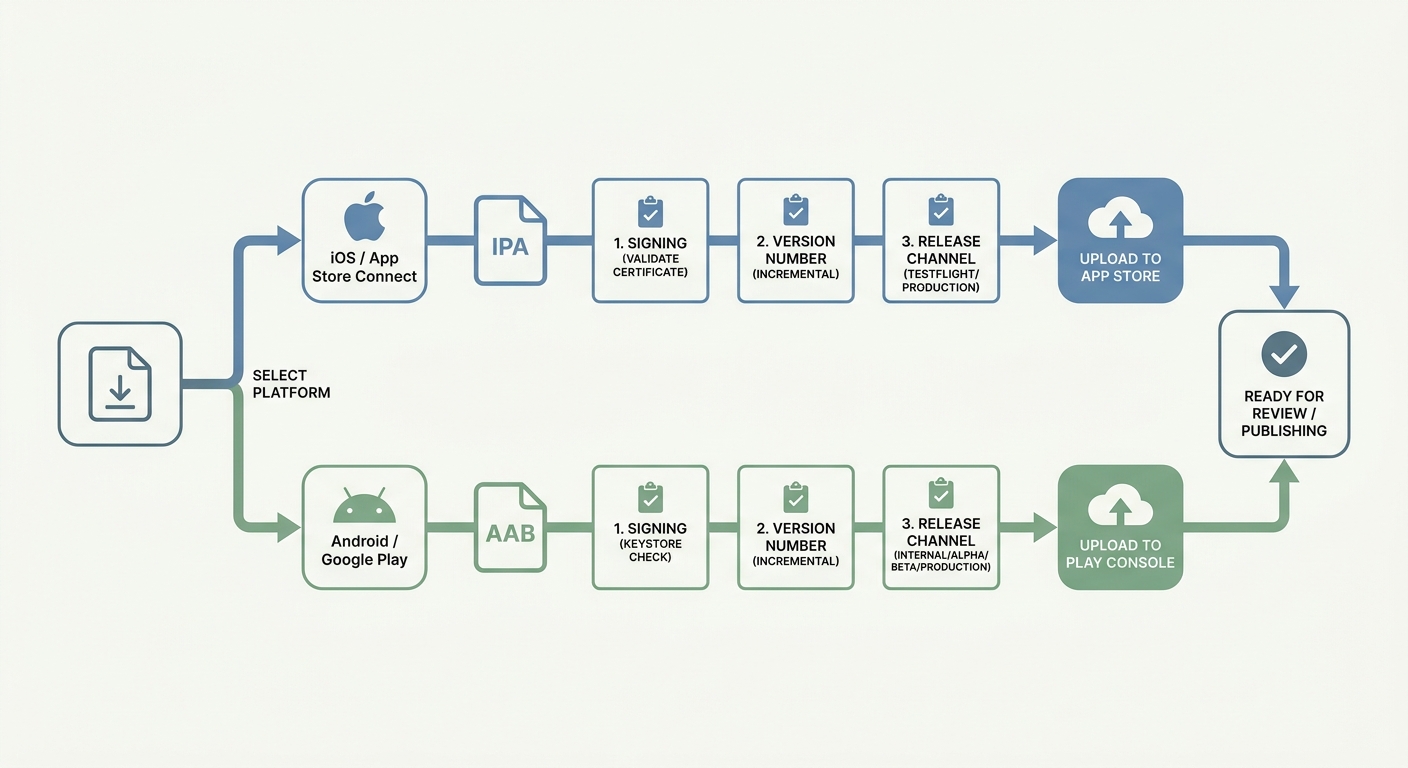
A simple decision flow showing how to choose IPA or AAB based on destination store, then validate signing, versioning, and release channel before upload.
Choose by destination store first
Start with where you are uploading
If the destination is App Store Connect (or TestFlight), export an .ipa. If the destination is Google Play Console, export an .aab (Play then generates optimized APKs) (AAB FAQ).
Confirm the release configuration before export
Most wrong-artifact incidents come from exporting the wrong scheme/flavor or using the wrong signing setup. Budget 10-20 minutes to confirm branch, build configuration, and signing target before you generate the final file.
A realistic release-day checklist (5 checks)
- Confirm the console destination: App Store Connect vs Google Play Console.
- Verify signing alignment (common failure mode: certificate/profile mismatch on iOS, keystore mismatch on Android).
- Confirm bundle ID / applicationId and version/build number increments.
- Ensure the build came from the intended CI job and environment (common failure mode: CI exports a debug or internal variant).
- Run a channel-matched smoke test (TestFlight install for iOS; internal test track for Android). Expect 15-45 minutes depending on app size, device access, and whether you need to pull a fresh build.
CTA
Get a one-page pre-submit checklist (App Store Connect + Play Console)
Use it to reduce re-export loops and catch signing and track mistakes before review.
Download the checklist
Use a pre-upload validation pass
- Sanity-check file type and build variant before upload (basic, but common under deadline pressure).
- Confirm you did not export an internal/testing flavor for a production submission.
- Plan for review queue variability and policy triggers: even a correct upload can stall if App Store export compliance flags, if Play requires a new permission declaration, or if a metadata change triggers additional review.
How to Publish an Expo App to App Store and Google Play reframes the same problem with a slightly different lens - useful before you finalize.
What happens if you submit the wrong file or skip final checks?
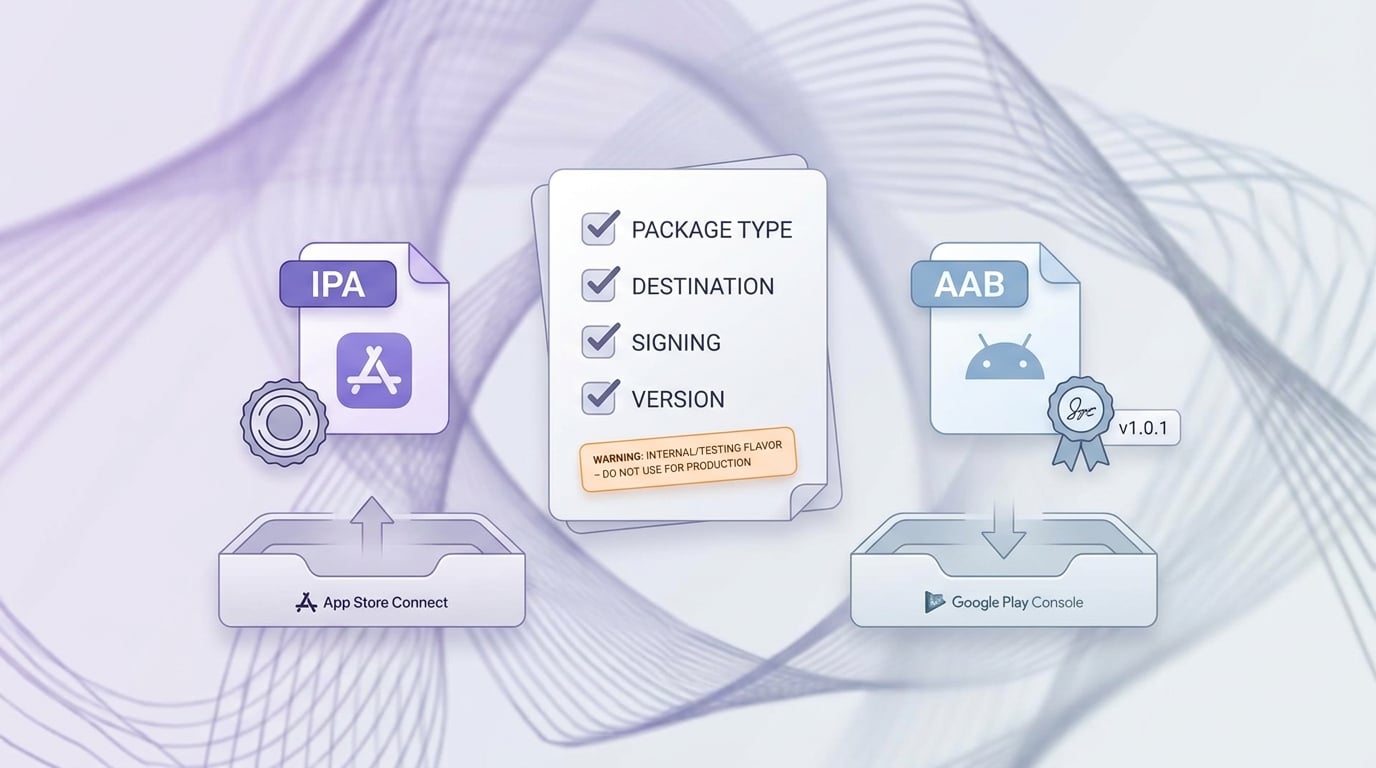
A short release checklist for confirming the correct package type, store destination, signing status, and version before submission to App Store Connect or Google Play Console.
Common publishing mistakes to avoid
- Uploading an IPA to Google Play or an AAB to App Store Connect (often blocked quickly, but still costs a rebuild loop).
- Passing local install tests but failing store validation (often signing, entitlements, export method, or a CI mismatch).
- Treating a single Android device test as representative of AAB-generated splits across your target device set.
Operational impact on launch timing
A wrong-file submission rarely costs minutes. More often it costs a rebuild cycle plus re-validation, and sometimes it forces a new review submission, which can add hours to days depending on queue conditions and whether your changes trigger re-review.
The practical takeaway: marketing timing, support readiness, and rollout plans are coupled to the slowest approval path. If you are coordinating a fixed announcement, plan buffer time and treat store approval as a dependency, not a certainty.
CTA
Want a release workflow that ships both stores with fewer surprises?
Share your current pipeline (tools, CI, target dates) and get a practical artifact and validation plan with known failure points.
Request a review


