If you are about to ship your first Android app, the keystore is the one file that can make publishing smooth or turn a normal update into a scramble. Most teams only think about it after something breaks. By the end of this guide, you will have a practical keystore workflow you can verify locally and in Play Console before release week.
| Proof checkpoint | What to verify | Why it matters |
|---|---|---|
| Update rule | Your Play listing stays tied to the same signing identity for updates | A mismatch can block updates to the same listing |
| Local sanity check | Your keystore, alias, and certificate fingerprint match what you expect | Prevents last-minute password and alias hunts |
| Console sanity check | An internal-track upload processes without signing errors | Proves the end-to-end pipeline before launch week |
Explanation: This is your preflight checklist, not external benchmarks: you are confirming your own signing setup end to end.
Interpretation: The goal is continuity so you can ship updates reliably over time, even as devices and teammates change.
Reader impact: Set aside 30-60 minutes now for verification, and you reduce the chance of a late-night troubleshooting session during release week.
App Store Connect vs Google Play Console: Key Differences goes deeper on the ideas above and adds concrete next steps.
Why Android Keystore matters before your first publish
Who gets blocked when the keystore is unclear?
- A solo founder shipping from one laptop, then losing access after a reinstall or device upgrade.
- A small team using CI, where no one is sure which machine holds the real release key.
- Anyone who signs a "release" build with a debug key or the wrong alias, then hits Play Console errors.
What breaks on launch day if the key setup is wrong?
- Update lockouts: Updates must align with the signing identity already associated with the app in Play Console (Android Developers).
- Credential dead ends: Wrong alias or passwords can stop a build and force time-consuming recovery.
- Single point of failure: If one person or one device controls the only copy, access changes or laptop loss becomes a shipping risk.
None of this is conceptually hard, but it is easy to postpone because it "works on my machine." Plan for one focused setup session (often 45-90 minutes if Play Console is new to you) plus a quick check any time laptops, CI, or access changes.
Keystore preflight checklist
Verify your release keystore, alias, and fingerprints before your first upload so version 2 is not blocked by a version 1 decision.
Continue to verification
When you move from outline to execution, How to Publish an Emergent-Built Mobile App Successfully helps close common gaps teams hit here.
What is Android Keystore, and how do you verify it early?
Category: Verification
Statistic: 100% upload verification
Label: Google Play checks signature
Context: Play validates the signing identity when you upload an app bundle/APK
Category: Savings
Statistic: 32%
Label: Lower rework cost
Context: By catching issues earlier
Category: Impact
Statistic: $1.2k
Label: Avg delay cost
Context: Per missed launch window
Keystore, alias, and certificate: the three terms you must not mix up
- Keystore: the
.jksor.keystorefile that can contain one or more keys. - Alias: the label for the specific key entry inside the keystore.
- Certificate fingerprint: SHA-256 (and sometimes SHA-1) used to confirm identity in tooling and consoles.
A practical verification command you can copy
Run this locally to inspect your release keystore metadata:
keytool -list -v -keystore /path/to/release.jks -alias your_aliasRecord these somewhere recoverable (5 minutes now can save hours later):
- Alias name (exact string)
- Certificate fingerprints (especially SHA-256)
- Validity window (start and end dates)
If you cannot run keytool, treat that as a dependency to clear early (Java install, PATH, or a locked-down work machine or CI runner). Otherwise you can end up debugging tooling access at the exact moment you need to ship.
Where this fits in the Android publishing flow
- You sign a release artifact (typically an AAB).
- Play Console verifies the signing identity on upload (Android Developers).
- Practical takeaway: you are building a repeatable release process, not a one-time upload.
A complementary angle worth comparing lives in Everything You Need to Know About Apple and Google Developer Accounts.
How do you create and manage an Android keystore before publishing?
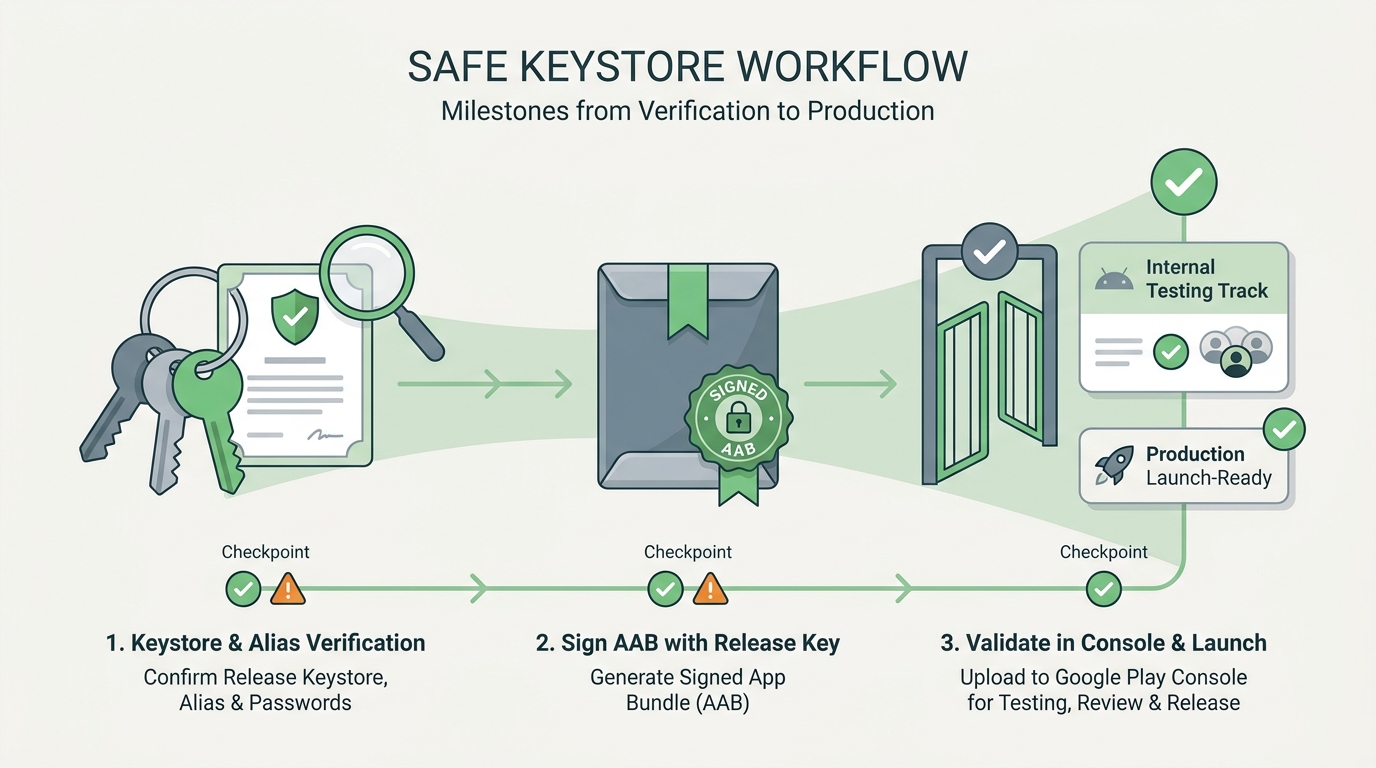
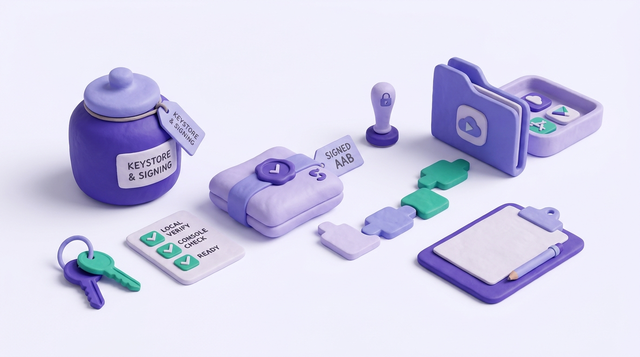
A workflow diagram from confirming the release keystore and alias, to signing the AAB, to validating the build in Google Play Console internal testing before production launch.
Choose who owns what (local signing vs Play App Signing)
There is no universal best choice; it depends on your access model, risk tolerance, and how much operational burden you want to carry.
| Topic | You manage your own key | Play App Signing (Google manages app signing key) |
|---|---|---|
| Day-to-day responsibility | You protect and back up the signing key | You still protect upload credentials, but Google handles app signing key storage |
| Main risk | Key loss or access churn can block future work | You rely on Play Console access and correct configuration |
| Best for | Tight control and mature key management | Small teams that want fewer sharp edges and easier continuity |
One thing worth noting: Play App Signing reduces some key-loss risk, but it increases your dependency on Play Console access. If your only admin account gets locked out (2FA issues, contractor leaves, org email changes), your release timeline can still slip while you regain access.
A minimal workflow that holds up under real-world constraints
Create or locate a dedicated release keystore
Debug keys are not for production. If you are starting fresh, budget 15-30 minutes to generate the release key and write down the alias, passwords, and fingerprints.
Store secrets in a recoverable way
Put the keystore file, alias, and passwords in a team password manager plus one encrypted backup. The tradeoff is overhead: encrypted backups and access reviews add process, but they are usually cheaper than a blocked update later.
Prove the pipeline with an internal track upload
Build a signed release AAB and upload to Internal testing to confirm processing completes (Play Console Help). The first time can take longer due to Play Console setup, policy prompts, or account verification steps.
| Workflow stage | Output you want | Time expectation (typical) |
|---|---|---|
| Confirm keystore + alias | Fingerprint and alias recorded | 5-15 min |
| Configure signing (local or CI) | Repeatable release build | 15-60+ min |
| Internal track upload | AAB processed without signing errors | 10-30+ min |
For tradeoffs, checklists, and edge cases, How to Protect Your App Store and Google Play Accounts rounds out this section.
What keystore mistakes should you catch before release?
- Using the wrong key or alias: A build can install locally and still fail Play upload, especially when the keystore has multiple entries.
- Keystore copy sprawl: Only on one laptop is risky, but so is spraying copies into random drives. Aim for one encrypted primary store and one encrypted backup, with a named owner and a tested recovery path.
- Access drift over time: Password rotations, employee changes, or CI refactors break releases more often than cryptography does. A 10-minute quarterly check is usually enough.
Two failure modes worth planning for:
- CI secret exposure: If your keystore or passwords leak into logs, artifacts, or mis-scoped environment variables, your response is painful. Keep secrets out of build output, restrict who can read CI variables, and rotate credentials when access changes.
- Key reset constraints: If you are not using Play App Signing, recovery options are limited. If you are using it, reset paths exist but can still take time and require the right console permissions, so do not assume it is instant.
How to Publish a React Native App: Founder-Friendly Checklist reframes the same problem with a slightly different lens - useful before you finalize.
What should you check right before publish, and what happens after?
Pre-flight checks for the release owner
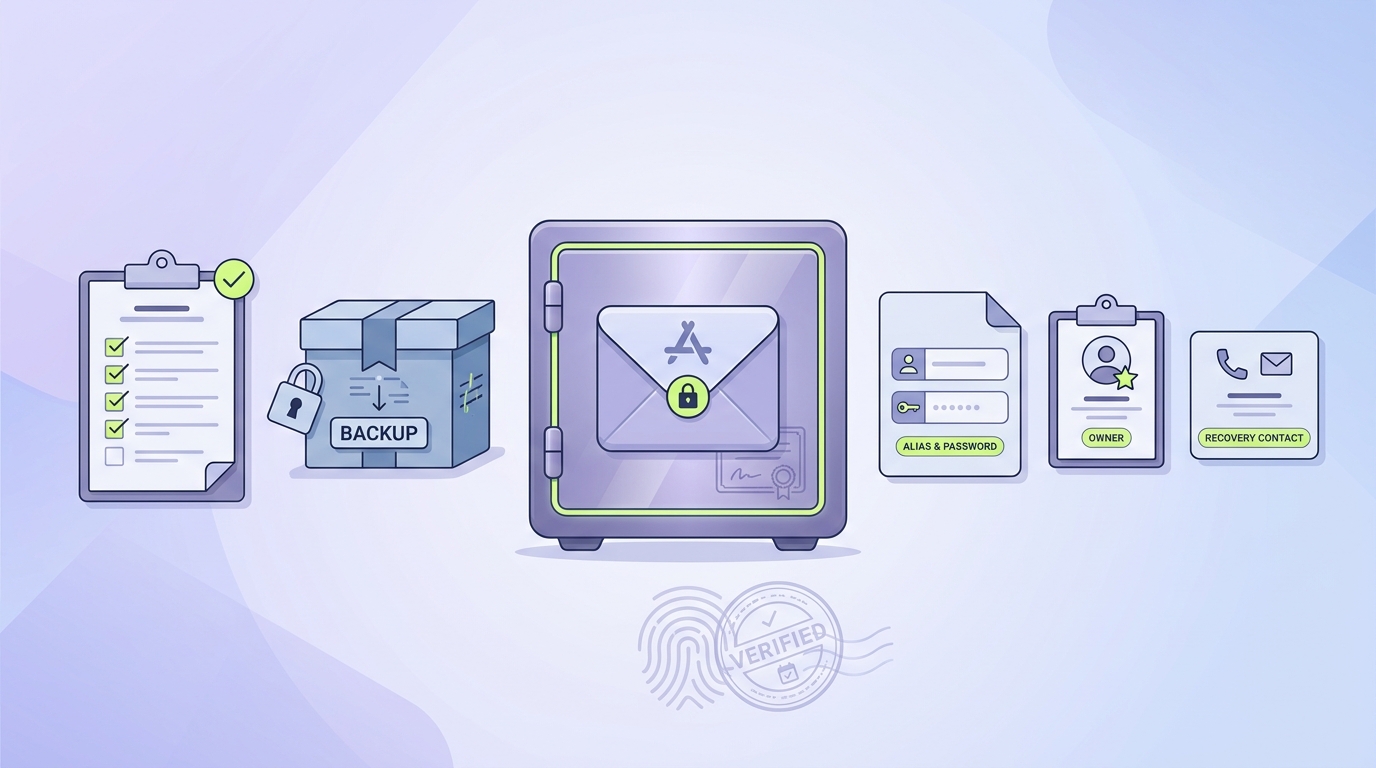
A practical release-readiness checklist for Android publishers: encrypted backup, alias and password documentation, owner assignment, and a verified recovery contact before launch.
- Confirm the keystore file, alias, and passwords are stored in an encrypted, recoverable place with a named owner and backup contact.
- Verify your signed AAB uses the expected certificate fingerprint and matches your chosen signing setup (Android Developers).
- Upload the exact build to an internal track and confirm processing completes without signing warnings before scheduling production.
Post-launch follow-ups that protect the next update
- Write a secure handoff note: where the keystore lives, the alias, and who can access it.
- Keep Play Console access current for at least two trusted accounts (org changes happen).
- Re-run an internal-track upload before your next major release if CI, laptops, or signing settings changed.
Internal upload validation
Run one internal-track upload with your final signing config at least a week before launch day to catch signing mismatches, missing secrets, and console setup gaps while you still have time.
Validate internal track