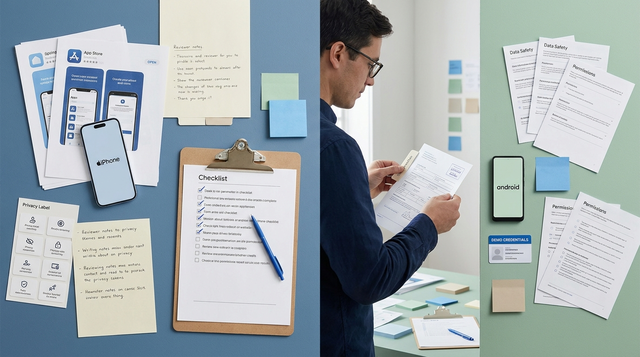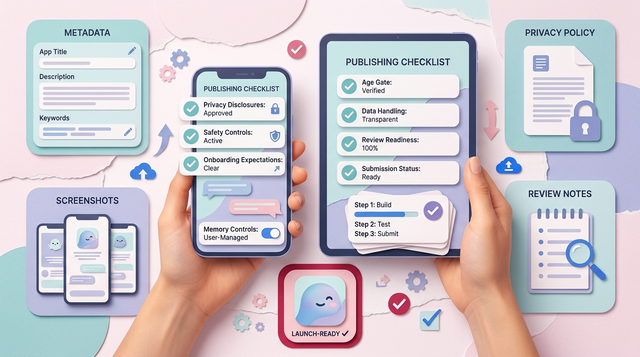
Most personal AI companion apps die in the gap between a working chat demo and something Apple and Google will approve, users will trust, and you can keep running after launch. The hard parts are rarely prompts. They are privacy disclosures, safety controls, onboarding expectations, and reviewer-ready evidence that your app does what it claims. You will leave with a practical workflow to go from build to submission, plus checks that reduce common rejections and trust-breaking launch mistakes.
The Future of App Publishing: Where AI Agents Are Taking It goes deeper on the ideas above and adds concrete next steps.
Early proof: what reviewers can verify in minutes (and what users judge in the first session)
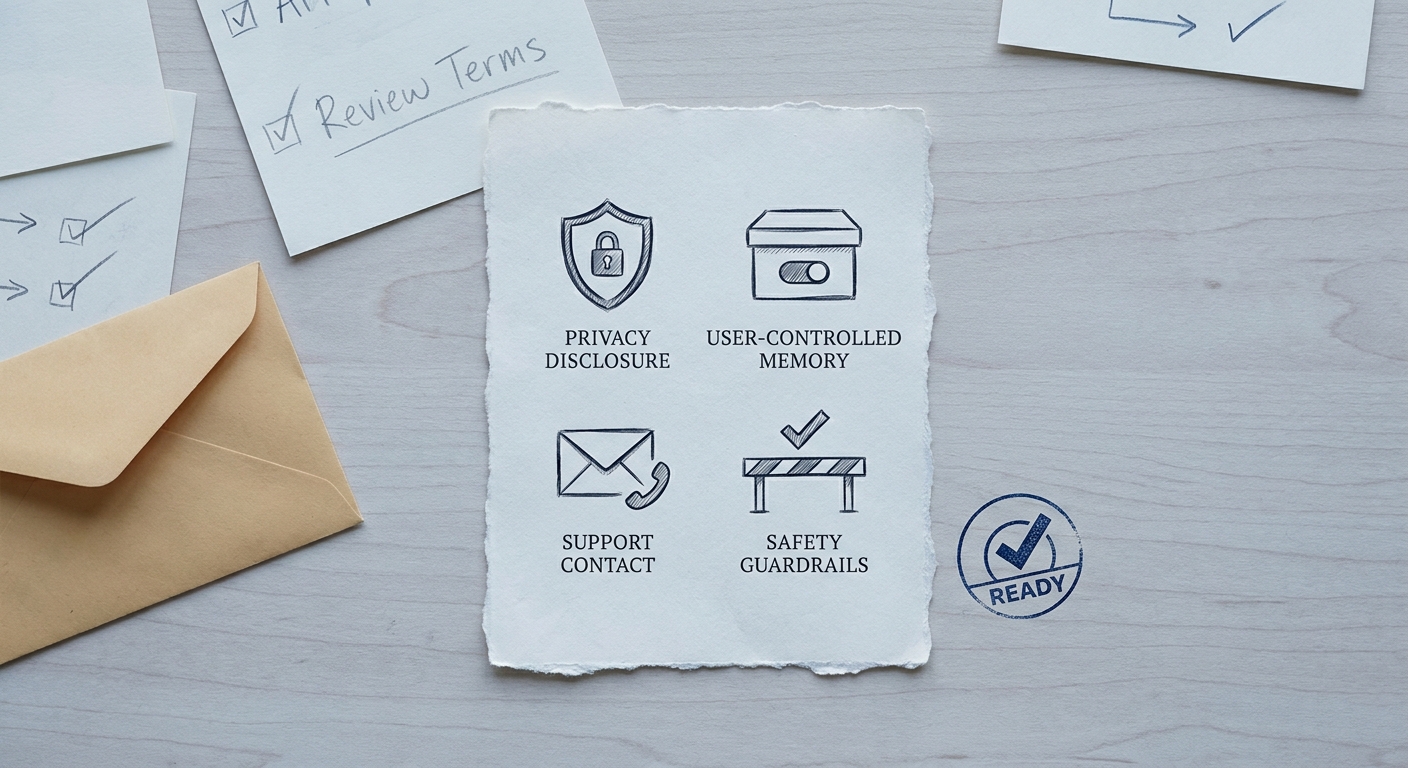
A compact readiness callout card showing the minimum trust signals for a personal AI companion app: clear privacy disclosure, user-controlled memory, support contact, and safety guardrails before App Store or Google Play submission.
This is not third-party validation or performance proof. It is an internal readiness rubric: reviewer-verifiable behaviors you can walk through quickly, plus the first-session moments where users decide whether your companion feels safe and understandable.
Concrete verification path (reviewer script): onboarding - privacy/memory screen - delete account - first chat - report issue.
| Proof element | What it is | How to interpret it | Reader impact |
|---|---|---|---|
| Submission-ready checklist | A set of verifiable items (privacy labels, memory controls, support, stability, safety) | If you can demonstrate these in a clean reviewer path, you are in a good position to submit. If you cannot, expect at least one review question loop or a rejection until you close gaps. | Fewer review cycles, fewer confused first-time users, and less support fire-drill after launch. |
| Prototype vs submission table | Side-by-side comparison of what a demo has vs what a store build needs | Reviewers prioritize trust signals over model quality. Users do the same when the app feels "personal." | You avoid spending weeks improving the model while missing disclosure or control basics that block approval. |
Submission-ready versus prototype-ready
| Area reviewers look at first | Prototype-ready (demo) | Submission-ready (store build) | |---|---|---|---| | Privacy notice and labels | A vague "we value privacy" screen | Clear disclosure and accurate privacy reporting for collection, use, and sharing (App Privacy Details and review expectations) (Apple, Apple) | | Content safety | "Users will behave" assumption | Baseline guardrails plus a path to report issues, aligned with store expectations for AI-generated content (Google Play) | | Onboarding clarity | Drop users into a chat box | A 30 to 60 second setup that explains what the companion does, what it remembers, and how to reset it | | Crash and dead-end stability | Works on your phone, sometimes | No broken login, no infinite spinners on first message, and a clear recovery path when the model or network fails | | Operational readiness | "We will handle issues later" | A support channel, basic logging, and a plan for moderation and policy updates |
What this means: checklists reduce risk, but they do not guarantee approval. Reviewer interpretations vary, and some categories get extra scrutiny (health-adjacent, minors, sexual content, finance, location).
One failure mode to plan for: your privacy label says "no data collected," but runtime behavior shows analytics SDK calls or chat logs sent to a model provider. When that happens, the recovery step is usually boring but effective: audit network calls, update disclosures to match reality, and resubmit with reviewer notes that point to the relevant in-app controls.
When you move from outline to execution, Froxi AI vs Manual Publishing: Risk, Complexity, and Speed Compared helps close common gaps teams hit here.
Why is publishing a personal AI companion app harder than a normal chatbot?
A personal AI companion app is not just a chatbot with a nicer UI. You are asking users to share sensitive context, and you are asking Apple and Google to trust that your product will handle it safely and transparently. The goal is not perfection. It is a submission-ready companion app that can pass review, earn baseline trust on day one, and keep working as you iterate.
Who this guide is for and what success looks like
- Solo founders, indie builders, and small teams building something that feels personal, not generic.
- You want a real store listing, not a demo link: approved on App Store and Google Play with clear value and basic operational maturity.
- Constraint: companion apps need stronger privacy and safety handling than general chat tools because conversations can include health, relationships, identity, or crisis content.
- Outcome: a submission-ready app with policy-aligned disclosures, consent flows, and reviewer-verifiable behavior (not a "trust us" prototype).
What usually blocks approval or adoption
- Inconsistent disclosures about data collection, retention, and "memory" across sessions. Apple expects accurate App Privacy Details, and mismatches trigger review questions (Apple App Privacy Details, Apple App Review Guidelines).
- Weak safety handling for self-harm, sexual content, minors, or dependency-heavy dynamics. Google Play calls out AI-generated content expectations, including user protections (Google Play AI-Generated Content policy).
- Vague onboarding that reduces activation. Users install, send one message, then leave because they do not understand what the companion is for or what it will remember.
- Reviewer dead ends such as required login without test credentials, first-message timeouts, or an early paywall that prevents verification.
The decision this article helps you make
Decide if you can submit now or need one more trust and safety pass: separate product choices from store requirements, fix the gaps that cause rejection, then publish, learn from review feedback, and iterate after approval.
use the launch checklist
A complementary angle worth comparing lives in The Last Step AI App Builders Don't Solve: Publishing.
How do you build a publishing workflow for a personal AI companion app?
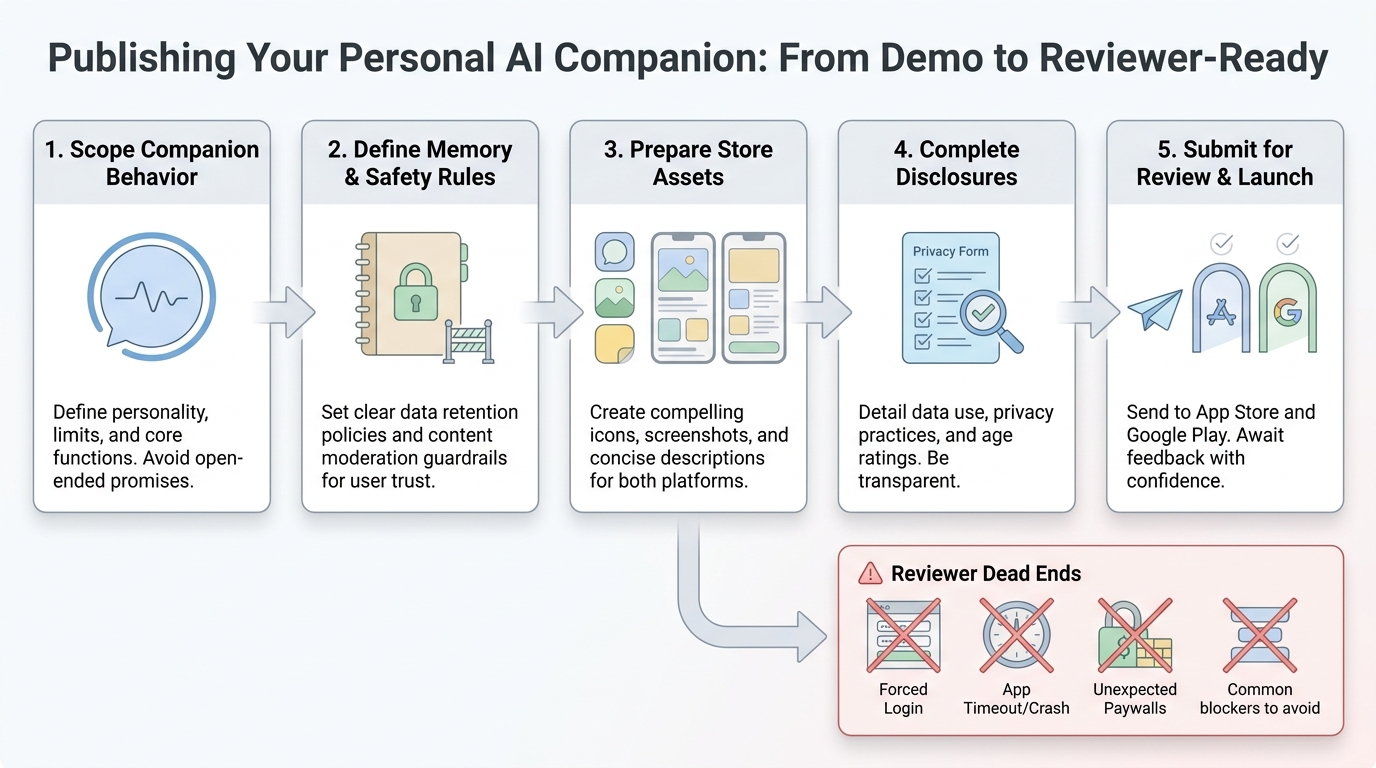
A step-by-step process diagram showing the publishing path for a personal AI companion app: scope the companion behavior, set memory and safety rules, prepare store assets, complete privacy and content disclosures, then submit to App Store and Google Play review.
This workflow assumes a small team and aims for a realistic hardening sprint. For most apps, expect 3-7 focused days to go from "works for me" to "reviewer-friendly," plus half a day to a full day for store assets and disclosures. If your privacy and safety basics are already solid, it can be faster.
Dependencies that commonly slow teams down:
- Legal or policy review of privacy language (even a lightweight pass can take days).
- Third-party model vendors (outages, rate limits, content filters, or region support).
- Age gating, regional availability, or categories that prompt extra reviewer scrutiny.
Lock the product scope before you touch the store forms
Choose one primary companion job
Pick a single center of gravity such as journaling companion, coaching companion, habit buddy, or conversational friend. Reviewers and users react badly to mixed promises like "therapy + dating advice + medical coaching."
Tradeoff: a narrower scope can reduce growth at first, but it makes your store description truthful and your safety rules enforceable.
Decide what the model remembers, stores, or forgets
Write memory rules in plain language: what persists across sessions, where it is stored (device, your DB, third-party), and how the user can reset it. If you support memory, you need a "forget" path that actually deletes data, not just hides it.
Decision point: allowing a "no memory" mode lowers privacy risk, but it can reduce personalization and increase repeat onboarding questions.
Draft first-pass policy language
Define boundaries for sensitive content (self-harm, sexual content, minors), age limits, and deletion expectations. Keep it simple enough to reuse in onboarding, a safety page, and your privacy policy.
Align with Apple review expectations and App Privacy Details, plus Google Play’s privacy policy and AI-generated content expectations (Apple App Review Guidelines, Apple App Privacy Details, Google Play privacy policy requirements, Google Play AI-Generated Content policy).
Prepare the app for reviewer and user trust
Add clear onboarding disclaimers
Say upfront the AI is not a human, therapist, doctor, or emergency service, and point users to urgent help options when relevant (regional links vary, so keep them maintainable).
Tradeoff: stronger disclaimers can slightly reduce conversion, but they usually reduce review risk and support load.
Expose user controls that match your promises
Provide in-app controls for chat history, memory toggles, and account deletion. If you offer export, make sure it works for real users, not just internal accounts.
Risk to watch: if deletion is asynchronous, state that clearly and show status so users are not misled.
Instrument crashes and the first-session funnel
Add a crash tool like Sentry or Firebase Crashlytics, and track a few events: install-to-signup, first chat send, first response received, memory toggle usage, and "model error shown."
Effort note: this is usually 2-6 hours depending on your stack and whether you already have analytics wiring.
Run betas focused on "first 5 minutes" reliability
Use TestFlight and Google Play internal testing to confirm login, consent, first conversation, and crash-free sessions. Plan at least 10-20 testers and 1-2 fix rounds.
Dependency caveat: if you rely on third-party auth or model APIs, plan time for intermittent failures that only show up on real devices and networks.
Write reviewer notes and a reviewer-friendly path
Make the default path fully testable
Reviewers take the shortest path. Make sure onboarding, consent, and the first chat do not require hidden knowledge, a waitlist, or a payment screen before the core value is visible.
Pitfall: a mandatory login without test credentials is a common rejection reason. If you require login, include test credentials and keep them valid through review.
Add a "where to find controls" map
In reviewer notes, include a short map: where privacy/memory controls live, how to delete the account, and how to report harmful output. Keep it factual and easy to verify.
Effort note: expect 30-60 minutes to write good notes, and another 30-60 minutes to confirm the UI matches the text exactly.
Describe outage behavior
If the model is unavailable, show a friendly error, avoid data loss, and provide a retry path. Reviewers dislike dead ends, and users interpret them as "the app is broken."
Tradeoff: building a graceful degraded mode can take half a day to a day, but it usually pays off in fewer 1-star reviews.
Quick comparison: control surface options (choose what matches your risk level)
| Option | Implementation effort | Privacy risk | User experience |
|---|---|---|---|
| No memory (session-only) | Low | Lowest | Least personal, simplest disclosures |
| User-controlled memory (toggle + reset) | Medium | Medium | Good balance if controls are obvious |
| Always-on memory with deletion controls | Medium to high | Highest | Most personal, highest scrutiny and support burden |
For tradeoffs, checklists, and edge cases, Froxi AI vs Agencies: Which Gives Founders More Control? rounds out this section.
What should be on a launch checklist for a personal AI companion app?
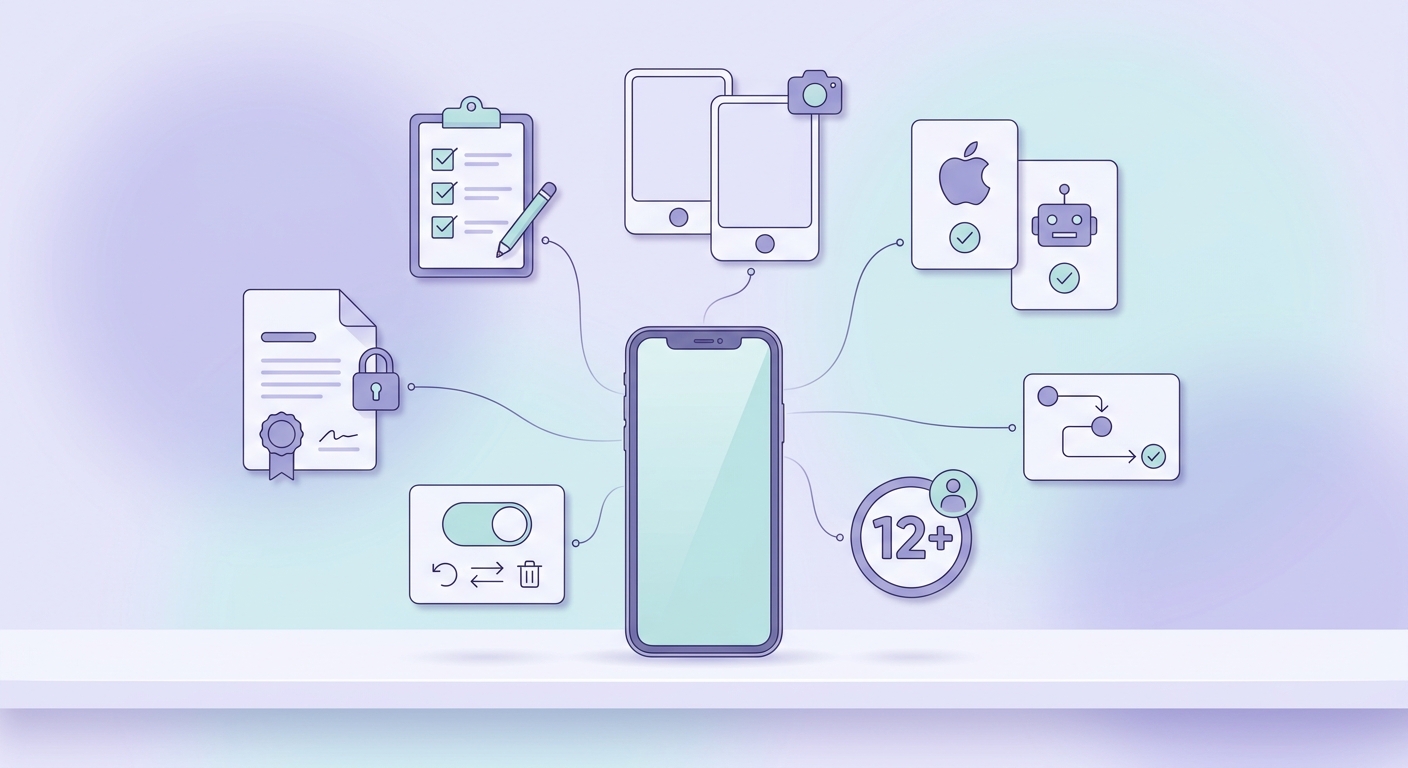
A practical pre-flight checklist for a personal AI companion app launch, covering privacy policy matching, memory controls, age rating, onboarding clarity, screenshots, and cross-platform test validation before submission.
Pre-flight checks before submission
- Ensure your privacy policy, terms, and in-app disclosures match what the companion actually does with memory, analytics, and third-party AI processing. Align Apple privacy labels with real data flows (Apple App Privacy Details), and confirm Google Play’s privacy policy requirements are met (Play policy).
- Validate your store listing: screenshots, description, and age rating must reflect a personal companion app, including emotional framing, content limits, and safety behaviors. If users can generate content, confirm you meet Google Play’s AI-generated content expectations (policy).
- Re-test on both iOS and Android: onboarding clarity, first chat start, sign-in edge cases, account deletion, memory reset, and crash reporting. Reviewers often follow the shortest path, so your safest path must be the default.
- Prepare reviewer notes: test credentials if needed, what the app does in one sentence, where privacy and deletion controls live, and any region or age gating. This often reduces review back-and-forth, but it cannot prevent reviewer variability.
Post-launch monitoring you should not skip
- Track: install-to-signup, first chat completion, and day-1 retention. Sudden drop-offs usually mean confusing consent, unclear purpose, slow first response times, or a paywall that triggers too early.
- Use Crashlytics or Sentry to watch crash-free users and "first message failed" errors. Expect 1-2 hours/week on stability fixes in the first month if you have any real traffic.
- Monitor moderation and support workload. Even with conservative guardrails, plan 2-5 hours/week early on for support replies, policy updates, and reviewing flagged conversations (more if you run ads or go viral).
- Watch third-party dependency changes (model behavior drift, outages, pricing). Have a fallback message and a safe degraded mode so users are not stuck.
Map your current build against this checklist, tighten policy copy, then submit. If you are still uncertain, convert your prototype into a testable beta and run the checklist again before resubmitting.
Build your beta review script
App Publishing Agency vs AI Publishing Assistant reframes the same problem with a slightly different lens - useful before you finalize.