Booking apps get rejected for predictable reasons: the reviewer cannot complete a real reservation, pricing or policies are unclear, or the app needs special access that nobody provided. In practice, you are not just shipping features, you are packaging a testable, honest booking flow that works on demand in Apple’s review environment. Some rejections are also subjective or policy-driven (for example, confusing commerce messaging), even when your flow is solid. By the end of this guide, you will have a practical prep workflow, the pre-submit tests to run, and a lightweight post-submit routine to handle questions without thrash.
| Early proof (from real-world review ops) | What it is | How to interpret it | Reader impact |
|---|---|---|---|
| A single reviewer-ready "happy path" can reduce back-and-forth | A narrow, repeatable path a reviewer can complete in minutes: install - log in - find seeded availability - book - reach a clear confirmation | Not a guarantee of approval. Outcomes vary by reviewer, region, device, and provider behavior. The main value is removing functional blockers (access, inventory, checkout, confirmation) that commonly trigger "unable to complete" feedback | Expect 1-3 hours to set up the first time, plus small daily upkeep while in review. In many teams I have worked with, this prevents avoidable resubmits caused by missing access or empty inventory |
| One concrete seeded listing reference lowers ambiguity | A stable identifier or breadcrumb the reviewer can follow (for example: "Listing ID: DEMO-SF-APT-001" or "Search: Demo Clinic, San Jose") | This is directional guidance, not measured stats. It improves reproducibility when the reviewer is moving quickly | Fewer clarifying messages, and faster internal handoffs when App Review questions arrive |
Explanation: the "proof" here is operational, not statistical. These patterns come from supporting multiple App Review cycles where the same few issues repeat.
Interpretation: you cannot control who reviews your app, but you can control whether they can finish a booking without guessing.
Impact: you trade a small amount of upfront prep (and ownership during review) for a smoother, more testable submission.
Apps That Replace a Travel Agent in 2026 goes deeper on the ideas above and adds concrete next steps.
What do App Store reviewers look for in a booking app?
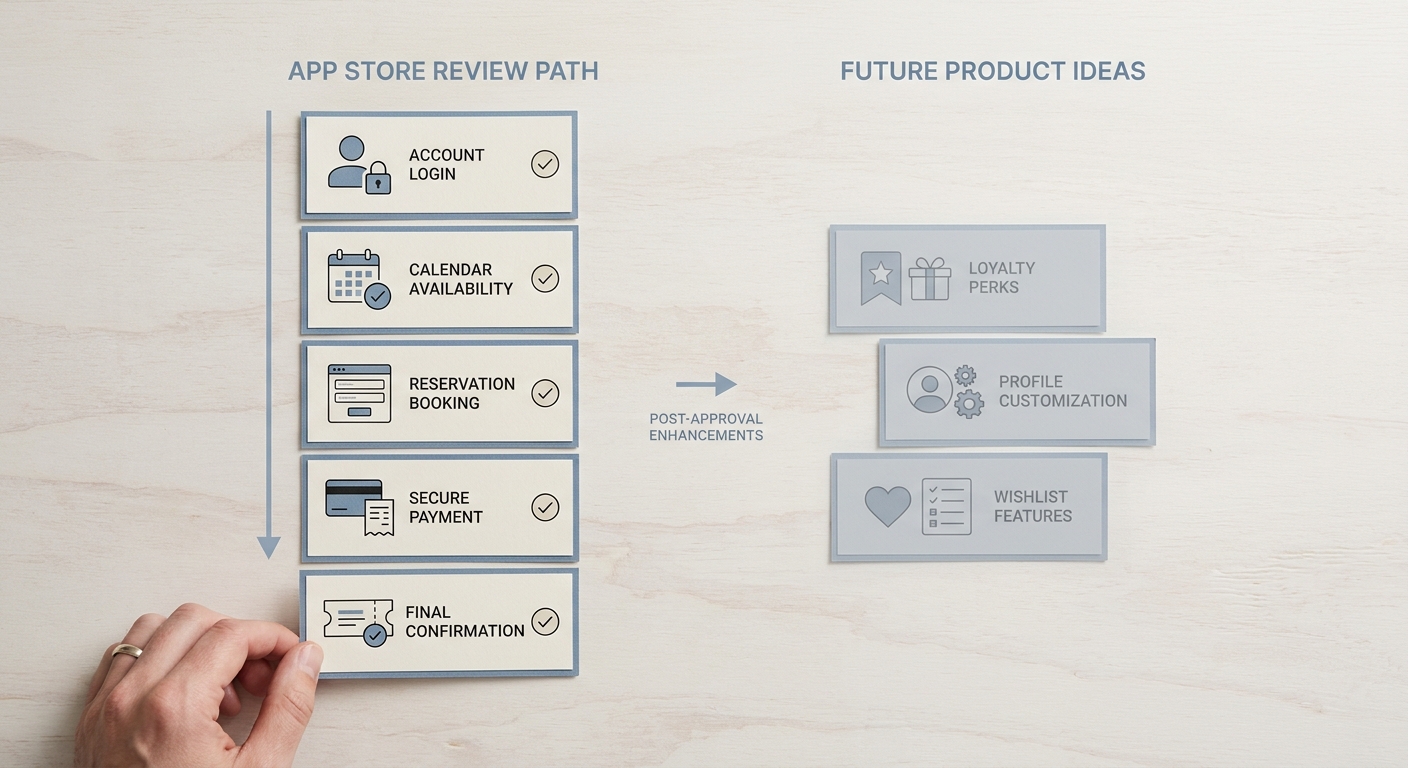
A compact review-scope comparison showing review-ready booking flow versus longer-term product features, emphasizing what must work for App Store approval: login, availability, booking, payment, and confirmation.
Booking apps are higher risk in review because Apple is judging whether a real transaction can be completed honestly and reliably. If the reviewer cannot create an account, find availability, book, understand payment (or complete it), and see a confirmation in one sitting, you are more likely to get a "cannot complete" response.
Reviewer conditions vary by device, iOS version, region, and network. Even a stable app can fail if your seeded inventory expires, OTP SMS does not arrive, or your payment provider behaves differently for Apple review traffic.
Why booking apps get rejected more often than simple apps
Review reality: for a booking app, one broken step can block approval. Reviewers often test a full path quickly: browse availability, reserve a slot, reach payment (or a valid payment explanation), confirm, then try cancel or modify.
Common booking-specific blockers:
- Listings or availability that cannot actually be reserved
- Login, checkout, or confirmation loops (looks like a broken app)
- Unclear pricing, fees, or policies before the user commits
- Reservation states that do not persist (no confirmation, no history, no cancel flow)
Treat your submission like a guided, end-to-end demo that should work on demand, but plan for variance and be ready to respond if review hits a snag.
When you move from outline to execution, How App Store Review Actually Works - A Step-by-Step Breakdown helps close common gaps teams hit here.
How do you prepare the booking flow step by step?
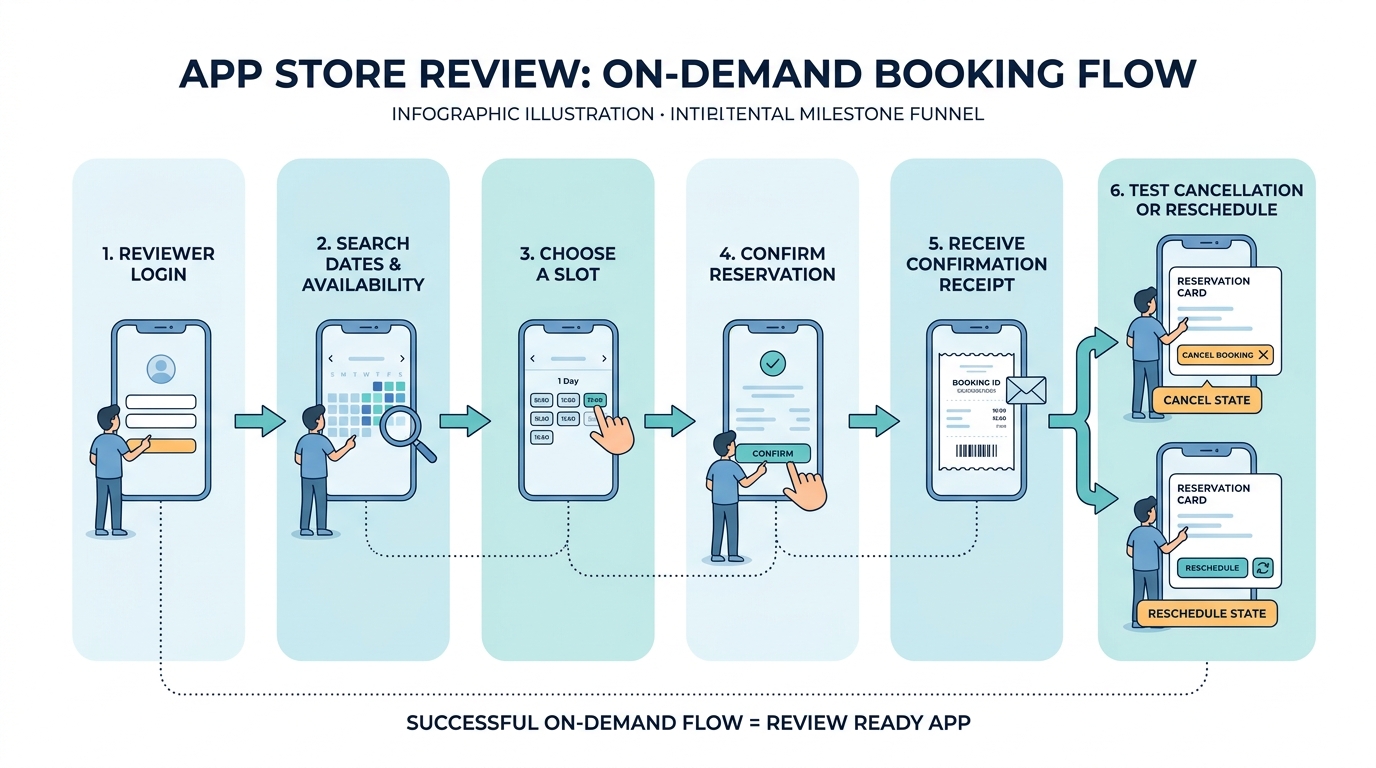
A step-by-step process diagram of the booking app review path: reviewer login, search availability, select slot, confirm booking, receive receipt, and test cancellation or reschedule states.
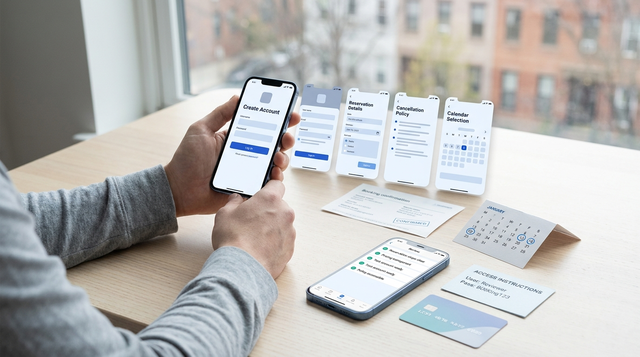
Reviewers move fast, and booking apps fail review when the flow cannot be completed on demand. Your goal is to make a clean, end-to-end reservation possible in minutes, without special devices, manual approvals, or empty inventory.
| Reviewer action | What you should aim for | Dependencies and gotchas |
|---|---|---|
| Log in | Works first try with provided credentials | OTP deliverability, geo restrictions, account locks, rate limits |
| Book | Seeded availability that stays bookable through review | Inventory freshness, time zones, cutoff rules, capacity holds |
| Pay | A testable payment step with clear totals | Sandbox vs production mismatches, region or card restrictions, 3DS flows |
| Confirm | Clear confirmation screen plus history entry | API latency, webhook timing, eventual consistency, email delays |
Set up reviewer access without creating a security hole
Create a test login that does not require human approval. If you use OTP, avoid broad "OTP bypass" switches in production; instead use a tightly scoped approach (allowlisted demo accounts, test numbers, or an App Review-only override) that is logged, rate-limited, and easy to remove after review.
This adds engineering and security review overhead, so plan for it. Budget 30-90 minutes to implement or harden the first time, plus time to verify it behaves the same on staging and production.
Seed one bookable path and keep it from drifting
Seed at least one valid listing and time window that will still be available during review. Watch for drift from pricing rules, timezone conversions, day cutoffs, and inventory jobs that clear out old slots.
In practice, assume 30-60 minutes to set up the seed data and documentation, then 5-15 minutes to refresh it on any day review is active. If your supply is dynamic (marketplace hosts, real-world providers), you may need a dedicated internal listing or a forced-available slot for review only.
Write App Review Notes that remove guesswork
Paste exact credentials, roles, and one short path (open - search - choose - confirm). Call out anything that could look broken but is actually business logic: region limits, delayed capture, service hours, deposits, or membership gates.
Example snippet you can adapt:
- Demo login:
reviewer@example.com/Password123! - Find listing: search "Demo Clinic San Jose" (Listing ID:
DEMO-CLINIC-SJ-001) - Steps: Home - Search - Select 10:00 AM tomorrow - Continue - Confirm total - Place booking
- Payment: sandbox flow, use test card
4242 4242 4242 4242(no charge) - Notes: service available US only; cancellations allowed up to 2 hours before start (see Checkout - Cancellation Policy)
- Demo login:
A complementary angle worth comparing lives in How a Solo Founder Prepared Their App for Launch Without Hiring an Agency.
What should you test before you submit the app?
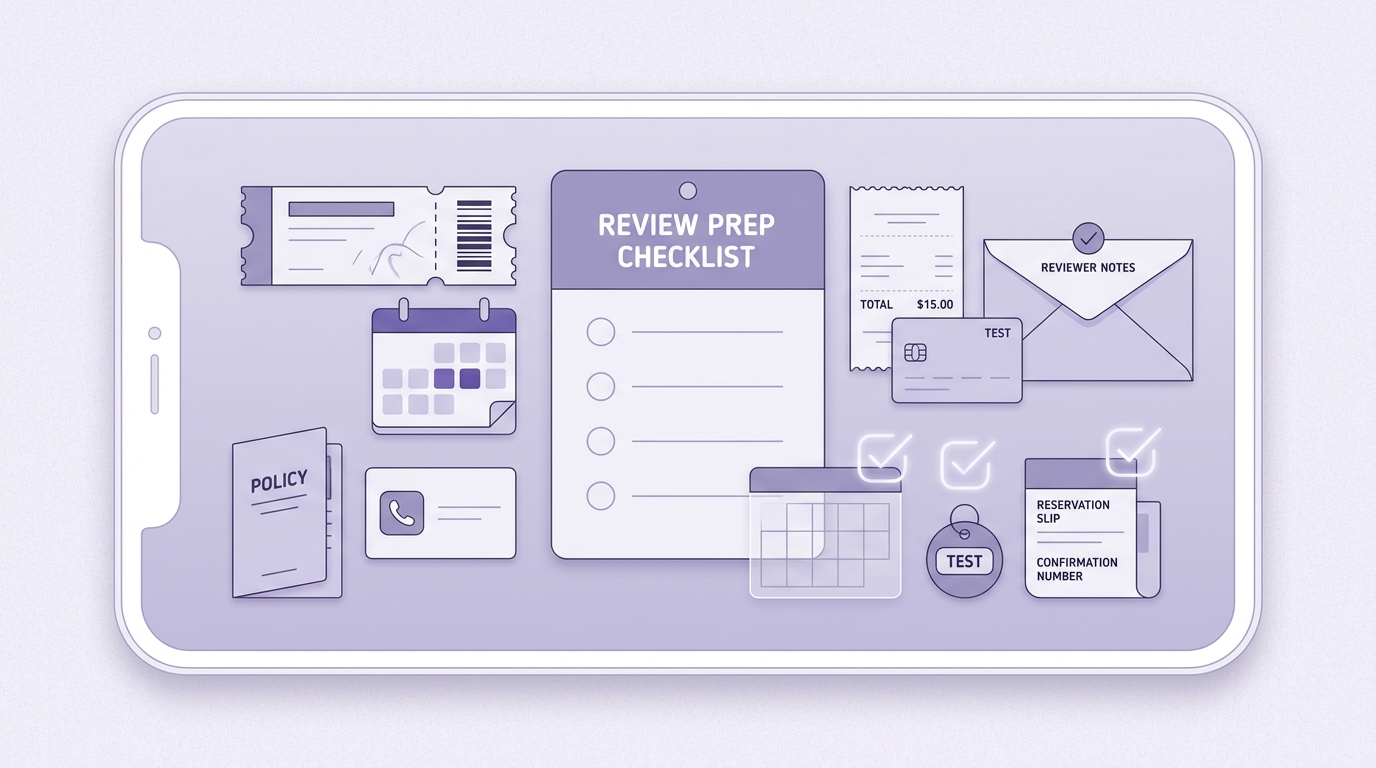
A mobile-friendly pre-submit checklist for booking apps covering demo account access, seeded availability, payment behavior, policy links, support contact, and confirmation receipt verification before App Store submission.
Pre-submit rejection traps (booking apps): availability that does not match real inventory, unclear total price and policies, and flows reviewers cannot complete. These map directly to Apple’s focus on functional completeness, transparency, and testability in the App Review Guidelines.
A common way to stall review is to show bookable slots that fail at checkout, disappear after selection, or time out with no recovery. Reviewers may try a couple of dates quickly, and inconsistent behavior reads as "not functioning."
Also watch transparency: fees, cancellation and refund rules, and booking cutoffs should be visible before payment. If any piece is intentionally limited (by region, hours, or account type), say so in the notes so it does not look like a bug.
Validation checklist (budget 30-60 minutes per release for this regression, more if you changed payments or inventory):
- Run one full booking on a real device: install - browse - select slot - pay (or reach your documented sandbox/waived payment step) - see in-app confirmation - see booking in history.
- Repeat on a clean install and a fresh account (no cached sessions).
- Verify Support, Terms, and cancellation details are reachable inside the app and match what the user sees at checkout.
- Check basic reliability signals:
- Crash monitoring: review the last 24-48 hours in Sentry or Firebase Crashlytics and investigate any new spike before you ship.
- API reachability: hit a simple health endpoint (for example,
GET /healthreturning200 OK) from outside your office network to catch DNS, TLS, or geo routing issues.
For tradeoffs, checklists, and edge cases, What the App Store Review Team Actually Tests rounds out this section.
Which checks should you repeat after submission and after approval?
Package the review-ready booking path into one handoff sheet
Include credentials, seeded listing ID, and the 6-step happy path so anyone can respond fast
Download the handoff sheet template
Post-submission follow-ups that keep review moving
- Monitor App Store Connect messages at least twice daily while in review. Response time helps, but there is still reviewer queue time you cannot control.
- Keep reviewer credentials and demo inventory fresh. Assign an owner (often PM plus an on-call engineer for edge cases) to rotate passwords, refresh slots, and confirm the seeded listing is still bookable. Plan 10-20 minutes per day while actively in review.
- Watch dependencies that fail under review conditions:
- Payments: sandbox vs production differences, 3DS prompts, region-specific acquirer behavior
- OTP: carrier filtering, rate limits, blocked short codes
- Geo and device variance: storefront, locale, and iOS version differences
- When something is flaky, reply with what you changed and how you re-tested. Avoid claiming it is fixed unless you can reproduce the reviewer path on a clean device and network.
After approval, preserve the same reviewer-ready path for the next release. Small changes to login, pricing display, or inventory rules are common sources of repeat delays, and the burden is real if nobody owns it.
Keep one reviewer-ready booking path alive for every release
Turn it into a recurring checklist item with an owner and a 30-minute regression slot
Add it to your release checklist
How to Write an App Description Reviewers Understand in 10 Seconds reframes the same problem with a slightly different lens - useful before you finalize.