App Store and Google Play subscription rejections are usually not mysterious policy gotchas. They tend to come from a couple of predictable product and engineering decisions: what your paywall makes visible at the moment of purchase, and whether a reviewer can reliably restore access after reinstall or device change. The goal here is to help you spot the repeatable patterns behind these rejections, then fix them in a way that survives real review conditions (sandbox accounts, flaky network, and reviewer variability) with fewer resubmits and fewer "I paid but got locked out" tickets.
| Recurring trigger | What the reviewer does | What fails in the app | Business impact if shipped |
|---|---|---|---|
| Paywall clarity failure | Opens paywall and looks for price, duration, trial length, and auto-renew terms before tapping subscribe | Terms are hidden behind secondary links, tiny text, or only appear after a purchase attempt | Higher rejection risk and higher refund pressure because users feel surprised |
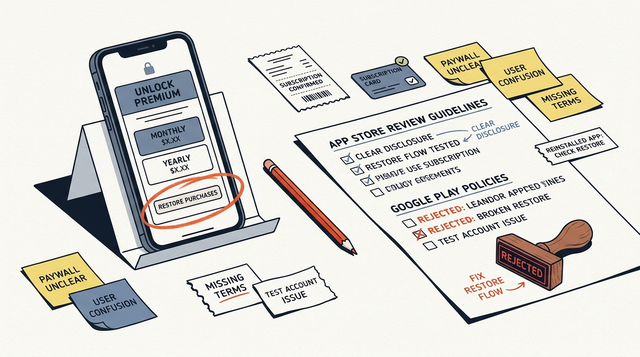
| Restore purchases failure | Installs, subscribes in sandbox, reinstalls, then taps Restore Purchases | Restore button is missing, does nothing, or does not rehydrate the correct entitlement | More support load and churn when users switch devices or reinstall and get stuck |
Explanation (what this is based on): This is a directional synthesis from common reviewer behavior (what they can test in minutes) plus recurring failure modes seen in submission notes, support tickets, and public app review writeups. Exact outcomes vary by app category, setup, and reviewer.
Interpretation (what to change first): Start with what a reviewer can verify quickly: paywall disclosure on the primary screen, then a deterministic restore loop that visibly unlocks the entitlement.
Reader impact (why you should care): These fixes often reduce resubmission cycles (typically days, sometimes longer depending on queue and follow-up) and cut avoidable "restore did nothing" tickets after launch. The tradeoff is that clearer terms can reduce impulse conversions, but it usually improves trust and reduces refunds. As a concrete target, many teams aim for time-to-entitlement under ~5 seconds after tapping Restore Purchases on a normal connection (not a guarantee, just a useful bar).
In-App Purchases and Subscriptions: The Complete Publishing Guide goes deeper on the ideas above and adds concrete next steps.
Why do subscription apps get rejected for paywall and restore purchases issues?
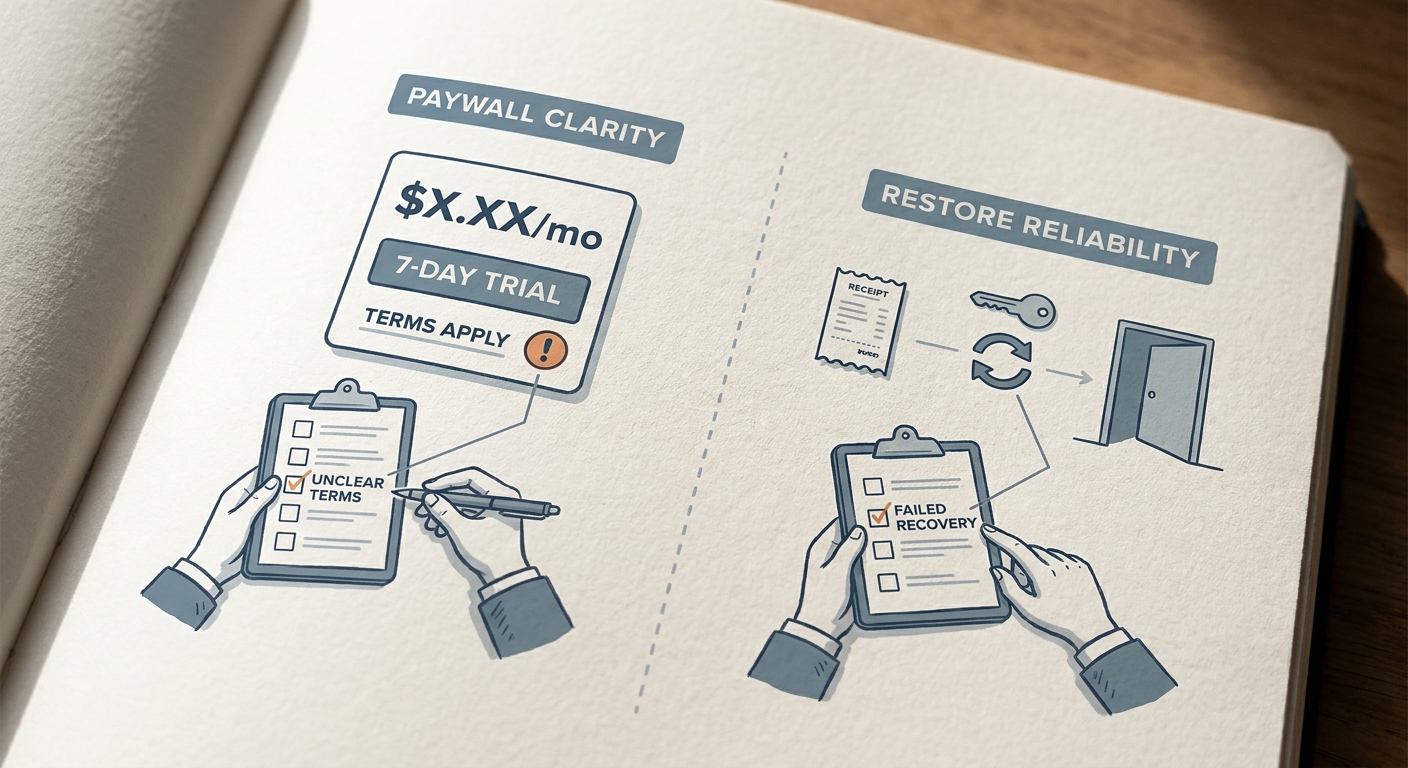
A compact proof callout showing the two recurring rejection triggers side by side: paywall clarity failures and restore purchases failures, each mapped to the reviewer action that exposes the problem.
Most subscription rejections are not the stores objecting to recurring billing. They are reviewers failing to complete a clean, testable path: see price and terms, start a purchase, and later recover access via restore. Apple and Google treat pricing transparency and recovery paths as user protection requirements, not optional UX polish.
Here is the thing: conversion-optimized paywalls often become hard to review. Pricing is tucked behind a link, trial terms are vague, or restore exists but is buried. That can read as evasive in review even when it was just a design decision.
One thing worth noting: even if you "fix the UI," approval can still fail if entitlement recovery is unreliable. Reviewers do not debug your backend; they just conclude the experience is broken.
What reviewers actually try when they test the app
They look for price and terms before purchase
- Subscription name, duration, price, trial length (if any), and auto-renewal terms should be visible on the paywall itself, not only in a separate terms page.
They test restore purchases like a real user
- They will delete and reinstall, switch devices, or sign in and out. They expect Restore Purchases to work without special instructions.
They verify entitlement recovery without support
- If your app uses accounts, they check that sign-in rehydrates access and does not trap users in a paywall loop.
When you move from outline to execution, How Subscription Apps Get Rejected - and How to Prevent It helps close common gaps teams hit here.
How do you fix paywall and restore purchases problems before resubmitting?
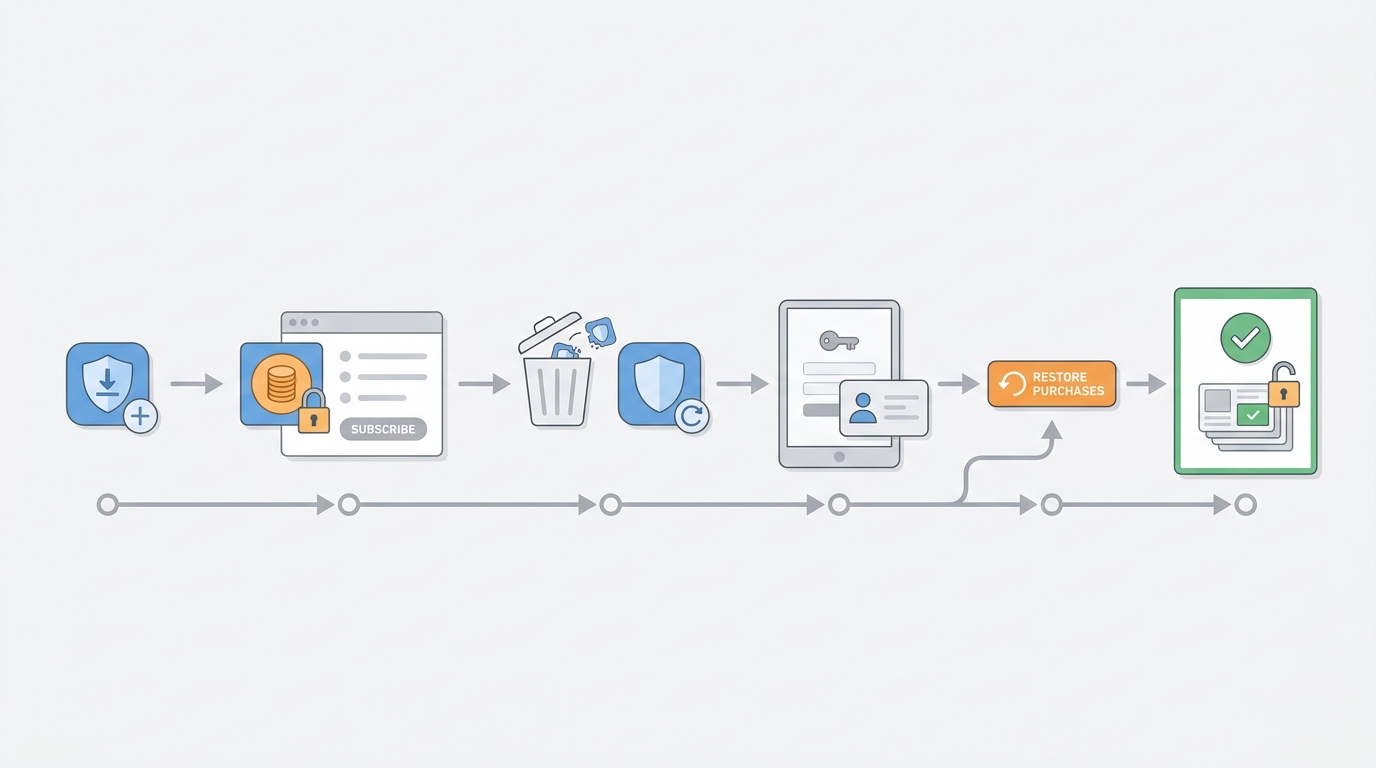
A simple process diagram showing the restore purchases test loop: install app, subscribe in sandbox, delete and reinstall, sign in on a second device, tap restore purchases, confirm entitlement restored.
Use this as one focused pass you can complete in 1-2 work sessions, then retest. If your subscription setup touches backend validation, expect longer lead time because you may need to deploy server changes and wait for logs to confirm behavior.
Make the paywall readable, explicit, and testable
Put the exact price, billing cadence (monthly or annual), trial length (if any), and what happens after the trial on the primary paywall screen before the user taps subscribe. Budget a few hours for copy, layout, and localization spot checks, plus time to confirm the text matches your configured store products.
Also state auto-renewal and cancellation in plain English (auto-renews unless canceled, and where to manage it). The tradeoff is real: clearer disclosure can lower short-term conversion, but it usually reduces refunds, chargebacks, and angry reviews.
Verify restore purchases across real recovery paths (and time it)
Run the reviewer loop on real devices: purchase in sandbox, delete the app, reinstall, then tap Restore Purchases. Track time-to-entitlement from tapping restore to seeing access unlocked, and show a clear loading state plus a definitive success or failure message.
Expect 30-60 minutes per platform for a clean run, and longer if you have multiple tiers, regions, or account states. If your model depends on account linking, restore now depends on login uptime and backend mapping. That dependency can be a review risk if test accounts expire, emails are blocked, or entitlement propagation is delayed.
Make review predictable with notes, test data, and guardrails
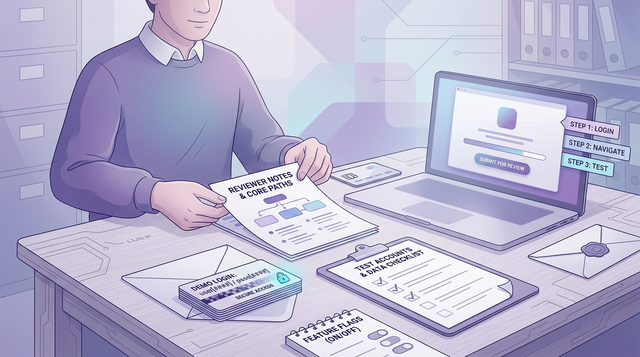
In review notes, include login details (if required), where to find the paywall, and which product to buy in sandbox. This usually takes 15-30 minutes to write well and can save days of back-and-forth.
Tell reviewers where Restore Purchases lives (paywall footer, settings, account screen), and describe what they should see after restoring (badge, unlocked screen, account status). If your entitlement update can take time due to backend processing, give a realistic wait time, but treat that as a bug to fix, not a permanent workaround.
Planned visual: process diagram of the restore purchases test loop (sandbox purchase -> reinstall -> second device -> restore -> entitlement confirmed).
Standardize a pre-review checklist
Turn paywall + restore into a repeatable QA gate you can run in 30-60 minutes per release, not a panic fix after a rejection.
standardize-review-qa
A complementary angle worth comparing lives in Subscriptions That Pass Review: Trials, Restore, Pricing.
How do you diagnose UI vs entitlement restore failures?
A lot of teams "fix restore" by adding a button, then get rejected again because entitlement never rehydrates. The fastest way to avoid that loop is to map each failure mode to a signal you can observe.
| Failure mode | What you can observe (log or metric) | Likely fix |
|---|---|---|
| Paywall loads but products are empty | Product fetch returns 0 SKUs or times out; paywall shows spinner or placeholders | Verify product IDs, store configuration, and network error handling; ensure the submission build points at the correct environment |
| Purchase succeeds but entitlement never unlocks | Store reports success, but your entitlement state stays false for the user | Fix receipt validation and server mapping; force a client refresh after purchase; avoid trusting stale cached entitlement |
| Restore call completes but nothing changes | Restore API returns success, but UI stays locked or paywall remains | Trigger a deterministic entitlement re-check after restore; show a success or "no purchases found" state, not silence |
| Wrong tier unlocks after restore | Entitlement resolves to an old plan or different product | Normalize product-to-entitlement mapping; handle upgrades and downgrades; test multiple tiers in sandbox |
| Works on WiFi, fails on flaky network | Restore or product fetch fails under latency; user gets stuck | Add retries with backoff, timeouts, and clear error states; allow manual retry without reinstalling |
Practical tooling options (pick what fits your stack):
- iOS: StoreKit Test (Xcode) for local purchase scenarios, plus sandbox Apple ID testing on device.
- Android: Google Play test accounts and license testers.
- Cross-platform subscription tooling: RevenueCat (or similar) can speed up paywalls and entitlement plumbing, but it adds a dependency. Misconfiguration, webhook delivery issues, or auth outages can produce the same reviewer outcome, just in a different place.
For tradeoffs, checklists, and edge cases, Google Play vs App Store Approval Process - What's Different in 2026 rounds out this section.
The mistakes that keep subscription apps rejected even after a fix
A Restore button that exists, but does not change access
- Reviewers care about the visible result. If restore triggers a call but entitlements do not unlock, it is effectively broken.
Price details placed in a secondary surface the reviewer can miss
- If the primary paywall screen does not clearly show price, billing period, and trial terms, you are betting approval on a reviewer finding optional UI.
Inconsistent subscription copy across surfaces
- If marketing copy says "Cancel anytime" but the paywall is vague, or in-app product names do not match the store display name, it can be interpreted as misleading.
Review flows that depend on remote config, geo, or timing
- Experiments and rollout flags can create "it works on our devices" situations. A deterministic review mode (or safe default paywall) helps, but it reduces experimentation flexibility for that build.
How to Set Up In-App Purchases on iOS the Right Way reframes the same problem with a slightly different lens - useful before you finalize.
A practical release checklist for the next submission cycle
Use this as a 30-60 minute pre-submission pass (longer if you have multiple paywalls, regions, tiers, or account flows):
- Run a full pass using App Store and Google Play sandbox tester accounts (real devices, not only simulators).
- Confirm price, billing period, trial language, and auto-renew statement directly on the paywall.
- Test restore purchases from three states: fresh install, reinstall, and second device or account switch.
- Verify products fetch reliably (no empty paywall, no infinite spinner).
- Record a short screen capture of a successful restore (useful for internal debugging and reviewer notes).
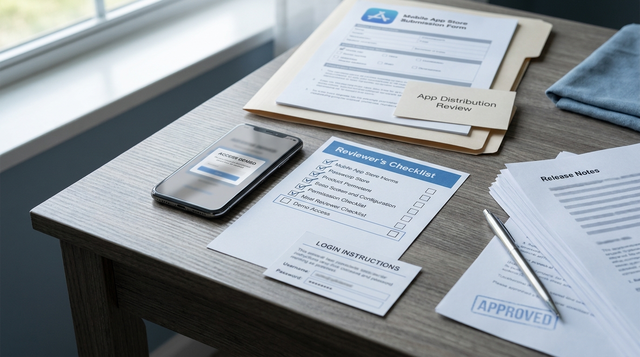
- Add reviewer notes that point to the exact restore path and the expected entitlement result.
| Pre-submission checklist block | Done |
|---|---|
| Price visible on paywall | ☐ |
| Restore purchases tested end-to-end | ☐ |
| Reviewer notes added | ☐ |
| Sandbox credentials verified | ☐ |
| Entitlement confirmed after reinstall | ☐ |
Final position: a clearer subscription system beats a clever paywall
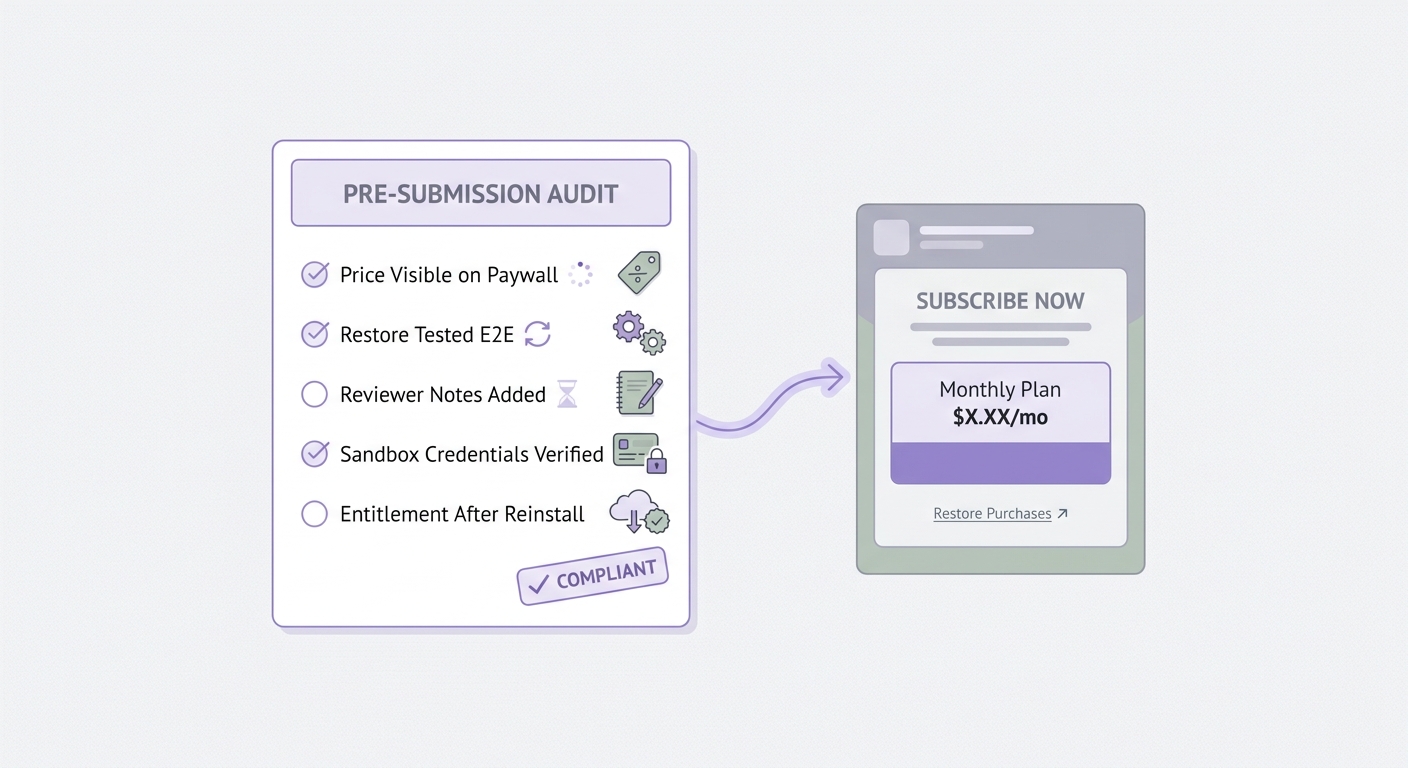
A pre-submission checklist block focused on subscription apps: price visible on paywall, restore purchases tested, reviewer notes added, sandbox credentials verified, and entitlement confirmed on reinstall.
The issue is usually not "subscriptions are disallowed." It is unclear or unreliable subscription mechanics under scrutiny. Aim for a paywall that a reviewer can understand in seconds and a restore flow that works in realistic conditions, including slow networks and account edge cases.
What this means in practice: build for clarity first, then optimize conversion without hiding the transaction. You may give up some short-term conversion tactics, but you tend to gain trust, fewer refunds, and fewer release delays. The constraint is that these fixes often touch product, design, client, and backend at once, so plan at least a couple of focused work sessions plus a full retest pass before resubmitting.
Want a second set of eyes before you resubmit?
Share your paywall screenshots and your restore test results (time-to-entitlement, restore success rate) and I will help you spot the most likely reviewer failure points.
request-a-review