
You are ready to ship, but your app has no public content yet and you are worried Apple will reject it as empty or unfinished. Apple is not grading your roadmap; they are grading what a reviewer can do in the first 1 to 3 minutes on their device, in their region, on a clean install. This guide helps you make a content-light app clearly usable at review time without pretending your public catalog is already live.
| Readiness signal (reviewer perspective) | Usually acceptable at review time | High-risk at review time |
|---|---|---|
| First run experience | Guided empty state with clear actions | Blank home screen or dead tab |
| Proof of value | Usable onboarding plus sample or demo flow | "Coming soon" as the main screen |
| End to end flow | Limited catalog, but a task completes | Broken links, placeholders, or loops |
- Explanation: Reviewers look for a complete, testable path, not a large catalog.
- Interpretation: "Content-light" can pass if one workflow works; "experience-empty" often triggers Guideline 2.1 (completeness) questions (App Store Review Guidelines).
- Impact for you: A small demo path plus clear notes can save a review cycle, but outcomes still vary by reviewer, category, region, and backend reliability during the review window.
How App Store Review Actually Works - A Step-by-Step Breakdown goes deeper on the ideas above and adds concrete next steps.
Why does Apple flag empty apps before review?
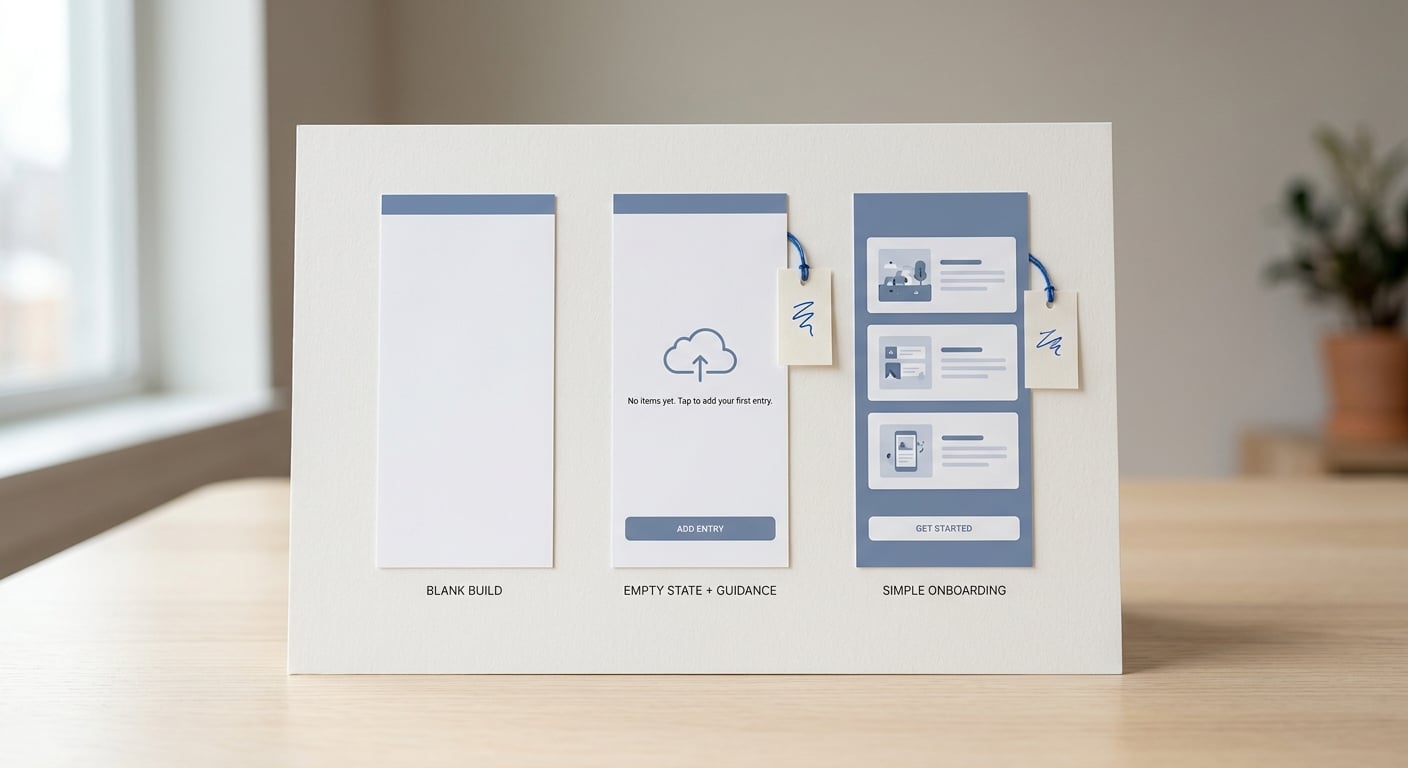
A compact proof card comparing a blank first screen, an empty-state screen with guidance, and a fully usable onboarding flow for an app awaiting public content, with a note that Apple is more likely to approve the second or third state.
If your app depends on content that is not public yet, you are in a common rejection zone: social apps waiting for posts, marketplaces with empty inventory, directories with no listings, and media apps with nothing to play. To a reviewer, an empty feed can look identical to an unfinished build.
Apple expects submissions to be complete and not dominated by placeholders or "coming soon" experiences (App Store Review Guidelines). You do not need scale on day one, but the reviewer does need to complete at least one core flow right now.
The practical cost of missing the bar is mostly time. A rejection can add several days to a couple weeks depending on queue timing, how quickly you can reproduce the issue, and whether you need another build.
When you move from outline to execution, How to Fix App Store Guideline 4.2 Minimum Functionality Rejection helps close common gaps teams hit here.
How can you make a content-light app reviewable?
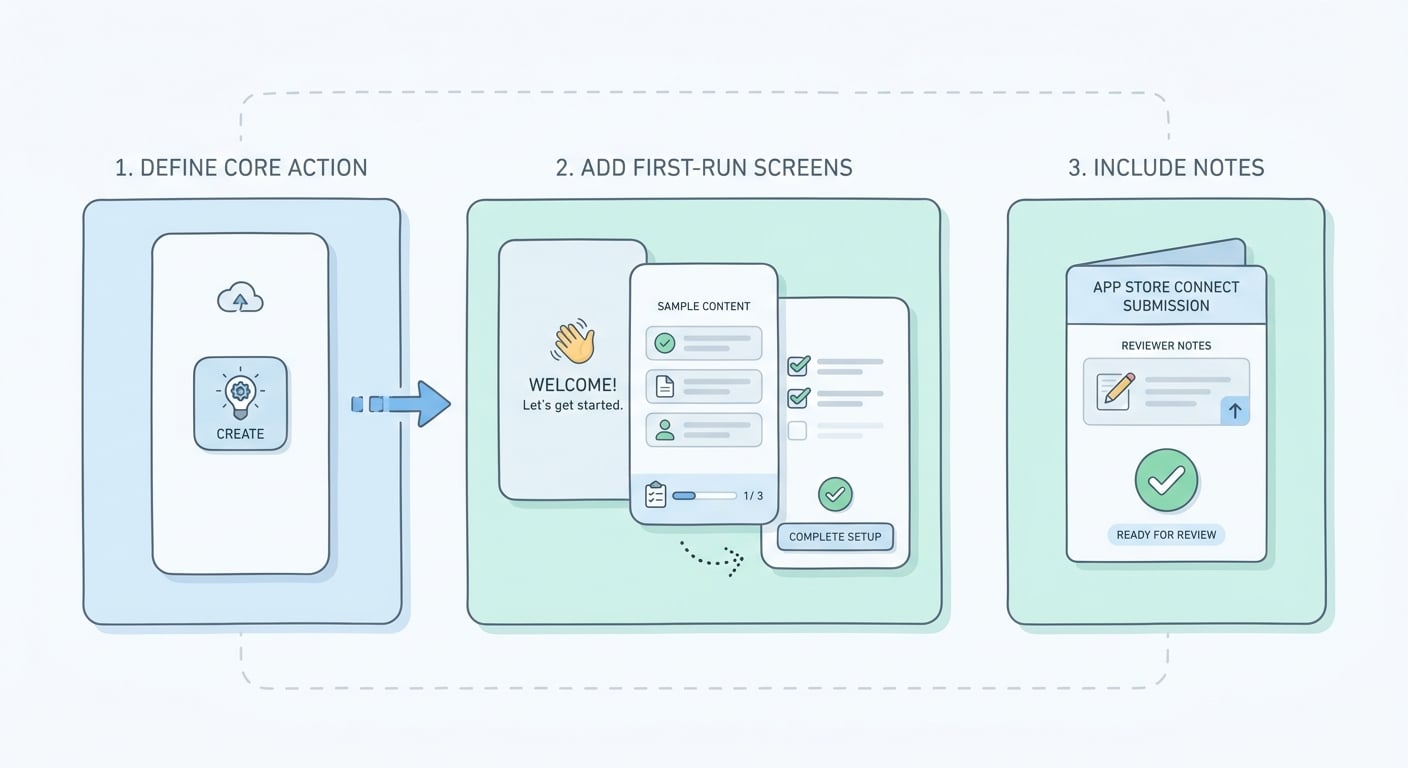
A simple three-step flow showing how to turn a content-light app into a reviewable submission: define the core action, add non-empty first-run screens, and include reviewer notes in App Store Connect.
Treat the reviewer like a first-time user with only a few minutes and zero context.
Define one reviewer-completable core action
Pick one task that proves the app is useful without public content: create a draft, generate a report, save a project, complete a practice session, or set up a private workspace. Expect 30 to 60 minutes of product thinking, plus 15 to 30 minutes to write the exact taps and edge cases.
Build a non-empty first-run experience (without misleading users)
Replace blank walls with guided empty states and labeled sample content, or a "Demo mode" workspace. Plan 2 to 6 hours to seed believable data and test fresh installs, then budget 15 to 30 minutes per release to ensure the demo still works as schemas, flags, and onboarding change.
Tradeoff: seeded content can confuse real users if it looks like their own data. Label it "Sample" or "Demo," keep it separate from real accounts, and offer a one-tap way to clear it.
Submit with reviewer notes that reduce guesswork
In App Store Connect, tell reviewers exactly what to test and how to access it: test credentials, region constraints, any invite codes, and which features are not part of the review path yet. This cannot guarantee approval, but it prevents avoidable failures like "could not log in" or "no content available."
Practical example: a simple "Demo mode" flow reviewers can finish
Use something like this when your real value depends on future user-generated content or a private catalog.
| Step | What the reviewer does | What they should see |
|---|---|---|
| 1. Launch | Tap "Try Demo Mode" | A demo workspace loads without signup |
| 2. Explore | Open "Sample Project" | 3 to 5 realistic sample items, all labeled "Sample" |
| 3. Do the core action | Tap "Create" or "Run" | A success state: saved draft, generated output, or completed task |
| 4. Exit | Tap "Create account" (optional) | Normal signup flow, not required to validate the demo |
Failure modes during review (plan for them):
- Backend down or rate-limited, especially if reviewers hit shared test accounts at the same time
- Regional blocks (content, payments, or third-party APIs not available in the reviewer region)
- Email or SMS verification delays that make login look broken on a clean device
Practical takeaway: if you can make the demo path resilient (cached sample content, offline stub, or a graceful fallback action), you reduce risk. If you cannot, call it out in reviewer notes and keep the review path short.
Execution checklist (10 to 20 minutes on a clean device): core job defined, first run is interactive, sample content labeled, empty states have a working action, reviewer notes include steps plus credentials, and the flow works on a fresh install (not just on your dev phone).
Next step: reviewer notes template
Copy this into App Store Connect and adjust it to your build.
reviewer notes template
A complementary angle worth comparing lives in Why Mobile Apps Don’t Go Live on Time.
What are the common rejection triggers when public content is not live?
Placeholder screens that look like broken product states
Reviewers may flag blank feeds, dead tabs, lorem ipsum, test banners, or "coming soon" copy with no path forward as incompleteness (Guideline 2.1) or beta-like content (often discussed under 2.3.2) (Apple, Baseterms). In practice, the fix is usually not "add lots of content," but "make one real workflow succeed on first run."
Access problems that prevent Apple from seeing value
- Missing demo account, expired password, or 2FA that blocks the reviewer
- Invite-only, region-locked, or entitlement-gated features without a review path
- Login works for you but fails on a clean device due to email verification delays, CAPTCHA, or backend rate limits
Operational note: any access failure can cost you a full review cycle, and the timing is not fully in your control. If you rely on verification email or SMS, prefer a reviewer-safe path (demo mode, or a pre-verified test account) and document it.
For tradeoffs, checklists, and edge cases, How to Fix App Store Guideline 5.1.2 Data Use and Sharing Rejection rounds out this section.
Final submission checklist and what to do if Apple still says no
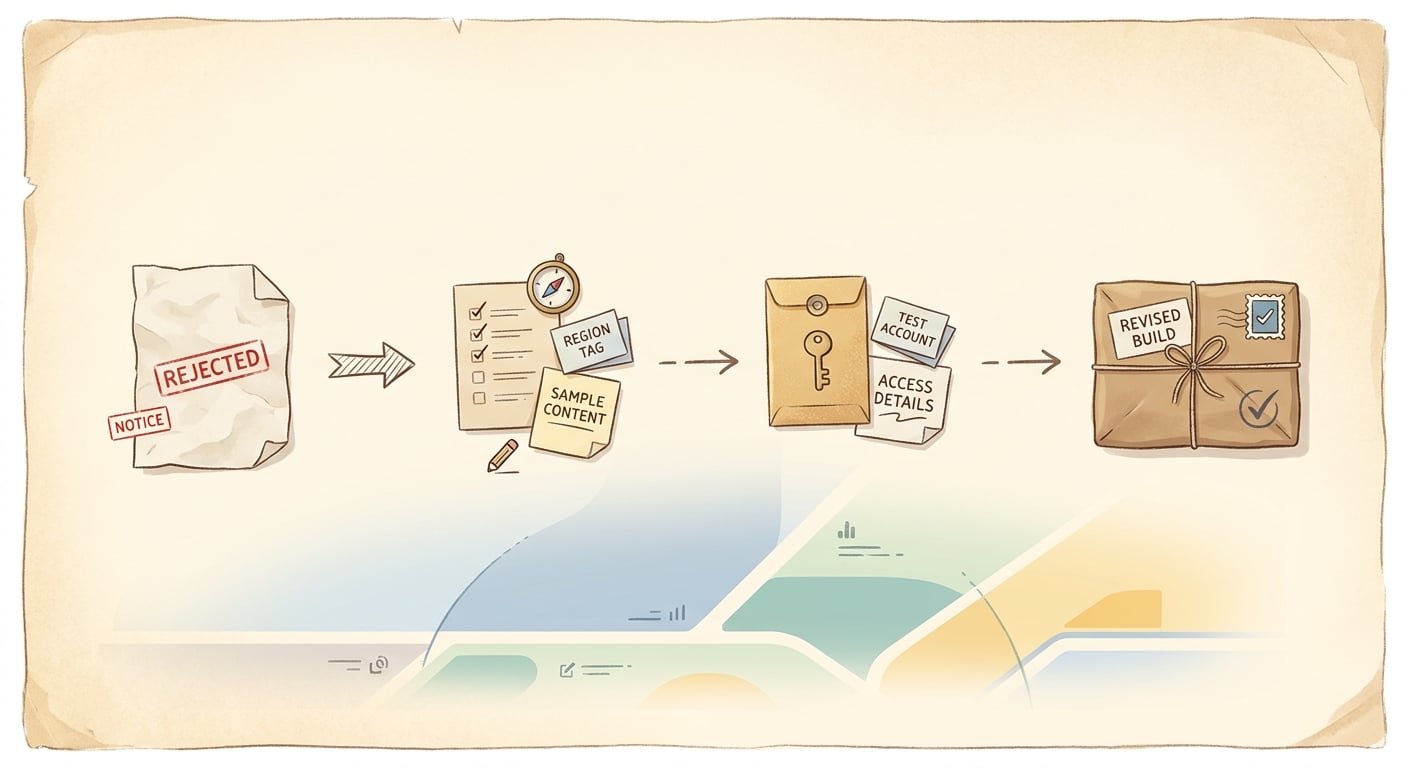
A short timeline from rejection notice to revised build, showing the fastest path to fix missing content issues, update access details, and resubmit to App Store Review.
Pre-flight checks before you hit Submit for Review
- App launches into a useful state: no blank home, dead tabs, or loops to "coming soon" (Guideline 2.1) (App Review Guidelines - Apple Developer)
- Reviewer notes match the build: exact test account, region settings, and any gating steps (invite code, entitlements, 2FA handling)
- Sample content is labeled, and your metadata does not promise public content you cannot show yet (Guideline 2.3) (App Review Guidelines - Apple Developer)
Effort note: budget 45 to 90 minutes to run this on a true clean install (or a reset simulator), plus fix time. Most teams spend a few hours the first time they add demo data and tighten gating, then less on later releases.
If Apple rejects the app for incompleteness
- Map the rejection text ("placeholder," "beta," "unfinished," "no content") to the exact screen in your build (Guideline 2.3.2 beta-like rejections)
- Fix by adding a reviewable demo path or narrowing scope to the workflow that already works (onboarding plus one core action)
- Resubmit with clearer notes and access steps, and retest on a clean device before you upload a new build (Common rejection reasons)
Reality check: even with a good fix, approval is not guaranteed. Reviewers can still hit real-world failures (downtime, expired credentials, moderation queues, regional blocks), so keep the review path robust and short.
Resubmit plan (keep it simple)
Make one meaningful task work end to end on first run, then resubmit with exact reviewer steps.
submission checklist
How a Founder Fixed an App Store Rejection in 4 Hours reframes the same problem with a slightly different lens - useful before you finalize.


