If you have ever downloaded an education app that looked promising but fizzled after a week, the problem is usually not your motivation. It is usually fit: your goal, your class level, and what you can realistically do on a Tuesday night. This ranked roundup compares five education apps that matter in 2026, including who each one is best for, what it does well, and the constraints to know before you build a routine around it.
7 Breakout Android Apps Making Waves in June 2026 goes deeper on the ideas above and adds concrete next steps.
Why These Education Apps Matter in 2026
| Metric or signal (with source) | What it indicates (no over-claiming) | How to use it when choosing |
|---|---|---|
| AI learning apps reportedly reached 142 million users in 2024, up 27% (source) | On-demand explanations and extra practice loops are becoming normal. This is a demand signal, not proof of better learning outcomes. | Prefer apps that reduce friction for practice, and treat AI output as draft help you still verify against your syllabus, rubric, or textbook. |
| Duolingo appears among top iOS education downloads for 2024 (source) | Habit-first design wins attention. Download rank shows popularity, not efficacy. | If consistency is your bottleneck, start with something you can open 4 days/week before chasing the deepest feature set. |
| Proof block notes | |
|---|---|
| Explanation: | These signals show where attention is going (fast practice loops and AI assistance), not which app is objectively best for you. |
| Interpretation: | Most results still come from consistent reps, and consistency depends on schedule, device fit, and whether the content matches your course level. |
| Reader impact: | Pick one primary app you will use for 10-15 minutes most days, then add a second app only if it has a clear job in your workflow. |
When you move from outline to execution, Best Video Streaming Solutions for EdTech Apps helps close common gaps teams hit here.
How We Chose the Top 5 Education Apps in 2026
What got an app onto the 2026 shortlist
- Works well on phones first and is easy to start on iOS and Android.
- Produces repeatable practice (quizzes, spaced repetition, tutoring-style feedback, or structured lessons).
- Low setup friction: you should be learning within minutes, not building a system for an hour.
- Uses AI where it improves practice or feedback, not as a gimmick.
- Not overly narrow, dated, or dependent on a single curriculum edge case.
How we ranked fit over raw features
- The order is editorial based on day-to-day usefulness (homework, language practice, exam prep), not a third-party score.
- Broad utility ranks above niche depth unless the niche creates reliable weekly value.
- We call out real constraints: teacher rubric mismatch, parent setup time, notification fatigue, and device storage or offline access.
A complementary angle worth comparing lives in Top 5 AI Assistant Apps in 2026.
Top Picks at a Glance: The Best Education Apps to Compare First
Fast comparison of the five best-fit apps
| App | Best for | Standout strength | Practical limitation |
|---|---|---|---|
| Quizlet | Students and parents | Fast flashcards plus ready-made study sets (source) | Set quality varies; plan time to vet or edit |
| Anki | Exam prep, long-term recall | Spaced repetition for durable memorization (source) | Ongoing review load can snowball if you skip days |
| Duolingo | Language learners | Short lessons that make daily practice doable (download popularity only) (source) | Can plateau without real speaking and writing practice |
| Khan Academy Kids | Ages 2-8 | Calm, kid-safe foundations with guided paths (source) | Not built for older students or test prep |
| GoodNotes | Note-takers | Strong capture and organization for class notes (source) | Best experience often depends on tablet + stylus |
What the comparison means in practice
If you want the quickest homework support, Quizlet usually gets you to a usable set fast, but you will spend a bit of time checking accuracy and alignment. If you need durable recall for an exam, Anki is hard to beat, but you are signing up for near-daily reviews and occasional deck cleanup.
A practical combo for many students is GoodNotes (capture) plus Anki (retain), assuming you can spend 20-40 minutes once or twice a week turning notes into cards. If that conversion step will not happen, keep it simple and stay inside one app.
Get a 7-day study plan that fits your schedule
Tell me your goal (exam, language, homework, or early learning) and the devices you have, and I will suggest a realistic 15 minute/day workflow and what to track.
Build my plan
For tradeoffs, checklists, and edge cases, New Health and Wellness Apps Released in May 2026 rounds out this section.
Ranked Recommendations: The 5 Best Education Apps in 2026
Category: Growth
Statistic: +27% YoY
Label: AI learning app user growth (2024)
Context: Momentum heading into 2026 rankings
Category: Recommendations
Statistic: 5 apps
Label: Shortlist by learning use case
Context: Exam prep, language, flashcards, notes, focus
Category: Trend
Statistic: 142M users
Label: AI learning app users (2024)
Context: Signals fast-growing AI-powered study tools
7 AI Video Editing Apps That Make You Look Pro Instantly reframes the same problem with a slightly different lens - useful before you finalize.
- Quizlet (best all-around for daily study)
Quizlet is the most balanced choice for everyday learning because it supports quick lookups, structured review, and parent-friendly checking without heavy setup. It fits real school weeks where you bounce between vocab, definitions, and short practice sets.
What to plan for: many sets are user-generated, so quality varies (source). Budget 10-20 minutes up front to find a solid set, and expect occasional "set drift" when your class uses different terms than a public deck.
- Anki (best for exam prep and long-term retention)
Anki is the pick for retention because spaced repetition targets what you are forgetting. It is ideal for high-stakes exams, certifications, and courses where recall speed matters.
What to plan for: setup and upkeep are the cost of admission (source). If you add too many new cards, you can trigger a backlog spiral, so start smaller than you think (example: 10 new cards/day for a week) and only scale if reviews stay manageable.
- Duolingo (best for language habit-building)
Duolingo is strongest when your goal is guided practice and routine, especially for beginner to early intermediate learners. The lessons are short, so it fits into breaks and commutes.
Constraints: download rankings reflect popularity, not outcomes (source). Many learners hit a plateau without speaking practice, targeted writing prompts, or feedback from a tutor or language partner.
- Khan Academy Kids (best for early learning ages 2-8)
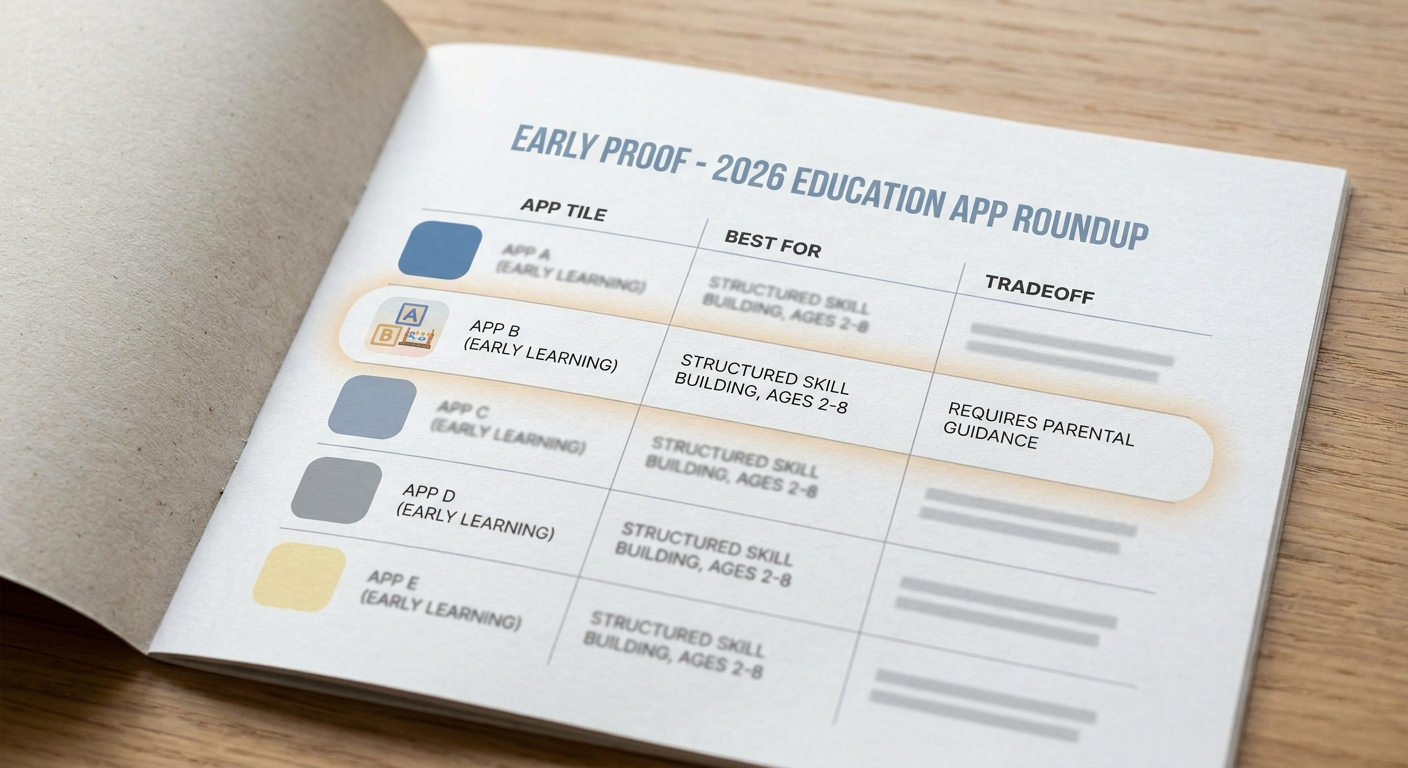
A clean comparison table showing the five education apps, each one’s best-for use case, and one tradeoff so readers can quickly scan the 2026 shortlist.
Khan Academy Kids is structured, calm, and built around foundational skills (source). It tends to work best in 10-15 minute sessions where you want progress without curating content daily.
Operator reality: it is not a babysitter. Expect some parental setup time (profiles, routines, and boundaries), and watch for attention drop-offs if the child needs novelty or physical breaks.
- GoodNotes (best note-taking that supports real studying)
GoodNotes is here because capture matters: if notes are messy or scattered, studying takes longer than it should (source). It is especially useful if you learn by handwriting, drawing diagrams, or annotating PDFs.
Constraint: the best setup is typically tablet + stylus. Phone-only use works in a pinch, but if you are mostly typing, a simpler notes tool can be faster and less finicky.
How to Choose the Right Education App in 2026
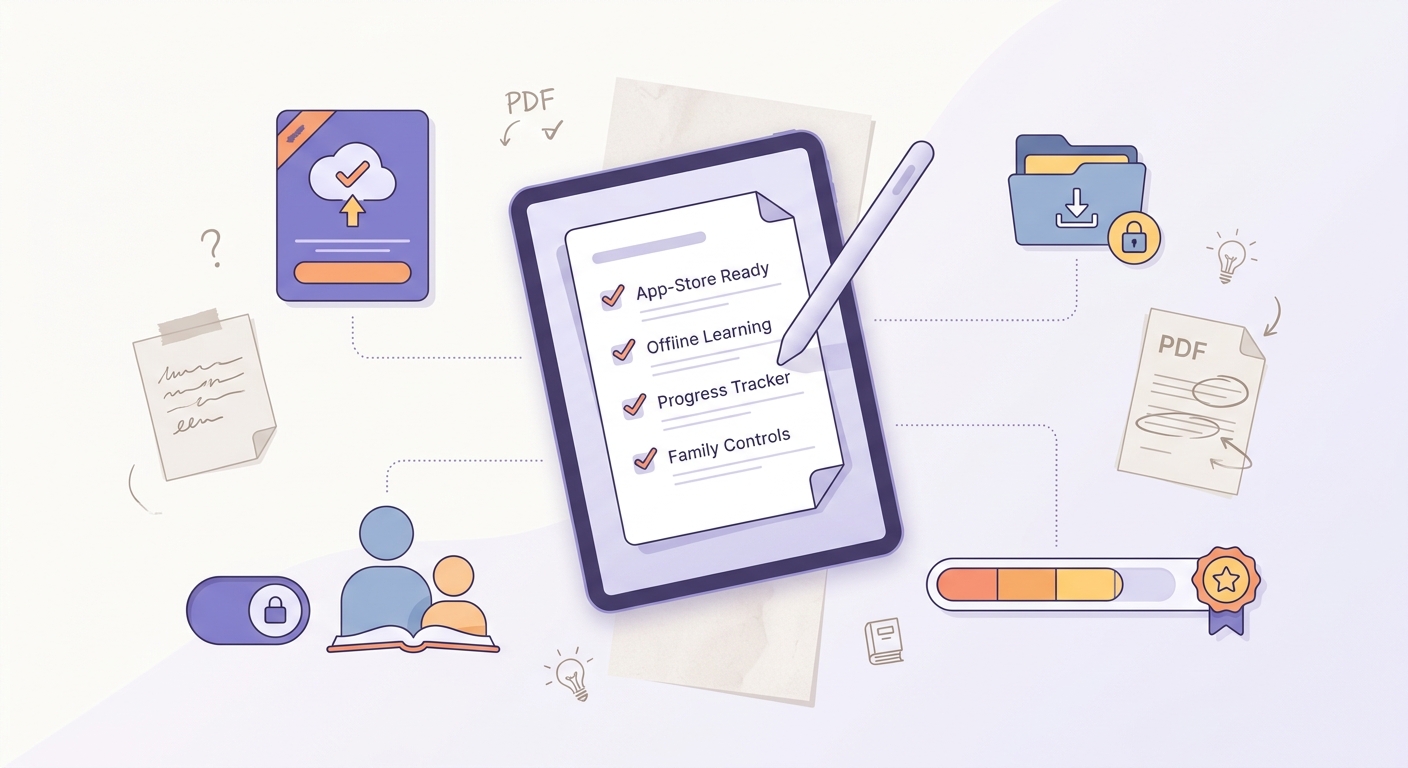
A practical checklist covering app-store compatibility, offline access, progress tracking, and family controls so readers can choose the right education app without second-guessing.
Match the app to the learning job
- Homework help (multiple subjects): Quizlet, but plan to vet sets against your teacher's rubric.
- Exam prep (speed + recall): Anki if you can commit to frequent reviews.
- Language study (daily habit): Duolingo for structure, then add speaking practice when you plateau.
- Parent-guided early learning: Khan Academy Kids for calm structure and safety.
- Class note capture: GoodNotes if you have a tablet and want organized handwritten notes.
A concrete mini-workflow you can actually run (15 minutes/day)
Capture (5 minutes)
After class, write 5 bullets and star the 2 you would miss on a quiz. If you are tired, do only this step and stop.
Convert (7 minutes)
Turn the 2 starred points into 4-6 simple cards (one fact per card) in Anki or Quizlet. The conversion is the hidden work, so keep it small and repeatable.
Test (3 minutes)
Do a quick review. Track one metric weekly: "reviews completed" (Anki) or "sets finished" (Quizlet). A realistic target is 4 days/week, not 7.
Realism check: what can go wrong (and how to avoid it)
- Rubric mismatch: an app can be accurate but still not match how your teacher grades. Compare to recent quizzes and the official syllabus.
- Notifications fatigue: too many reminders becomes background noise. Keep only one app allowed to nag you.
- Parent overhead: for younger kids, the constraint is often adult time, not content quality. Short, consistent sessions beat big weekend binges.
- Device constraints: storage, login friction, and offline access matter more than people admit. If your commute has weak signal, test offline behavior before committing.
See which app combo fits your device and budget
If you share your goal, age range, and whether you are phone-only or have a tablet, I will suggest a two-app stack (max) and what not to bother setting up.
Get my shortlist