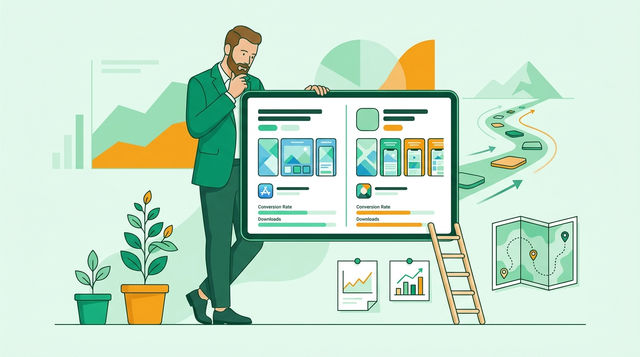
If your app is getting impressions but not installs, your store listing may be acting like a brochure instead of a conversion surface. TikTok treats its App Store page like product UI: it communicates the core job quickly, shows the product in context, and reduces uncertainty before the tap. This guide shows how to borrow the mechanics (not the brand) and turn them into a checklist you can ship in days to a couple weeks, depending on design bandwidth, localization needs, app review queues, and how much traffic you have for testing.
Top 5 Ways to Monetize Your First iOS App goes deeper on the ideas above and adds concrete next steps.
Early proof: a 60-second benchmark you can verify (with your own snapshot)
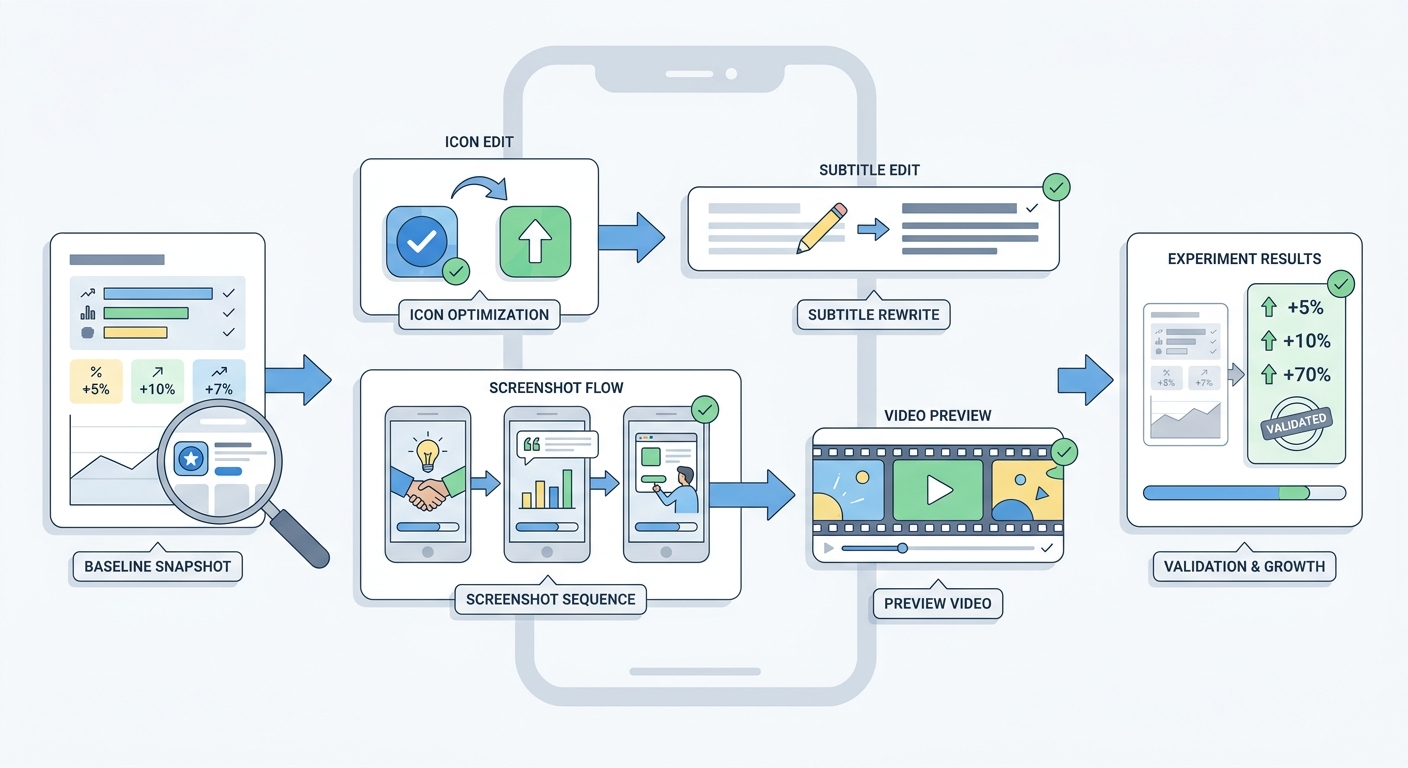
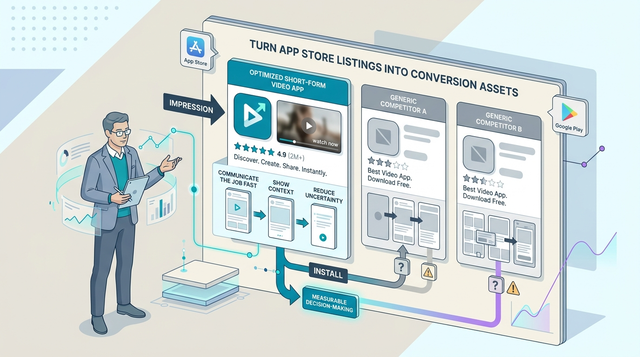
A simple process diagram showing how a founder should move from baseline metrics to icon, subtitle, screenshot, and preview video changes, then validate them in App Store Connect or Google Play experiments.
| Above-the-fold element | TikTok often shows (illustrative benchmark) | Your snapshot (notes or screenshot link) | What to check on your page in 60 seconds |
|---|---|---|---|
| First 3 screenshots | Outcome-led sequence (promise - proof - use case) | Do your first 3 screenshots each communicate one clear user outcome? | |
| First 2 lines of description | Plain-language value, not a feature dump | Do your first 2 lines explain who it is for and what happens after install? | |
| Visual context | UI-in-use, not abstract graphics | Are you showing real screens and real moments, or generic layouts? |
Explanation: This is a directional benchmark, not a claim about TikTok's performance. TikTok's listing assets and ordering can vary by locale, device, OS version, and time, so capture a quick screenshot and a few notes of what you see today as your evidence baseline.
Interpretation: If TikTok feels understandable in one scan and yours requires reading, your constraint is often messaging and hierarchy above the fold, not just traffic volume.
Reader impact: You can usually identify the highest-leverage edits (subtitle clarity, screenshot 1 headline, preview poster frame) in 10-20 minutes. Shipping changes takes longer once you include design, localization, and approvals, and results can stay noisy if traffic is low.
When you move from outline to execution, The Fastest Way to Make Your First $1,000 From an iOS App helps close common gaps teams hit here.
Why does TikTok's App Store page matter for founders?
Category: Risk
Statistic: 29%
Label: Avoidable rejections
Context: Tied to metadata or policy gaps
Category: Timeline
Statistic: 72 hrs
Label: Typical review delay
Context: When issues need a second pass
Category: Speed
Statistic: Motion-led preview
Label: Video-first listing assets
Context: Shows the product experience faster than screenshots
Many teams treat the App Store and Google Play listing as static, then wonder why traffic does not convert. TikTok forces a better question: are you optimizing for brand vibe, or for tap-to-install clarity?
The measurable outcome is higher conversion from visitors you already have. In practice, uplift varies by traffic mix, category norms (games vs B2B utilities), and whether your promise matches onboarding and pricing.
| Signal to benchmark | What to look for | Why it matters |
|---|---|---|
| Recognizable cue | Icon, name, tone consistency | Lowers cognitive load and hesitation |
| Clear outcome | Screenshot 1-3 narrative | Matches intent quickly |
| Context-led proof | UI shown in real use | Builds credibility faster |
A complementary angle worth comparing lives in Best 5 App Analytics Tools for Mobile Founders.
Prerequisites and baseline (before you touch creative)
Pull baseline store metrics
In App Store Connect and Google Play Console, capture product page views and install conversion for the last 28 days. Define conversion consistently as first-time installers / product page views, then pair it with one early quality metric (activation rate or D1 retention) so you do not accidentally optimize for the wrong users. Expect 30-60 minutes if data is clean, longer if you need to reconcile dashboards or analytics definitions.
Document what else may move the numbers
Note current paid spend, major keyword changes, app version releases, featuring, and seasonality. These can swamp creative impact, so write down dates and scope to avoid over-attributing results later.
For tradeoffs, checklists, and edge cases, App Store Privacy Nutrition Labels Explained Simply rounds out this section.
Above-the-fold messaging (make the first 5 seconds count)
Match the first-screen promise to the actual experience
Rewrite the subtitle so a first-time visitor can predict the core job in five seconds. Clarity usually beats completeness; the tradeoff is that you may de-emphasize secondary features that matter to smaller segments.
If you use a preview video, start with a concrete moment (result, transformation, or key action) rather than an intro card. Budget a few hours for copy and first-frame revisions, and 1-3 days if you also need localization updates or legal review.
Audit the first-impression bundle as one unit
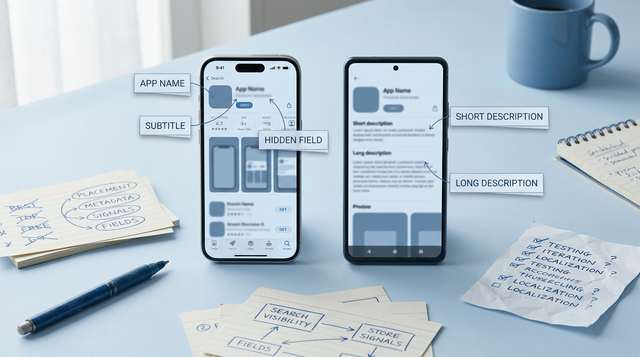
Review icon, app name, subtitle, first two lines of description, first screenshot, and preview poster frame together. These elements reinforce (or contradict) each other, and they typically matter more than screenshot 6.
Want a lightweight ASO worksheet to run this in 60 minutes?
Copy the benchmark template and scoring rubric.
Get the checklist
Rising Finance Apps Every Founder Should Know About reframes the same problem with a slightly different lens - useful before you finalize.
Proof and trust signals (reduce hesitation without overselling)
Show real context first
Prioritize screenshots that show UI in use, not isolated fragments. If you lean into abstract graphics, you may look premium but lose comprehension, especially on smaller devices.
Add proof carefully and keep it legible
Add ratings, awards, or press only if they are specific, current, and readable at mobile size. Weak proof can backfire by signaling marketing over substance, and some claims can trigger additional review scrutiny or require substantiation.
One thing worth noting: conversion can rise while retention drops if you oversell or attract the wrong segment. Track install conversion alongside activation, D1 retention, and refund or uninstall trends (where available) to avoid false wins.
How should founders test and measure app store changes?
Use platform tools so you are not guessing:
- iOS: App Store Connect Product Page Optimization (PPO) for testing different screenshot sets, previews, and icon treatments (where eligible).
- Android: Google Play Console Store Listing Experiments for testing screenshots, short description, icon, and feature graphic.
A practical setup is to test one major change at a time (for example, first 3 screenshots as a set) and keep everything else stable. Expect 1-2 weeks to read directional results with steady traffic; if volume is low, you may need longer windows or larger changes to see a signal.
Decision points:
- If conversion improves but activation falls, tighten promise accuracy and onboarding alignment.
- If nothing moves, check if traffic source mix changed or the test did not reach enough sample size to be informative.
What are the common mistakes when copying TikTok's listing?
- Copying polish without positioning: Great design cannot rescue unclear messaging. If your subtitle could describe five competitors, fix positioning before you redraw assets.
- Treating screenshots as decoration: Mobile users skim. Use an outcome-led sequence (promise - proof - use case) and push edge features later.
- Ignoring platform differences: App Store and Google Play crops and behaviors differ. If you cannot support two full sets, at least adapt the first screenshot and poster frame per platform.
Dependency caveat: if your traffic is low, experiments may not reach confidence and results can remain ambiguous. In that case, use competitor benchmarking, qualitative review, and fewer, higher-conviction iteration cycles.
Execution checklist (what to do this week)
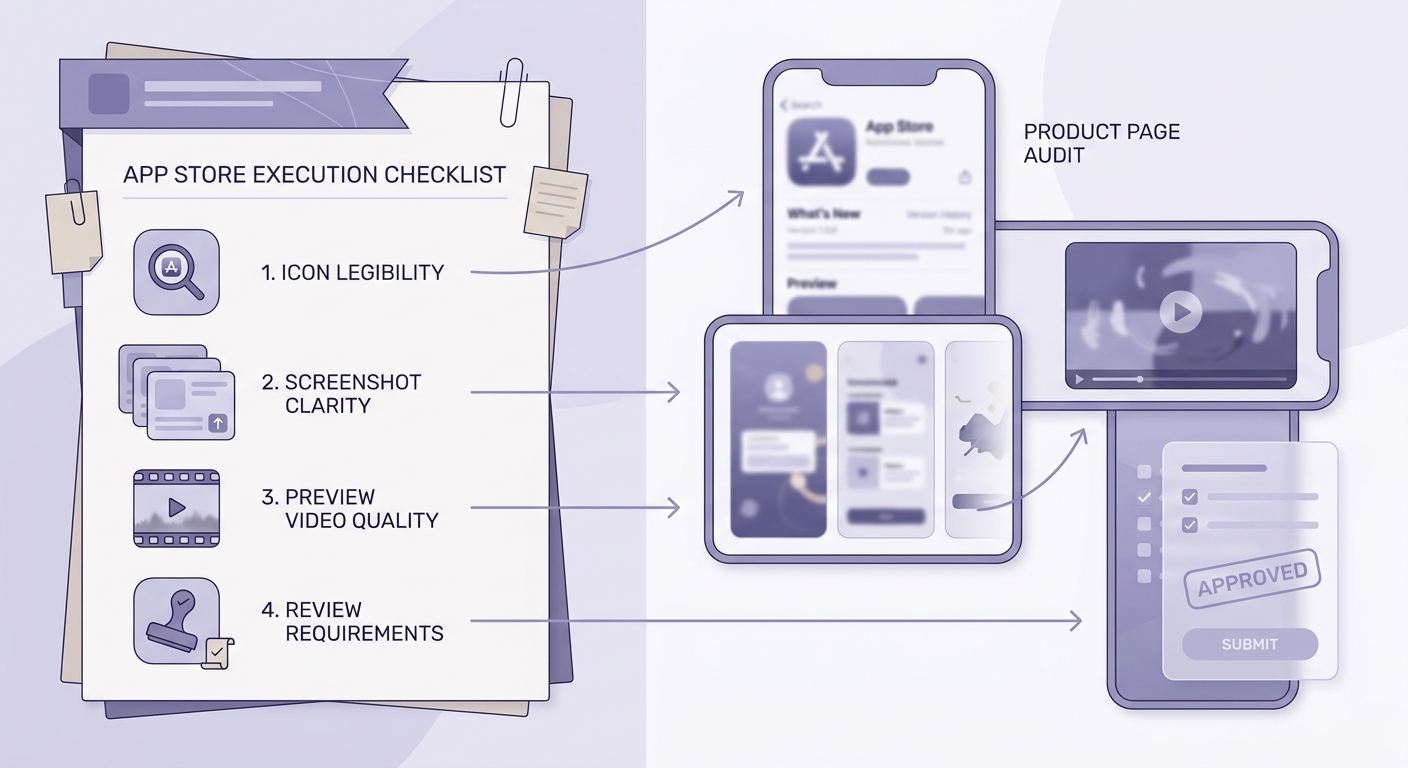
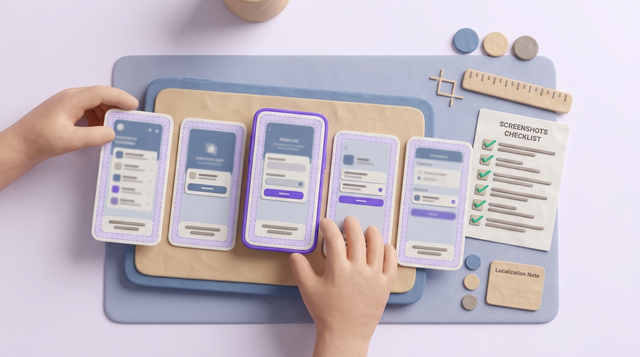
A mobile-friendly checklist block covering icon legibility, screenshot clarity, preview video quality, and platform-specific review steps before publishing listing changes.
Pre-launch asset checks
- Icon stays legible at small sizes (test on 2-3 real devices and in dark mode).
- First three screenshots communicate value fast: outcome first, UI second.
- Preview video (if used) reinforces the core promise and avoids tiny text.
| Check | Pass condition |
|---|---|
| Icon | Clear silhouette at smallest size |
| Top screenshots | One promise, one proof, one use case |
| Video | Starts with outcome in first seconds |
Post-launch metrics to watch
- Product page conversion (first-time installers / product page views), same geo and device mix when possible.
- Source splits (Search, Browse, Paid) so you do not average away the signal.
- Early quality: activation or D1 retention, plus refunds or uninstalls where you can observe them.
When to iterate again
- Use a 1-2 week window before calling a winner, assuming enough traffic and no major marketing swings.
- Change one major asset set at a time so results stay interpretable.
- If tests are inconclusive, pick a clearer hypothesis and accept slower learning cycles.
Want help prioritizing the highest-leverage changes for your listing?
Share your current page, traffic mix, and target audience, and get a practical experiment plan.
Request a review