If you are adding payments to an iOS app, the hard part is not the UI. It is wiring Stripe correctly across the Dashboard, your backend, and the iOS client without getting stuck on keys, environments, or the PaymentIntent flow. This guide walks the setup in the same order you would ship it: test card to successful confirmation in Xcode, then a safer path to production.
| Early proof: minimum working Stripe loop | What it is | Why it matters |
|---|---|---|
| Step 1: Backend creates PaymentIntent | Server calculates amount, creates a PaymentIntent, returns client_secret | Keeps pricing and secret keys off the device (less fraud risk, less cleanup later) |
| Step 2: iOS collects details and confirms | App presents PaymentSheet and confirms with the client_secret | Handles SCA/3DS and retries in a supported flow (Accept a payment) |
| Step 3: Backend verifies outcome | Server checks final status (and optionally listens to webhooks) before unlocking value | Prevents false "success" when the user cancels, the network drops, or auth is pending |
Explanation: This is the smallest end-to-end path: one endpoint, one client screen, and one verification step.
Interpretation: If you already have a backend endpoint, auth, and a stable product price, a first test payment often takes a half day. If you need to stand up a backend, add webhooks, handle taxes/VAT, support subscriptions, or wait on Apple Pay entitlements or App Store review, plan for 1-3 days and at least a couple rounds of testing.
Reader impact: You prove the payment loop early, then add features without rewriting checkout.
Here is one concrete "proof-like" thing you should see as you test: after tapping Pay, your Stripe Dashboard should show an event trail that matches the user experience (Dashboard - Developers - Events).
| What you see in the app | What you should see in Stripe | What it means for your code |
|---|---|---|
| Payment succeeds without extra steps | payment_intent.succeeded | Fulfill after server verification |
| User gets a 3DS challenge | Status requires_action until completed | Expect a challenge flow; handle cancel and retry |
| User enters a bad card or declines | Status requires_payment_method | Prompt for re-entry; do not unlock anything |
Tiny operational example (server-side): your PaymentIntent creation should be explicit about amount/currency and link back to your order.
{
  "amount": 4999,
  "currency": "usd",
  "automatic_payment_methods": { "enabled": true },
  "metadata": { "order_id": "o_123", "user_id": "u_456" }
}
How to Set Up Apple Pay in Your iOS App goes deeper on the ideas above and adds concrete next steps.
Why is Stripe integration in an iOS app worth getting right?
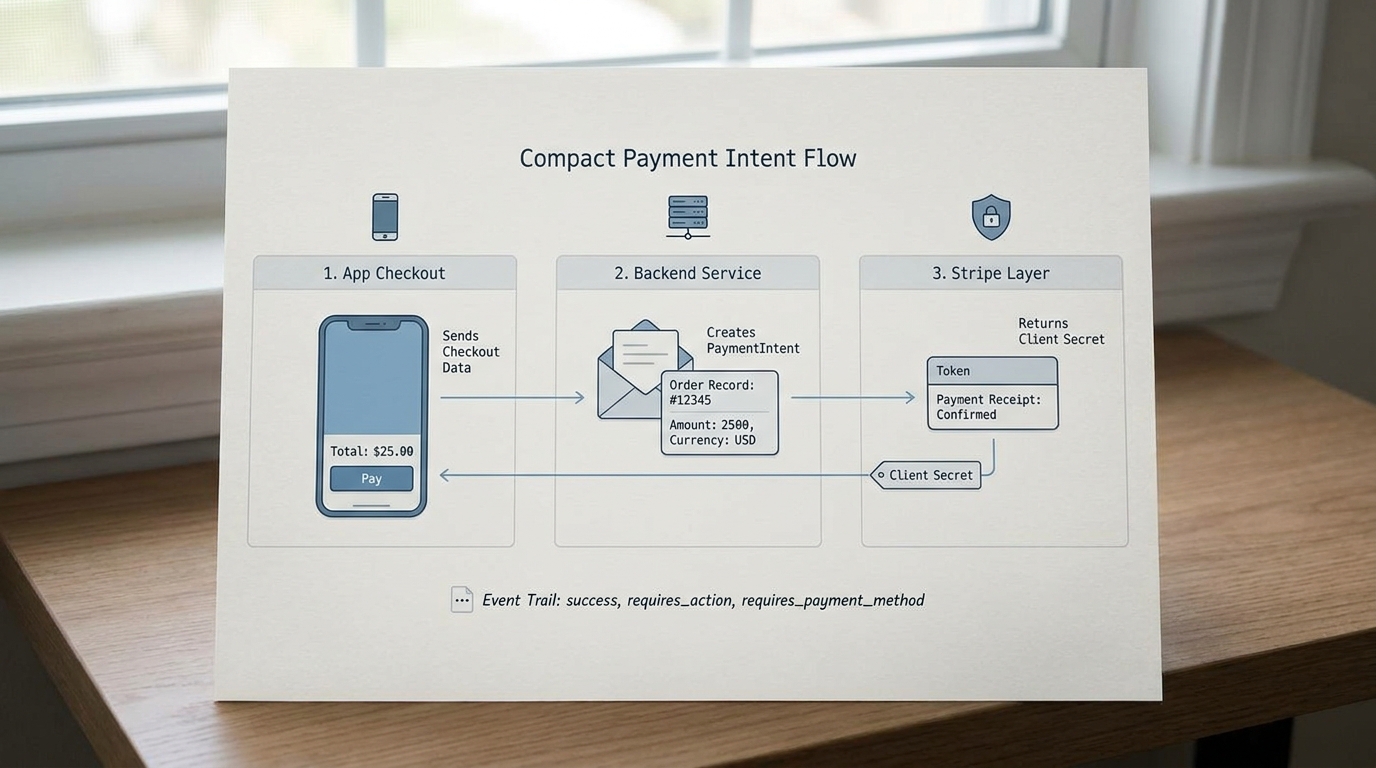
A compact three-part workflow visual showing an iPhone app sending checkout data to a backend endpoint, the backend creating a Stripe PaymentIntent, and Stripe returning a client secret for payment confirmation.
Stripe speeds up a lot of the hard payment work (payment method handling, SCA flows, solid UI primitives), but it does not remove the need for careful backend and product decisions. If you wire it ad hoc, you often end up with environment mismatches, unclear post-payment states, and sensitive logic spread across places you cannot audit later.
| Area | Stripe approach | Building it yourself |
|---|---|---|
| Card entry UI | Use Stripe iOS SDK components (smaller PCI scope) (docs) | Build and secure your own card form |
| Payment confirmation | Confirm against a PaymentIntent (guide) | Own auth, retries, and edge cases |
| Server coordination | Small endpoint creates PaymentIntent | Full custom gateway and compliance burden |
The practical takeaway: Stripe reduces risk and effort, but your backend still owns pricing, fulfillment, refunds policy, and final verification.
When you move from outline to execution, Step-by-Step Guide to Publishing Your First Mobile App helps close common gaps teams hit here.
How do you integrate Stripe into an iOS app step by step?
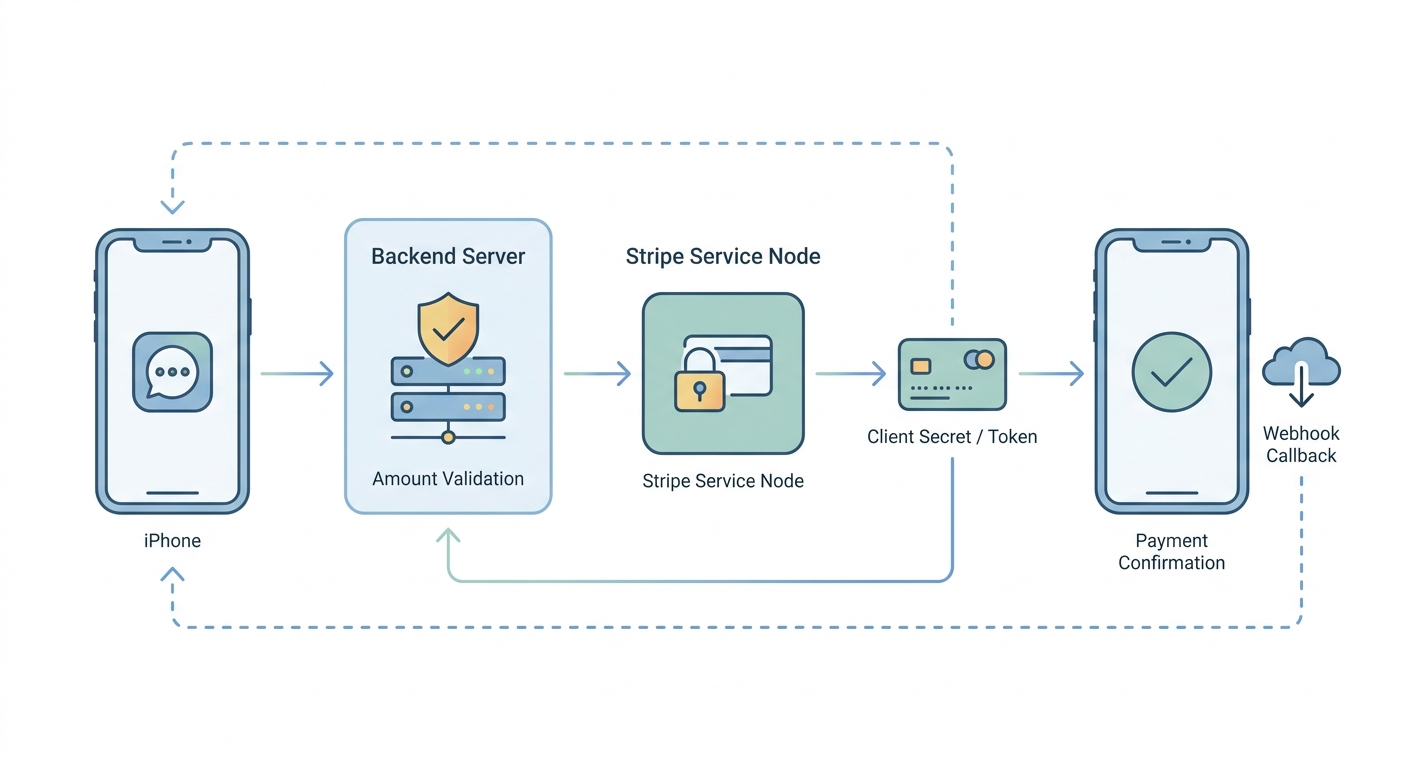
A step-by-step process diagram that traces the Stripe integration path from backend amount validation to PaymentIntent creation, client secret return, and iOS payment confirmation in Xcode.
What do you need before writing iOS code?
- Stripe account + keys: publishable key (iOS) and secret key (server). Keep test and live separate.
- A checkout entry point in the app: one screen with an item, total, and a Pay button. If your pricing UI is still in flux, expect some rework.
- A backend endpoint (or serverless function): creates PaymentIntents and returns a client secret. If you do not have a backend yet, this is usually the longest dependency.
One thing worth noting: your server should be the source of truth for totals. If the device can set the amount, a user can tamper with it.
What does the minimal backend endpoint look like?
This is enough to unblock iOS testing. Your real implementation will likely add auth checks, inventory validation, taxes, and idempotency (especially once you see real retry behavior and webhook delays).
| Endpoint | Input (example) | Output (example) | Notes |
|---|---|---|---|
POST /create-payment-intent | { "cart_id": "c_123" } | { "client_secret": "pi_..._secret_..." } | Server looks up total and currency; do not accept raw amount from the app |
Operational dependency: if purchases require login, pass a session token and associate the PaymentIntent with a user or order record server-side. That is what makes reconciliation and refunds possible later.
How do you wire the iOS app to confirm payment?
Install and configure the Stripe iOS SDK
Add the Stripe iOS SDK and set
StripeAPI.defaultPublishableKeyusing your publishable key. Follow the current SDK setup steps (docs).Fetch the client secret, then present PaymentSheet
From your checkout screen, call
POST /create-payment-intent, then initialize and present PaymentSheet with the returnedclient_secret. A common failure is mixing a live publishable key with a test mode client secret (or the other way around).Confirm and handle outcomes in your UI
Treat outcomes as states you must support: success, failure, cancel, and "try again". Budget time to test on a real device and on a slow network, because those paths drive refunds, support tickets, and churn more than the happy path.
When this goes wrong in production, it is usually because fulfillment is not idempotent (webhooks arrive late, the app retries, or your server endpoint is called twice). Plan a bit of engineering time to make "unlocking value" safe to run more than once.
A complementary angle worth comparing lives in How to Set Up CI/CD for Your iOS App - Beginner's Guide.
What can go wrong when setting up Stripe in an iPhone app?
Most early failures are not "Stripe bugs". They are integration gaps between client, server, and real-world payment behavior.
| Risk / failure mode | What it looks like | How to reduce it |
|---|---|---|
| Test vs live mismatch | Auth errors, "No such PaymentIntent", or confusing failures | Ensure publishable key, secret key, and objects are all in the same mode |
| SCA/3DS not fully handled | Payments sit in requires_action or users drop after auth | Use PaymentSheet; test auth-required cards; handle cancel and retry |
| Webhook delays or missing events | App shows success, but backend never fulfills (or fulfills twice) | Make fulfillment idempotent; treat webhooks as eventually consistent |
| Network retries and double taps | Duplicate orders or unclear states | Use idempotency keys; disable the pay button while confirming |
The practical takeaway: plan a few extra hours for failure testing (spotty network, app backgrounding, user cancel). It is boring work, but it prevents weeks of support cleanup.
For tradeoffs, checklists, and edge cases, How to Set Up In-App Purchases on iOS the Right Way rounds out this section.
What should you verify before shipping Stripe in your iOS app?
Pre-launch checklist (dashboard, backend, app)
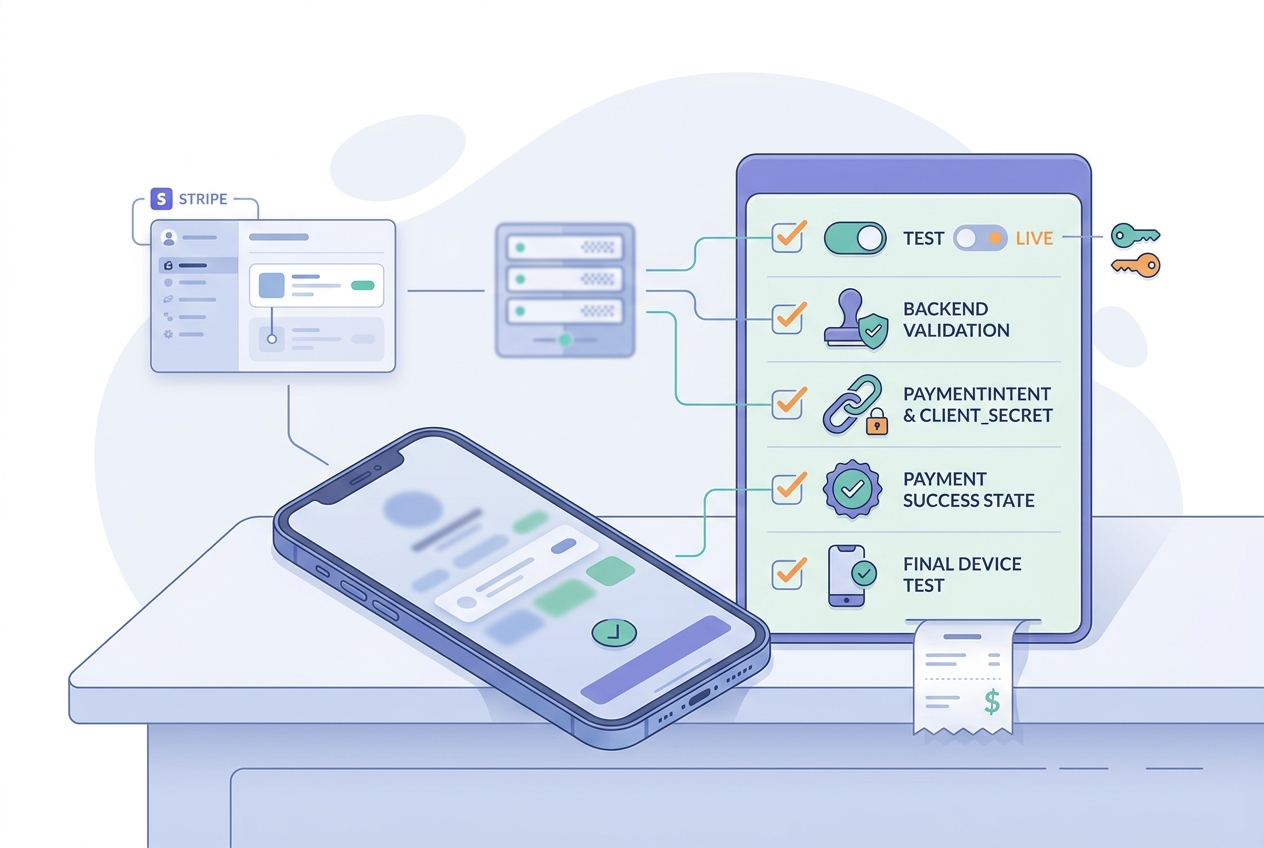
A mobile-friendly pre-launch checklist covering Stripe test mode, live keys, backend validation, payment success states, and a final end-to-end test on a physical iPhone before App Store release.
- Keys match the same environment across app, backend, and Dashboard (test vs live).
- Backend creates the PaymentIntent and returns a valid
client_secret(docs). - End-to-end test on a physical iPhone: tap - PaymentSheet - authenticate (if required) - UI updates - backend verifies.
| Verify | Practical check |
|---|---|
| Live mode | Live publishable key + live secret key |
| Webhooks (if used) | Events are received and processed even if delayed |
| Success state | Unlock only after server-side verified status, not after a UI animation |
What should you monitor after the first live payments?
Pick one metric that tells you if checkout is healthy, then add detail as needed. Expect to spend an hour or two wiring logging so you can debug by PaymentIntent id.
- Primary metric:
payment_success_rate = succeeded / started(define "started" as "PaymentIntent created" or "PaymentSheet presented", then stick to it) - Supporting checks: decline reasons, PaymentSheet cancellation rate, and
requires_actiondrop-offs - Operational tool: Stripe Events timeline for investigating specific failures
Constraint: metrics are only useful if you can tie them to app versions and environments. Log app version, environment (test/live), and PaymentIntent id.
CTA: Get a minimal integration reviewed
Share your checkout flow (screen + endpoint + a Stripe Events screenshot) and I will point out the most common production risks before you flip live.
request a quick review
How to Monetize Your First Mobile App (Step-by-Step) reframes the same problem with a slightly different lens - useful before you finalize.
Conclusion
Ship the smallest correct PaymentIntent flow first, verify it end to end, and only then add Apple Pay, saved payment methods, or subscriptions. This keeps scope under control, and it makes debugging much easier when real users hit edge cases (plus you avoid reworking flows after App Store review feedback or tax/subscription decisions).
CTA: Use the pre-launch checklist before you ship
Run the checklist on a physical device, confirm your server verification path, and pick one success metric to monitor in week one.
review the checklist